Church Finance Management System Nairobi: Complete Guide to Digital Church Financial Management

Church finance management system Nairobi

Church finance management system Nairobi is becoming an important solution for churches that want to improve financial organization, accountability, contribution tracking, budgeting, and reporting. As churches in Nairobi continue to grow, managing tithes, offerings, donations, pledges, expenses, projects, and departmental budgets through notebooks and spreadsheets can become increasingly difficult.

A modern Church finance management system Nairobi solution gives church leaders and finance teams a centralized platform for recording and monitoring financial activities. Instead of maintaining separate records for contributions, expenses, projects, and budgets, churches can organize their financial information digitally and access reports when needed.

The need for digital church finance management is not theoretical. Church finance platforms operating in Kenya already provide capabilities such as contribution tracking, automated receipts, financial reports, mobile payments, and hierarchical management for churches and associations.

This guide explains how a Church finance management system Nairobi solution works, why churches in Nairobi need digital financial tools, the challenges of manual financial administration, important features to consider, and how technology can support stronger financial accountability.


What Is a Church Finance Management System?

A Church finance management system Nairobi solution is digital software designed to help churches organize and manage their financial operations from a centralized platform.

Traditional church finance management may involve physical receipt books, Excel spreadsheets, bank statements, contribution registers, and separate records for different departments. While these methods may work for a small congregation, they become increasingly difficult to maintain as the church grows.

A digital system can bring together:

  • Tithes
  • Offerings
  • Donations
  • Pledges
  • Expenses
  • Budgets
  • Projects
  • Assets
  • Financial reports
  • Departmental finances

This creates a structured financial environment where authorized users can record transactions and generate reports without manually combining information from multiple sources.

Kenyan church finance systems already demonstrate this model, with platforms offering contribution management, expense tracking, budgeting, asset management, and financial reporting.


Why Nairobi Churches Need Digital Finance Management

Nairobi has churches ranging from small local congregations to large ministries with multiple services, departments, campuses, and branches.

As the number of financial transactions increases, manual administration can consume significant amounts of time.

A Church finance management system Nairobi platform can help churches manage financial information more efficiently while reducing repetitive administrative work.

Churches may receive income from several sources, including:

  • Sunday offerings
  • Tithes
  • Thanksgiving
  • Donations
  • Fundraising
  • Building projects
  • Mission contributions
  • Welfare funds
  • Special events
  • Online giving

At the same time, churches have expenses involving:

  • Salaries
  • Rent
  • Utilities
  • Maintenance
  • Transport
  • Equipment
  • Ministry activities
  • Events
  • Outreach
  • Construction

Managing all these transactions accurately requires organized financial processes.


Challenges of Manual Church Finance Management

1. Too Much Paperwork

Paper-based financial management requires finance teams to maintain multiple registers and documents.

As transaction volumes increase, searching for specific records becomes difficult.

A Church finance management system Nairobi platform reduces reliance on physical documents by storing financial information digitally.


2. Manual Calculations

Finance teams may spend hours calculating totals, reconciling transactions, preparing spreadsheets, and creating reports.

Manual calculations increase the possibility of arithmetic and data-entry errors.

Digital systems can automate many calculations and provide faster summaries.


3. Difficult Financial Reporting

Church leadership may need financial reports for:

  • Board meetings
  • Finance committee meetings
  • Department meetings
  • Annual reviews
  • Project meetings
  • Budget planning

Preparing these reports manually can be time-consuming.

A digital platform can generate reports from information already recorded in the system.


4. Poor Visibility Across Departments

A growing church may have separate financial records for:

  • Youth ministry
  • Children’s ministry
  • Worship
  • Missions
  • Media
  • Outreach
  • Administration

Without centralized reporting, leadership may struggle to understand the overall financial position.

A Church finance management system Nairobi solution can help bring departmental financial information into one structured environment.


Managing Tithes and Offerings

Tithes and offerings are important components of church financial management.

A digital system can help finance teams record contributions according to categories.

For example:

  • Tithe
  • Sunday offering
  • Thanksgiving
  • Missions
  • Building fund
  • Welfare
  • Youth ministry
  • Special offering

Categorizing contributions makes financial reporting easier.

It also helps leadership understand how funds are being received and allocated.


Digital Contribution Management

A Church finance management system Nairobi platform can maintain organized records of contributions while reducing manual entry.

Depending on the software, each transaction may contain:

  • Date
  • Amount
  • Payment method
  • Contribution category
  • Reference number
  • Member or donor
  • Branch
  • Project

This creates a searchable digital record.

Some church finance platforms in Kenya provide automated receipts and real-time contribution reports, demonstrating how digital contribution management can replace manual processes.


M-PESA and Digital Payments

For churches in Nairobi, support for digital payments can be an important consideration.

Members may use:

  • M-PESA
  • Bank transfers
  • Visa
  • Mastercard
  • Other mobile payment methods

A Church finance management system Nairobi platform that supports relevant payment integrations can simplify the process of recording contributions.

Some Kenyan church finance systems currently advertise support for M-PESA, Airtel Money, Visa, and Mastercard, alongside automatic receipts and real-time reporting.

The exact integration available will depend on the software provider and payment configuration.


Automated Receipts

Receipts provide confirmation that a contribution has been received.

Instead of manually writing receipts, a digital system can generate receipts automatically after qualifying transactions.

Receipts may contain:

  • Contributor information
  • Amount
  • Date
  • Payment reference
  • Contribution category

This saves finance teams time and provides members with convenient transaction confirmation.


Donation Management

Churches may receive donations from both members and visitors.

Donations can support:

  • Community outreach
  • Missions
  • Construction
  • Education
  • Welfare
  • Special projects

A Church finance management system Nairobi platform can organize donations according to their intended purpose.

This helps finance teams determine how much has been received for different initiatives.


Pledge Management

Church projects frequently depend on pledges.

For example, members may pledge funds toward:

  • Building construction
  • Land acquisition
  • Church equipment
  • Mission projects
  • Community programs

A digital system can record the pledge amount and track payments made against it.

This gives the finance team better visibility into outstanding commitments.


Expense Management

Financial management is not only about tracking income.

Churches must also maintain accurate records of expenditure.

A Church finance management system Nairobi solution can categorize expenses such as:

  • Rent
  • Electricity
  • Water
  • Internet
  • Salaries
  • Transport
  • Maintenance
  • Equipment
  • Events
  • Outreach
  • Ministry expenses

Proper categorization makes it easier to determine where church resources are being used.


Church Budget Management

Budgeting helps churches plan how available resources should be allocated.

A digital system can create budgets for:

  • Departments
  • Ministries
  • Branches
  • Projects
  • Events
  • Annual operations

For example, a church could establish separate budgets for youth ministry, missions, worship, administration, and building projects.

A Church finance management system Nairobi platform can then help compare planned budgets with actual expenditure.


Budget Versus Actual Spending

One of the most useful financial reports compares:

Budget → Actual Spending → Remaining Balance

For example:

Department Budget Actual Spending
Youth Ministry KES 200,000 KES 175,000
Missions KES 300,000 KES 280,000
Worship KES 150,000 KES 125,000
Administration KES 250,000 KES 240,000

These figures are examples only.

Budget-versus-actual reporting helps church leadership identify areas where spending is above or below expectations.


Financial Reporting

A Church finance management system Nairobi solution should provide useful financial reports.

Depending on the platform, these may include:

  • Income reports
  • Expense reports
  • Contribution reports
  • Budget reports
  • Project reports
  • Departmental reports
  • Cash-flow reports
  • General ledger reports
  • Financial summaries

Some Kenyan church management platforms advertise automated financial statements including balance sheets, cash-flow statements, functional expense reports, and general ledgers.

These reports can save finance teams from manually compiling information before every leadership meeting.


Church Building and Project Finance

Church construction and development projects can involve significant amounts of money.

A church may need to track:

  • Project budget
  • Donations
  • Pledges
  • Contractor payments
  • Materials
  • Expenses
  • Remaining balance

A Church finance management system Nairobi platform can create separate records for major projects.

This helps leadership determine whether a project is financially on track.


Financial Accountability

Accountability is one of the most important reasons churches adopt digital financial systems.

A digital platform can provide records showing:

  • Who entered a transaction
  • When it was entered
  • Who approved an expense
  • What category was used
  • Whether a transaction was modified

These features can create a stronger audit trail.

Church finance technology has also been developed specifically to improve internal controls and financial transparency in church organizations. The Adventist Stewardship ministry describes its Church Finance Management System as a technology intended to improve internal controls and transparency in local church finances.


Multi-Branch Church Finance Management

Some Nairobi churches operate several campuses or branches.

Managing financial information across multiple locations can be difficult when every branch maintains separate spreadsheets.

A Church finance management system Nairobi platform with multi-branch capabilities can allow:

Head Office → Branch A → Branch B → Branch C → Branch D

Each branch can maintain appropriate local records while authorized headquarters users access consolidated reports.

This can make financial oversight easier for growing churches.


Role-Based Financial Access

Not every church user should have access to all financial information.

For example:

Treasurer: Detailed financial information

Finance Administrator: Transactions and reports

Department Leader: Department budget and expenses

Pastor: Appropriate financial summaries

Volunteer: Limited data-entry access

Role-based permissions can help protect sensitive information.

Some Kenyan church management platforms explicitly provide role-based access so different users can see only the information appropriate to their responsibilities.


Financial Data Security

Financial records should be protected carefully.

When evaluating a Church finance management system Nairobi solution, churches should consider:

  • User authentication
  • Strong passwords
  • Role-based permissions
  • Secure data transmission
  • Data backups
  • Audit logs
  • Recovery procedures

A church should also review user accounts regularly and remove access when staff or volunteers leave their financial roles.


Benefits of a Church Finance Management System

A well-implemented Church finance management system Nairobi solution can provide several benefits.

Better Organization

Financial records are centralized instead of being scattered across notebooks and spreadsheets.

Faster Reporting

Reports can be generated from existing transaction records.

Better Contribution Tracking

Tithes, offerings, donations, and pledges can be organized systematically.

Improved Budget Control

Leadership can compare budgets with actual expenditure.

Reduced Administrative Work

Finance teams spend less time manually calculating and compiling information.

Improved Accountability

Digital records and permissions can create better financial visibility.

Easier Multi-Branch Management

Churches with multiple locations can consolidate financial information more efficiently.


Choosing the Right Church Finance Management System Nairobi

Before selecting a platform, church leadership should evaluate its requirements.

Important features to consider include:

  • Tithe management
  • Offering management
  • Donation tracking
  • Pledge management
  • M-PESA integration
  • Expense management
  • Budget management
  • Project finance
  • Financial reports
  • Digital receipts
  • Multi-branch support
  • Role-based access
  • Audit trails
  • Data backups
  • Mobile accessibility

The system should also be easy enough for church staff and volunteers to use consistently.


What Nairobi Churches Should Look For

A Church finance management system Nairobi solution should ideally understand the financial environment in which local churches operate.

Important considerations include:

  • Kenyan currency support
  • Local payment options
  • Mobile money compatibility
  • Contribution categories
  • Branch structures
  • Departmental budgets
  • Financial reporting
  • Local support
  • Cloud accessibility

Kenyan-focused church software providers increasingly highlight M-PESA reconciliation, church-specific obligations, denomination structures, and local reporting as features that distinguish church systems from generic accounting software.


Why Churches in Nairobi Are Moving Toward Digital Finance

Church administration is becoming increasingly digital.

Financial information is too important to depend entirely on paper registers and disconnected spreadsheets.

A Church finance management system Nairobi solution can provide a structured way to manage financial information while giving authorized church leaders better visibility.

The objective is not simply to replace paper.

It is to create a more efficient financial management process that supports accountability, planning, and responsible stewardship.


Preparing for Digital Church Financial Management

Before implementing a Church finance management system Nairobi platform, churches should:

  1. Review existing financial processes.
  2. Identify administrative challenges.
  3. Organize existing financial records.
  4. Remove duplicate information.
  5. Define financial roles.
  6. Establish approval procedures.
  7. Train finance teams.
  8. Test the system.
  9. Review reports regularly.
  10. Maintain appropriate security controls.

A structured implementation process makes adoption easier and reduces disruption.

Advanced Features for Better Financial Control, Reporting, and Accountability

Church finance management system Nairobi solutions are helping churches move beyond manual financial records and adopt more organized ways of managing contributions, expenses, budgets, projects, and financial reports. For churches with growing congregations, multiple ministries, several services, or different branches, financial administration can become increasingly complex.

A modern Church finance management system Nairobi platform can centralize financial activities and give authorized church leaders better visibility into the organization’s financial position. Instead of relying on multiple spreadsheets, receipt books, bank statements, and departmental records, finance teams can manage information through one connected platform.

Part 1 introduced the fundamentals of digital church financial management. This Part 2 focuses on advanced features that can help churches in Nairobi improve financial control, automate routine tasks, monitor budgets, manage projects, and create more reliable financial reports.

Advanced Features of a Church Finance Management System

A modern Church finance management system Nairobi should provide more than basic income and expense recording.

Important capabilities can include:

  • Tithe and offering management
  • Donation tracking
  • Pledge management
  • M-PESA integration
  • Digital receipts
  • Expense management
  • Budget monitoring
  • Approval workflows
  • Project finance management
  • Departmental accounting
  • Financial dashboards
  • Multi-branch reporting
  • Audit trails
  • Automated reports
  • User permissions
  • Data backups

The exact features available will depend on the software provider, so churches should evaluate platforms based on their actual financial requirements.

M-PESA Integration for Church Contributions

For many churches in Nairobi, mobile money is an important part of receiving contributions. Members may use M-PESA to send tithes, offerings, donations, project contributions, and other payments.

A Church finance management system Nairobi platform that supports appropriate M-PESA workflows can help reduce manual transaction recording.

Instead of finance staff repeatedly checking payment notifications and entering information into spreadsheets, an integrated process can make it easier to organize transactions according to their purpose.

A contribution record may contain:

  • Amount
  • Date
  • Transaction reference
  • Payment method
  • Contribution category
  • Member or donor information
  • Project
  • Branch

Some Kenyan church platforms advertise M-PESA integration, automated receipts, and real-time contribution reporting.

Churches should confirm the exact payment integration offered by a provider before implementation.

Automated Contribution Recording

Manual contribution recording can consume considerable time, particularly for churches receiving many transactions every week.

A Church finance management system Nairobi platform can help organize contributions automatically or through structured data-entry workflows.

For example, contributions can be classified as:

  • Tithes
  • Offerings
  • Thanksgiving
  • Building fund
  • Missions
  • Welfare
  • Youth ministry
  • Special projects

This allows finance teams to produce reports based on individual categories rather than manually sorting transactions.

Digital Receipts

Digital receipts can improve the contribution experience for both the church and its members.

After a contribution is recorded, the system may generate a receipt containing relevant information such as:

  • Contributor name
  • Amount
  • Date
  • Payment reference
  • Contribution category

Depending on the platform, receipts can be delivered electronically or accessed through a member account.

Digital receipts also reduce dependence on physical receipt books and make historical transactions easier to retrieve.

Automated Financial Reconciliation

Reconciliation is one of the most important financial processes in a church.

The finance team may need to compare:

Church System Records + Bank Records + Mobile Payment Records

A Church finance management system Nairobi platform can make reconciliation more structured by keeping transaction records in a centralized database.

Finance teams can identify:

  • Recorded transactions
  • Missing transactions
  • Duplicate transactions
  • Unmatched payments
  • Incorrect amounts
  • Transactions requiring investigation

Automated or assisted reconciliation does not remove the need for human review. Instead, it can make the review process faster and more organized.

Expense Management

Churches need strong controls over expenditure as well as income.

A digital platform can organize expenses into categories such as:

  • Salaries
  • Rent
  • Electricity
  • Water
  • Internet
  • Transport
  • Maintenance
  • Equipment
  • Events
  • Missions
  • Outreach
  • Administration
  • Ministry activities

A Church finance management system Nairobi solution can allow each expense to be associated with a department, project, branch, or budget.

This creates a clearer picture of where church funds are being used.

Expense Approval Workflows

Churches should establish clear procedures for approving expenditure.

A digital approval workflow might follow a process such as:

Expense Request → Department Review → Finance Review → Approval → Payment → Recording

The actual process can vary according to the church’s policies.

Approval workflows help reduce unauthorized spending and create a record of who reviewed and approved an expense.

Departmental Financial Management

Growing churches often have many departments.

These may include:

  • Youth
  • Children
  • Worship
  • Media
  • Missions
  • Evangelism
  • Women’s ministry
  • Men’s ministry
  • Administration
  • Outreach

Each department may have its own financial requirements.

A Church finance management system Nairobi platform can allow departments to operate within defined budgets while finance administrators maintain centralized oversight.

Department leaders can potentially view the financial information relevant to their responsibilities without receiving unnecessary access to sensitive church-wide records.

Department Budget Monitoring

Budget monitoring becomes easier when every department has a defined allocation.

For example:

Department Annual Budget Spending Balance
Youth KES 300,000 KES 240,000 KES 60,000
Missions KES 500,000 KES 420,000 KES 80,000
Worship KES 250,000 KES 190,000 KES 60,000
Media KES 200,000 KES 165,000 KES 35,000

These figures are illustrative.

A digital system can make it easier to identify departments that are approaching or exceeding their budgets.

Budget Versus Actual Reporting

A strong Church finance management system Nairobi should help leadership compare planned expenditure with actual expenditure.

For example:

Approved Budget: KES 1,000,000

Actual Spending: KES 850,000

Remaining Budget: KES 150,000

This information can help church leaders determine whether spending is progressing according to plan.

Budget variance reports can also reveal areas where actual costs are significantly higher than expected.

Project Financial Management

Churches frequently manage special projects that require dedicated financial tracking.

Examples include:

  • Church construction
  • Land acquisition
  • Renovation
  • Vehicle purchase
  • Sound equipment
  • LED screens
  • Mission projects
  • Community programs

A Church finance management system Nairobi platform can create separate financial categories or project accounts for these initiatives.

The system can then track:

  • Project target
  • Amount received
  • Amount spent
  • Outstanding pledges
  • Current balance
  • Project expenses

This reduces the risk of mixing project funds with routine operational expenditure.

Building Fund Management

Building projects can continue for months or years.

During this period, churches may receive contributions from many different sources.

A digital system can help finance teams monitor:

Building Target → Contributions → Expenses → Remaining Balance

Leadership can then determine whether the project is financially on track.

The same approach can be used for land purchases, renovations, equipment purchases, and other major projects.

Pledge Tracking

Pledges are commonly used when churches raise money for major initiatives.

For example, a member may pledge KES 100,000 toward a building project and make payments over several months.

A Church finance management system Nairobi platform can record:

  • Original pledge
  • Amount paid
  • Payment dates
  • Outstanding amount
  • Project
  • Contribution category

This makes it easier for authorized finance teams to understand the current position of a fundraising campaign.

Fundraising Campaign Management

Churches may organize fundraising campaigns for specific purposes.

Examples include:

  • Building campaigns
  • Mission fundraising
  • Community support
  • Equipment purchases
  • Emergency assistance

A digital system can create separate campaign records and monitor contributions against the campaign target.

This can make fundraising reports easier to prepare.

Financial Dashboards

Financial dashboards provide a summarized view of church finances.

A dashboard may display:

  • Total income
  • Total expenses
  • Current balance
  • Monthly contributions
  • Budget utilization
  • Project balances
  • Outstanding pledges
  • Department expenditure

Instead of reviewing several spreadsheets, authorized leaders can access important financial information from one interface.

A Church finance management system Nairobi dashboard can therefore support faster decision-making.

Cash Flow Monitoring

Cash flow management helps churches understand when money is coming in and when expenses are expected.

A church may have strong annual income but still experience short-term cash flow pressure if major expenses occur before expected contributions are received.

Digital financial records can help finance teams monitor:

  • Monthly income
  • Monthly expenses
  • Upcoming payments
  • Recurring expenses
  • Project commitments
  • Available funds

This can support more careful financial planning.

Financial Forecasting

Historical records can provide useful information for future planning.

Church leaders can analyze:

  • Monthly giving
  • Annual contribution trends
  • Departmental expenditure
  • Project costs
  • Recurring expenses
  • Seasonal changes

A Church finance management system Nairobi platform with analytical capabilities can help finance teams use historical data when preparing future budgets.

Forecasts should always be treated as planning tools rather than guaranteed predictions.

Multi-Branch Financial Management

Some churches in Nairobi operate multiple campuses or branches.

Managing each branch separately can create challenges when headquarters needs consolidated financial information.

A centralized Church finance management system Nairobi can allow each branch to maintain its own financial records while authorized headquarters users access consolidated reports.

For example:

Head Office

→ Nairobi Branch
→ Westlands Branch
→ Eastlands Branch
→ Karen Branch
→ Other Locations

The actual structure will depend on the church.

Consolidated Financial Reports

Multi-branch churches can benefit from consolidated reporting.

Leadership may want to see:

  • Total income across branches
  • Total expenses
  • Branch balances
  • Department expenditure
  • Project contributions
  • Budget performance

At the same time, individual branch administrators may only need access to their branch’s information.

This is where centralized permissions and reporting become important.

Role-Based Access Control

Financial information should not automatically be available to every church user.

A Church finance management system Nairobi platform should ideally allow administrators to define user permissions.

For example:

Treasurer: Full financial access

Finance Officer: Transaction and reporting access

Department Leader: Department budget access

Branch Administrator: Branch-level financial access

Pastor: Approved financial summaries

Volunteer: Limited transaction-entry access

This reduces unnecessary exposure of sensitive financial information.

Financial Audit Trails

An audit trail records significant actions performed in the system.

It can help answer questions such as:

  • Who created the transaction?
  • Who edited it?
  • When was it changed?
  • Who approved the expense?
  • What information was modified?

Audit trails can strengthen internal controls and make financial reviews more efficient.

Church financial technology is also being developed specifically around internal controls and financial transparency. The Adventist Stewardship ministry, for example, describes its Church Financial Management System as supporting internal controls and transparency in local church finances.

Supporting Financial Audits

Churches may periodically review their financial records internally or through external professionals.

A digital system can make this process easier by organizing:

  • Income records
  • Expense records
  • Receipts
  • Payment references
  • Budgets
  • Project records
  • Approval histories

Instead of searching through multiple physical files, authorized users can retrieve relevant information from the system.

The software should support proper record keeping, but financial review should still be performed by appropriately responsible individuals.

Recurring Expense Management

Churches often have expenses that occur repeatedly.

Examples include:

  • Rent
  • Salaries
  • Electricity
  • Internet
  • Security
  • Cleaning
  • Software subscriptions
  • Maintenance

A Church finance management system Nairobi can help finance teams identify recurring financial obligations and include them in budget planning.

This reduces the risk of overlooking regular expenses.

Financial Reporting for Church Leadership

Leadership teams need accurate information when making financial decisions.

A digital platform can generate reports for:

  • Finance committees
  • Church boards
  • Department meetings
  • Annual meetings
  • Project committees
  • Branch leadership

Useful reports can include:

  • Income statements
  • Expense reports
  • Budget reports
  • Contribution summaries
  • Project reports
  • Branch reports
  • Cash flow summaries

Some Kenyan church software platforms advertise automated financial statements and general ledger reporting.

Financial Alerts and Notifications

Some modern systems can provide alerts when specific financial conditions occur.

Examples include:

  • Department approaches budget limit
  • Expense requires approval
  • Pledge payment is received
  • Payment is recorded
  • Budget is exceeded
  • Recurring expense is due

Notifications can help finance teams respond to important events more quickly.

The availability of these features depends on the specific software.

Data Backup and Recovery

Financial information should not depend on one office computer.

A cloud-based Church finance management system Nairobi can provide centralized storage and, depending on the provider, automated backups.

Churches should ask providers:

  • How often is data backed up?
  • Where are backups stored?
  • How long are backups retained?
  • How can data be restored?
  • Who can access backup information?
  • What happens if the system becomes unavailable?

Having a recovery plan is an important part of protecting church financial information.

Mobile Access

Church leaders may not always be in the church office.

A mobile-friendly system can allow authorized users to access financial information while attending meetings, visiting branches, or working remotely.

Possible mobile functions include:

  • Viewing reports
  • Reviewing transactions
  • Checking budgets
  • Approving expenses
  • Monitoring contributions

Mobile access should always be protected with appropriate authentication and permissions.

Integrating Finance With Church Administration

Financial management becomes even more useful when connected with broader church administration.

For example:

Members + Contributions + Attendance + Events + Departments + Finance

This can create a more connected administrative environment.

However, churches should ensure that sensitive financial information remains restricted to authorized users even when systems are integrated.

Financial Data Security

A Church finance management system Nairobi contains sensitive information, so security should be treated as a priority.

Churches should look for:

  • Secure login
  • Role-based permissions
  • Password controls
  • Activity logs
  • Data backups
  • Secure connections
  • Controlled administrator access

Kenya’s Office of the Data Protection Commissioner provides resources on data protection and privacy obligations that organizations handling personal information should consider.

Churches should also establish internal policies governing who can access member and financial information.

Implementation Strategy for Nairobi Churches

Implementing a Church finance management system Nairobi should be approached as a structured project.

Step 1: Review Current Financial Processes

Document how the church currently handles:

  • Tithes
  • Offerings
  • Donations
  • Expenses
  • Budgets
  • Projects
  • Bank reconciliation
  • Financial reporting

Step 2: Identify Problems

Determine where the current process creates difficulties.

These may include:

  • Duplicate records
  • Delayed reports
  • Manual calculations
  • Missing receipts
  • Difficult reconciliation
  • Poor budget visibility

Step 3: Define User Roles

Decide who should:

  • Enter transactions
  • Approve expenses
  • Review reports
  • Manage budgets
  • Administer the system

Step 4: Clean Existing Records

Before importing historical information, remove duplicate or inaccurate records.

Step 5: Configure Categories

Create categories that match the church’s actual financial structure.

Step 6: Train Users

Finance teams should understand both the software and the church’s financial procedures.

Step 7: Test the System

Test contribution recording, expense management, reports, permissions, and reconciliation before full deployment.

Step 8: Monitor Adoption

After implementation, review whether staff and volunteers are consistently using the system correctly.

Common Mistakes to Avoid

Churches can experience problems even after purchasing software if implementation is poorly managed.

Choosing Software Only Because It Is Cheap

Cost is important, but functionality, security, support, and usability also matter.

Giving Too Many Users Full Access

Financial information should only be accessible to people who need it.

Ignoring Reconciliation

A digital system still requires financial review and reconciliation.

Failing to Train Staff

Users who do not understand the platform may continue relying on manual records.

Poor Transaction Categorization

Incorrect categories can make financial reports misleading.

Not Reviewing Reports

Generating reports is not enough. Leadership should actually review the information and act on relevant findings.

Questions to Ask Before Choosing a System

Before purchasing a Church finance management system Nairobi, church leadership should ask:

  1. Does the system support Kenyan churches?
  2. Does it support M-PESA or the church’s preferred payment workflow?
  3. Can it manage tithes and offerings?
  4. Can it track pledges?
  5. Can it manage projects?
  6. Can it create departmental budgets?
  7. Does it support multiple branches?
  8. Can different users have different permissions?
  9. Does it provide audit trails?
  10. Can it generate financial reports?
  11. How are backups handled?
  12. Is customer support available locally or remotely?
  13. Can the system be accessed securely from mobile devices?
  14. Can financial data be exported when necessary?

These questions can help churches compare different solutions more objectively.

The Growing Importance of Digital Church Finance

Churches in Nairobi operate in an environment where digital payments, cloud software, mobile communication, and online administration are becoming increasingly common.

Financial administration should evolve alongside these changes.

A Church finance management system Nairobi can help connect contributions, expenses, budgets, projects, and reports while reducing dependence on disconnected manual processes.

The objective should not simply be to introduce technology. The objective should be to improve financial organization, accountability, efficiency, and decision-making.

Looking Ahead

Future church finance systems are likely to become increasingly intelligent.

Potential developments include:

  • Automated reconciliation
  • Real-time financial dashboards
  • AI-assisted financial analysis
  • Automated budget alerts
  • Advanced forecasting
  • Mobile-first finance applications
  • Expanded payment integrations
  • Automated report summaries

These technologies can support finance teams, but human oversight will remain essential.

Church leaders and finance committees should continue to approve policies, review reports, investigate discrepancies, and make financial decisions.

Best Practices, Financial Accountability, Budgeting, Security, FAQs, and Conclusion

Church finance management system Nairobi solutions can help churches establish stronger financial processes while reducing administrative work. As churches grow, financial management requires more than recording income and expenses. It requires reliable procedures for budgeting, reconciliation, approvals, reporting, data security, and long-term planning.

A well-implemented Church finance management system Nairobi solution gives authorized church leaders a clearer view of financial activity and helps finance teams maintain organized records.

In Part 1, we explored the foundations of digital church finance, including tithes, offerings, donations, pledges, expenses, budgets, projects, and financial reporting. Part 2 covered advanced capabilities such as M-PESA integration, digital receipts, reconciliation, approval workflows, departmental budgets, project finance, dashboards, multi-branch management, and audit trails.

This final part focuses on best practices, accountability, budgeting, implementation, security, frequently asked questions, future developments, and how churches can make the most of digital financial management.

Best Practices for Church Financial Management

Technology should support good financial policies rather than replace them. A Church finance management system Nairobi platform is most effective when it is combined with clear procedures and responsible oversight.

Church leadership should establish written rules for receiving, recording, approving, spending, and reporting church funds.

Good financial practices can help churches:

  • Reduce financial errors
  • Improve accountability
  • Strengthen internal controls
  • Prepare reports faster
  • Monitor budgets
  • Track projects
  • Protect sensitive information

Establish Clear Financial Policies

Every church should define who can authorize expenses, approve payments, access financial records, prepare reports, and review transactions.

Clear policies help finance teams follow consistent procedures.

For example, the church can establish specific approval limits for different types of expenditure. Small routine purchases may follow a simpler approval process, while major purchases may require additional authorization.

A Church finance management system Nairobi can reinforce these policies through user permissions, approval workflows, transaction histories, and financial reports.

Separate Financial Responsibilities

Financial responsibilities should be divided whenever practical.

For example:

Person A: Records a transaction

Person B: Reviews the transaction

Person C: Approves the payment

This separation creates additional controls and makes unauthorized activity more difficult.

It also means that one person does not have complete control over every stage of a financial transaction.

Reconcile Financial Records Regularly

Church finance teams should regularly compare system records with:

  • Bank statements
  • M-PESA transactions
  • Cash records
  • Receipts
  • Payment confirmations
  • Supporting documents

A Church finance management system Nairobi can make reconciliation easier by keeping transaction information organized and searchable.

Regular reconciliation helps identify:

  • Missing transactions
  • Duplicate entries
  • Incorrect amounts
  • Unmatched payments
  • Recording errors

Identifying discrepancies early makes them easier to investigate and correct.

Keep Supporting Documents

Financial transactions should have appropriate supporting documentation.

This may include:

  • Receipts
  • Invoices
  • Payment confirmations
  • Purchase orders
  • Expense requests
  • Approval records
  • Contracts

Where supported, documents can be attached to digital transactions so authorized finance staff can retrieve the relevant information more easily.

Churches should also establish appropriate retention policies for financial documents.

Review Budgets Regularly

A church budget should not be created once and forgotten.

Leadership should regularly compare:

Budget → Actual Spending → Remaining Balance

For example, if a department has an annual budget of KES 300,000 and has already spent KES 280,000, leadership can review whether the remaining allocation is sufficient.

A Church finance management system Nairobi can provide budget reports that make these comparisons easier.

Regular budget reviews also help churches identify unexpected expenditure before it becomes a major financial problem.

Monitor Church Projects

Building, land, equipment, mission, and community projects can have separate financial targets.

Each project should have:

  • A defined budget
  • Income records
  • Expense records
  • Payment records
  • A current balance
  • Supporting documents

A Church finance management system Nairobi can help finance teams keep project information separate from routine operating expenses.

This makes it easier to determine whether a project is financially on track.

Manage Special Funds Carefully

Churches may maintain funds for:

  • Missions
  • Welfare
  • Construction
  • Education
  • Outreach
  • Youth programs
  • Community assistance
  • Emergency support

Separate categories or funds make it easier to see how much has been received and spent for each purpose.

This supports better reporting and helps reduce the possibility of accidentally mixing funds intended for different purposes.

Improve Financial Accountability

Accountability depends on both people and systems.

A Church finance management system Nairobi can support accountability by recording transactions, approvals, user actions, budgets, and financial reports.

However, software does not replace the finance committee, treasurer, church board, or other responsible leaders.

People must still review financial information, investigate unusual transactions, and ensure that church financial policies are being followed.

Protect Financial and Member Data

Church financial systems can contain sensitive information about:

  • Members
  • Donors
  • Employees
  • Contributions
  • Transactions
  • Bank-related records

Churches should use strong passwords, appropriate user permissions, secure connections, backups, and regular account reviews.

A Church finance management system Nairobi should only expose sensitive information to users who genuinely need access to perform their responsibilities.

Churches should also review inactive accounts and remove access when employees or volunteers leave financial positions.

Train Finance Teams

Successful implementation depends heavily on user adoption.

Finance teams should be trained on:

  • Recording income
  • Recording expenses
  • Categorizing transactions
  • Processing approvals
  • Reconciling payments
  • Generating reports
  • Managing budgets
  • Protecting user accounts

Training should also be provided to new staff and volunteers who join the finance team.

Use Financial Reports for Decision-Making

Reports should not simply be generated and stored.

Leadership should use financial information to understand:

  • Income trends
  • Expense trends
  • Budget performance
  • Project balances
  • Department spending
  • Outstanding commitments
  • Available resources

A Church finance management system Nairobi can make these reports available more quickly, allowing leadership to make decisions using organized financial records.

Digital Giving and Church Finance

Digital giving continues to change how churches receive contributions.

Members may use:

  • M-PESA
  • Bank transfers
  • Debit and credit cards
  • Online payment platforms
  • Other approved digital payment channels

A Church finance management system Nairobi can help organize these transactions and connect them with the appropriate financial categories.

Churches should confirm the exact payment integrations and reconciliation processes offered by each software provider before implementation.

Cloud-Based Financial Management

Cloud-based systems can give authorized users access to financial information from different locations.

This can be particularly useful for churches with:

  • Multiple branches
  • Traveling leaders
  • Remote finance teams
  • Centralized administration

Before selecting a cloud solution, churches should ask about:

  • Data backups
  • Security
  • Authentication
  • Data recovery
  • Access controls
  • Service availability

Financial Planning for Church Growth

As a church grows, its financial requirements can change.

Additional branches, staff, facilities, equipment, and ministry programs can increase expenditure.

Historical financial reports can help leadership understand previous income and spending patterns when preparing future budgets.

A Church finance management system Nairobi can provide historical information that supports this planning process.

Financial forecasting should be treated as a planning tool rather than a guarantee of future income.

Multi-Branch Financial Management

A growing church may operate multiple locations across Nairobi and beyond.

Each branch can have its own:

  • Income
  • Expenses
  • Budgets
  • Projects
  • Ministry activities

At the same time, headquarters may need consolidated financial information.

A centralized Church finance management system Nairobi can help authorized headquarters users review consolidated information while branch users manage appropriate local records.

This can reduce the need to manually combine spreadsheets from different locations.

How to Implement a Church Finance System Successfully

Step 1: Assess Current Processes

Document how the church currently records:

  • Tithes
  • Offerings
  • Donations
  • Expenses
  • Budgets
  • Projects
  • Payments
  • Financial reports

Step 2: Identify Gaps

Find problems such as:

  • Delayed reporting
  • Duplicate records
  • Missing receipts
  • Difficult reconciliation
  • Poor budget visibility
  • Excessive paperwork

Step 3: Define Requirements

Create a list of required features before comparing software providers.

The list may include:

  • Contribution management
  • Expense management
  • Budgeting
  • Project tracking
  • Financial reporting
  • M-PESA integration
  • Multi-branch support
  • User permissions

Step 4: Assign User Roles

Determine who can:

  • Record transactions
  • Approve expenses
  • Review reports
  • Manage budgets
  • Administer the system

Step 5: Clean Existing Data

Before migrating information, remove duplicate records and correct inaccurate information.

Step 6: Train Users

Give finance staff and authorized volunteers practical training.

Step 7: Test the System

Start with controlled transactions and verify:

  • Reports
  • Permissions
  • Payments
  • Approvals
  • Reconciliation
  • Budget calculations

Step 8: Monitor Performance

After implementation, review whether the system is actually reducing administrative work and improving financial reporting.

Common Mistakes Churches Should Avoid

Churches should avoid choosing software only because it has a low price.

Cost is important, but functionality, security, support, usability, and scalability should also be considered.

Churches should also avoid:

  • Giving every user full financial access
  • Ignoring reconciliation
  • Failing to train users
  • Maintaining several disconnected financial records
  • Poor transaction categorization
  • Ignoring financial reports
  • Failing to back up important records

The purpose of a Church finance management system Nairobi should be to create one organized financial process rather than another layer of administration.

Questions to Ask a Software Provider

Before choosing a platform, church leadership should ask:

  1. Does the system support Kenyan churches?
  2. Does it support Kenyan currency?
  3. Does it support the church’s preferred payment methods?
  4. Can it manage tithes and offerings?
  5. Can it track donations and pledges?
  6. Can it manage budgets?
  7. Can it manage projects?
  8. Can it support multiple branches?
  9. Can administrators create different user roles?
  10. Does it provide audit trails?
  11. Can it generate financial reports?
  12. How are backups handled?
  13. How is data recovered if something goes wrong?
  14. Is customer support available?
  15. Can authorized users securely access the system from mobile devices?

These questions help churches compare solutions according to practical requirements rather than marketing claims.

Frequently Asked Questions

What is a church finance management system?

It is software designed to help churches manage income, expenses, contributions, budgets, projects, and financial reports in a centralized digital environment.

Can churches manage M-PESA contributions?

This depends on the provider and the available integration. Churches should verify the exact M-PESA workflow, reconciliation process, and transaction capabilities before implementation.

Can the system manage tithes and offerings?

Yes. Many church financial platforms provide tools for recording and reporting tithes, offerings, donations, and other contributions.

Can it manage church expenses?

Yes. Depending on the platform, expense management can include categorization, approvals, documentation, payment records, and reporting.

Can multiple branches use the same system?

Yes. Platforms with multi-branch functionality can allow individual branches to manage their financial records while authorized leaders access consolidated reports.

Is church financial software secure?

Security depends on the provider and how the church configures and uses the platform. Important controls include authentication, user permissions, backups, secure connections, and activity logging.

Can software replace a church accountant?

Not necessarily. Software can simplify record keeping and reporting, but it does not automatically replace professional accounting expertise or responsible financial oversight.

Future of Church Financial Management

Digital church finance is likely to become increasingly automated.

Future systems may include:

  • AI-assisted financial analysis
  • Automated reconciliation
  • Real-time dashboards
  • Predictive budgeting
  • Automated financial alerts
  • Advanced reporting
  • Expanded mobile payment integrations
  • Digital receipts

These technologies can help finance teams work more efficiently.

However, church leadership should continue reviewing financial information and making important decisions through appropriate governance structures.

Why Digital Finance Supports Better Stewardship

Churches have a responsibility to manage resources carefully.

A Church finance management system Nairobi can help leaders understand how resources are received, allocated, and spent.

Better financial visibility can support:

  • Responsible budgeting
  • Stronger internal controls
  • Better project planning
  • Faster reporting
  • Improved accountability
  • More informed decisions

The purpose of digital financial management is therefore not simply convenience. It is to create a stronger administrative foundation for responsible stewardship.

Choosing the Right Solution

The best financial system is not necessarily the one with the largest number of features.

Churches should choose a platform that fits their:

  • Congregation size
  • Financial structure
  • Branches
  • Payment methods
  • Reporting requirements
  • Budget processes
  • Technical capabilities

A Church finance management system Nairobi should be simple enough for finance staff and authorized volunteers to use consistently.

It should also provide appropriate security, support, backups, reporting, and scalability.

Preparing for Long-Term Digital Finance Management

Implementing financial software should be viewed as a long-term improvement rather than a one-time technology purchase.

Churches should periodically review:

  • User permissions
  • Financial categories
  • Budget structures
  • Payment integrations
  • Reports
  • Backup procedures
  • Security policies
  • Staff training

This ensures that the system continues to support the church as its financial requirements change.

Church finance management system Nairobi

Church finance management system Nairobi

Church finance management system Nairobi
Church finance management system Nairobi
Church finance management system Nairobi
Church finance management system Nairobi
Church finance management system Nairobi
Church finance management system Nairobi
Church finance management system Nairobi
Church finance management system Nairobi

Church finance management system Nairobi

Church finance management system Nairobi
Church finance management system Nairobi

Church finance management system Nairobi

Church finance management system Nairobi
Church finance management system Nairobi

Church finance management system Nairobi

Church finance management system Nairobi

Church finance management system Nairobi

Church finance management system Nairobi

Church finance management system Nairobi

Church finance management system Nairobi

Church finance management system Nairobi

Church finance management system Nairobi

Church finance management system Nairobi

Church finance management system Nairobi

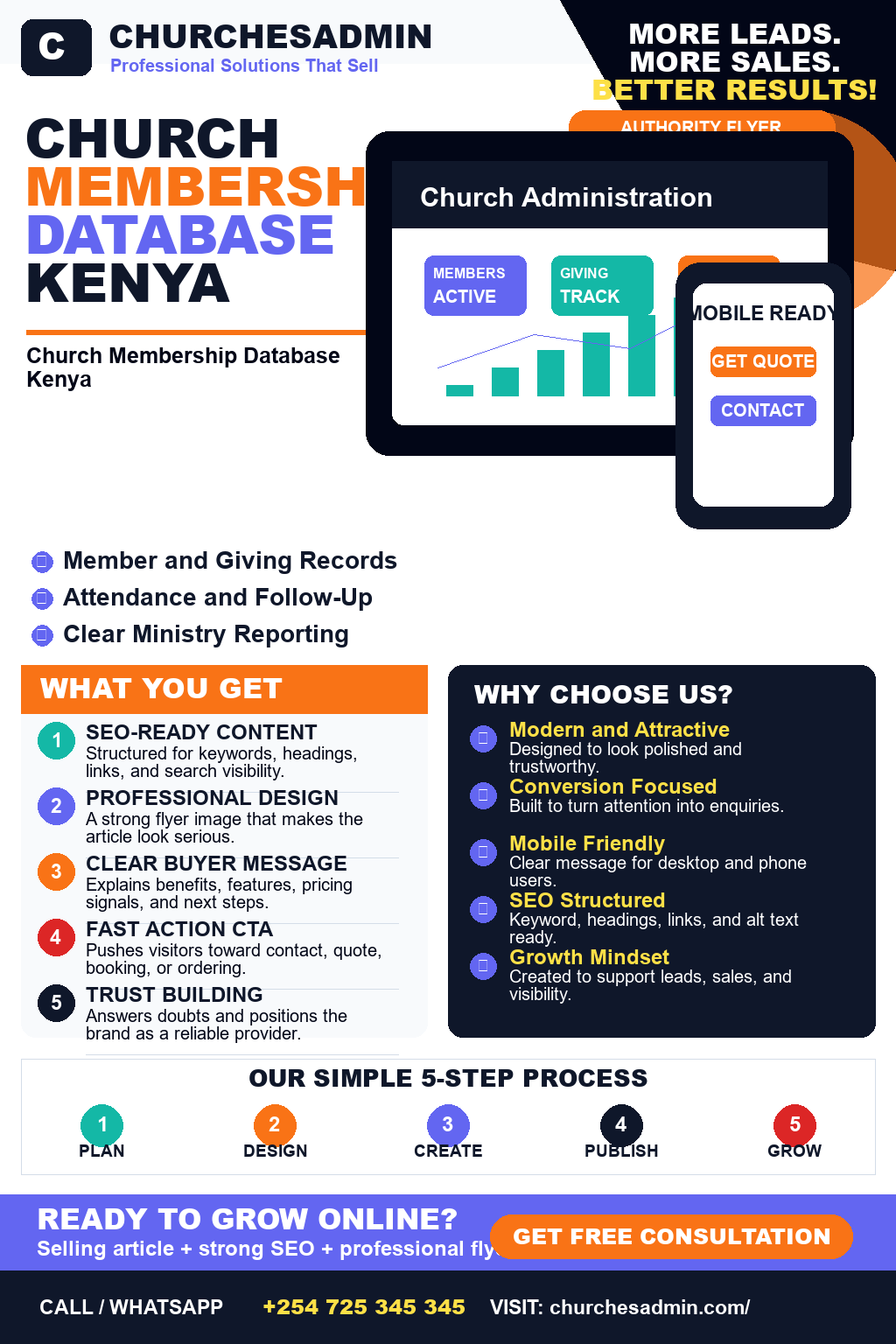
Church Membership Database Kenya: 10 Smart Things Buyers Should Compare in 2026

Church Membership Database Kenya: 10 Smart Things Buyers Should Compare in 2026

Church Membership Database Kenya is a strong buyer-intent keyword because the visitor is usually comparing providers, prices, features, timelines, and proof before making a decision.

Church Membership Database Kenya is one of the fresh buyer-focused topics ChurchesAdmin should publish around today because it matches what serious buyers are searching before they request a demo, quote, rollout plan, or implementation support.

For buyers, students, business owners, managers, administrators, founders, and decision makers looking for a practical solution, the real problem is manual work, unclear communication, weak records, missed deadlines, poor visibility, and difficulty comparing trusted providers. A useful article should answer the questions that serious buyers ask before they contact a provider or request a quotation.

Table of Contents

  • Church Membership Database Kenya
  • Church Membership Database Kenya service
  • Church Membership Database Kenya provider
  • Church Membership Database Kenya company
  • best Church Membership Database Kenya

Why Church Membership Database Kenya Matters

This search usually comes from a person who already feels the pain. They may be losing enquiries, wasting time with manual work, struggling with deadlines, missing records, or comparing suppliers before paying.

The right content should make the decision easier. It should explain the problem clearly, show the features that matter, reduce fear, and give the visitor a simple next step.

ChurchesAdmin can use this topic to attract qualified visitors who are closer to buying because they are searching around a real need.

Important Features Buyers Should Expect

  • clear onboarding – helps buyers get a clearer, faster, and more reliable outcome.
  • secure records – helps buyers get a clearer, faster, and more reliable outcome.
  • fast communication – helps buyers get a clearer, faster, and more reliable outcome.
  • mobile access – helps buyers get a clearer, faster, and more reliable outcome.
  • reports and updates – helps buyers get a clearer, faster, and more reliable outcome.
  • support after delivery – helps buyers get a clearer, faster, and more reliable outcome.
  • clear process – buyers should understand what happens before, during, and after delivery.
  • mobile friendly experience – users should be able to access the service or platform comfortably on phones.
  • useful reports or updates – clients should see progress, records, or results without repeated follow-up.
  • reliable support – the provider should support improvements after launch or delivery.

How to Compare Providers

Start with workflow fit. The provider should understand the exact users, tasks, deadlines, records, communication channels, payments, and reports involved.

Next, compare trust. Look for clear service pages, examples, practical explanations, realistic promises, visible contacts, and content that answers real questions.

Then compare long-term value. The best option is not always the lowest quote. The right provider should save time, reduce confusion, improve experience, and make future growth easier.

Mistakes to Avoid

Choosing Only by Price

Cheap work can become expensive if it creates weak design, unclear communication, poor support, missing features, or repeated revisions.

Ignoring the Real User

A solution must work for the people who use it daily. If users find it confusing, the project loses value quickly.

Publishing Thin Content

SEO pages should not only repeat keywords. They should answer buyer questions and explain the next step clearly.

How to Get Started

Write down the exact result you want. Include the users, current problem, documents, deadlines, records, payments, reports, and the main action you want visitors or customers to take.

Then contact a provider with a clear request. Share the pain points and ask for a practical plan, timeline, and support process.

Why Choose ChurchesAdmin?

ChurchesAdmin helps churches manage members, giving, attendance, events, groups, communication, and reports with less manual work.

Frequently Asked Questions

Who needs Church Membership Database Kenya?

Church Membership Database Kenya is useful for buyers, students, business owners, managers, administrators, founders, and decision makers looking for a practical solution, especially when the current process is manual, unclear, slow, or hard to scale.

What should buyers compare first?

Compare workflow fit, support, examples, communication, features, timelines, and whether the provider understands the real problem.

Can the solution be customized?

Yes. A serious provider should shape the solution around users, records, reports, content, communication, and growth plans.

Conclusion

Church Membership Database Kenya is worth targeting because it connects to real buying intent. The best content should educate the visitor, build confidence, and make the next enquiry easy.

Deep Buyer Guide for Church Membership Database Kenya

Before making a decision, buyers should separate must-have requirements from nice-to-have extras. The must-have items are the features that protect revenue, save time, improve communication, or prevent operational confusion. A buyer searching for Church Membership Database Kenya is rarely looking for a vague overview. They normally want a practical answer that helps them choose a provider, compare options, understand implementation, and avoid a poor purchase.

The first useful step is to define the current workflow. Write down who starts the request, who approves it, where records are stored, how payments or submissions are confirmed, and which reports management needs at the end of the week or month. This exercise exposes gaps quickly. If the current process depends on scattered spreadsheets, WhatsApp screenshots, email attachments, or one person who remembers everything, the buyer should prioritize a solution that brings those records into one controlled workflow.

The second step is to compare accountability. Good providers explain how the work will be planned, who owns each stage, what information is needed before kickoff, and how progress will be reviewed. Weak providers often jump straight to price without clarifying the operating problem. For ChurchesAdmin, the strongest content should help the reader think like a serious buyer: define the result, protect the user experience, check the support model, and make sure the final solution can keep improving after launch.

The third step is to check reporting and visibility. Many organizations do not only need a service; they need evidence that the service is working. Reports, dashboards, status updates, audit trails, and clear records reduce conflict because teams can see what happened, when it happened, and what still needs attention. This is especially important when the topic affects money, customers, students, members, tenants, voters, staff, stock, or compliance.

Future growth also matters. A good solution should allow more users, more records, more requests, more services, and better reports without forcing the organization to start again from zero. Buyers should ask whether the solution can handle new branches, new counties, new departments, new roles, new payment methods, or new reporting needs. The cheapest first option can become expensive if it blocks growth six months later.

Strong SEO content supports both trust and rankings. A long article should not fill space with repeated claims. It should answer real questions, explain trade-offs, use the focus keyword naturally, link to useful pages, and give the reader a clear next step. When visitors feel that the article understands their problem, they are more likely to enquire, request a quote, book a demo, or compare the provider seriously.

Implementation Checklist

  • Problem definition: describe the current bottleneck and the measurable result the buyer wants.
  • User roles: list administrators, managers, customers, students, members, tenants, staff, or external users who will interact with the process.
  • Data records: define the records, documents, payments, messages, reports, and approvals that must be captured.
  • Security: decide who can view, edit, approve, export, or delete sensitive records.
  • Support: confirm how training, bug fixes, updates, and improvements will be handled after launch.

These details make the buying conversation more productive. Instead of asking only for a general quote, the buyer can explain the workflow and ask for a practical rollout plan. That gives the provider enough context to recommend a sensible scope, timeline, and support path. It also helps the buyer avoid vague proposals that look cheap but leave critical work undefined.

Questions Buyers Should Ask

Buyers should ask how long implementation will take, what content or data must be prepared, how user training will work, and what happens after publishing or launch. They should also ask for examples of similar work, a clear contact path, and an explanation of what is included in the first delivery versus future improvements. These questions protect both sides because they make expectations clear before money changes hands.

Another useful question is how success will be measured. For some buyers, success means more enquiries. For others, it means faster reconciliation, fewer missing records, lower admin workload, better tenant communication, smoother elections, stronger academic support workflows, better farm records, more reliable connectivity, or clearer executive reporting. The right metric depends on the business problem, so the article should connect the keyword to outcomes that matter.

Finally, buyers should check whether the provider understands the local context. In Kenya and surrounding markets, details like M-Pesa, county operations, mobile-first users, WhatsApp communication, school and SACCO structures, landlord workflows, rural connectivity, and small-team administration can shape the success of a project. A generic solution may look good but fail in daily use if it ignores these realities.

Deep Buyer Guide for Church Membership Database Kenya

Before making a decision, buyers should separate must-have requirements from nice-to-have extras. The must-have items are the features that protect revenue, save time, improve communication, or prevent operational confusion. A buyer searching for Church Membership Database Kenya is rarely looking for a vague overview. They normally want a practical answer that helps them choose a provider, compare options, understand implementation, and avoid a poor purchase.

The first useful step is to define the current workflow. Write down who starts the request, who approves it, where records are stored, how payments or submissions are confirmed, and which reports management needs at the end of the week or month. This exercise exposes gaps quickly. If the current process depends on scattered spreadsheets, WhatsApp screenshots, email attachments, or one person who remembers everything, the buyer should prioritize a solution that brings those records into one controlled workflow.

The second step is to compare accountability. Good providers explain how the work will be planned, who owns each stage, what information is needed before kickoff, and how progress will be reviewed. Weak providers often jump straight to price without clarifying the operating problem. For ChurchesAdmin, the strongest content should help the reader think like a serious buyer: define the result, protect the user experience, check the support model, and make sure the final solution can keep improving after launch.

The third step is to check reporting and visibility. Many organizations do not only need a service; they need evidence that the service is working. Reports, dashboards, status updates, audit trails, and clear records reduce conflict because teams can see what happened, when it happened, and what still needs attention. This is especially important when the topic affects money, customers, students, members, tenants, voters, staff, stock, or compliance.

Future growth also matters. A good solution should allow more users, more records, more requests, more services, and better reports without forcing the organization to start again from zero. Buyers should ask whether the solution can handle new branches, new counties, new departments, new roles, new payment methods, or new reporting needs. The cheapest first option can become expensive if it blocks growth six months later.

Strong SEO content supports both trust and rankings. A long article should not fill space with repeated claims. It should answer real questions, explain trade-offs, use the focus keyword naturally, link to useful pages, and give the reader a clear next step. When visitors feel that the article understands their problem, they are more likely to enquire, request a quote, book a demo, or compare the provider seriously.

Implementation Checklist

  • Problem definition: describe the current bottleneck and the measurable result the buyer wants.
  • User roles: list administrators, managers, customers, students, members, tenants, staff, or external users who will interact with the process.
  • Data records: define the records, documents, payments, messages, reports, and approvals that must be captured.
  • Security: decide who can view, edit, approve, export, or delete sensitive records.
  • Support: confirm how training, bug fixes, updates, and improvements will be handled after launch.

These details make the buying conversation more productive. Instead of asking only for a general quote, the buyer can explain the workflow and ask for a practical rollout plan. That gives the provider enough context to recommend a sensible scope, timeline, and support path. It also helps the buyer avoid vague proposals that look cheap but leave critical work undefined.

Questions Buyers Should Ask

Buyers should ask how long implementation will take, what content or data must be prepared, how user training will work, and what happens after publishing or launch. They should also ask for examples of similar work, a clear contact path, and an explanation of what is included in the first delivery versus future improvements. These questions protect both sides because they make expectations clear before money changes hands.

Another useful question is how success will be measured. For some buyers, success means more enquiries. For others, it means faster reconciliation, fewer missing records, lower admin workload, better tenant communication, smoother elections, stronger academic support workflows, better farm records, more reliable connectivity, or clearer executive reporting. The right metric depends on the business problem, so the article should connect the keyword to outcomes that matter.

Finally, buyers should check whether the provider understands the local context. In Kenya and surrounding markets, details like M-Pesa, county operations, mobile-first users, WhatsApp communication, school and SACCO structures, landlord workflows, rural connectivity, and small-team administration can shape the success of a project. A generic solution may look good but fail in daily use if it ignores these realities.

Deep Buyer Guide for Church Membership Database Kenya

Before making a decision, buyers should separate must-have requirements from nice-to-have extras. The must-have items are the features that protect revenue, save time, improve communication, or prevent operational confusion. A buyer searching for Church Membership Database Kenya is rarely looking for a vague overview. They normally want a practical answer that helps them choose a provider, compare options, understand implementation, and avoid a poor purchase.

The first useful step is to define the current workflow. Write down who starts the request, who approves it, where records are stored, how payments or submissions are confirmed, and which reports management needs at the end of the week or month. This exercise exposes gaps quickly. If the current process depends on scattered spreadsheets, WhatsApp screenshots, email attachments, or one person who remembers everything, the buyer should prioritize a solution that brings those records into one controlled workflow.

The second step is to compare accountability. Good providers explain how the work will be planned, who owns each stage, what information is needed before kickoff, and how progress will be reviewed. Weak providers often jump straight to price without clarifying the operating problem. For ChurchesAdmin, the strongest content should help the reader think like a serious buyer: define the result, protect the user experience, check the support model, and make sure the final solution can keep improving after launch.

The third step is to check reporting and visibility. Many organizations do not only need a service; they need evidence that the service is working. Reports, dashboards, status updates, audit trails, and clear records reduce conflict because teams can see what happened, when it happened, and what still needs attention. This is especially important when the topic affects money, customers, students, members, tenants, voters, staff, stock, or compliance.

Future growth also matters. A good solution should allow more users, more records, more requests, more services, and better reports without forcing the organization to start again from zero. Buyers should ask whether the solution can handle new branches, new counties, new departments, new roles, new payment methods, or new reporting needs. The cheapest first option can become expensive if it blocks growth six months later.

Strong SEO content supports both trust and rankings. A long article should not fill space with repeated claims. It should answer real questions, explain trade-offs, use the focus keyword naturally, link to useful pages, and give the reader a clear next step. When visitors feel that the article understands their problem, they are more likely to enquire, request a quote, book a demo, or compare the provider seriously.

Implementation Checklist

  • Problem definition: describe the current bottleneck and the measurable result the buyer wants.
  • User roles: list administrators, managers, customers, students, members, tenants, staff, or external users who will interact with the process.
  • Data records: define the records, documents, payments, messages, reports, and approvals that must be captured.
  • Security: decide who can view, edit, approve, export, or delete sensitive records.
  • Support: confirm how training, bug fixes, updates, and improvements will be handled after launch.

These details make the buying conversation more productive. Instead of asking only for a general quote, the buyer can explain the workflow and ask for a practical rollout plan. That gives the provider enough context to recommend a sensible scope, timeline, and support path. It also helps the buyer avoid vague proposals that look cheap but leave critical work undefined.

Questions Buyers Should Ask

Buyers should ask how long implementation will take, what content or data must be prepared, how user training will work, and what happens after publishing or launch. They should also ask for examples of similar work, a clear contact path, and an explanation of what is included in the first delivery versus future improvements. These questions protect both sides because they make expectations clear before money changes hands.

Another useful question is how success will be measured. For some buyers, success means more enquiries. For others, it means faster reconciliation, fewer missing records, lower admin workload, better tenant communication, smoother elections, stronger academic support workflows, better farm records, more reliable connectivity, or clearer executive reporting. The right metric depends on the business problem, so the article should connect the keyword to outcomes that matter.

Finally, buyers should check whether the provider understands the local context. In Kenya and surrounding markets, details like M-Pesa, county operations, mobile-first users, WhatsApp communication, school and SACCO structures, landlord workflows, rural connectivity, and small-team administration can shape the success of a project. A generic solution may look good but fail in daily use if it ignores these realities.

Deep Buyer Guide for Church Membership Database Kenya

Before making a decision, buyers should separate must-have requirements from nice-to-have extras. The must-have items are the features that protect revenue, save time, improve communication, or prevent operational confusion. A buyer searching for Church Membership Database Kenya is rarely looking for a vague overview. They normally want a practical answer that helps them choose a provider, compare options, understand implementation, and avoid a poor purchase.

The first useful step is to define the current workflow. Write down who starts the request, who approves it, where records are stored, how payments or submissions are confirmed, and which reports management needs at the end of the week or month. This exercise exposes gaps quickly. If the current process depends on scattered spreadsheets, WhatsApp screenshots, email attachments, or one person who remembers everything, the buyer should prioritize a solution that brings those records into one controlled workflow.

The second step is to compare accountability. Good providers explain how the work will be planned, who owns each stage, what information is needed before kickoff, and how progress will be reviewed. Weak providers often jump straight to price without clarifying the operating problem. For ChurchesAdmin, the strongest content should help the reader think like a serious buyer: define the result, protect the user experience, check the support model, and make sure the final solution can keep improving after launch.

The third step is to check reporting and visibility. Many organizations do not only need a service; they need evidence that the service is working. Reports, dashboards, status updates, audit trails, and clear records reduce conflict because teams can see what happened, when it happened, and what still needs attention. This is especially important when the topic affects money, customers, students, members, tenants, voters, staff, stock, or compliance.

Future growth also matters. A good solution should allow more users, more records, more requests, more services, and better reports without forcing the organization to start again from zero. Buyers should ask whether the solution can handle new branches, new counties, new departments, new roles, new payment methods, or new reporting needs. The cheapest first option can become expensive if it blocks growth six months later.

Strong SEO content supports both trust and rankings. A long article should not fill space with repeated claims. It should answer real questions, explain trade-offs, use the focus keyword naturally, link to useful pages, and give the reader a clear next step. When visitors feel that the article understands their problem, they are more likely to enquire, request a quote, book a demo, or compare the provider seriously.

Implementation Checklist

  • Problem definition: describe the current bottleneck and the measurable result the buyer wants.
  • User roles: list administrators, managers, customers, students, members, tenants, staff, or external users who will interact with the process.
  • Data records: define the records, documents, payments, messages, reports, and approvals that must be captured.
  • Security: decide who can view, edit, approve, export, or delete sensitive records.
  • Support: confirm how training, bug fixes, updates, and improvements will be handled after launch.

These details make the buying conversation more productive. Instead of asking only for a general quote, the buyer can explain the workflow and ask for a practical rollout plan. That gives the provider enough context to recommend a sensible scope, timeline, and support path. It also helps the buyer avoid vague proposals that look cheap but leave critical work undefined.

Questions Buyers Should Ask

Buyers should ask how long implementation will take, what content or data must be prepared, how user training will work, and what happens after publishing or launch. They should also ask for examples of similar work, a clear contact path, and an explanation of what is included in the first delivery versus future improvements. These questions protect both sides because they make expectations clear before money changes hands.

Another useful question is how success will be measured. For some buyers, success means more enquiries. For others, it means faster reconciliation, fewer missing records, lower admin workload, better tenant communication, smoother elections, stronger academic support workflows, better farm records, more reliable connectivity, or clearer executive reporting. The right metric depends on the business problem, so the article should connect the keyword to outcomes that matter.

Finally, buyers should check whether the provider understands the local context. In Kenya and surrounding markets, details like M-Pesa, county operations, mobile-first users, WhatsApp communication, school and SACCO structures, landlord workflows, rural connectivity, and small-team administration can shape the success of a project. A generic solution may look good but fail in daily use if it ignores these realities.

Church Accounting Software Kenya: 10 Smart Things Buyers Should Compare in 2026

Church Accounting Software Kenya: 10 Smart Things Buyers Should Compare in 2026

Church Accounting Software Kenya is a strong buyer-intent keyword because the visitor is usually comparing providers, prices, features, timelines, and proof before making a decision.

Church Accounting Software Kenya is one of the fresh buyer-focused topics ChurchesAdmin should publish around today because it matches what serious buyers are searching before they request a demo, quote, rollout plan, or implementation support.

For buyers, students, business owners, managers, administrators, founders, and decision makers looking for a practical solution, the real problem is manual work, unclear communication, weak records, missed deadlines, poor visibility, and difficulty comparing trusted providers. A useful article should answer the questions that serious buyers ask before they contact a provider or request a quotation.

Table of Contents

  • Church Accounting Software Kenya
  • Church Accounting Software Kenya service
  • Church Accounting Software Kenya provider
  • Church Accounting Software Kenya company
  • best Church Accounting Software Kenya

Why Church Accounting Software Kenya Matters

This search usually comes from a person who already feels the pain. They may be losing enquiries, wasting time with manual work, struggling with deadlines, missing records, or comparing suppliers before paying.

The right content should make the decision easier. It should explain the problem clearly, show the features that matter, reduce fear, and give the visitor a simple next step.

ChurchesAdmin can use this topic to attract qualified visitors who are closer to buying because they are searching around a real need.

Important Features Buyers Should Expect

  • clear onboarding – helps buyers get a clearer, faster, and more reliable outcome.
  • secure records – helps buyers get a clearer, faster, and more reliable outcome.
  • fast communication – helps buyers get a clearer, faster, and more reliable outcome.
  • mobile access – helps buyers get a clearer, faster, and more reliable outcome.
  • reports and updates – helps buyers get a clearer, faster, and more reliable outcome.
  • support after delivery – helps buyers get a clearer, faster, and more reliable outcome.
  • clear process – buyers should understand what happens before, during, and after delivery.
  • mobile friendly experience – users should be able to access the service or platform comfortably on phones.
  • useful reports or updates – clients should see progress, records, or results without repeated follow-up.
  • reliable support – the provider should support improvements after launch or delivery.

How to Compare Providers

Start with workflow fit. The provider should understand the exact users, tasks, deadlines, records, communication channels, payments, and reports involved.

Next, compare trust. Look for clear service pages, examples, practical explanations, realistic promises, visible contacts, and content that answers real questions.

Then compare long-term value. The best option is not always the lowest quote. The right provider should save time, reduce confusion, improve experience, and make future growth easier.

Mistakes to Avoid

Choosing Only by Price

Cheap work can become expensive if it creates weak design, unclear communication, poor support, missing features, or repeated revisions.

Ignoring the Real User

A solution must work for the people who use it daily. If users find it confusing, the project loses value quickly.

Publishing Thin Content

SEO pages should not only repeat keywords. They should answer buyer questions and explain the next step clearly.

How to Get Started

Write down the exact result you want. Include the users, current problem, documents, deadlines, records, payments, reports, and the main action you want visitors or customers to take.

Then contact a provider with a clear request. Share the pain points and ask for a practical plan, timeline, and support process.

Why Choose ChurchesAdmin?

ChurchesAdmin helps churches manage members, giving, attendance, events, groups, communication, and reports with less manual work.

Frequently Asked Questions

Who needs Church Accounting Software Kenya?

Church Accounting Software Kenya is useful for buyers, students, business owners, managers, administrators, founders, and decision makers looking for a practical solution, especially when the current process is manual, unclear, slow, or hard to scale.

What should buyers compare first?

Compare workflow fit, support, examples, communication, features, timelines, and whether the provider understands the real problem.

Can the solution be customized?

Yes. A serious provider should shape the solution around users, records, reports, content, communication, and growth plans.

Conclusion

Church Accounting Software Kenya is worth targeting because it connects to real buying intent. The best content should educate the visitor, build confidence, and make the next enquiry easy.

Deep Buyer Guide for Church Accounting Software Kenya

Before making a decision, buyers should separate must-have requirements from nice-to-have extras. The must-have items are the features that protect revenue, save time, improve communication, or prevent operational confusion. A buyer searching for Church Accounting Software Kenya is rarely looking for a vague overview. They normally want a practical answer that helps them choose a provider, compare options, understand implementation, and avoid a poor purchase.

The first useful step is to define the current workflow. Write down who starts the request, who approves it, where records are stored, how payments or submissions are confirmed, and which reports management needs at the end of the week or month. This exercise exposes gaps quickly. If the current process depends on scattered spreadsheets, WhatsApp screenshots, email attachments, or one person who remembers everything, the buyer should prioritize a solution that brings those records into one controlled workflow.

The second step is to compare accountability. Good providers explain how the work will be planned, who owns each stage, what information is needed before kickoff, and how progress will be reviewed. Weak providers often jump straight to price without clarifying the operating problem. For ChurchesAdmin, the strongest content should help the reader think like a serious buyer: define the result, protect the user experience, check the support model, and make sure the final solution can keep improving after launch.

The third step is to check reporting and visibility. Many organizations do not only need a service; they need evidence that the service is working. Reports, dashboards, status updates, audit trails, and clear records reduce conflict because teams can see what happened, when it happened, and what still needs attention. This is especially important when the topic affects money, customers, students, members, tenants, voters, staff, stock, or compliance.

Future growth also matters. A good solution should allow more users, more records, more requests, more services, and better reports without forcing the organization to start again from zero. Buyers should ask whether the solution can handle new branches, new counties, new departments, new roles, new payment methods, or new reporting needs. The cheapest first option can become expensive if it blocks growth six months later.

Strong SEO content supports both trust and rankings. A long article should not fill space with repeated claims. It should answer real questions, explain trade-offs, use the focus keyword naturally, link to useful pages, and give the reader a clear next step. When visitors feel that the article understands their problem, they are more likely to enquire, request a quote, book a demo, or compare the provider seriously.

Implementation Checklist

  • Problem definition: describe the current bottleneck and the measurable result the buyer wants.
  • User roles: list administrators, managers, customers, students, members, tenants, staff, or external users who will interact with the process.
  • Data records: define the records, documents, payments, messages, reports, and approvals that must be captured.
  • Security: decide who can view, edit, approve, export, or delete sensitive records.
  • Support: confirm how training, bug fixes, updates, and improvements will be handled after launch.

These details make the buying conversation more productive. Instead of asking only for a general quote, the buyer can explain the workflow and ask for a practical rollout plan. That gives the provider enough context to recommend a sensible scope, timeline, and support path. It also helps the buyer avoid vague proposals that look cheap but leave critical work undefined.

Questions Buyers Should Ask

Buyers should ask how long implementation will take, what content or data must be prepared, how user training will work, and what happens after publishing or launch. They should also ask for examples of similar work, a clear contact path, and an explanation of what is included in the first delivery versus future improvements. These questions protect both sides because they make expectations clear before money changes hands.

Another useful question is how success will be measured. For some buyers, success means more enquiries. For others, it means faster reconciliation, fewer missing records, lower admin workload, better tenant communication, smoother elections, stronger academic support workflows, better farm records, more reliable connectivity, or clearer executive reporting. The right metric depends on the business problem, so the article should connect the keyword to outcomes that matter.

Finally, buyers should check whether the provider understands the local context. In Kenya and surrounding markets, details like M-Pesa, county operations, mobile-first users, WhatsApp communication, school and SACCO structures, landlord workflows, rural connectivity, and small-team administration can shape the success of a project. A generic solution may look good but fail in daily use if it ignores these realities.

Deep Buyer Guide for Church Accounting Software Kenya

Before making a decision, buyers should separate must-have requirements from nice-to-have extras. The must-have items are the features that protect revenue, save time, improve communication, or prevent operational confusion. A buyer searching for Church Accounting Software Kenya is rarely looking for a vague overview. They normally want a practical answer that helps them choose a provider, compare options, understand implementation, and avoid a poor purchase.

The first useful step is to define the current workflow. Write down who starts the request, who approves it, where records are stored, how payments or submissions are confirmed, and which reports management needs at the end of the week or month. This exercise exposes gaps quickly. If the current process depends on scattered spreadsheets, WhatsApp screenshots, email attachments, or one person who remembers everything, the buyer should prioritize a solution that brings those records into one controlled workflow.

The second step is to compare accountability. Good providers explain how the work will be planned, who owns each stage, what information is needed before kickoff, and how progress will be reviewed. Weak providers often jump straight to price without clarifying the operating problem. For ChurchesAdmin, the strongest content should help the reader think like a serious buyer: define the result, protect the user experience, check the support model, and make sure the final solution can keep improving after launch.

The third step is to check reporting and visibility. Many organizations do not only need a service; they need evidence that the service is working. Reports, dashboards, status updates, audit trails, and clear records reduce conflict because teams can see what happened, when it happened, and what still needs attention. This is especially important when the topic affects money, customers, students, members, tenants, voters, staff, stock, or compliance.

Future growth also matters. A good solution should allow more users, more records, more requests, more services, and better reports without forcing the organization to start again from zero. Buyers should ask whether the solution can handle new branches, new counties, new departments, new roles, new payment methods, or new reporting needs. The cheapest first option can become expensive if it blocks growth six months later.

Strong SEO content supports both trust and rankings. A long article should not fill space with repeated claims. It should answer real questions, explain trade-offs, use the focus keyword naturally, link to useful pages, and give the reader a clear next step. When visitors feel that the article understands their problem, they are more likely to enquire, request a quote, book a demo, or compare the provider seriously.

Implementation Checklist

  • Problem definition: describe the current bottleneck and the measurable result the buyer wants.
  • User roles: list administrators, managers, customers, students, members, tenants, staff, or external users who will interact with the process.
  • Data records: define the records, documents, payments, messages, reports, and approvals that must be captured.
  • Security: decide who can view, edit, approve, export, or delete sensitive records.
  • Support: confirm how training, bug fixes, updates, and improvements will be handled after launch.

These details make the buying conversation more productive. Instead of asking only for a general quote, the buyer can explain the workflow and ask for a practical rollout plan. That gives the provider enough context to recommend a sensible scope, timeline, and support path. It also helps the buyer avoid vague proposals that look cheap but leave critical work undefined.

Questions Buyers Should Ask

Buyers should ask how long implementation will take, what content or data must be prepared, how user training will work, and what happens after publishing or launch. They should also ask for examples of similar work, a clear contact path, and an explanation of what is included in the first delivery versus future improvements. These questions protect both sides because they make expectations clear before money changes hands.

Another useful question is how success will be measured. For some buyers, success means more enquiries. For others, it means faster reconciliation, fewer missing records, lower admin workload, better tenant communication, smoother elections, stronger academic support workflows, better farm records, more reliable connectivity, or clearer executive reporting. The right metric depends on the business problem, so the article should connect the keyword to outcomes that matter.

Finally, buyers should check whether the provider understands the local context. In Kenya and surrounding markets, details like M-Pesa, county operations, mobile-first users, WhatsApp communication, school and SACCO structures, landlord workflows, rural connectivity, and small-team administration can shape the success of a project. A generic solution may look good but fail in daily use if it ignores these realities.

Deep Buyer Guide for Church Accounting Software Kenya

Before making a decision, buyers should separate must-have requirements from nice-to-have extras. The must-have items are the features that protect revenue, save time, improve communication, or prevent operational confusion. A buyer searching for Church Accounting Software Kenya is rarely looking for a vague overview. They normally want a practical answer that helps them choose a provider, compare options, understand implementation, and avoid a poor purchase.

The first useful step is to define the current workflow. Write down who starts the request, who approves it, where records are stored, how payments or submissions are confirmed, and which reports management needs at the end of the week or month. This exercise exposes gaps quickly. If the current process depends on scattered spreadsheets, WhatsApp screenshots, email attachments, or one person who remembers everything, the buyer should prioritize a solution that brings those records into one controlled workflow.

The second step is to compare accountability. Good providers explain how the work will be planned, who owns each stage, what information is needed before kickoff, and how progress will be reviewed. Weak providers often jump straight to price without clarifying the operating problem. For ChurchesAdmin, the strongest content should help the reader think like a serious buyer: define the result, protect the user experience, check the support model, and make sure the final solution can keep improving after launch.

The third step is to check reporting and visibility. Many organizations do not only need a service; they need evidence that the service is working. Reports, dashboards, status updates, audit trails, and clear records reduce conflict because teams can see what happened, when it happened, and what still needs attention. This is especially important when the topic affects money, customers, students, members, tenants, voters, staff, stock, or compliance.

Future growth also matters. A good solution should allow more users, more records, more requests, more services, and better reports without forcing the organization to start again from zero. Buyers should ask whether the solution can handle new branches, new counties, new departments, new roles, new payment methods, or new reporting needs. The cheapest first option can become expensive if it blocks growth six months later.

Strong SEO content supports both trust and rankings. A long article should not fill space with repeated claims. It should answer real questions, explain trade-offs, use the focus keyword naturally, link to useful pages, and give the reader a clear next step. When visitors feel that the article understands their problem, they are more likely to enquire, request a quote, book a demo, or compare the provider seriously.

Implementation Checklist

  • Problem definition: describe the current bottleneck and the measurable result the buyer wants.
  • User roles: list administrators, managers, customers, students, members, tenants, staff, or external users who will interact with the process.
  • Data records: define the records, documents, payments, messages, reports, and approvals that must be captured.
  • Security: decide who can view, edit, approve, export, or delete sensitive records.
  • Support: confirm how training, bug fixes, updates, and improvements will be handled after launch.

These details make the buying conversation more productive. Instead of asking only for a general quote, the buyer can explain the workflow and ask for a practical rollout plan. That gives the provider enough context to recommend a sensible scope, timeline, and support path. It also helps the buyer avoid vague proposals that look cheap but leave critical work undefined.

Questions Buyers Should Ask

Buyers should ask how long implementation will take, what content or data must be prepared, how user training will work, and what happens after publishing or launch. They should also ask for examples of similar work, a clear contact path, and an explanation of what is included in the first delivery versus future improvements. These questions protect both sides because they make expectations clear before money changes hands.

Another useful question is how success will be measured. For some buyers, success means more enquiries. For others, it means faster reconciliation, fewer missing records, lower admin workload, better tenant communication, smoother elections, stronger academic support workflows, better farm records, more reliable connectivity, or clearer executive reporting. The right metric depends on the business problem, so the article should connect the keyword to outcomes that matter.

Finally, buyers should check whether the provider understands the local context. In Kenya and surrounding markets, details like M-Pesa, county operations, mobile-first users, WhatsApp communication, school and SACCO structures, landlord workflows, rural connectivity, and small-team administration can shape the success of a project. A generic solution may look good but fail in daily use if it ignores these realities.

Deep Buyer Guide for Church Accounting Software Kenya

Before making a decision, buyers should separate must-have requirements from nice-to-have extras. The must-have items are the features that protect revenue, save time, improve communication, or prevent operational confusion. A buyer searching for Church Accounting Software Kenya is rarely looking for a vague overview. They normally want a practical answer that helps them choose a provider, compare options, understand implementation, and avoid a poor purchase.

The first useful step is to define the current workflow. Write down who starts the request, who approves it, where records are stored, how payments or submissions are confirmed, and which reports management needs at the end of the week or month. This exercise exposes gaps quickly. If the current process depends on scattered spreadsheets, WhatsApp screenshots, email attachments, or one person who remembers everything, the buyer should prioritize a solution that brings those records into one controlled workflow.

The second step is to compare accountability. Good providers explain how the work will be planned, who owns each stage, what information is needed before kickoff, and how progress will be reviewed. Weak providers often jump straight to price without clarifying the operating problem. For ChurchesAdmin, the strongest content should help the reader think like a serious buyer: define the result, protect the user experience, check the support model, and make sure the final solution can keep improving after launch.

The third step is to check reporting and visibility. Many organizations do not only need a service; they need evidence that the service is working. Reports, dashboards, status updates, audit trails, and clear records reduce conflict because teams can see what happened, when it happened, and what still needs attention. This is especially important when the topic affects money, customers, students, members, tenants, voters, staff, stock, or compliance.

Future growth also matters. A good solution should allow more users, more records, more requests, more services, and better reports without forcing the organization to start again from zero. Buyers should ask whether the solution can handle new branches, new counties, new departments, new roles, new payment methods, or new reporting needs. The cheapest first option can become expensive if it blocks growth six months later.

Strong SEO content supports both trust and rankings. A long article should not fill space with repeated claims. It should answer real questions, explain trade-offs, use the focus keyword naturally, link to useful pages, and give the reader a clear next step. When visitors feel that the article understands their problem, they are more likely to enquire, request a quote, book a demo, or compare the provider seriously.

Implementation Checklist

  • Problem definition: describe the current bottleneck and the measurable result the buyer wants.
  • User roles: list administrators, managers, customers, students, members, tenants, staff, or external users who will interact with the process.
  • Data records: define the records, documents, payments, messages, reports, and approvals that must be captured.
  • Security: decide who can view, edit, approve, export, or delete sensitive records.
  • Support: confirm how training, bug fixes, updates, and improvements will be handled after launch.

These details make the buying conversation more productive. Instead of asking only for a general quote, the buyer can explain the workflow and ask for a practical rollout plan. That gives the provider enough context to recommend a sensible scope, timeline, and support path. It also helps the buyer avoid vague proposals that look cheap but leave critical work undefined.

Questions Buyers Should Ask

Buyers should ask how long implementation will take, what content or data must be prepared, how user training will work, and what happens after publishing or launch. They should also ask for examples of similar work, a clear contact path, and an explanation of what is included in the first delivery versus future improvements. These questions protect both sides because they make expectations clear before money changes hands.

Another useful question is how success will be measured. For some buyers, success means more enquiries. For others, it means faster reconciliation, fewer missing records, lower admin workload, better tenant communication, smoother elections, stronger academic support workflows, better farm records, more reliable connectivity, or clearer executive reporting. The right metric depends on the business problem, so the article should connect the keyword to outcomes that matter.

Finally, buyers should check whether the provider understands the local context. In Kenya and surrounding markets, details like M-Pesa, county operations, mobile-first users, WhatsApp communication, school and SACCO structures, landlord workflows, rural connectivity, and small-team administration can shape the success of a project. A generic solution may look good but fail in daily use if it ignores these realities.

Church Finance Management System: Complete Guide to Better Church Financial Management, Giving, Budgeting, and Accountability

Church finance management system

Church finance management system is becoming an important digital solution for churches that want to improve financial accountability, simplify contribution management, control expenses, and make better financial decisions. As churches grow, managing tithes, offerings, donations, pledges, budgets, expenses, assets, and financial reports using notebooks and spreadsheets can become increasingly difficult.

A modern Church finance management system brings these financial activities together in one centralized platform. Instead of maintaining separate records for income, expenses, members, projects, and budgets, church administrators can manage financial information digitally and generate reports whenever they are required.

For churches in Kenya, digital financial management is particularly useful because churches may receive contributions through different channels, including cash, bank payments, mobile money, and other digital payment methods. A well-designed Church finance management system can help finance teams organize these transactions and maintain clearer financial records.

This comprehensive guide explains what a Church finance management system is, why churches need one, the problems associated with manual financial management, the key features to look for, and how digital financial management can improve accountability and long-term church growth.


What Is a Church Finance Management System?

A Church finance management system is software designed to help churches manage their financial activities from one centralized platform.

Traditional church financial management often involves multiple books, spreadsheets, receipts, bank statements, and manual reports. This approach can make it difficult to maintain accurate records as the church grows.

A digital system can bring together:

  • Tithes
  • Offerings
  • Donations
  • Pledges
  • Expenses
  • Budgets
  • Projects
  • Assets
  • Financial reports
  • Member contributions

This creates a more organized financial environment for pastors, treasurers, administrators, finance committees, and church leadership.

Modern systems can also support mobile and online access, allowing authorized users to access financial information without being physically present in the church office. Kenyan church finance platforms increasingly emphasize digital payments, reporting, and centralized financial records.


Why Churches Need a Church Finance Management System

Church finances require accuracy, transparency, and accountability.

As congregations expand, financial transactions can increase significantly. A church may receive money from Sunday offerings, tithes, fundraising campaigns, building projects, welfare programs, conferences, and other activities.

Managing all these transactions manually can create unnecessary administrative work.

A Church finance management system helps finance teams organize transactions and maintain consistent records.

Some of the most important reasons churches adopt digital financial management include:

  • Better financial organization
  • Faster reporting
  • Easier contribution tracking
  • Improved budget control
  • Better expense monitoring
  • Reduced paperwork
  • Greater transparency
  • Easier financial reconciliation
  • Improved decision-making

Challenges of Manual Church Financial Management

Before adopting digital tools, many churches depend on paper records and spreadsheets.

While these methods may appear inexpensive, they can create several problems.

Inaccurate Records

Manual data entry can result in incorrect figures, duplicate entries, or missing transactions.

Even a small error can affect a monthly or annual financial report.

A Church finance management system reduces repetitive manual entry and creates a centralized record of transactions.


Difficult Financial Reconciliation

Churches may receive money through multiple channels.

For example:

  • Cash
  • Bank transfers
  • Mobile money
  • Card payments
  • Online donations

Reconciling these payments manually can take significant time.

A digital system can help finance teams organize transactions according to payment method and financial category.


Delayed Financial Reports

Church leadership often requires financial information for meetings and planning.

With paper records, preparing reports can take several days.

A Church finance management system can generate financial summaries much faster because transaction information is already stored digitally.


Poor Budget Visibility

Without proper budgeting tools, departments may not know how much they are allowed to spend.

This can lead to:

  • Overspending
  • Unplanned purchases
  • Budget conflicts
  • Delayed projects

Digital budgeting gives church leadership greater visibility into planned and actual expenditure.


Tithe and Offering Management

Tithes and offerings are central components of church financial administration.

A digital platform can help churches record contributions systematically.

A Church finance management system can organize contributions according to categories such as:

  • Tithes
  • Sunday offerings
  • Thanksgiving
  • Missions
  • Building fund
  • Welfare
  • Youth ministry
  • Children’s ministry
  • Special projects

This makes it easier to determine how much has been received for each purpose.


Member Contribution Records

Connecting contributions with member profiles can improve record organization.

Authorized finance users may be able to view:

  • Contribution history
  • Giving categories
  • Payment dates
  • Amounts contributed
  • Pledges
  • Outstanding balances

This can eliminate the need to search through multiple notebooks or spreadsheets.

Some Kenyan church finance systems already provide digital contribution tracking, receipts, and payment support.


Digital Payment Integration

Digital payments are becoming increasingly important for churches.

A Church finance management system can potentially integrate with payment channels that members already use.

Depending on the platform, this may include:

  • M-PESA
  • Bank transfers
  • Card payments
  • Online payment gateways
  • Mobile money

Integration can reduce manual reconciliation and improve transaction visibility.

For example, some church finance platforms in Kenya support M-PESA and other mobile payment methods while generating digital receipts.


Pledge Management

Church projects often depend on pledges.

Examples include:

  • Building projects
  • Land purchases
  • Mission campaigns
  • Equipment purchases
  • Community projects
  • Special fundraising initiatives

A Church finance management system can record the original pledge, payments made, and remaining balance.

This makes it easier for finance teams to understand the financial position of a project.


Expense Management

Church finances are not only about tracking income.

Expenses must also be carefully recorded.

Common church expenses include:

  • Utilities
  • Salaries
  • Rent
  • Maintenance
  • Transport
  • Office supplies
  • Equipment
  • Ministry activities
  • Outreach programs
  • Event expenses

A digital system allows each expense to be categorized and recorded appropriately.


Church Budget Management

Budgeting helps churches plan how available resources will be used.

A Church finance management system can help create budgets for different departments and projects.

For example:

Department Budget Actual Spending
Youth Ministry KES 150,000 KES 120,000
Outreach KES 200,000 KES 175,000
Worship KES 100,000 KES 92,000
Maintenance KES 250,000 KES 230,000

These figures are illustrative.

Budget-versus-actual reports help leadership identify areas where spending is above or below expectations.


Financial Reporting

Financial reporting is one of the most important features of a Church finance management system.

Church leaders may require reports such as:

  • Income statements
  • Expense reports
  • Budget reports
  • Contribution reports
  • Cash flow reports
  • General ledgers
  • Project reports
  • Departmental reports
  • Asset reports

Having these reports available digitally saves time and supports better decision-making.

Some current church finance platforms in Kenya advertise automated financial reporting, budgeting, expense management, and audit-oriented financial statements.


Financial Accountability

Transparency is essential for maintaining trust within a church.

A Church finance management system can create an audit trail showing important financial activities.

Depending on the platform, administrators may be able to determine:

  • Who recorded a transaction
  • When it was recorded
  • Who approved an expense
  • What category it belongs to
  • Whether supporting documentation was attached
  • How a transaction was changed

This improves accountability and makes financial reviews easier.


Church Asset Management

Churches own valuable physical assets.

These may include:

  • Buildings
  • Land
  • Vehicles
  • Musical instruments
  • Computers
  • Cameras
  • Projectors
  • Furniture
  • Sound equipment

A Church finance management system with asset management capabilities can maintain records of these assets and their associated financial information.


Multi-Branch Financial Management

Large churches may operate multiple branches.

Managing each branch’s finances independently can make consolidated reporting difficult.

A centralized Church finance management system can allow individual branches to record their transactions while headquarters accesses consolidated financial reports.

This provides leadership with a broader view of the organization’s finances.


Financial Data Security

Church financial information should be protected carefully.

A suitable system should provide security features such as:

  • User authentication
  • Role-based access
  • Password protection
  • Secure data transmission
  • Data backups
  • Audit logs
  • Controlled permissions

A treasurer may need access to detailed financial information, while a ministry leader may only need access to their department’s budget.

Role-based permissions help ensure users only see the information necessary for their responsibilities.


Benefits of a Church Finance Management System

The adoption of a Church finance management system can provide several operational benefits.

These include:

Better Organization

Financial records are stored in one centralized location.

Faster Reporting

Reports can be generated without manually compiling multiple spreadsheets.

Improved Accuracy

Digital records reduce repetitive calculations and manual data entry.

Better Budget Control

Church leaders can compare planned spending with actual expenditure.

Easier Contribution Tracking

Tithes, offerings, donations, and pledges can be organized systematically.

Improved Accountability

Transaction histories and approval processes create better financial visibility.

Reduced Administrative Work

Finance teams spend less time searching through physical records.


Choosing the Right Church Finance Management System

Before selecting a platform, churches should consider their current and future requirements.

Important features include:

  • Tithe management
  • Offering management
  • Donation tracking
  • Pledge management
  • Expense management
  • Budget management
  • Financial reporting
  • Asset management
  • Payment integration
  • Member contribution history
  • Multi-branch support
  • User permissions
  • Data security
  • Automated backups
  • Mobile accessibility

A system should also be easy enough for church staff and volunteers to use without requiring advanced accounting or technical skills.


Why Churches Should Digitize Financial Management

Financial administration is one of the areas where organization matters most.

A Church finance management system provides church leadership with a centralized method of managing income, expenditure, budgets, contributions, projects, and financial reports.

Instead of depending on multiple spreadsheets and physical documents, churches can build a more structured financial management process.

Digital transformation does not replace the role of the church treasurer or finance committee. Instead, it gives them better tools to perform their responsibilities accurately and efficiently.


Preparing Your Church for Digital Finance Management

Before implementing a new system, church leadership should:

  1. Review current financial processes.
  2. Identify gaps and recurring problems.
  3. Organize existing financial records.
  4. Remove duplicate information.
  5. Define user roles.
  6. Train finance teams.
  7. Establish approval procedures.
  8. Import verified financial data.
  9. Test reporting processes.
  10. Review the system regularly.

Proper preparation makes implementation easier and improves adoption.


Advanced Features, Digital Payments, Budget Control, Reporting, and Financial Accountability

Church finance management system is becoming an essential tool for churches that want to modernize financial administration, improve accountability, and gain better visibility into income and expenditure. As churches expand their ministries, branches, projects, and community programs, financial transactions can become too complex to manage efficiently with notebooks and basic spreadsheets.

A modern digital system can bring financial activities into one centralized platform. Instead of recording tithes in one register, expenses in another spreadsheet, and project contributions in separate files, church finance teams can manage these activities from a connected system.

In Part 1, we explored the fundamentals of digital church finance management, including tithes, offerings, donations, pledges, expenses, budgeting, reporting, assets, and financial security. This Part 2 focuses on advanced capabilities that can make financial administration more efficient and transparent.


Advanced Features of a Church Finance Management System

A modern Church finance management system should do more than record money received and money spent.

The most useful platforms provide tools for:

  • Digital payment integration
  • Automated transaction recording
  • Financial reconciliation
  • Budget monitoring
  • Expense approvals
  • Departmental accounting
  • Project finance
  • Donor management
  • Financial dashboards
  • Multi-branch reporting
  • Audit trails
  • Automated receipts
  • Financial analytics

These features allow churches to move from basic record keeping to structured financial management.


M-PESA and Digital Payment Integration

Mobile payments are an important part of financial transactions in Kenya.

Church members may contribute through:

  • M-PESA
  • Bank transfers
  • Mobile banking
  • Cards
  • Online payment platforms

A suitable Church finance management system can help organize payments received through these channels.

For churches using M-PESA, integration can reduce the need for finance teams to manually copy transaction information from payment notifications into spreadsheets.

Instead, transaction details can be connected to the appropriate financial category or member record, depending on the system.


Automated Contribution Recording

Digital contribution management can reduce repetitive work.

For example, when a contribution is received, the system may record:

  • Date
  • Amount
  • Contribution category
  • Payment method
  • Member or donor information
  • Reference number
  • Project
  • Branch

This creates a more complete financial record.

Automated recording also reduces the risk of forgetting to enter a transaction manually.


Digital Receipts

Receipts provide confirmation that a contribution has been recorded.

A Church finance management system may allow churches to generate digital receipts for:

  • Tithes
  • Offerings
  • Donations
  • Pledges
  • Fundraising
  • Project contributions

Depending on the platform, receipts can be delivered electronically or made available within the user’s account.

Digital receipts reduce paper usage and make transaction records easier to retrieve.


Automated Financial Reconciliation

Financial reconciliation involves comparing recorded transactions with information from external financial sources.

For example:

Church Records ↔ Bank Statement

or

Church Records ↔ Mobile Payment Transactions

Manual reconciliation can be time-consuming.

A digital system can help finance teams identify transactions that have been recorded, transactions that are missing, and transactions that require review.

This improves financial accuracy.


Expense Management

Church expenses should be recorded consistently.

A digital system can categorize expenses into areas such as:

  • Administration
  • Worship
  • Youth ministry
  • Children’s ministry
  • Missions
  • Outreach
  • Utilities
  • Maintenance
  • Salaries
  • Transport
  • Events
  • Equipment

This makes it easier to understand where church resources are being spent.


Expense Approval Workflows

Not every expense should be processed without authorization.

A Church finance management system can support approval workflows.

For example:

Expense Request → Department Approval → Finance Review → Final Approval → Payment → Recording

The exact workflow can be customized according to the church’s internal policies.

Approval processes help reduce unauthorized expenditure and improve accountability.


Departmental Budget Management

Large churches often have multiple departments with individual budgets.

Examples include:

  • Youth ministry
  • Children’s ministry
  • Worship
  • Media
  • Missions
  • Evangelism
  • Administration
  • Women’s ministry
  • Men’s ministry

A digital system can assign budgets to these departments and monitor expenditure against approved limits.


Budget vs Actual Reports

One of the most useful financial reports is the budget-versus-actual report.

It compares:

Planned Budget vs Actual Spending

For example:

Department Budget Actual Difference
Youth KES 200,000 KES 175,000 KES 25,000
Missions KES 300,000 KES 325,000 -KES 25,000
Worship KES 150,000 KES 140,000 KES 10,000

These figures are examples only.

Such reports help leadership identify departments that are spending more or less than planned.


Project Finance Management

Church projects can involve substantial financial commitments.

Examples include:

  • Church construction
  • Land purchases
  • Building renovations
  • Vehicle purchases
  • Mission projects
  • Equipment acquisition
  • Community development

A Church finance management system can create separate financial records for each project.

This allows leaders to track:

  • Total budget
  • Contributions received
  • Expenses
  • Remaining funds
  • Project balance
  • Outstanding pledges

Building Project Financial Tracking

Building projects often receive contributions over long periods.

Without proper tracking, it can become difficult to determine how much has been collected and how much remains.

A digital system can provide a project dashboard showing:

Project Target → Amount Raised → Amount Spent → Remaining Balance

This gives leadership a clearer view of project finances.


Donor and Contribution Management

Churches may receive financial support from:

  • Members
  • Visitors
  • Organizations
  • Partners
  • Well-wishers
  • Mission supporters

A digital system can help organize contribution information while maintaining appropriate privacy controls.

Authorized users can generate reports showing contribution totals by category, campaign, project, or period.


Campaign and Fundraising Management

Churches frequently organize fundraising campaigns.

Examples include:

  • Building campaigns
  • Mission fundraising
  • Community outreach
  • Emergency support
  • Equipment purchases
  • Special events

A Church finance management system can help create a separate fund or campaign and track contributions against its target.

This makes fundraising reporting easier.


Financial Dashboards

Financial dashboards provide church leaders with a quick overview of financial activity.

A dashboard might show:

  • Total income
  • Total expenses
  • Current balance
  • Budget performance
  • Contributions
  • Project funds
  • Outstanding pledges
  • Department expenditure

Instead of waiting for a manually prepared report, authorized leaders can access current information through the system.


Cash Flow Management

Cash flow is important for every organization.

Churches need to know:

  • How much money is coming in
  • How much is being spent
  • When major expenses are expected
  • Whether sufficient funds are available for upcoming obligations

A Church finance management system can help finance teams monitor income and expenditure over specific periods.

This supports better financial planning.


Financial Forecasting

Historical financial information can support future planning.

For example, a church can examine previous:

  • Monthly contributions
  • Seasonal giving patterns
  • Project expenses
  • Ministry expenditure
  • Event costs

This information can help leadership prepare more realistic budgets.

Forecasting should be based on reliable records and should not be treated as a guarantee of future income.


Multi-Branch Financial Reporting

Churches with multiple branches require centralized financial visibility.

A suitable system can allow each branch to maintain its own records while headquarters receives consolidated reports.

For example:

Head Office

→ Branch A
→ Branch B
→ Branch C
→ Branch D

Leadership can view individual branch performance as well as the organization’s overall financial position.


Branch-Level Budgets

Each branch may have different financial requirements.

A centralized Church finance management system can allow leadership to establish individual budgets for each location.

Branch administrators can then record expenses against their approved allocations.

This makes it easier to compare planned spending with actual expenditure across locations.


Financial Controls

Strong financial controls are essential for responsible church administration.

Digital systems can support controls such as:

  • Approval requirements
  • User permissions
  • Transaction categories
  • Spending limits
  • Audit trails
  • Expense documentation
  • Separation of responsibilities

These controls reduce the risk of unauthorized changes or unapproved transactions.


Role-Based Access

Not every church employee or volunteer needs access to all financial information.

For example:

Finance Administrator: Detailed financial records

Treasurer: Financial reports and approvals

Department Leader: Department budget and expenses

Pastor: High-level financial dashboards

Volunteer: Limited data-entry access

Role-based permissions allow churches to control who can view or modify information.


Financial Audit Trails

An audit trail records important actions within the system.

Depending on the platform, it may show:

  • Who created a transaction
  • Who edited it
  • When it was modified
  • Who approved it
  • What changes were made

This creates greater accountability.


Supporting Church Audits

Churches may conduct internal or external financial reviews.

A Church finance management system can make these processes easier by keeping financial information organized.

Instead of searching through boxes of receipts and multiple spreadsheets, authorized finance teams can retrieve digital transaction records and reports.

Supporting documents can also be attached to transactions when the platform provides that capability.


Managing Recurring Expenses

Churches often have recurring expenses such as:

  • Rent
  • Salaries
  • Internet
  • Electricity
  • Security
  • Software subscriptions
  • Maintenance contracts

A digital system can help finance teams monitor recurring expenses and include them in budget planning.


Managing Payroll-Related Records

Depending on the system and its scope, church finance software may also support payroll-related administration.

This can help organize:

  • Staff salaries
  • Allowances
  • Deductions
  • Payment schedules
  • Payroll reports

Payroll should be handled according to applicable employment and tax requirements.


Financial Reporting for Leadership Meetings

Church leadership meetings often require reliable financial information.

A Church finance management system can help prepare reports for:

  • Board meetings
  • Finance committee meetings
  • Annual general meetings
  • Department meetings
  • Project committees

Reports can provide a clearer basis for financial decisions.


Transparency and Trust

Financial transparency can strengthen confidence within a church community.

When financial information is properly recorded and reviewed, church leadership can demonstrate responsible stewardship of resources.

Digital systems support this by creating organized records and clearer reporting processes.

However, transparency should always be balanced with appropriate privacy. Detailed personal contribution information should only be accessible to authorized individuals.


Data Backup and Recovery

Financial records are too important to depend on a single computer or physical filing cabinet.

A cloud-based Church finance management system can provide centralized storage and automated backups, depending on the provider.

Churches should confirm:

  • How frequently backups occur
  • Where backups are stored
  • How data can be restored
  • Who can access backups
  • What happens if an account is compromised

A clear recovery strategy protects against data loss.


Mobile Financial Management

Church leaders and finance teams may need access to information while away from the church office.

Mobile-friendly systems can allow authorized users to:

  • View reports
  • Review transactions
  • Approve expenses
  • Check budgets
  • Monitor contributions

Mobile access can make financial administration more flexible.


Integrating Finance With Church Management

Financial management becomes even more useful when connected with other church administration functions.

For example:

Members + Contributions + Attendance + Ministries + Events + Finance

This creates a centralized church management environment.

A member’s contribution information can be managed separately from attendance while remaining connected to the appropriate member record and subject to appropriate access controls.


Implementation Strategy

Introducing a Church finance management system should be handled systematically.

Step 1: Review Existing Processes

Document how the church currently manages:

  • Income
  • Expenses
  • Budgets
  • Projects
  • Bank reconciliation
  • Reporting
  • Approvals

Step 2: Identify Weaknesses

Look for areas where the church experiences:

  • Delayed reports
  • Duplicate records
  • Missing transactions
  • Difficult reconciliation
  • Poor budget visibility
  • Excessive paperwork

Step 3: Define Financial Roles

Determine who should:

  • Record transactions
  • Approve expenses
  • Manage budgets
  • Generate reports
  • Review financial statements

Step 4: Clean Existing Data

Before migrating information, remove duplicate and inaccurate records.


Step 5: Train the Finance Team

Finance staff and authorized volunteers should learn how to use the system properly.


Step 6: Test Before Full Deployment

Start with a limited set of transactions or one department.

Test:

  • Income recording
  • Expense recording
  • Reporting
  • Approvals
  • Reconciliation

Then expand once the process is working correctly.


Common Mistakes Churches Should Avoid

Choosing Software Based Only on Price

The cheapest option may not provide the functionality or support required by a growing church.

Failing to Define User Roles

Without clear permissions, sensitive financial information may be exposed unnecessarily.

Not Reconciling Transactions

Digital systems still require proper financial review.

Ignoring Data Security

Churches should protect financial information through strong passwords, controlled access, backups, and appropriate security policies.

Recording Everything Under One Category

Proper financial categorization makes reports more useful.

Failing to Train Users

Even powerful software becomes ineffective when users do not understand how to use it.


How to Choose the Right System for a Kenyan Church

Kenyan churches should consider local operational requirements when evaluating financial software.

Important considerations include:

  • M-PESA compatibility
  • Local currency support
  • Bank reconciliation
  • Digital receipts
  • Budget management
  • Contribution tracking
  • Expense management
  • Multi-branch support
  • Financial reporting
  • User permissions
  • Cloud accessibility
  • Customer support

The platform should fit the church’s size and financial processes rather than forcing the church to completely change how it operates.


Why Financial Digitalization Matters

Church financial administration is becoming more complex.

With multiple income sources, growing ministries, digital payments, and increasing reporting requirements, manual processes can become inefficient.

A Church finance management system gives church leaders a centralized method for organizing financial information.

It can help finance teams spend less time searching for records and more time reviewing financial performance and supporting responsible resource management.


What to Look for in a Church Finance Management System

Before making a decision, create a checklist.

A strong platform should ideally provide:

  • Tithe management
  • Offering management
  • Donation tracking
  • Pledge management
  • Expense management
  • Budgeting
  • Project accounting
  • Financial reports
  • Payment integration
  • Digital receipts
  • User permissions
  • Audit trails
  • Data backups
  • Mobile access
  • Multi-branch capabilities

The church should also consider usability. A complicated system may discourage adoption among staff and volunteers.


Preparing for the Future of Church Finance

The future of church financial management is likely to become increasingly digital.

Emerging technologies may introduce:

  • Automated reconciliation
  • AI-assisted financial analysis
  • Mobile-first financial management
  • Real-time dashboards
  • Advanced forecasting
  • Automated financial alerts
  • Integrated payment systems

These technologies can make financial administration more efficient, but human oversight will remain essential.

Financial decisions should continue to be guided by church leadership, established policies, responsible stewardship, and appropriate accounting practices.

Best Practices, Financial Accountability, FAQs, Future Trends, and Conclusion

Church finance management system is becoming an essential part of modern church administration as congregations seek better ways to manage income, expenses, budgets, projects, donations, and financial reporting. A well-organized financial system helps churches maintain accurate records while giving authorized leaders the information they need to make responsible decisions.

In Part 1, we explored the fundamentals of digital church financial management, including tithes, offerings, donations, pledges, expenses, budgets, assets, and financial reporting. Part 2 examined advanced capabilities such as digital payment integration, M-PESA management, automated reconciliation, project finance, financial dashboards, approval workflows, multi-branch reporting, and audit trails.

This final part focuses on best practices, implementation, accountability, financial planning, frequently asked questions, future developments, and the importance of choosing the right digital solution for your church.


Best Practices for Church Financial Management

Technology can simplify financial administration, but churches still need strong financial procedures.

A Church finance management system should support established financial policies rather than replace them.

Church leadership should establish clear procedures for receiving, recording, approving, spending, and reporting church funds.


1. Establish Clear Financial Policies

Every church should have documented financial policies.

These policies can explain:

  • Who can authorize expenses
  • Who can approve payments
  • Who can access financial records
  • How contributions are recorded
  • How expenses are documented
  • How budgets are prepared
  • How financial reports are reviewed
  • How financial discrepancies are handled

Clear policies reduce confusion and improve accountability.


2. Separate Financial Responsibilities

Where possible, financial responsibilities should be divided among different people.

For example:

Person A: Records a transaction

Person B: Reviews the transaction

Person C: Approves the payment

This separation reduces the risk of unauthorized transactions and provides an additional layer of financial control.

A Church finance management system can support these responsibilities through role-based permissions and approval workflows.


3. Reconcile Financial Records Regularly

Financial reconciliation should be performed consistently.

Church finance teams can compare:

  • System records
  • Bank statements
  • Mobile payment transactions
  • Cash records
  • Receipts
  • Payment confirmations

Regular reconciliation helps identify discrepancies early.

It is better to identify a financial difference after a few days or weeks than after several months.


4. Keep Supporting Documents

Financial transactions should have appropriate supporting documentation.

Depending on the transaction, this may include:

  • Receipts
  • Invoices
  • Payment confirmations
  • Purchase orders
  • Expense requests
  • Approval records
  • Contracts

A digital system can make it easier to organize supporting documentation when document attachment is supported.


5. Review Budgets Regularly

A budget should not be created once and ignored for the rest of the year.

Church leadership should periodically compare:

Budget → Actual Spending → Remaining Balance

This helps identify areas where spending is significantly different from the original plan.


6. Categorize Transactions Properly

Financial reports are only useful when transactions are classified correctly.

A church may have categories such as:

  • Tithes
  • Offerings
  • Donations
  • Missions
  • Building projects
  • Youth ministry
  • Children’s ministry
  • Worship
  • Administration
  • Utilities
  • Maintenance
  • Salaries

Proper categorization creates more meaningful reports.


7. Review Financial Reports With Leadership

Financial information should be reviewed by the appropriate church leadership or finance committee.

Regular reviews can help identify:

  • Revenue changes
  • Increasing expenses
  • Budget variances
  • Project balances
  • Outstanding commitments
  • Financial risks

A Church finance management system makes these reviews easier by providing structured reports.


Church Financial Accountability

Financial accountability is essential for maintaining confidence and responsible stewardship.

A church manages resources that should be handled carefully and transparently according to its policies and applicable requirements.

A digital system can support accountability through:

  • Transaction histories
  • Approval records
  • User permissions
  • Audit trails
  • Budget reports
  • Expense reports
  • Contribution reports

However, software alone does not create accountability. Church leadership must establish appropriate procedures and consistently follow them.


Financial Transparency

Transparency means that appropriate financial information can be reviewed by authorized church leadership and relevant governance structures.

A Church finance management system can make this process easier by keeping records organized and reports readily available.

For example, leadership may review:

  • Total income
  • Total expenditure
  • Department spending
  • Project contributions
  • Project expenditure
  • Budget performance

Personal contribution information should remain appropriately restricted and should not be unnecessarily disclosed.


Managing Church Building Projects

Building projects often require careful financial management.

A church may need to monitor:

  • Project budget
  • Donations
  • Pledges
  • Payments
  • Contractor expenses
  • Materials
  • Remaining funds

A dedicated project account or category within a Church finance management system can help keep project finances separate from routine church expenditure.

This allows leadership to determine whether a project is progressing according to its financial plan.


Managing Special Funds

Churches may establish funds for specific purposes.

Examples include:

  • Missions
  • Benevolence
  • Construction
  • Education
  • Community outreach
  • Emergency assistance
  • Youth programs

A digital financial platform can help maintain separate records for these funds.

This improves visibility into how much money has been received and spent for each purpose.


Financial Planning for Growing Churches

Church growth often brings additional financial responsibilities.

As attendance increases, a church may require:

  • Larger facilities
  • Additional staff
  • More ministry resources
  • Better equipment
  • Additional branches
  • Increased community programs

Historical financial information can help leadership estimate future requirements.

A Church finance management system can provide reports that support these planning decisions.


Financial Management for Multi-Branch Churches

Multi-branch churches have additional financial management requirements.

Each branch may have:

  • Its own income
  • Local expenses
  • Ministry budgets
  • Staff
  • Projects
  • Financial responsibilities

At the same time, headquarters may need consolidated information.

A centralized system can provide both levels of visibility.

Branch Level

Branch administrators manage local transactions.

Headquarters Level

Authorized leadership can review consolidated reports.

This structure can improve consistency across the organization.


Church Finance and Digital Giving

Digital giving is likely to remain an important part of church financial administration.

Members may increasingly use:

  • Mobile money
  • Bank transfers
  • Cards
  • Online payment platforms
  • QR codes

A Church finance management system can help organize these payment records and connect them with appropriate financial categories.

For Kenyan churches, support for locally relevant payment methods can be an important factor when selecting software.


Automating Routine Financial Tasks

Automation can reduce repetitive administrative work.

Depending on the platform, churches may automate:

  • Receipt generation
  • Recurring transactions
  • Financial reports
  • Budget alerts
  • Contribution records
  • Expense workflows
  • Payment notifications

This allows finance teams to focus more on reviewing information rather than repeatedly entering the same data.


Financial Dashboards for Decision-Making

Church leaders often need a quick overview rather than a lengthy spreadsheet.

A financial dashboard can provide information such as:

  • Total income
  • Total expenditure
  • Available balance
  • Budget utilization
  • Project funding
  • Outstanding pledges
  • Monthly contribution trends

Dashboards make important financial information easier to understand.


Financial Analytics

Historical financial information can reveal useful trends.

Church leaders may analyze:

  • Monthly giving
  • Annual giving
  • Expense growth
  • Ministry expenditure
  • Project contributions
  • Seasonal patterns

For example, if expenses have increased significantly while income has remained stable, leadership may need to review the church’s budget.

Analytics help transform financial records into useful management information.


Data Security and Church Financial Records

Financial data requires strong protection.

Churches should ensure that their Church finance management system provides appropriate security measures.

Important considerations include:

  • Strong passwords
  • Role-based access
  • Secure connections
  • Regular backups
  • Activity logs
  • Controlled administrator access
  • Data recovery procedures

Churches should also review user accounts regularly and remove access when a staff member or volunteer no longer has financial responsibilities.


Cloud-Based Church Finance Management

Cloud-based systems allow authorized users to access financial information through internet-connected devices.

Potential benefits include:

  • Remote accessibility
  • Centralized information
  • Automatic updates
  • Backup capabilities
  • Easier collaboration
  • Reduced dependence on one computer

However, churches should evaluate the provider’s security, backup, access-control, and data-management practices before adopting a cloud platform.


Mobile Financial Management

Mobile accessibility is particularly useful for church leaders who travel between branches or attend meetings outside the church office.

A mobile-friendly Church finance management system can allow authorized users to:

  • Review reports
  • Check budgets
  • Approve expenses
  • View transactions
  • Monitor contributions

Mobile access should always be protected through appropriate authentication and user permissions.


Training Church Finance Teams

Technology works best when users understand it.

Training should cover both technical and financial procedures.

Finance teams should learn:

  • How to record income
  • How to enter expenses
  • How to categorize transactions
  • How to reconcile records
  • How to generate reports
  • How to approve transactions
  • How to protect user accounts

New staff and volunteers should also receive onboarding training.


Evaluating the Success of Your System

After implementing a Church finance management system, leadership should measure whether it is delivering real improvements.

Ask:

  • Has financial reporting become faster?
  • Are records more accurate?
  • Is reconciliation easier?
  • Are budgets easier to monitor?
  • Are expenses properly categorized?
  • Can reports be generated quickly?
  • Are financial responsibilities clearly assigned?
  • Is sensitive information protected?
  • Are finance teams using the system consistently?

These questions help identify areas requiring improvement.


Frequently Asked Questions

What is a Church finance management system?

A Church finance management system is digital software that helps churches manage income, expenses, contributions, budgets, projects, financial reports, and other financial activities from a centralized platform.


Why should a church use financial management software?

Churches can use financial software to reduce manual work, organize financial records, improve reporting, monitor budgets, track contributions, and strengthen financial controls.


Can church software manage tithes and offerings?

Yes. Suitable platforms can record tithes, offerings, donations, and other contribution categories and generate related reports.


Can a church track M-PESA contributions?

This depends on the specific software and integrations available. Churches should confirm whether the platform supports their preferred M-PESA workflow before purchasing or implementing it.


Can the system manage church expenses?

Yes. Expense management is a common feature of church financial platforms. Expenses can be categorized, reviewed, approved, and included in financial reports.


Can churches create budgets?

Yes. A suitable system can help churches establish budgets for departments, ministries, projects, branches, or other financial areas and compare budgets with actual expenditure.


Can multiple branches use one financial system?

Yes. Multi-branch platforms can allow individual branches to record their own financial information while authorized headquarters users access consolidated reports.


Is church financial software secure?

A reputable system should provide appropriate security features such as user authentication, role-based permissions, secure data storage, backups, and activity tracking. Churches should evaluate these controls before selecting a provider.


Can church finance software generate reports?

Yes. Depending on the platform, reports can cover income, expenses, budgets, contributions, projects, departments, branches, and other financial categories.


Can church financial software replace an accountant?

Not necessarily. Software is a management and record-keeping tool. Professional accounting expertise may still be necessary depending on the church’s size, financial structure, reporting requirements, and applicable laws.


How to Select the Right Church Finance Solution

Before choosing a platform, church leadership should create a requirements checklist.

Consider whether the system provides:

  • Tithe management
  • Offering management
  • Donation management
  • Pledge tracking
  • Expense management
  • Budget management
  • Project management
  • Financial reporting
  • Digital receipts
  • Payment integration
  • Bank reconciliation
  • Multi-branch management
  • User permissions
  • Audit trails
  • Data backups
  • Mobile access
  • Customer support

The system should also be easy for the finance team to learn and use.


Questions to Ask a Software Provider

Before implementation, ask the provider:

  1. Does the system support Kenyan churches?
  2. Does it support local currency?
  3. Can it integrate with M-PESA?
  4. How are financial records backed up?
  5. Who can access financial information?
  6. Can different users have different permissions?
  7. Can the system manage multiple branches?
  8. Can reports be exported?
  9. How does expense approval work?
  10. What customer support is provided?
  11. How are system updates handled?
  12. What happens if data needs to be restored?

These questions can help church leaders make a more informed decision.


The Future of Church Finance Management

Church financial management will continue to evolve as digital technology develops.

Future systems are likely to include more advanced:

  • Artificial intelligence
  • Automated reconciliation
  • Financial forecasting
  • Mobile applications
  • Real-time dashboards
  • Digital payment integrations
  • Automated alerts
  • Data analytics

Artificial intelligence could eventually help identify unusual spending patterns, summarize financial reports, and provide forecasting assistance.

However, human oversight will remain essential. Financial technology should support church leadership rather than make important financial decisions without appropriate review.


Why Church Finance Software Supports Better Stewardship

Churches have a responsibility to manage available resources carefully.

A Church finance management system can help leadership understand where money is coming from, where it is being spent, and how resources are being allocated across ministries and projects.

Better visibility can support:

  • Responsible budgeting
  • Better project planning
  • Stronger financial controls
  • Faster reporting
  • Improved accountability
  • More informed decisions

The goal is not simply to digitize financial records. The goal is to create a more organized financial environment that supports the church’s mission.

Church finance management system

Church Member Portal Software Kenya: 10 Smart Things Buyers Should Compare in 2026

Church Member Portal Software Kenya: 10 Smart Things Buyers Should Compare in 2026

Church Member Portal Software Kenya is a strong buyer-intent keyword because the visitor is usually comparing providers, prices, features, timelines, and proof before making a decision.

Church Member Portal Software Kenya is one of the fresh buyer-focused topics ChurchesAdmin should publish around today because it matches what serious buyers are searching before they request a demo, quote, rollout plan, or implementation support.

For buyers, students, business owners, managers, administrators, founders, and decision makers looking for a practical solution, the real problem is manual work, unclear communication, weak records, missed deadlines, poor visibility, and difficulty comparing trusted providers. A useful article should answer the questions that serious buyers ask before they contact a provider or request a quotation.

Table of Contents

  • Church Member Portal Software Kenya
  • Church Member Portal Software Kenya service
  • Church Member Portal Software Kenya provider
  • Church Member Portal Software Kenya company
  • best Church Member Portal Software Kenya

Why Church Member Portal Software Kenya Matters

This search usually comes from a person who already feels the pain. They may be losing enquiries, wasting time with manual work, struggling with deadlines, missing records, or comparing suppliers before paying.

The right content should make the decision easier. It should explain the problem clearly, show the features that matter, reduce fear, and give the visitor a simple next step.

ChurchesAdmin can use this topic to attract qualified visitors who are closer to buying because they are searching around a real need.

Important Features Buyers Should Expect

  • clear onboarding – helps buyers get a clearer, faster, and more reliable outcome.
  • secure records – helps buyers get a clearer, faster, and more reliable outcome.
  • fast communication – helps buyers get a clearer, faster, and more reliable outcome.
  • mobile access – helps buyers get a clearer, faster, and more reliable outcome.
  • reports and updates – helps buyers get a clearer, faster, and more reliable outcome.
  • support after delivery – helps buyers get a clearer, faster, and more reliable outcome.
  • clear process – buyers should understand what happens before, during, and after delivery.
  • mobile friendly experience – users should be able to access the service or platform comfortably on phones.
  • useful reports or updates – clients should see progress, records, or results without repeated follow-up.
  • reliable support – the provider should support improvements after launch or delivery.

How to Compare Providers

Start with workflow fit. The provider should understand the exact users, tasks, deadlines, records, communication channels, payments, and reports involved.

Next, compare trust. Look for clear service pages, examples, practical explanations, realistic promises, visible contacts, and content that answers real questions.

Then compare long-term value. The best option is not always the lowest quote. The right provider should save time, reduce confusion, improve experience, and make future growth easier.

Mistakes to Avoid

Choosing Only by Price

Cheap work can become expensive if it creates weak design, unclear communication, poor support, missing features, or repeated revisions.

Ignoring the Real User

A solution must work for the people who use it daily. If users find it confusing, the project loses value quickly.

Publishing Thin Content

SEO pages should not only repeat keywords. They should answer buyer questions and explain the next step clearly.

How to Get Started

Write down the exact result you want. Include the users, current problem, documents, deadlines, records, payments, reports, and the main action you want visitors or customers to take.

Then contact a provider with a clear request. Share the pain points and ask for a practical plan, timeline, and support process.

Why Choose ChurchesAdmin?

ChurchesAdmin helps churches manage members, giving, attendance, events, groups, communication, and reports with less manual work.

Frequently Asked Questions

Who needs Church Member Portal Software Kenya?

Church Member Portal Software Kenya is useful for buyers, students, business owners, managers, administrators, founders, and decision makers looking for a practical solution, especially when the current process is manual, unclear, slow, or hard to scale.

What should buyers compare first?

Compare workflow fit, support, examples, communication, features, timelines, and whether the provider understands the real problem.

Can the solution be customized?

Yes. A serious provider should shape the solution around users, records, reports, content, communication, and growth plans.

Conclusion

Church Member Portal Software Kenya is worth targeting because it connects to real buying intent. The best content should educate the visitor, build confidence, and make the next enquiry easy.

Deep Buyer Guide for Church Member Portal Software Kenya

Before making a decision, buyers should separate must-have requirements from nice-to-have extras. The must-have items are the features that protect revenue, save time, improve communication, or prevent operational confusion. A buyer searching for Church Member Portal Software Kenya is rarely looking for a vague overview. They normally want a practical answer that helps them choose a provider, compare options, understand implementation, and avoid a poor purchase.

The first useful step is to define the current workflow. Write down who starts the request, who approves it, where records are stored, how payments or submissions are confirmed, and which reports management needs at the end of the week or month. This exercise exposes gaps quickly. If the current process depends on scattered spreadsheets, WhatsApp screenshots, email attachments, or one person who remembers everything, the buyer should prioritize a solution that brings those records into one controlled workflow.

The second step is to compare accountability. Good providers explain how the work will be planned, who owns each stage, what information is needed before kickoff, and how progress will be reviewed. Weak providers often jump straight to price without clarifying the operating problem. For ChurchesAdmin, the strongest content should help the reader think like a serious buyer: define the result, protect the user experience, check the support model, and make sure the final solution can keep improving after launch.

The third step is to check reporting and visibility. Many organizations do not only need a service; they need evidence that the service is working. Reports, dashboards, status updates, audit trails, and clear records reduce conflict because teams can see what happened, when it happened, and what still needs attention. This is especially important when the topic affects money, customers, students, members, tenants, voters, staff, stock, or compliance.

Future growth also matters. A good solution should allow more users, more records, more requests, more services, and better reports without forcing the organization to start again from zero. Buyers should ask whether the solution can handle new branches, new counties, new departments, new roles, new payment methods, or new reporting needs. The cheapest first option can become expensive if it blocks growth six months later.

Strong SEO content supports both trust and rankings. A long article should not fill space with repeated claims. It should answer real questions, explain trade-offs, use the focus keyword naturally, link to useful pages, and give the reader a clear next step. When visitors feel that the article understands their problem, they are more likely to enquire, request a quote, book a demo, or compare the provider seriously.

Implementation Checklist

  • Problem definition: describe the current bottleneck and the measurable result the buyer wants.
  • User roles: list administrators, managers, customers, students, members, tenants, staff, or external users who will interact with the process.
  • Data records: define the records, documents, payments, messages, reports, and approvals that must be captured.
  • Security: decide who can view, edit, approve, export, or delete sensitive records.
  • Support: confirm how training, bug fixes, updates, and improvements will be handled after launch.

These details make the buying conversation more productive. Instead of asking only for a general quote, the buyer can explain the workflow and ask for a practical rollout plan. That gives the provider enough context to recommend a sensible scope, timeline, and support path. It also helps the buyer avoid vague proposals that look cheap but leave critical work undefined.

Questions Buyers Should Ask

Buyers should ask how long implementation will take, what content or data must be prepared, how user training will work, and what happens after publishing or launch. They should also ask for examples of similar work, a clear contact path, and an explanation of what is included in the first delivery versus future improvements. These questions protect both sides because they make expectations clear before money changes hands.

Another useful question is how success will be measured. For some buyers, success means more enquiries. For others, it means faster reconciliation, fewer missing records, lower admin workload, better tenant communication, smoother elections, stronger academic support workflows, better farm records, more reliable connectivity, or clearer executive reporting. The right metric depends on the business problem, so the article should connect the keyword to outcomes that matter.

Finally, buyers should check whether the provider understands the local context. In Kenya and surrounding markets, details like M-Pesa, county operations, mobile-first users, WhatsApp communication, school and SACCO structures, landlord workflows, rural connectivity, and small-team administration can shape the success of a project. A generic solution may look good but fail in daily use if it ignores these realities.

Deep Buyer Guide for Church Member Portal Software Kenya

Before making a decision, buyers should separate must-have requirements from nice-to-have extras. The must-have items are the features that protect revenue, save time, improve communication, or prevent operational confusion. A buyer searching for Church Member Portal Software Kenya is rarely looking for a vague overview. They normally want a practical answer that helps them choose a provider, compare options, understand implementation, and avoid a poor purchase.

The first useful step is to define the current workflow. Write down who starts the request, who approves it, where records are stored, how payments or submissions are confirmed, and which reports management needs at the end of the week or month. This exercise exposes gaps quickly. If the current process depends on scattered spreadsheets, WhatsApp screenshots, email attachments, or one person who remembers everything, the buyer should prioritize a solution that brings those records into one controlled workflow.

The second step is to compare accountability. Good providers explain how the work will be planned, who owns each stage, what information is needed before kickoff, and how progress will be reviewed. Weak providers often jump straight to price without clarifying the operating problem. For ChurchesAdmin, the strongest content should help the reader think like a serious buyer: define the result, protect the user experience, check the support model, and make sure the final solution can keep improving after launch.

The third step is to check reporting and visibility. Many organizations do not only need a service; they need evidence that the service is working. Reports, dashboards, status updates, audit trails, and clear records reduce conflict because teams can see what happened, when it happened, and what still needs attention. This is especially important when the topic affects money, customers, students, members, tenants, voters, staff, stock, or compliance.

Future growth also matters. A good solution should allow more users, more records, more requests, more services, and better reports without forcing the organization to start again from zero. Buyers should ask whether the solution can handle new branches, new counties, new departments, new roles, new payment methods, or new reporting needs. The cheapest first option can become expensive if it blocks growth six months later.

Strong SEO content supports both trust and rankings. A long article should not fill space with repeated claims. It should answer real questions, explain trade-offs, use the focus keyword naturally, link to useful pages, and give the reader a clear next step. When visitors feel that the article understands their problem, they are more likely to enquire, request a quote, book a demo, or compare the provider seriously.

Implementation Checklist

  • Problem definition: describe the current bottleneck and the measurable result the buyer wants.
  • User roles: list administrators, managers, customers, students, members, tenants, staff, or external users who will interact with the process.
  • Data records: define the records, documents, payments, messages, reports, and approvals that must be captured.
  • Security: decide who can view, edit, approve, export, or delete sensitive records.
  • Support: confirm how training, bug fixes, updates, and improvements will be handled after launch.

These details make the buying conversation more productive. Instead of asking only for a general quote, the buyer can explain the workflow and ask for a practical rollout plan. That gives the provider enough context to recommend a sensible scope, timeline, and support path. It also helps the buyer avoid vague proposals that look cheap but leave critical work undefined.

Questions Buyers Should Ask

Buyers should ask how long implementation will take, what content or data must be prepared, how user training will work, and what happens after publishing or launch. They should also ask for examples of similar work, a clear contact path, and an explanation of what is included in the first delivery versus future improvements. These questions protect both sides because they make expectations clear before money changes hands.

Another useful question is how success will be measured. For some buyers, success means more enquiries. For others, it means faster reconciliation, fewer missing records, lower admin workload, better tenant communication, smoother elections, stronger academic support workflows, better farm records, more reliable connectivity, or clearer executive reporting. The right metric depends on the business problem, so the article should connect the keyword to outcomes that matter.

Finally, buyers should check whether the provider understands the local context. In Kenya and surrounding markets, details like M-Pesa, county operations, mobile-first users, WhatsApp communication, school and SACCO structures, landlord workflows, rural connectivity, and small-team administration can shape the success of a project. A generic solution may look good but fail in daily use if it ignores these realities.

Deep Buyer Guide for Church Member Portal Software Kenya

Before making a decision, buyers should separate must-have requirements from nice-to-have extras. The must-have items are the features that protect revenue, save time, improve communication, or prevent operational confusion. A buyer searching for Church Member Portal Software Kenya is rarely looking for a vague overview. They normally want a practical answer that helps them choose a provider, compare options, understand implementation, and avoid a poor purchase.

The first useful step is to define the current workflow. Write down who starts the request, who approves it, where records are stored, how payments or submissions are confirmed, and which reports management needs at the end of the week or month. This exercise exposes gaps quickly. If the current process depends on scattered spreadsheets, WhatsApp screenshots, email attachments, or one person who remembers everything, the buyer should prioritize a solution that brings those records into one controlled workflow.

The second step is to compare accountability. Good providers explain how the work will be planned, who owns each stage, what information is needed before kickoff, and how progress will be reviewed. Weak providers often jump straight to price without clarifying the operating problem. For ChurchesAdmin, the strongest content should help the reader think like a serious buyer: define the result, protect the user experience, check the support model, and make sure the final solution can keep improving after launch.

The third step is to check reporting and visibility. Many organizations do not only need a service; they need evidence that the service is working. Reports, dashboards, status updates, audit trails, and clear records reduce conflict because teams can see what happened, when it happened, and what still needs attention. This is especially important when the topic affects money, customers, students, members, tenants, voters, staff, stock, or compliance.

Future growth also matters. A good solution should allow more users, more records, more requests, more services, and better reports without forcing the organization to start again from zero. Buyers should ask whether the solution can handle new branches, new counties, new departments, new roles, new payment methods, or new reporting needs. The cheapest first option can become expensive if it blocks growth six months later.

Strong SEO content supports both trust and rankings. A long article should not fill space with repeated claims. It should answer real questions, explain trade-offs, use the focus keyword naturally, link to useful pages, and give the reader a clear next step. When visitors feel that the article understands their problem, they are more likely to enquire, request a quote, book a demo, or compare the provider seriously.

Implementation Checklist

  • Problem definition: describe the current bottleneck and the measurable result the buyer wants.
  • User roles: list administrators, managers, customers, students, members, tenants, staff, or external users who will interact with the process.
  • Data records: define the records, documents, payments, messages, reports, and approvals that must be captured.
  • Security: decide who can view, edit, approve, export, or delete sensitive records.
  • Support: confirm how training, bug fixes, updates, and improvements will be handled after launch.

These details make the buying conversation more productive. Instead of asking only for a general quote, the buyer can explain the workflow and ask for a practical rollout plan. That gives the provider enough context to recommend a sensible scope, timeline, and support path. It also helps the buyer avoid vague proposals that look cheap but leave critical work undefined.

Questions Buyers Should Ask

Buyers should ask how long implementation will take, what content or data must be prepared, how user training will work, and what happens after publishing or launch. They should also ask for examples of similar work, a clear contact path, and an explanation of what is included in the first delivery versus future improvements. These questions protect both sides because they make expectations clear before money changes hands.

Another useful question is how success will be measured. For some buyers, success means more enquiries. For others, it means faster reconciliation, fewer missing records, lower admin workload, better tenant communication, smoother elections, stronger academic support workflows, better farm records, more reliable connectivity, or clearer executive reporting. The right metric depends on the business problem, so the article should connect the keyword to outcomes that matter.

Finally, buyers should check whether the provider understands the local context. In Kenya and surrounding markets, details like M-Pesa, county operations, mobile-first users, WhatsApp communication, school and SACCO structures, landlord workflows, rural connectivity, and small-team administration can shape the success of a project. A generic solution may look good but fail in daily use if it ignores these realities.

Deep Buyer Guide for Church Member Portal Software Kenya

Before making a decision, buyers should separate must-have requirements from nice-to-have extras. The must-have items are the features that protect revenue, save time, improve communication, or prevent operational confusion. A buyer searching for Church Member Portal Software Kenya is rarely looking for a vague overview. They normally want a practical answer that helps them choose a provider, compare options, understand implementation, and avoid a poor purchase.

The first useful step is to define the current workflow. Write down who starts the request, who approves it, where records are stored, how payments or submissions are confirmed, and which reports management needs at the end of the week or month. This exercise exposes gaps quickly. If the current process depends on scattered spreadsheets, WhatsApp screenshots, email attachments, or one person who remembers everything, the buyer should prioritize a solution that brings those records into one controlled workflow.

The second step is to compare accountability. Good providers explain how the work will be planned, who owns each stage, what information is needed before kickoff, and how progress will be reviewed. Weak providers often jump straight to price without clarifying the operating problem. For ChurchesAdmin, the strongest content should help the reader think like a serious buyer: define the result, protect the user experience, check the support model, and make sure the final solution can keep improving after launch.

The third step is to check reporting and visibility. Many organizations do not only need a service; they need evidence that the service is working. Reports, dashboards, status updates, audit trails, and clear records reduce conflict because teams can see what happened, when it happened, and what still needs attention. This is especially important when the topic affects money, customers, students, members, tenants, voters, staff, stock, or compliance.

Future growth also matters. A good solution should allow more users, more records, more requests, more services, and better reports without forcing the organization to start again from zero. Buyers should ask whether the solution can handle new branches, new counties, new departments, new roles, new payment methods, or new reporting needs. The cheapest first option can become expensive if it blocks growth six months later.

Strong SEO content supports both trust and rankings. A long article should not fill space with repeated claims. It should answer real questions, explain trade-offs, use the focus keyword naturally, link to useful pages, and give the reader a clear next step. When visitors feel that the article understands their problem, they are more likely to enquire, request a quote, book a demo, or compare the provider seriously.

Implementation Checklist

  • Problem definition: describe the current bottleneck and the measurable result the buyer wants.
  • User roles: list administrators, managers, customers, students, members, tenants, staff, or external users who will interact with the process.
  • Data records: define the records, documents, payments, messages, reports, and approvals that must be captured.
  • Security: decide who can view, edit, approve, export, or delete sensitive records.
  • Support: confirm how training, bug fixes, updates, and improvements will be handled after launch.

These details make the buying conversation more productive. Instead of asking only for a general quote, the buyer can explain the workflow and ask for a practical rollout plan. That gives the provider enough context to recommend a sensible scope, timeline, and support path. It also helps the buyer avoid vague proposals that look cheap but leave critical work undefined.

Questions Buyers Should Ask

Buyers should ask how long implementation will take, what content or data must be prepared, how user training will work, and what happens after publishing or launch. They should also ask for examples of similar work, a clear contact path, and an explanation of what is included in the first delivery versus future improvements. These questions protect both sides because they make expectations clear before money changes hands.

Another useful question is how success will be measured. For some buyers, success means more enquiries. For others, it means faster reconciliation, fewer missing records, lower admin workload, better tenant communication, smoother elections, stronger academic support workflows, better farm records, more reliable connectivity, or clearer executive reporting. The right metric depends on the business problem, so the article should connect the keyword to outcomes that matter.

Finally, buyers should check whether the provider understands the local context. In Kenya and surrounding markets, details like M-Pesa, county operations, mobile-first users, WhatsApp communication, school and SACCO structures, landlord workflows, rural connectivity, and small-team administration can shape the success of a project. A generic solution may look good but fail in daily use if it ignores these realities.

Church Accounting Software Kenya: 10 Smart Things Buyers Should Compare in 2026

Church Accounting Software Kenya: 10 Smart Things Buyers Should Compare in 2026

Church Accounting Software Kenya is a strong buyer-intent keyword because the visitor is usually comparing providers, prices, features, timelines, and proof before making a decision.

Church Accounting Software Kenya is one of the fresh buyer-focused topics ChurchesAdmin should publish around today because it matches what serious buyers are searching before they request a demo, quote, rollout plan, or implementation support.

For buyers, students, business owners, managers, administrators, founders, and decision makers looking for a practical solution, the real problem is manual work, unclear communication, weak records, missed deadlines, poor visibility, and difficulty comparing trusted providers. A useful article should answer the questions that serious buyers ask before they contact a provider or request a quotation.

Table of Contents

  • Church Accounting Software Kenya
  • Church Accounting Software Kenya service
  • Church Accounting Software Kenya provider
  • Church Accounting Software Kenya company
  • best Church Accounting Software Kenya

Why Church Accounting Software Kenya Matters

This search usually comes from a person who already feels the pain. They may be losing enquiries, wasting time with manual work, struggling with deadlines, missing records, or comparing suppliers before paying.

The right content should make the decision easier. It should explain the problem clearly, show the features that matter, reduce fear, and give the visitor a simple next step.

ChurchesAdmin can use this topic to attract qualified visitors who are closer to buying because they are searching around a real need.

Important Features Buyers Should Expect

  • clear onboarding – helps buyers get a clearer, faster, and more reliable outcome.
  • secure records – helps buyers get a clearer, faster, and more reliable outcome.
  • fast communication – helps buyers get a clearer, faster, and more reliable outcome.
  • mobile access – helps buyers get a clearer, faster, and more reliable outcome.
  • reports and updates – helps buyers get a clearer, faster, and more reliable outcome.
  • support after delivery – helps buyers get a clearer, faster, and more reliable outcome.
  • clear process – buyers should understand what happens before, during, and after delivery.
  • mobile friendly experience – users should be able to access the service or platform comfortably on phones.
  • useful reports or updates – clients should see progress, records, or results without repeated follow-up.
  • reliable support – the provider should support improvements after launch or delivery.

How to Compare Providers

Start with workflow fit. The provider should understand the exact users, tasks, deadlines, records, communication channels, payments, and reports involved.

Next, compare trust. Look for clear service pages, examples, practical explanations, realistic promises, visible contacts, and content that answers real questions.

Then compare long-term value. The best option is not always the lowest quote. The right provider should save time, reduce confusion, improve experience, and make future growth easier.

Mistakes to Avoid

Choosing Only by Price

Cheap work can become expensive if it creates weak design, unclear communication, poor support, missing features, or repeated revisions.

Ignoring the Real User

A solution must work for the people who use it daily. If users find it confusing, the project loses value quickly.

Publishing Thin Content

SEO pages should not only repeat keywords. They should answer buyer questions and explain the next step clearly.

How to Get Started

Write down the exact result you want. Include the users, current problem, documents, deadlines, records, payments, reports, and the main action you want visitors or customers to take.

Then contact a provider with a clear request. Share the pain points and ask for a practical plan, timeline, and support process.

Why Choose ChurchesAdmin?

ChurchesAdmin helps churches manage members, giving, attendance, events, groups, communication, and reports with less manual work.

Frequently Asked Questions

Who needs Church Accounting Software Kenya?

Church Accounting Software Kenya is useful for buyers, students, business owners, managers, administrators, founders, and decision makers looking for a practical solution, especially when the current process is manual, unclear, slow, or hard to scale.

What should buyers compare first?

Compare workflow fit, support, examples, communication, features, timelines, and whether the provider understands the real problem.

Can the solution be customized?

Yes. A serious provider should shape the solution around users, records, reports, content, communication, and growth plans.

Conclusion

Church Accounting Software Kenya is worth targeting because it connects to real buying intent. The best content should educate the visitor, build confidence, and make the next enquiry easy.

Deep Buyer Guide for Church Accounting Software Kenya

Before making a decision, buyers should separate must-have requirements from nice-to-have extras. The must-have items are the features that protect revenue, save time, improve communication, or prevent operational confusion. A buyer searching for Church Accounting Software Kenya is rarely looking for a vague overview. They normally want a practical answer that helps them choose a provider, compare options, understand implementation, and avoid a poor purchase.

The first useful step is to define the current workflow. Write down who starts the request, who approves it, where records are stored, how payments or submissions are confirmed, and which reports management needs at the end of the week or month. This exercise exposes gaps quickly. If the current process depends on scattered spreadsheets, WhatsApp screenshots, email attachments, or one person who remembers everything, the buyer should prioritize a solution that brings those records into one controlled workflow.

The second step is to compare accountability. Good providers explain how the work will be planned, who owns each stage, what information is needed before kickoff, and how progress will be reviewed. Weak providers often jump straight to price without clarifying the operating problem. For ChurchesAdmin, the strongest content should help the reader think like a serious buyer: define the result, protect the user experience, check the support model, and make sure the final solution can keep improving after launch.

The third step is to check reporting and visibility. Many organizations do not only need a service; they need evidence that the service is working. Reports, dashboards, status updates, audit trails, and clear records reduce conflict because teams can see what happened, when it happened, and what still needs attention. This is especially important when the topic affects money, customers, students, members, tenants, voters, staff, stock, or compliance.

Future growth also matters. A good solution should allow more users, more records, more requests, more services, and better reports without forcing the organization to start again from zero. Buyers should ask whether the solution can handle new branches, new counties, new departments, new roles, new payment methods, or new reporting needs. The cheapest first option can become expensive if it blocks growth six months later.

Strong SEO content supports both trust and rankings. A long article should not fill space with repeated claims. It should answer real questions, explain trade-offs, use the focus keyword naturally, link to useful pages, and give the reader a clear next step. When visitors feel that the article understands their problem, they are more likely to enquire, request a quote, book a demo, or compare the provider seriously.

Implementation Checklist

  • Problem definition: describe the current bottleneck and the measurable result the buyer wants.
  • User roles: list administrators, managers, customers, students, members, tenants, staff, or external users who will interact with the process.
  • Data records: define the records, documents, payments, messages, reports, and approvals that must be captured.
  • Security: decide who can view, edit, approve, export, or delete sensitive records.
  • Support: confirm how training, bug fixes, updates, and improvements will be handled after launch.

These details make the buying conversation more productive. Instead of asking only for a general quote, the buyer can explain the workflow and ask for a practical rollout plan. That gives the provider enough context to recommend a sensible scope, timeline, and support path. It also helps the buyer avoid vague proposals that look cheap but leave critical work undefined.

Questions Buyers Should Ask

Buyers should ask how long implementation will take, what content or data must be prepared, how user training will work, and what happens after publishing or launch. They should also ask for examples of similar work, a clear contact path, and an explanation of what is included in the first delivery versus future improvements. These questions protect both sides because they make expectations clear before money changes hands.

Another useful question is how success will be measured. For some buyers, success means more enquiries. For others, it means faster reconciliation, fewer missing records, lower admin workload, better tenant communication, smoother elections, stronger academic support workflows, better farm records, more reliable connectivity, or clearer executive reporting. The right metric depends on the business problem, so the article should connect the keyword to outcomes that matter.

Finally, buyers should check whether the provider understands the local context. In Kenya and surrounding markets, details like M-Pesa, county operations, mobile-first users, WhatsApp communication, school and SACCO structures, landlord workflows, rural connectivity, and small-team administration can shape the success of a project. A generic solution may look good but fail in daily use if it ignores these realities.

Deep Buyer Guide for Church Accounting Software Kenya

Before making a decision, buyers should separate must-have requirements from nice-to-have extras. The must-have items are the features that protect revenue, save time, improve communication, or prevent operational confusion. A buyer searching for Church Accounting Software Kenya is rarely looking for a vague overview. They normally want a practical answer that helps them choose a provider, compare options, understand implementation, and avoid a poor purchase.

The first useful step is to define the current workflow. Write down who starts the request, who approves it, where records are stored, how payments or submissions are confirmed, and which reports management needs at the end of the week or month. This exercise exposes gaps quickly. If the current process depends on scattered spreadsheets, WhatsApp screenshots, email attachments, or one person who remembers everything, the buyer should prioritize a solution that brings those records into one controlled workflow.

The second step is to compare accountability. Good providers explain how the work will be planned, who owns each stage, what information is needed before kickoff, and how progress will be reviewed. Weak providers often jump straight to price without clarifying the operating problem. For ChurchesAdmin, the strongest content should help the reader think like a serious buyer: define the result, protect the user experience, check the support model, and make sure the final solution can keep improving after launch.

The third step is to check reporting and visibility. Many organizations do not only need a service; they need evidence that the service is working. Reports, dashboards, status updates, audit trails, and clear records reduce conflict because teams can see what happened, when it happened, and what still needs attention. This is especially important when the topic affects money, customers, students, members, tenants, voters, staff, stock, or compliance.

Future growth also matters. A good solution should allow more users, more records, more requests, more services, and better reports without forcing the organization to start again from zero. Buyers should ask whether the solution can handle new branches, new counties, new departments, new roles, new payment methods, or new reporting needs. The cheapest first option can become expensive if it blocks growth six months later.

Strong SEO content supports both trust and rankings. A long article should not fill space with repeated claims. It should answer real questions, explain trade-offs, use the focus keyword naturally, link to useful pages, and give the reader a clear next step. When visitors feel that the article understands their problem, they are more likely to enquire, request a quote, book a demo, or compare the provider seriously.

Implementation Checklist

  • Problem definition: describe the current bottleneck and the measurable result the buyer wants.
  • User roles: list administrators, managers, customers, students, members, tenants, staff, or external users who will interact with the process.
  • Data records: define the records, documents, payments, messages, reports, and approvals that must be captured.
  • Security: decide who can view, edit, approve, export, or delete sensitive records.
  • Support: confirm how training, bug fixes, updates, and improvements will be handled after launch.

These details make the buying conversation more productive. Instead of asking only for a general quote, the buyer can explain the workflow and ask for a practical rollout plan. That gives the provider enough context to recommend a sensible scope, timeline, and support path. It also helps the buyer avoid vague proposals that look cheap but leave critical work undefined.

Questions Buyers Should Ask

Buyers should ask how long implementation will take, what content or data must be prepared, how user training will work, and what happens after publishing or launch. They should also ask for examples of similar work, a clear contact path, and an explanation of what is included in the first delivery versus future improvements. These questions protect both sides because they make expectations clear before money changes hands.

Another useful question is how success will be measured. For some buyers, success means more enquiries. For others, it means faster reconciliation, fewer missing records, lower admin workload, better tenant communication, smoother elections, stronger academic support workflows, better farm records, more reliable connectivity, or clearer executive reporting. The right metric depends on the business problem, so the article should connect the keyword to outcomes that matter.

Finally, buyers should check whether the provider understands the local context. In Kenya and surrounding markets, details like M-Pesa, county operations, mobile-first users, WhatsApp communication, school and SACCO structures, landlord workflows, rural connectivity, and small-team administration can shape the success of a project. A generic solution may look good but fail in daily use if it ignores these realities.

Deep Buyer Guide for Church Accounting Software Kenya

Before making a decision, buyers should separate must-have requirements from nice-to-have extras. The must-have items are the features that protect revenue, save time, improve communication, or prevent operational confusion. A buyer searching for Church Accounting Software Kenya is rarely looking for a vague overview. They normally want a practical answer that helps them choose a provider, compare options, understand implementation, and avoid a poor purchase.

The first useful step is to define the current workflow. Write down who starts the request, who approves it, where records are stored, how payments or submissions are confirmed, and which reports management needs at the end of the week or month. This exercise exposes gaps quickly. If the current process depends on scattered spreadsheets, WhatsApp screenshots, email attachments, or one person who remembers everything, the buyer should prioritize a solution that brings those records into one controlled workflow.

The second step is to compare accountability. Good providers explain how the work will be planned, who owns each stage, what information is needed before kickoff, and how progress will be reviewed. Weak providers often jump straight to price without clarifying the operating problem. For ChurchesAdmin, the strongest content should help the reader think like a serious buyer: define the result, protect the user experience, check the support model, and make sure the final solution can keep improving after launch.

The third step is to check reporting and visibility. Many organizations do not only need a service; they need evidence that the service is working. Reports, dashboards, status updates, audit trails, and clear records reduce conflict because teams can see what happened, when it happened, and what still needs attention. This is especially important when the topic affects money, customers, students, members, tenants, voters, staff, stock, or compliance.

Future growth also matters. A good solution should allow more users, more records, more requests, more services, and better reports without forcing the organization to start again from zero. Buyers should ask whether the solution can handle new branches, new counties, new departments, new roles, new payment methods, or new reporting needs. The cheapest first option can become expensive if it blocks growth six months later.

Strong SEO content supports both trust and rankings. A long article should not fill space with repeated claims. It should answer real questions, explain trade-offs, use the focus keyword naturally, link to useful pages, and give the reader a clear next step. When visitors feel that the article understands their problem, they are more likely to enquire, request a quote, book a demo, or compare the provider seriously.

Implementation Checklist

  • Problem definition: describe the current bottleneck and the measurable result the buyer wants.
  • User roles: list administrators, managers, customers, students, members, tenants, staff, or external users who will interact with the process.
  • Data records: define the records, documents, payments, messages, reports, and approvals that must be captured.
  • Security: decide who can view, edit, approve, export, or delete sensitive records.
  • Support: confirm how training, bug fixes, updates, and improvements will be handled after launch.

These details make the buying conversation more productive. Instead of asking only for a general quote, the buyer can explain the workflow and ask for a practical rollout plan. That gives the provider enough context to recommend a sensible scope, timeline, and support path. It also helps the buyer avoid vague proposals that look cheap but leave critical work undefined.

Questions Buyers Should Ask

Buyers should ask how long implementation will take, what content or data must be prepared, how user training will work, and what happens after publishing or launch. They should also ask for examples of similar work, a clear contact path, and an explanation of what is included in the first delivery versus future improvements. These questions protect both sides because they make expectations clear before money changes hands.

Another useful question is how success will be measured. For some buyers, success means more enquiries. For others, it means faster reconciliation, fewer missing records, lower admin workload, better tenant communication, smoother elections, stronger academic support workflows, better farm records, more reliable connectivity, or clearer executive reporting. The right metric depends on the business problem, so the article should connect the keyword to outcomes that matter.

Finally, buyers should check whether the provider understands the local context. In Kenya and surrounding markets, details like M-Pesa, county operations, mobile-first users, WhatsApp communication, school and SACCO structures, landlord workflows, rural connectivity, and small-team administration can shape the success of a project. A generic solution may look good but fail in daily use if it ignores these realities.

Deep Buyer Guide for Church Accounting Software Kenya

Before making a decision, buyers should separate must-have requirements from nice-to-have extras. The must-have items are the features that protect revenue, save time, improve communication, or prevent operational confusion. A buyer searching for Church Accounting Software Kenya is rarely looking for a vague overview. They normally want a practical answer that helps them choose a provider, compare options, understand implementation, and avoid a poor purchase.

The first useful step is to define the current workflow. Write down who starts the request, who approves it, where records are stored, how payments or submissions are confirmed, and which reports management needs at the end of the week or month. This exercise exposes gaps quickly. If the current process depends on scattered spreadsheets, WhatsApp screenshots, email attachments, or one person who remembers everything, the buyer should prioritize a solution that brings those records into one controlled workflow.

The second step is to compare accountability. Good providers explain how the work will be planned, who owns each stage, what information is needed before kickoff, and how progress will be reviewed. Weak providers often jump straight to price without clarifying the operating problem. For ChurchesAdmin, the strongest content should help the reader think like a serious buyer: define the result, protect the user experience, check the support model, and make sure the final solution can keep improving after launch.

The third step is to check reporting and visibility. Many organizations do not only need a service; they need evidence that the service is working. Reports, dashboards, status updates, audit trails, and clear records reduce conflict because teams can see what happened, when it happened, and what still needs attention. This is especially important when the topic affects money, customers, students, members, tenants, voters, staff, stock, or compliance.

Future growth also matters. A good solution should allow more users, more records, more requests, more services, and better reports without forcing the organization to start again from zero. Buyers should ask whether the solution can handle new branches, new counties, new departments, new roles, new payment methods, or new reporting needs. The cheapest first option can become expensive if it blocks growth six months later.

Strong SEO content supports both trust and rankings. A long article should not fill space with repeated claims. It should answer real questions, explain trade-offs, use the focus keyword naturally, link to useful pages, and give the reader a clear next step. When visitors feel that the article understands their problem, they are more likely to enquire, request a quote, book a demo, or compare the provider seriously.

Implementation Checklist

  • Problem definition: describe the current bottleneck and the measurable result the buyer wants.
  • User roles: list administrators, managers, customers, students, members, tenants, staff, or external users who will interact with the process.
  • Data records: define the records, documents, payments, messages, reports, and approvals that must be captured.
  • Security: decide who can view, edit, approve, export, or delete sensitive records.
  • Support: confirm how training, bug fixes, updates, and improvements will be handled after launch.

These details make the buying conversation more productive. Instead of asking only for a general quote, the buyer can explain the workflow and ask for a practical rollout plan. That gives the provider enough context to recommend a sensible scope, timeline, and support path. It also helps the buyer avoid vague proposals that look cheap but leave critical work undefined.

Questions Buyers Should Ask

Buyers should ask how long implementation will take, what content or data must be prepared, how user training will work, and what happens after publishing or launch. They should also ask for examples of similar work, a clear contact path, and an explanation of what is included in the first delivery versus future improvements. These questions protect both sides because they make expectations clear before money changes hands.

Another useful question is how success will be measured. For some buyers, success means more enquiries. For others, it means faster reconciliation, fewer missing records, lower admin workload, better tenant communication, smoother elections, stronger academic support workflows, better farm records, more reliable connectivity, or clearer executive reporting. The right metric depends on the business problem, so the article should connect the keyword to outcomes that matter.

Finally, buyers should check whether the provider understands the local context. In Kenya and surrounding markets, details like M-Pesa, county operations, mobile-first users, WhatsApp communication, school and SACCO structures, landlord workflows, rural connectivity, and small-team administration can shape the success of a project. A generic solution may look good but fail in daily use if it ignores these realities.

Church Membership Database Software Kenya: 10 Smart Things Buyers Should Compare in 2026

Church Membership Database Software Kenya: 10 Smart Things Buyers Should Compare in 2026

Church Membership Database Software Kenya is a strong buyer-intent keyword because the visitor is usually comparing providers, prices, features, timelines, and proof before making a decision.

Church Membership Database Software Kenya is one of the fresh buyer-focused topics ChurchesAdmin should publish around today because it matches what serious buyers are searching before they request a demo, quote, rollout plan, or implementation support.

For buyers, students, business owners, managers, administrators, founders, and decision makers looking for a practical solution, the real problem is manual work, unclear communication, weak records, missed deadlines, poor visibility, and difficulty comparing trusted providers. A useful article should answer the questions that serious buyers ask before they contact a provider or request a quotation.

Table of Contents

  • Church Membership Database Software Kenya
  • Church Membership Database Software Kenya service
  • Church Membership Database Software Kenya provider
  • Church Membership Database Software Kenya company
  • best Church Membership Database Software Kenya

Why Church Membership Database Software Kenya Matters

This search usually comes from a person who already feels the pain. They may be losing enquiries, wasting time with manual work, struggling with deadlines, missing records, or comparing suppliers before paying.

The right content should make the decision easier. It should explain the problem clearly, show the features that matter, reduce fear, and give the visitor a simple next step.

ChurchesAdmin can use this topic to attract qualified visitors who are closer to buying because they are searching around a real need.

Important Features Buyers Should Expect

  • clear onboarding – helps buyers get a clearer, faster, and more reliable outcome.
  • secure records – helps buyers get a clearer, faster, and more reliable outcome.
  • fast communication – helps buyers get a clearer, faster, and more reliable outcome.
  • mobile access – helps buyers get a clearer, faster, and more reliable outcome.
  • reports and updates – helps buyers get a clearer, faster, and more reliable outcome.
  • support after delivery – helps buyers get a clearer, faster, and more reliable outcome.
  • clear process – buyers should understand what happens before, during, and after delivery.
  • mobile friendly experience – users should be able to access the service or platform comfortably on phones.
  • useful reports or updates – clients should see progress, records, or results without repeated follow-up.
  • reliable support – the provider should support improvements after launch or delivery.

How to Compare Providers

Start with workflow fit. The provider should understand the exact users, tasks, deadlines, records, communication channels, payments, and reports involved.

Next, compare trust. Look for clear service pages, examples, practical explanations, realistic promises, visible contacts, and content that answers real questions.

Then compare long-term value. The best option is not always the lowest quote. The right provider should save time, reduce confusion, improve experience, and make future growth easier.

Mistakes to Avoid

Choosing Only by Price

Cheap work can become expensive if it creates weak design, unclear communication, poor support, missing features, or repeated revisions.

Ignoring the Real User

A solution must work for the people who use it daily. If users find it confusing, the project loses value quickly.

Publishing Thin Content

SEO pages should not only repeat keywords. They should answer buyer questions and explain the next step clearly.

How to Get Started

Write down the exact result you want. Include the users, current problem, documents, deadlines, records, payments, reports, and the main action you want visitors or customers to take.

Then contact a provider with a clear request. Share the pain points and ask for a practical plan, timeline, and support process.

Why Choose ChurchesAdmin?

ChurchesAdmin helps churches manage members, giving, attendance, events, groups, communication, and reports with less manual work.

Frequently Asked Questions

Who needs Church Membership Database Software Kenya?

Church Membership Database Software Kenya is useful for buyers, students, business owners, managers, administrators, founders, and decision makers looking for a practical solution, especially when the current process is manual, unclear, slow, or hard to scale.

What should buyers compare first?

Compare workflow fit, support, examples, communication, features, timelines, and whether the provider understands the real problem.

Can the solution be customized?

Yes. A serious provider should shape the solution around users, records, reports, content, communication, and growth plans.

Conclusion

Church Membership Database Software Kenya is worth targeting because it connects to real buying intent. The best content should educate the visitor, build confidence, and make the next enquiry easy.

Deep Buyer Guide for Church Membership Database Software Kenya

Before making a decision, buyers should separate must-have requirements from nice-to-have extras. The must-have items are the features that protect revenue, save time, improve communication, or prevent operational confusion. A buyer searching for Church Membership Database Software Kenya is rarely looking for a vague overview. They normally want a practical answer that helps them choose a provider, compare options, understand implementation, and avoid a poor purchase.

The first useful step is to define the current workflow. Write down who starts the request, who approves it, where records are stored, how payments or submissions are confirmed, and which reports management needs at the end of the week or month. This exercise exposes gaps quickly. If the current process depends on scattered spreadsheets, WhatsApp screenshots, email attachments, or one person who remembers everything, the buyer should prioritize a solution that brings those records into one controlled workflow.

The second step is to compare accountability. Good providers explain how the work will be planned, who owns each stage, what information is needed before kickoff, and how progress will be reviewed. Weak providers often jump straight to price without clarifying the operating problem. For ChurchesAdmin, the strongest content should help the reader think like a serious buyer: define the result, protect the user experience, check the support model, and make sure the final solution can keep improving after launch.

The third step is to check reporting and visibility. Many organizations do not only need a service; they need evidence that the service is working. Reports, dashboards, status updates, audit trails, and clear records reduce conflict because teams can see what happened, when it happened, and what still needs attention. This is especially important when the topic affects money, customers, students, members, tenants, voters, staff, stock, or compliance.

Future growth also matters. A good solution should allow more users, more records, more requests, more services, and better reports without forcing the organization to start again from zero. Buyers should ask whether the solution can handle new branches, new counties, new departments, new roles, new payment methods, or new reporting needs. The cheapest first option can become expensive if it blocks growth six months later.

Strong SEO content supports both trust and rankings. A long article should not fill space with repeated claims. It should answer real questions, explain trade-offs, use the focus keyword naturally, link to useful pages, and give the reader a clear next step. When visitors feel that the article understands their problem, they are more likely to enquire, request a quote, book a demo, or compare the provider seriously.

Implementation Checklist

  • Problem definition: describe the current bottleneck and the measurable result the buyer wants.
  • User roles: list administrators, managers, customers, students, members, tenants, staff, or external users who will interact with the process.
  • Data records: define the records, documents, payments, messages, reports, and approvals that must be captured.
  • Security: decide who can view, edit, approve, export, or delete sensitive records.
  • Support: confirm how training, bug fixes, updates, and improvements will be handled after launch.

These details make the buying conversation more productive. Instead of asking only for a general quote, the buyer can explain the workflow and ask for a practical rollout plan. That gives the provider enough context to recommend a sensible scope, timeline, and support path. It also helps the buyer avoid vague proposals that look cheap but leave critical work undefined.

Questions Buyers Should Ask

Buyers should ask how long implementation will take, what content or data must be prepared, how user training will work, and what happens after publishing or launch. They should also ask for examples of similar work, a clear contact path, and an explanation of what is included in the first delivery versus future improvements. These questions protect both sides because they make expectations clear before money changes hands.

Another useful question is how success will be measured. For some buyers, success means more enquiries. For others, it means faster reconciliation, fewer missing records, lower admin workload, better tenant communication, smoother elections, stronger academic support workflows, better farm records, more reliable connectivity, or clearer executive reporting. The right metric depends on the business problem, so the article should connect the keyword to outcomes that matter.

Finally, buyers should check whether the provider understands the local context. In Kenya and surrounding markets, details like M-Pesa, county operations, mobile-first users, WhatsApp communication, school and SACCO structures, landlord workflows, rural connectivity, and small-team administration can shape the success of a project. A generic solution may look good but fail in daily use if it ignores these realities.

Deep Buyer Guide for Church Membership Database Software Kenya

Before making a decision, buyers should separate must-have requirements from nice-to-have extras. The must-have items are the features that protect revenue, save time, improve communication, or prevent operational confusion. A buyer searching for Church Membership Database Software Kenya is rarely looking for a vague overview. They normally want a practical answer that helps them choose a provider, compare options, understand implementation, and avoid a poor purchase.

The first useful step is to define the current workflow. Write down who starts the request, who approves it, where records are stored, how payments or submissions are confirmed, and which reports management needs at the end of the week or month. This exercise exposes gaps quickly. If the current process depends on scattered spreadsheets, WhatsApp screenshots, email attachments, or one person who remembers everything, the buyer should prioritize a solution that brings those records into one controlled workflow.

The second step is to compare accountability. Good providers explain how the work will be planned, who owns each stage, what information is needed before kickoff, and how progress will be reviewed. Weak providers often jump straight to price without clarifying the operating problem. For ChurchesAdmin, the strongest content should help the reader think like a serious buyer: define the result, protect the user experience, check the support model, and make sure the final solution can keep improving after launch.

The third step is to check reporting and visibility. Many organizations do not only need a service; they need evidence that the service is working. Reports, dashboards, status updates, audit trails, and clear records reduce conflict because teams can see what happened, when it happened, and what still needs attention. This is especially important when the topic affects money, customers, students, members, tenants, voters, staff, stock, or compliance.

Future growth also matters. A good solution should allow more users, more records, more requests, more services, and better reports without forcing the organization to start again from zero. Buyers should ask whether the solution can handle new branches, new counties, new departments, new roles, new payment methods, or new reporting needs. The cheapest first option can become expensive if it blocks growth six months later.

Strong SEO content supports both trust and rankings. A long article should not fill space with repeated claims. It should answer real questions, explain trade-offs, use the focus keyword naturally, link to useful pages, and give the reader a clear next step. When visitors feel that the article understands their problem, they are more likely to enquire, request a quote, book a demo, or compare the provider seriously.

Implementation Checklist

  • Problem definition: describe the current bottleneck and the measurable result the buyer wants.
  • User roles: list administrators, managers, customers, students, members, tenants, staff, or external users who will interact with the process.
  • Data records: define the records, documents, payments, messages, reports, and approvals that must be captured.
  • Security: decide who can view, edit, approve, export, or delete sensitive records.
  • Support: confirm how training, bug fixes, updates, and improvements will be handled after launch.

These details make the buying conversation more productive. Instead of asking only for a general quote, the buyer can explain the workflow and ask for a practical rollout plan. That gives the provider enough context to recommend a sensible scope, timeline, and support path. It also helps the buyer avoid vague proposals that look cheap but leave critical work undefined.

Questions Buyers Should Ask

Buyers should ask how long implementation will take, what content or data must be prepared, how user training will work, and what happens after publishing or launch. They should also ask for examples of similar work, a clear contact path, and an explanation of what is included in the first delivery versus future improvements. These questions protect both sides because they make expectations clear before money changes hands.

Another useful question is how success will be measured. For some buyers, success means more enquiries. For others, it means faster reconciliation, fewer missing records, lower admin workload, better tenant communication, smoother elections, stronger academic support workflows, better farm records, more reliable connectivity, or clearer executive reporting. The right metric depends on the business problem, so the article should connect the keyword to outcomes that matter.

Finally, buyers should check whether the provider understands the local context. In Kenya and surrounding markets, details like M-Pesa, county operations, mobile-first users, WhatsApp communication, school and SACCO structures, landlord workflows, rural connectivity, and small-team administration can shape the success of a project. A generic solution may look good but fail in daily use if it ignores these realities.

Deep Buyer Guide for Church Membership Database Software Kenya

Before making a decision, buyers should separate must-have requirements from nice-to-have extras. The must-have items are the features that protect revenue, save time, improve communication, or prevent operational confusion. A buyer searching for Church Membership Database Software Kenya is rarely looking for a vague overview. They normally want a practical answer that helps them choose a provider, compare options, understand implementation, and avoid a poor purchase.

The first useful step is to define the current workflow. Write down who starts the request, who approves it, where records are stored, how payments or submissions are confirmed, and which reports management needs at the end of the week or month. This exercise exposes gaps quickly. If the current process depends on scattered spreadsheets, WhatsApp screenshots, email attachments, or one person who remembers everything, the buyer should prioritize a solution that brings those records into one controlled workflow.

The second step is to compare accountability. Good providers explain how the work will be planned, who owns each stage, what information is needed before kickoff, and how progress will be reviewed. Weak providers often jump straight to price without clarifying the operating problem. For ChurchesAdmin, the strongest content should help the reader think like a serious buyer: define the result, protect the user experience, check the support model, and make sure the final solution can keep improving after launch.

The third step is to check reporting and visibility. Many organizations do not only need a service; they need evidence that the service is working. Reports, dashboards, status updates, audit trails, and clear records reduce conflict because teams can see what happened, when it happened, and what still needs attention. This is especially important when the topic affects money, customers, students, members, tenants, voters, staff, stock, or compliance.

Future growth also matters. A good solution should allow more users, more records, more requests, more services, and better reports without forcing the organization to start again from zero. Buyers should ask whether the solution can handle new branches, new counties, new departments, new roles, new payment methods, or new reporting needs. The cheapest first option can become expensive if it blocks growth six months later.

Strong SEO content supports both trust and rankings. A long article should not fill space with repeated claims. It should answer real questions, explain trade-offs, use the focus keyword naturally, link to useful pages, and give the reader a clear next step. When visitors feel that the article understands their problem, they are more likely to enquire, request a quote, book a demo, or compare the provider seriously.

Implementation Checklist

  • Problem definition: describe the current bottleneck and the measurable result the buyer wants.
  • User roles: list administrators, managers, customers, students, members, tenants, staff, or external users who will interact with the process.
  • Data records: define the records, documents, payments, messages, reports, and approvals that must be captured.
  • Security: decide who can view, edit, approve, export, or delete sensitive records.
  • Support: confirm how training, bug fixes, updates, and improvements will be handled after launch.

These details make the buying conversation more productive. Instead of asking only for a general quote, the buyer can explain the workflow and ask for a practical rollout plan. That gives the provider enough context to recommend a sensible scope, timeline, and support path. It also helps the buyer avoid vague proposals that look cheap but leave critical work undefined.

Questions Buyers Should Ask

Buyers should ask how long implementation will take, what content or data must be prepared, how user training will work, and what happens after publishing or launch. They should also ask for examples of similar work, a clear contact path, and an explanation of what is included in the first delivery versus future improvements. These questions protect both sides because they make expectations clear before money changes hands.

Another useful question is how success will be measured. For some buyers, success means more enquiries. For others, it means faster reconciliation, fewer missing records, lower admin workload, better tenant communication, smoother elections, stronger academic support workflows, better farm records, more reliable connectivity, or clearer executive reporting. The right metric depends on the business problem, so the article should connect the keyword to outcomes that matter.

Finally, buyers should check whether the provider understands the local context. In Kenya and surrounding markets, details like M-Pesa, county operations, mobile-first users, WhatsApp communication, school and SACCO structures, landlord workflows, rural connectivity, and small-team administration can shape the success of a project. A generic solution may look good but fail in daily use if it ignores these realities.

Deep Buyer Guide for Church Membership Database Software Kenya

Before making a decision, buyers should separate must-have requirements from nice-to-have extras. The must-have items are the features that protect revenue, save time, improve communication, or prevent operational confusion. A buyer searching for Church Membership Database Software Kenya is rarely looking for a vague overview. They normally want a practical answer that helps them choose a provider, compare options, understand implementation, and avoid a poor purchase.

The first useful step is to define the current workflow. Write down who starts the request, who approves it, where records are stored, how payments or submissions are confirmed, and which reports management needs at the end of the week or month. This exercise exposes gaps quickly. If the current process depends on scattered spreadsheets, WhatsApp screenshots, email attachments, or one person who remembers everything, the buyer should prioritize a solution that brings those records into one controlled workflow.

The second step is to compare accountability. Good providers explain how the work will be planned, who owns each stage, what information is needed before kickoff, and how progress will be reviewed. Weak providers often jump straight to price without clarifying the operating problem. For ChurchesAdmin, the strongest content should help the reader think like a serious buyer: define the result, protect the user experience, check the support model, and make sure the final solution can keep improving after launch.

The third step is to check reporting and visibility. Many organizations do not only need a service; they need evidence that the service is working. Reports, dashboards, status updates, audit trails, and clear records reduce conflict because teams can see what happened, when it happened, and what still needs attention. This is especially important when the topic affects money, customers, students, members, tenants, voters, staff, stock, or compliance.

Future growth also matters. A good solution should allow more users, more records, more requests, more services, and better reports without forcing the organization to start again from zero. Buyers should ask whether the solution can handle new branches, new counties, new departments, new roles, new payment methods, or new reporting needs. The cheapest first option can become expensive if it blocks growth six months later.

Strong SEO content supports both trust and rankings. A long article should not fill space with repeated claims. It should answer real questions, explain trade-offs, use the focus keyword naturally, link to useful pages, and give the reader a clear next step. When visitors feel that the article understands their problem, they are more likely to enquire, request a quote, book a demo, or compare the provider seriously.

Implementation Checklist

  • Problem definition: describe the current bottleneck and the measurable result the buyer wants.
  • User roles: list administrators, managers, customers, students, members, tenants, staff, or external users who will interact with the process.
  • Data records: define the records, documents, payments, messages, reports, and approvals that must be captured.
  • Security: decide who can view, edit, approve, export, or delete sensitive records.
  • Support: confirm how training, bug fixes, updates, and improvements will be handled after launch.

These details make the buying conversation more productive. Instead of asking only for a general quote, the buyer can explain the workflow and ask for a practical rollout plan. That gives the provider enough context to recommend a sensible scope, timeline, and support path. It also helps the buyer avoid vague proposals that look cheap but leave critical work undefined.

Questions Buyers Should Ask

Buyers should ask how long implementation will take, what content or data must be prepared, how user training will work, and what happens after publishing or launch. They should also ask for examples of similar work, a clear contact path, and an explanation of what is included in the first delivery versus future improvements. These questions protect both sides because they make expectations clear before money changes hands.

Another useful question is how success will be measured. For some buyers, success means more enquiries. For others, it means faster reconciliation, fewer missing records, lower admin workload, better tenant communication, smoother elections, stronger academic support workflows, better farm records, more reliable connectivity, or clearer executive reporting. The right metric depends on the business problem, so the article should connect the keyword to outcomes that matter.

Finally, buyers should check whether the provider understands the local context. In Kenya and surrounding markets, details like M-Pesa, county operations, mobile-first users, WhatsApp communication, school and SACCO structures, landlord workflows, rural connectivity, and small-team administration can shape the success of a project. A generic solution may look good but fail in daily use if it ignores these realities.

church management software

Why Choose Churches Admin for Church Management Software

Churches Admin helps churches organize members, attendance, giving, groups, events, communication, and reports.

Churches Admin helps customers who want a practical, reliable solution without guesswork. The work is focused on real problems: clear setup, useful workflows, local support, better records, faster service delivery, and a cleaner path from first inquiry to final result. For Kenyan businesses and households, that matters because technology should save time instead of creating more follow-up work.

What Churches Admin offers

Churches Admin offers church records, member management, group tracking, attendance, giving records, event planning, communication, and admin reports.

The service is designed for people who need confidence before they commit. Customers want to know what is included, what happens after setup, how support works, and whether the solution can grow with them. Churches Admin answers that by focusing on clear communication, practical implementation, and ongoing improvement.

Who this is best for

This is best for churches, ministries, fellowships, church offices, pastors, administrators, and finance teams.

The best customers are those who want a dependable partner, not only a one-time transaction. They may need a new system, a better process, a safer installation, a stronger online presence, or a platform that helps them serve their own customers more efficiently. The goal is to make the solution useful from day one and easier to maintain over time.

Why this matters now

Churches need better records and communication as membership, groups, events, and giving become harder to manage manually.

Many buyers now compare online before they call, visit, or request a quote. That means every business needs a clear explanation of what it does, who it helps, where it works, and why the customer should trust it. A good service page or blog post should not only mention keywords. It should help a real person decide whether the business is the right fit.

What makes the service strong

  • Clear explanation of the problem being solved.
  • Practical implementation based on the customer’s real workflow.
  • Local context for Kenyan users, businesses, homes, and teams.
  • Support after setup, not only launch-day delivery.
  • Room to improve as customer needs grow.

Churches Admin is positioned around practical church administration, helping ministry teams serve people with clearer records and reporting.

How to get started

A customer can start by reviewing the service, preparing a short description of the need, and requesting advice or a quote. The more specific the customer is about location, users, workflow, budget, timeline, and expected outcome, the easier it becomes to recommend the right package or implementation approach.

Learn more from Churches Admin and request the right solution for your home, business, team, or organization.

Donation Tracking Software for Churches Kenya

Donation Tracking Software for Churches Kenya: 10 Smart Things Buyers Should Compare in 2026

Donation Tracking Software for Churches Kenya: 10 Smart Things Buyers Should Compare in 2026

Donation Tracking Software for Churches Kenya is a strong buyer-intent keyword because the visitor is usually comparing providers, prices, features, timelines, and proof before making a decision.

Donation Tracking Software for Churches Kenya is one of the fresh buyer-focused topics ChurchesAdmin should publish around today because it matches what serious buyers are searching before they request a demo, quote, rollout plan, or implementation support.

For buyers, students, business owners, managers, administrators, founders, and decision makers looking for a practical solution, the real problem is manual work, unclear communication, weak records, missed deadlines, poor visibility, and difficulty comparing trusted providers. A useful article should answer the questions that serious buyers ask before they contact a provider or request a quotation.

Table of Contents

  • Donation Tracking Software for Churches Kenya
  • Donation Tracking Software for Churches Kenya service
  • Donation Tracking Software for Churches Kenya provider
  • Donation Tracking Software for Churches Kenya company
  • best Donation Tracking Software for Churches Kenya

Why Donation Tracking Software for Churches Kenya Matters

This search usually comes from a person who already feels the pain. They may be losing enquiries, wasting time with manual work, struggling with deadlines, missing records, or comparing suppliers before paying.

The right content should make the decision easier. It should explain the problem clearly, show the features that matter, reduce fear, and give the visitor a simple next step.

ChurchesAdmin can use this topic to attract qualified visitors who are closer to buying because they are searching around a real need.

Important Features Buyers Should Expect

  • clear onboarding – helps buyers get a clearer, faster, and more reliable outcome.
  • secure records – helps buyers get a clearer, faster, and more reliable outcome.
  • fast communication – helps buyers get a clearer, faster, and more reliable outcome.
  • mobile access – helps buyers get a clearer, faster, and more reliable outcome.
  • reports and updates – helps buyers get a clearer, faster, and more reliable outcome.
  • support after delivery – helps buyers get a clearer, faster, and more reliable outcome.
  • clear process – buyers should understand what happens before, during, and after delivery.
  • mobile friendly experience – users should be able to access the service or platform comfortably on phones.
  • useful reports or updates – clients should see progress, records, or results without repeated follow-up.
  • reliable support – the provider should support improvements after launch or delivery.

How to Compare Providers

Start with workflow fit. The provider should understand the exact users, tasks, deadlines, records, communication channels, payments, and reports involved.

Next, compare trust. Look for clear service pages, examples, practical explanations, realistic promises, visible contacts, and content that answers real questions.

Then compare long-term value. The best option is not always the lowest quote. The right provider should save time, reduce confusion, improve experience, and make future growth easier.

Mistakes to Avoid

Choosing Only by Price

Cheap work can become expensive if it creates weak design, unclear communication, poor support, missing features, or repeated revisions.

Ignoring the Real User

A solution must work for the people who use it daily. If users find it confusing, the project loses value quickly.

Publishing Thin Content

SEO pages should not only repeat keywords. They should answer buyer questions and explain the next step clearly.

How to Get Started

Write down the exact result you want. Include the users, current problem, documents, deadlines, records, payments, reports, and the main action you want visitors or customers to take.

Then contact a provider with a clear request. Share the pain points and ask for a practical plan, timeline, and support process.

Why Choose ChurchesAdmin?

ChurchesAdmin helps churches manage members, giving, attendance, events, groups, communication, and reports with less manual work.

Frequently Asked Questions

Who needs Donation Tracking Software for Churches Kenya?

Donation Tracking Software for Churches Kenya is useful for buyers, students, business owners, managers, administrators, founders, and decision makers looking for a practical solution, especially when the current process is manual, unclear, slow, or hard to scale.

What should buyers compare first?

Compare workflow fit, support, examples, communication, features, timelines, and whether the provider understands the real problem.

Can the solution be customized?

Yes. A serious provider should shape the solution around users, records, reports, content, communication, and growth plans.

Conclusion

Donation Tracking Software for Churches Kenya is worth targeting because it connects to real buying intent. The best content should educate the visitor, build confidence, and make the next enquiry easy.

Deep Buyer Guide for Donation Tracking Software for Churches Kenya

Before making a decision, buyers should separate must-have requirements from nice-to-have extras. The must-have items are the features that protect revenue, save time, improve communication, or prevent operational confusion. A buyer searching for Donation Tracking Software for Churches Kenya is rarely looking for a vague overview. They normally want a practical answer that helps them choose a provider, compare options, understand implementation, and avoid a poor purchase.

The first useful step is to define the current workflow. Write down who starts the request, who approves it, where records are stored, how payments or submissions are confirmed, and which reports management needs at the end of the week or month. This exercise exposes gaps quickly. If the current process depends on scattered spreadsheets, WhatsApp screenshots, email attachments, or one person who remembers everything, the buyer should prioritize a solution that brings those records into one controlled workflow.

The second step is to compare accountability. Good providers explain how the work will be planned, who owns each stage, what information is needed before kickoff, and how progress will be reviewed. Weak providers often jump straight to price without clarifying the operating problem. For ChurchesAdmin, the strongest content should help the reader think like a serious buyer: define the result, protect the user experience, check the support model, and make sure the final solution can keep improving after launch.

The third step is to check reporting and visibility. Many organizations do not only need a service; they need evidence that the service is working. Reports, dashboards, status updates, audit trails, and clear records reduce conflict because teams can see what happened, when it happened, and what still needs attention. This is especially important when the topic affects money, customers, students, members, tenants, voters, staff, stock, or compliance.

Future growth also matters. A good solution should allow more users, more records, more requests, more services, and better reports without forcing the organization to start again from zero. Buyers should ask whether the solution can handle new branches, new counties, new departments, new roles, new payment methods, or new reporting needs. The cheapest first option can become expensive if it blocks growth six months later.

Strong SEO content supports both trust and rankings. A long article should not fill space with repeated claims. It should answer real questions, explain trade-offs, use the focus keyword naturally, link to useful pages, and give the reader a clear next step. When visitors feel that the article understands their problem, they are more likely to enquire, request a quote, book a demo, or compare the provider seriously.

Implementation Checklist

  • Problem definition: describe the current bottleneck and the measurable result the buyer wants.
  • User roles: list administrators, managers, customers, students, members, tenants, staff, or external users who will interact with the process.
  • Data records: define the records, documents, payments, messages, reports, and approvals that must be captured.
  • Security: decide who can view, edit, approve, export, or delete sensitive records.
  • Support: confirm how training, bug fixes, updates, and improvements will be handled after launch.

These details make the buying conversation more productive. Instead of asking only for a general quote, the buyer can explain the workflow and ask for a practical rollout plan. That gives the provider enough context to recommend a sensible scope, timeline, and support path. It also helps the buyer avoid vague proposals that look cheap but leave critical work undefined.

Questions Buyers Should Ask

Buyers should ask how long implementation will take, what content or data must be prepared, how user training will work, and what happens after publishing or launch. They should also ask for examples of similar work, a clear contact path, and an explanation of what is included in the first delivery versus future improvements. These questions protect both sides because they make expectations clear before money changes hands.

Another useful question is how success will be measured. For some buyers, success means more enquiries. For others, it means faster reconciliation, fewer missing records, lower admin workload, better tenant communication, smoother elections, stronger academic support workflows, better farm records, more reliable connectivity, or clearer executive reporting. The right metric depends on the business problem, so the article should connect the keyword to outcomes that matter.

Finally, buyers should check whether the provider understands the local context. In Kenya and surrounding markets, details like M-Pesa, county operations, mobile-first users, WhatsApp communication, school and SACCO structures, landlord workflows, rural connectivity, and small-team administration can shape the success of a project. A generic solution may look good but fail in daily use if it ignores these realities.

Deep Buyer Guide for Donation Tracking Software for Churches Kenya

Before making a decision, buyers should separate must-have requirements from nice-to-have extras. The must-have items are the features that protect revenue, save time, improve communication, or prevent operational confusion. A buyer searching for Donation Tracking Software for Churches Kenya is rarely looking for a vague overview. They normally want a practical answer that helps them choose a provider, compare options, understand implementation, and avoid a poor purchase.

The first useful step is to define the current workflow. Write down who starts the request, who approves it, where records are stored, how payments or submissions are confirmed, and which reports management needs at the end of the week or month. This exercise exposes gaps quickly. If the current process depends on scattered spreadsheets, WhatsApp screenshots, email attachments, or one person who remembers everything, the buyer should prioritize a solution that brings those records into one controlled workflow.

The second step is to compare accountability. Good providers explain how the work will be planned, who owns each stage, what information is needed before kickoff, and how progress will be reviewed. Weak providers often jump straight to price without clarifying the operating problem. For ChurchesAdmin, the strongest content should help the reader think like a serious buyer: define the result, protect the user experience, check the support model, and make sure the final solution can keep improving after launch.

The third step is to check reporting and visibility. Many organizations do not only need a service; they need evidence that the service is working. Reports, dashboards, status updates, audit trails, and clear records reduce conflict because teams can see what happened, when it happened, and what still needs attention. This is especially important when the topic affects money, customers, students, members, tenants, voters, staff, stock, or compliance.

Future growth also matters. A good solution should allow more users, more records, more requests, more services, and better reports without forcing the organization to start again from zero. Buyers should ask whether the solution can handle new branches, new counties, new departments, new roles, new payment methods, or new reporting needs. The cheapest first option can become expensive if it blocks growth six months later.

Strong SEO content supports both trust and rankings. A long article should not fill space with repeated claims. It should answer real questions, explain trade-offs, use the focus keyword naturally, link to useful pages, and give the reader a clear next step. When visitors feel that the article understands their problem, they are more likely to enquire, request a quote, book a demo, or compare the provider seriously.

Implementation Checklist

  • Problem definition: describe the current bottleneck and the measurable result the buyer wants.
  • User roles: list administrators, managers, customers, students, members, tenants, staff, or external users who will interact with the process.
  • Data records: define the records, documents, payments, messages, reports, and approvals that must be captured.
  • Security: decide who can view, edit, approve, export, or delete sensitive records.
  • Support: confirm how training, bug fixes, updates, and improvements will be handled after launch.

These details make the buying conversation more productive. Instead of asking only for a general quote, the buyer can explain the workflow and ask for a practical rollout plan. That gives the provider enough context to recommend a sensible scope, timeline, and support path. It also helps the buyer avoid vague proposals that look cheap but leave critical work undefined.

Questions Buyers Should Ask

Buyers should ask how long implementation will take, what content or data must be prepared, how user training will work, and what happens after publishing or launch. They should also ask for examples of similar work, a clear contact path, and an explanation of what is included in the first delivery versus future improvements. These questions protect both sides because they make expectations clear before money changes hands.

Another useful question is how success will be measured. For some buyers, success means more enquiries. For others, it means faster reconciliation, fewer missing records, lower admin workload, better tenant communication, smoother elections, stronger academic support workflows, better farm records, more reliable connectivity, or clearer executive reporting. The right metric depends on the business problem, so the article should connect the keyword to outcomes that matter.

Finally, buyers should check whether the provider understands the local context. In Kenya and surrounding markets, details like M-Pesa, county operations, mobile-first users, WhatsApp communication, school and SACCO structures, landlord workflows, rural connectivity, and small-team administration can shape the success of a project. A generic solution may look good but fail in daily use if it ignores these realities.

Deep Buyer Guide for Donation Tracking Software for Churches Kenya

Before making a decision, buyers should separate must-have requirements from nice-to-have extras. The must-have items are the features that protect revenue, save time, improve communication, or prevent operational confusion. A buyer searching for Donation Tracking Software for Churches Kenya is rarely looking for a vague overview. They normally want a practical answer that helps them choose a provider, compare options, understand implementation, and avoid a poor purchase.

The first useful step is to define the current workflow. Write down who starts the request, who approves it, where records are stored, how payments or submissions are confirmed, and which reports management needs at the end of the week or month. This exercise exposes gaps quickly. If the current process depends on scattered spreadsheets, WhatsApp screenshots, email attachments, or one person who remembers everything, the buyer should prioritize a solution that brings those records into one controlled workflow.

The second step is to compare accountability. Good providers explain how the work will be planned, who owns each stage, what information is needed before kickoff, and how progress will be reviewed. Weak providers often jump straight to price without clarifying the operating problem. For ChurchesAdmin, the strongest content should help the reader think like a serious buyer: define the result, protect the user experience, check the support model, and make sure the final solution can keep improving after launch.

The third step is to check reporting and visibility. Many organizations do not only need a service; they need evidence that the service is working. Reports, dashboards, status updates, audit trails, and clear records reduce conflict because teams can see what happened, when it happened, and what still needs attention. This is especially important when the topic affects money, customers, students, members, tenants, voters, staff, stock, or compliance.

Future growth also matters. A good solution should allow more users, more records, more requests, more services, and better reports without forcing the organization to start again from zero. Buyers should ask whether the solution can handle new branches, new counties, new departments, new roles, new payment methods, or new reporting needs. The cheapest first option can become expensive if it blocks growth six months later.

Strong SEO content supports both trust and rankings. A long article should not fill space with repeated claims. It should answer real questions, explain trade-offs, use the focus keyword naturally, link to useful pages, and give the reader a clear next step. When visitors feel that the article understands their problem, they are more likely to enquire, request a quote, book a demo, or compare the provider seriously.

Implementation Checklist

  • Problem definition: describe the current bottleneck and the measurable result the buyer wants.
  • User roles: list administrators, managers, customers, students, members, tenants, staff, or external users who will interact with the process.
  • Data records: define the records, documents, payments, messages, reports, and approvals that must be captured.
  • Security: decide who can view, edit, approve, export, or delete sensitive records.
  • Support: confirm how training, bug fixes, updates, and improvements will be handled after launch.

These details make the buying conversation more productive. Instead of asking only for a general quote, the buyer can explain the workflow and ask for a practical rollout plan. That gives the provider enough context to recommend a sensible scope, timeline, and support path. It also helps the buyer avoid vague proposals that look cheap but leave critical work undefined.

Questions Buyers Should Ask

Buyers should ask how long implementation will take, what content or data must be prepared, how user training will work, and what happens after publishing or launch. They should also ask for examples of similar work, a clear contact path, and an explanation of what is included in the first delivery versus future improvements. These questions protect both sides because they make expectations clear before money changes hands.

Another useful question is how success will be measured. For some buyers, success means more enquiries. For others, it means faster reconciliation, fewer missing records, lower admin workload, better tenant communication, smoother elections, stronger academic support workflows, better farm records, more reliable connectivity, or clearer executive reporting. The right metric depends on the business problem, so the article should connect the keyword to outcomes that matter.

Finally, buyers should check whether the provider understands the local context. In Kenya and surrounding markets, details like M-Pesa, county operations, mobile-first users, WhatsApp communication, school and SACCO structures, landlord workflows, rural connectivity, and small-team administration can shape the success of a project. A generic solution may look good but fail in daily use if it ignores these realities.

Deep Buyer Guide for Donation Tracking Software for Churches Kenya

Before making a decision, buyers should separate must-have requirements from nice-to-have extras. The must-have items are the features that protect revenue, save time, improve communication, or prevent operational confusion. A buyer searching for Donation Tracking Software for Churches Kenya is rarely looking for a vague overview. They normally want a practical answer that helps them choose a provider, compare options, understand implementation, and avoid a poor purchase.

The first useful step is to define the current workflow. Write down who starts the request, who approves it, where records are stored, how payments or submissions are confirmed, and which reports management needs at the end of the week or month. This exercise exposes gaps quickly. If the current process depends on scattered spreadsheets, WhatsApp screenshots, email attachments, or one person who remembers everything, the buyer should prioritize a solution that brings those records into one controlled workflow.

The second step is to compare accountability. Good providers explain how the work will be planned, who owns each stage, what information is needed before kickoff, and how progress will be reviewed. Weak providers often jump straight to price without clarifying the operating problem. For ChurchesAdmin, the strongest content should help the reader think like a serious buyer: define the result, protect the user experience, check the support model, and make sure the final solution can keep improving after launch.

The third step is to check reporting and visibility. Many organizations do not only need a service; they need evidence that the service is working. Reports, dashboards, status updates, audit trails, and clear records reduce conflict because teams can see what happened, when it happened, and what still needs attention. This is especially important when the topic affects money, customers, students, members, tenants, voters, staff, stock, or compliance.

Future growth also matters. A good solution should allow more users, more records, more requests, more services, and better reports without forcing the organization to start again from zero. Buyers should ask whether the solution can handle new branches, new counties, new departments, new roles, new payment methods, or new reporting needs. The cheapest first option can become expensive if it blocks growth six months later.

Strong SEO content supports both trust and rankings. A long article should not fill space with repeated claims. It should answer real questions, explain trade-offs, use the focus keyword naturally, link to useful pages, and give the reader a clear next step. When visitors feel that the article understands their problem, they are more likely to enquire, request a quote, book a demo, or compare the provider seriously.

Implementation Checklist

  • Problem definition: describe the current bottleneck and the measurable result the buyer wants.
  • User roles: list administrators, managers, customers, students, members, tenants, staff, or external users who will interact with the process.
  • Data records: define the records, documents, payments, messages, reports, and approvals that must be captured.
  • Security: decide who can view, edit, approve, export, or delete sensitive records.
  • Support: confirm how training, bug fixes, updates, and improvements will be handled after launch.

These details make the buying conversation more productive. Instead of asking only for a general quote, the buyer can explain the workflow and ask for a practical rollout plan. That gives the provider enough context to recommend a sensible scope, timeline, and support path. It also helps the buyer avoid vague proposals that look cheap but leave critical work undefined.

Questions Buyers Should Ask

Buyers should ask how long implementation will take, what content or data must be prepared, how user training will work, and what happens after publishing or launch. They should also ask for examples of similar work, a clear contact path, and an explanation of what is included in the first delivery versus future improvements. These questions protect both sides because they make expectations clear before money changes hands.

Another useful question is how success will be measured. For some buyers, success means more enquiries. For others, it means faster reconciliation, fewer missing records, lower admin workload, better tenant communication, smoother elections, stronger academic support workflows, better farm records, more reliable connectivity, or clearer executive reporting. The right metric depends on the business problem, so the article should connect the keyword to outcomes that matter.

Finally, buyers should check whether the provider understands the local context. In Kenya and surrounding markets, details like M-Pesa, county operations, mobile-first users, WhatsApp communication, school and SACCO structures, landlord workflows, rural connectivity, and small-team administration can shape the success of a project. A generic solution may look good but fail in daily use if it ignores these realities.

Church Administration Software Kenya: The Complete Guide to Modern Church Administration, Membership Management, Finance, and Ministry Growth

Church administration software Kenya

Church administration software Kenya is transforming how churches manage their daily operations, member records, finances, communication, and ministry activities. Across Kenya, churches are embracing digital solutions to replace manual paperwork, improve accountability, and create more time for ministry. Whether you lead a small congregation, a growing ministry, or a multi-branch church, adopting the right church administration system can significantly improve efficiency while enhancing member engagement.

Churches today face increasing administrative responsibilities, from managing member databases and tracking attendance to handling finances, coordinating volunteers, scheduling events, and communicating with thousands of members. Performing these tasks manually often results in errors, duplicated records, lost information, and delayed reporting. Church administration software Kenya provides a centralized platform that simplifies these responsibilities while ensuring accuracy and transparency.

This guide explores everything you need to know about Church administration software Kenya, including its features, benefits, implementation strategies, and why it has become an essential investment for churches across Kenya.


Why Churches in Kenya Need Church Administration Software

Church administration has become more complex than ever before. Churches are no longer responsible only for Sunday services; they also coordinate community outreach, youth ministries, children’s programs, counseling sessions, conferences, financial reporting, and volunteer management.

Managing all these activities using notebooks, spreadsheets, or filing cabinets is time-consuming and prone to mistakes.

Some of the common challenges churches experience include:

  • Misplaced member records
  • Inaccurate attendance reports
  • Poor visitor follow-up
  • Delayed financial reporting
  • Communication gaps
  • Duplicate member information
  • Manual scheduling conflicts
  • Difficulty generating reports
  • Lack of centralized information

These challenges often prevent church leaders from focusing on their primary mission of serving the congregation.

With Church administration software Kenya, churches can automate administrative work and dedicate more time to ministry, discipleship, and outreach.


What Is Church Administration Software?

Church administration software Kenya is a comprehensive digital solution designed to help churches organize and manage every aspect of church administration from one secure platform.

Instead of maintaining separate systems for membership, attendance, finances, communication, and events, churches can manage everything in one integrated application.

A complete church administration system typically includes:

  • Membership database
  • Attendance management
  • Visitor tracking
  • Financial management
  • Ministry management
  • Volunteer coordination
  • Event scheduling
  • Communication tools
  • Document storage
  • Reporting and analytics

By centralizing church operations, leaders can access accurate information quickly and make better decisions.


The Digital Transformation of Churches in Kenya

Technology has become an important part of ministry.

Churches across Kenya are increasingly adopting digital solutions such as:

  • Online giving
  • Live streaming
  • Church websites
  • Mobile applications
  • SMS communication
  • Email newsletters
  • Digital prayer requests
  • Online event registration

Adding Church administration software Kenya completes this digital transformation by connecting all administrative functions into one efficient system.


Challenges of Manual Church Administration

Many churches continue to rely on traditional methods of administration.

Although these methods may work for smaller congregations, they become increasingly difficult as membership grows.

Lost Member Records

Paper files can easily be misplaced or damaged.

Finding a member’s information may require searching through multiple files or registers.

A digital system stores all records securely and makes them searchable within seconds.


Poor Visitor Follow-Up

Many churches struggle to maintain consistent communication with first-time visitors.

Without proper follow-up, visitors may never return.

Church administration software Kenya allows churches to register visitors, assign follow-up teams, schedule visits, and monitor progress.


Manual Attendance Tracking

Attendance is an important indicator of church growth.

Recording attendance on paper often leads to errors and makes historical comparisons difficult.

Digital attendance tracking provides accurate records and valuable insights into attendance trends.


Financial Record Challenges

Preparing financial reports manually consumes valuable time.

Church treasurers often spend hours compiling income and expenditure reports.

Automated financial tools simplify bookkeeping and improve accountability.


Communication Problems

Important announcements sometimes fail to reach all members.

Using multiple communication channels without integration creates confusion.

A centralized communication platform ensures timely delivery of messages to the right audience.


Volunteer Coordination Issues

Churches depend heavily on volunteers.

Managing volunteer schedules manually often leads to overlapping assignments or staffing shortages.

The software simplifies volunteer scheduling and improves coordination.


Essential Features of Church Administration Software Kenya

Every church administration platform should provide a complete set of tools that support ministry and administration.


Membership Management

Membership management forms the foundation of Church administration software Kenya.

Each member has a detailed digital profile containing information such as:

  • Full name
  • Phone number
  • Email address
  • Date of birth
  • Residential location
  • Marital status
  • Occupation
  • Family members
  • Ministry assignments
  • Baptism details

Church leaders can update records whenever information changes, ensuring the database remains accurate.


Visitor Management

First impressions matter.

The software helps churches welcome visitors and maintain effective follow-up.

Administrators can:

  • Register first-time visitors
  • Record contact details
  • Assign follow-up teams
  • Schedule home visits
  • Monitor follow-up progress
  • Convert visitors into members

Consistent follow-up strengthens church growth.


Attendance Management

Attendance reports help leaders evaluate ministry effectiveness.

Church administration software Kenya records attendance for:

  • Sunday services
  • Midweek services
  • Prayer meetings
  • Bible studies
  • Youth services
  • Children’s ministry
  • Leadership meetings
  • Conferences
  • Special events

Historical reports help identify attendance patterns and growth opportunities.


Ministry Management

Churches often operate multiple ministries.

Examples include:

  • Youth Ministry
  • Children’s Ministry
  • Women’s Fellowship
  • Men’s Fellowship
  • Choir
  • Worship Team
  • Evangelism Team
  • Hospitality Ministry
  • Media Ministry
  • Prayer Ministry

Each ministry can manage its members, meetings, events, and reports independently while remaining connected to the central church database.


Small Group Management

Small groups play a vital role in discipleship.

The software allows churches to:

  • Assign members to groups
  • Monitor attendance
  • Schedule meetings
  • Record discussion topics
  • Track group growth
  • Generate reports

Church leaders gain greater visibility into discipleship efforts.


Volunteer Management

Volunteers are essential to successful church operations.

The software coordinates volunteers serving in:

  • Ushers
  • Choir
  • Media Team
  • Sound Department
  • Children’s Ministry
  • Security
  • Hospitality
  • Parking
  • Counseling
  • Prayer Team

Scheduling becomes easier, reducing conflicts and improving participation.


Church Calendar

Managing church activities becomes much easier with a centralized calendar.

The calendar includes:

  • Sunday services
  • Conferences
  • Crusades
  • Weddings
  • Funerals
  • Youth camps
  • Leadership meetings
  • Community outreach
  • Training sessions

Members and ministry leaders remain informed about upcoming events.


Communication Tools

Effective communication strengthens member engagement.

Church administration software Kenya enables churches to send:

  • SMS broadcasts
  • Email newsletters
  • Birthday greetings
  • Anniversary messages
  • Event reminders
  • Prayer requests
  • Emergency announcements
  • Ministry updates

Targeted communication ensures messages reach the intended recipients.


Document Management

Churches handle numerous important documents.

The software securely stores:

  • Church constitution
  • Meeting minutes
  • Financial reports
  • Policy documents
  • Ministry reports
  • Strategic plans
  • Asset records
  • Staff documents

Authorized users can retrieve documents instantly whenever needed.


User Roles and Permissions

Not every church leader requires full system access.

Role-based permissions improve security by assigning appropriate access levels to:

  • Senior Pastor
  • Associate Pastor
  • Church Administrator
  • Treasurer
  • Secretary
  • Ministry Leaders
  • Finance Committee
  • Branch Pastors

Each user only accesses information relevant to their responsibilities.


Benefits of Church Administration Software Kenya

Churches implementing digital administration enjoy numerous benefits, including:

  • Faster administrative processes
  • Improved financial accountability
  • Better communication
  • Accurate attendance records
  • Stronger visitor follow-up
  • Organized member databases
  • Reduced paperwork
  • Secure cloud storage
  • Better ministry coordination
  • Data-driven decision-making
  • Improved transparency
  • Enhanced member experience

Instead of spending countless hours on administrative tasks, church leaders can devote more time to pastoral care, worship, discipleship, evangelism, and community outreach.

Advanced Features and Benefits of Church Administration Software Kenya for Modern Churches

Church administration software Kenya empowers churches to move beyond basic record-keeping by providing advanced tools for finance, communication, reporting, ministry management, and strategic planning. As congregations grow, administrative responsibilities become more demanding, making it essential to have a centralized platform that supports every aspect of church operations.

Modern churches require more than spreadsheets and paper files. They need a solution that connects membership records, financial management, attendance, events, volunteer coordination, and communication into one secure system. By implementing Church administration software Kenya, churches improve efficiency, enhance accountability, and create a better experience for both leaders and members.

This section explores the advanced capabilities that make Church administration software Kenya an indispensable tool for churches across Kenya.


Financial Management

Financial stewardship is a core responsibility of every church. Maintaining accurate financial records builds trust with members, supports accountability, and simplifies reporting.

With Church administration software Kenya, churches can manage finances efficiently through features such as:

  • Income management
  • Expense tracking
  • Budget planning
  • Financial statements
  • Cash flow monitoring
  • Departmental budgeting
  • Audit trails
  • Bank reconciliation
  • Fund management

Church treasurers can generate reports in minutes instead of manually compiling data from multiple records.


Tithes and Offerings Management

Tracking church giving manually can be time-consuming and prone to errors.

Church administration software Kenya provides a structured way to record every contribution while maintaining complete donor histories.

The system can manage:

  • Tithes
  • Sunday offerings
  • Thanksgiving offerings
  • Building fund contributions
  • Missions support
  • Charity donations
  • Youth ministry contributions
  • Children’s offerings
  • Special fundraising campaigns
  • Pledges

Each contribution is linked to the member profile, making reporting more accurate and transparent.


Contribution Statements

Many members require annual giving statements for their personal records.

The software allows churches to generate detailed reports showing:

  • Total annual giving
  • Monthly contributions
  • Donation categories
  • Payment methods
  • Outstanding pledges
  • Giving trends

These reports improve transparency and strengthen trust between church leadership and members.


Budget Planning and Monitoring

Churches often manage multiple projects simultaneously.

Using Church administration software Kenya, administrators can prepare and monitor budgets for:

  • Church construction
  • Mission trips
  • Youth camps
  • Conferences
  • Community outreach
  • Children’s ministry
  • Worship equipment
  • Office operations
  • Staff salaries
  • Maintenance projects

Budget monitoring helps leaders make informed financial decisions and avoid unnecessary overspending.


Expense Management

Every church incurs operational expenses that must be tracked accurately.

The software categorizes expenses such as:

  • Electricity
  • Water
  • Internet
  • Salaries
  • Fuel
  • Office supplies
  • Equipment purchases
  • Maintenance
  • Welfare support
  • Ministry activities

Detailed reports provide a clear picture of how church resources are utilized.


Church Asset Management

Church assets represent significant investments and should be managed properly.

Church administration software Kenya maintains comprehensive records of assets including:

  • Church buildings
  • Land
  • Vehicles
  • Musical instruments
  • Cameras
  • Computers
  • Projectors
  • Microphones
  • Furniture
  • Office equipment

Each asset record can include purchase dates, maintenance schedules, warranty information, depreciation, and assigned users.


Inventory Management

Churches frequently manage consumable items and ministry resources.

Examples include:

  • Bibles
  • Hymn books
  • Communion supplies
  • Cleaning materials
  • Office stationery
  • Children’s ministry materials
  • Event decorations
  • Sound accessories

Inventory tracking ensures stock levels remain adequate and reduces unnecessary purchases.


Event Management

Churches organize numerous events throughout the year.

Examples include:

  • Sunday services
  • Prayer meetings
  • Bible study sessions
  • Conferences
  • Leadership seminars
  • Youth camps
  • Marriage seminars
  • Evangelistic crusades
  • Charity drives
  • Worship nights

With Church administration software Kenya, church administrators can plan events, assign responsibilities, monitor registrations, and track attendance from one platform.


Online Event Registration

Digital registration simplifies event planning.

Members can register online, allowing administrators to:

  • Monitor attendance numbers
  • Plan seating arrangements
  • Prepare event materials
  • Send confirmation messages
  • Communicate updates instantly

This reduces paperwork and improves organization.


Volunteer Scheduling

Church ministries depend heavily on volunteers.

The software helps coordinate volunteers serving in:

  • Ushers
  • Choir
  • Worship team
  • Media department
  • Sound technicians
  • Children’s ministry
  • Hospitality
  • Security
  • Prayer ministry
  • Parking attendants

Automated schedules minimize conflicts and ensure adequate coverage during services and events.


Communication and Member Engagement

Strong communication keeps members informed and connected.

Church administration software Kenya offers multiple communication tools, including:

  • Bulk SMS
  • Email newsletters
  • Event reminders
  • Birthday messages
  • Anniversary greetings
  • Prayer updates
  • Emergency announcements
  • Ministry notifications

Targeted messaging allows leaders to communicate with specific ministries, age groups, or branches.


Mobile Accessibility

Today’s church leaders are constantly on the move.

Cloud-based Church administration software Kenya allows access using:

  • Smartphones
  • Tablets
  • Laptops
  • Desktop computers

Leaders can update records, approve requests, communicate with members, and access reports from virtually anywhere.


Cloud-Based Storage

Cloud technology offers significant advantages for churches.

Benefits include:

  • Automatic backups
  • Secure remote access
  • Reduced hardware costs
  • Reliable data storage
  • Easy disaster recovery
  • Continuous software updates

Cloud storage protects important church information even if office computers are damaged or replaced.


Data Security

Churches handle sensitive information that must remain protected.

Reliable Church administration software Kenya includes:

  • User authentication
  • Encrypted data storage
  • Secure cloud hosting
  • Role-based permissions
  • Activity logs
  • Automatic backups
  • Password protection
  • Disaster recovery options

These features help safeguard member records and financial information.


Reporting and Analytics

Accurate reports help church leaders make informed decisions.

The software generates reports covering:

  • Membership growth
  • Attendance trends
  • Visitor follow-up
  • Financial summaries
  • Ministry participation
  • Volunteer involvement
  • Giving statistics
  • Event attendance
  • Department performance

These reports support strategic planning and improve ministry effectiveness.


Multi-Branch Church Administration

Many churches in Kenya operate multiple branches across different towns and counties.

Church administration software Kenya allows headquarters to manage all branches from one centralized system while giving each branch the flexibility to maintain its own operations.

Branch administrators can manage:

  • Local membership
  • Attendance records
  • Ministry activities
  • Financial transactions
  • Staff information
  • Events
  • Reports

Senior leadership can access consolidated reports covering every branch, making oversight easier and more effective.


User Roles and Access Control

Different church leaders have different responsibilities.

The software allows administrators to assign role-based access to:

  • Senior Pastor
  • Bishop
  • Church Administrator
  • Treasurer
  • Secretary
  • Finance Committee
  • Ministry Leaders
  • Branch Pastors

This protects sensitive information while ensuring every user has access to the tools they need.


Integration with Digital Tools

Modern churches increasingly rely on digital platforms to support ministry.

A robust Church administration software Kenya can work alongside:

  • Church websites
  • Online registration forms
  • Email marketing platforms
  • SMS gateways
  • Digital giving platforms
  • Accounting systems
  • Calendar applications

These integrations reduce duplication of work and improve operational efficiency.


Supporting Sustainable Church Growth

Growth is not measured only by attendance but also by effective administration, member engagement, and financial stewardship.

By adopting Church administration software Kenya, churches can:

  • Improve visitor retention.
  • Strengthen communication.
  • Enhance financial accountability.
  • Monitor ministry performance.
  • Coordinate volunteers efficiently.
  • Reduce administrative workload.
  • Make data-driven leadership decisions.
  • Prepare for future expansion.

The result is a more organized church that can focus on fulfilling its mission while maintaining excellence in administration.


Choosing the Right Church Administration Software

Before investing in a solution, churches should ensure it provides:

  • Easy-to-use interface
  • Cloud-based access
  • Secure data protection
  • Membership management
  • Attendance tracking
  • Financial management
  • Ministry coordination
  • Volunteer management
  • Event scheduling
  • Detailed reporting
  • Multi-branch support
  • Local customer support in Kenya
  • Regular updates and maintenance
  • Affordable pricing

Selecting software designed specifically for Kenyan churches ensures it aligns with local ministry needs and communication preferences.

Best Practices, Future Trends, FAQs, and Conclusion on Church Administration Software Kenya

Church administration software Kenya is helping churches embrace digital transformation while improving organization, accountability, and ministry effectiveness. As congregations continue to grow and administrative responsibilities become more complex, investing in a reliable church administration system is no longer optional—it is a strategic decision that supports long-term ministry success.

In this final section, we’ll discuss how churches can successfully implement the software, common mistakes to avoid, emerging technology trends, frequently asked questions, and why Church administration software Kenya is becoming an essential solution for churches throughout Kenya.


How to Successfully Implement Church Administration Software Kenya

Introducing a church administration system requires careful planning to ensure a smooth transition from manual processes.

A successful implementation involves leadership commitment, proper training, accurate data migration, and continuous improvement.

1. Assess Your Church’s Administrative Needs

Before selecting a system, evaluate your current administrative processes.

Consider questions such as:

  • How are member records stored?
  • How is attendance recorded?
  • Are financial reports generated manually?
  • How are visitors followed up?
  • Is communication centralized?
  • How are ministry activities coordinated?

Understanding these needs helps you choose the right Church administration software Kenya for your church.


2. Organize Existing Church Records

Before importing information into the new system, organize and verify your existing records.

These may include:

  • Membership registers
  • Visitor books
  • Attendance records
  • Financial reports
  • Ministry databases
  • Volunteer lists
  • Asset registers
  • Event records

Removing duplicate or outdated information improves the quality of your database.


3. Train Church Leaders and Staff

Even the best software cannot deliver value if users are not trained.

Training should cover:

  • Member registration
  • Attendance tracking
  • Financial recording
  • Ministry management
  • Event scheduling
  • Report generation
  • Communication tools
  • User permissions

Regular refresher training ensures consistent and effective use of the system.


4. Start with Core Modules

Instead of implementing every feature at once, begin with the essentials:

  • Membership management
  • Attendance management
  • Financial management
  • Communication
  • Reporting

Additional modules can be introduced gradually as users become comfortable with the platform.


5. Review Performance Regularly

Church leadership should periodically evaluate:

  • Data accuracy
  • User adoption
  • Member engagement
  • Financial reporting
  • Visitor follow-up
  • Ministry performance

Continuous monitoring helps identify areas for improvement and ensures the software continues meeting the church’s evolving needs.


Common Mistakes to Avoid

Many churches encounter challenges during implementation because of avoidable mistakes.

Inadequate User Training

Without proper training, staff and ministry leaders may struggle to use the system effectively.

Investing time in training significantly improves adoption.


Failing to Update Member Information

Member details change frequently.

Churches should regularly update:

  • Phone numbers
  • Email addresses
  • Residential addresses
  • Family information
  • Ministry assignments
  • Emergency contacts

Accurate records improve communication and reporting.


Assigning Excessive User Permissions

Not every user requires full administrative access.

Role-based permissions protect sensitive financial and member information while maintaining accountability.


Ignoring Data Backups

Although most cloud-based Church administration software Kenya solutions provide automatic backups, churches should still establish backup policies and periodically verify data recovery procedures.


Using Multiple Record Systems

Maintaining both paper records and digital records often leads to inconsistencies.

Encourage every department and ministry to use the centralized platform for all administrative activities.


The Future of Church Administration Software Kenya

Technology continues to reshape church administration and ministry.

Several emerging trends are expected to influence the future of Church administration software Kenya.

Artificial Intelligence (AI)

Artificial intelligence is making administrative work smarter and more efficient.

Potential applications include:

  • Predicting attendance trends
  • Identifying inactive members
  • Automating visitor follow-up
  • Generating reports
  • Assisting with communication scheduling
  • Supporting data analysis

AI allows church leaders to make faster, more informed decisions.


Mobile-First Church Administration

Church leaders increasingly rely on smartphones and tablets.

Future systems will provide expanded mobile capabilities, enabling users to:

  • Register new members
  • Record attendance
  • Approve requests
  • View reports
  • Schedule events
  • Communicate with ministries

This flexibility supports ministry beyond the church office.


Digital Giving Integration

Digital payments continue to grow across Kenya.

Modern Church administration software Kenya can integrate with:

  • M-PESA
  • Bank transfers
  • Debit and credit cards
  • Online donation platforms
  • QR code payments

Integration simplifies reconciliation and provides accurate financial records.


Advanced Analytics

Future church administration platforms will provide:

  • Interactive dashboards
  • Ministry performance metrics
  • Financial forecasting
  • Attendance analysis
  • Membership growth projections
  • Volunteer participation reports

These insights help church leaders plan strategically.


Enhanced Communication

Communication tools continue to evolve.

Future capabilities may include:

  • Automated SMS campaigns
  • Email marketing
  • Push notifications
  • Personalized member communication
  • Event reminders
  • Ministry-specific announcements

These tools improve engagement and strengthen relationships with members.


Why Churches Across Kenya Are Going Digital

Churches are embracing digital administration because it offers measurable benefits that improve both operations and ministry.

Some of the key advantages include:

  • Improved organization
  • Faster administrative processes
  • Better financial accountability
  • Stronger member engagement
  • Accurate reporting
  • Better visitor follow-up
  • Reduced paperwork
  • Enhanced transparency
  • Efficient ministry coordination
  • Improved leadership decision-making

By automating repetitive administrative tasks, church leaders can focus more on worship, discipleship, evangelism, pastoral care, and community outreach.


Frequently Asked Questions

Is Church Administration Software suitable for small churches?

Yes.

Whether a church has 50 members or several thousand, Church administration software Kenya helps organize records, improve communication, and simplify daily administration.


Can multiple church branches use the same system?

Yes.

Most modern platforms support multiple branches while allowing each branch to maintain its own members, attendance, finances, and ministries.


Is cloud-based church software secure?

Yes.

Reputable providers use:

  • Data encryption
  • Secure authentication
  • Automatic backups
  • Role-based permissions
  • Activity logs
  • Disaster recovery procedures

These measures help protect sensitive church information.


Can the software manage ministries?

Absolutely.

Churches can manage:

  • Youth Ministry
  • Children’s Ministry
  • Women’s Fellowship
  • Men’s Fellowship
  • Choir
  • Worship Team
  • Evangelism Ministry
  • Hospitality
  • Media Department
  • Prayer Ministry

Each ministry can maintain separate records while remaining connected to the main church database.


Can churches generate financial reports?

Yes.

The software generates reports covering:

  • Income
  • Expenses
  • Tithes
  • Offerings
  • Donations
  • Budgets
  • Cash flow
  • Department expenditure
  • Financial summaries

These reports support accountability and informed decision-making.


Does Church Administration Software improve member engagement?

Yes.

Features such as SMS notifications, email communication, visitor follow-up, birthday greetings, event reminders, and ministry updates help churches maintain stronger relationships with members.


Best Practices for Maximizing Your Investment

To get the greatest value from Church administration software Kenya, churches should:

  • Keep member information updated.
  • Train new users regularly.
  • Generate monthly reports.
  • Monitor visitor follow-up consistently.
  • Record attendance accurately.
  • Review financial reports frequently.
  • Use communication tools effectively.
  • Encourage every ministry to adopt the system.
  • Protect user accounts with strong passwords.
  • Stay updated with new software features and improvements.

Following these best practices ensures the system continues supporting church growth and operational excellence.


Why ChurchesAdmin.com Is the Right Choice

Choosing software designed specifically for churches in Kenya ensures your ministry benefits from features that address local administrative needs.

A complete solution should include:

  • Membership management
  • Visitor management
  • Attendance tracking
  • Tithes and offering management
  • Financial reporting
  • Ministry management
  • Volunteer scheduling
  • Event management
  • SMS and email communication
  • Multi-branch support
  • Cloud-based access
  • Secure data storage
  • Comprehensive reporting
  • Role-based user permissions
  • Reliable local customer support

With these capabilities, churches can streamline administration while strengthening ministry and improving member engagement.