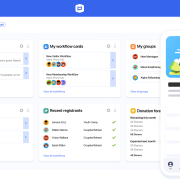
Church Management Software: Streamline Administration & Grow Your Ministry

Church Management Software: Streamline Administration & Grow Your Ministry

Church Management Software: Streamline Administration & Grow Your Ministry

Church Management Software: The Ultimate Guide for Modern Ministries

Introduction

Running a church today involves far more than Sunday services. Pastors and administrators must manage membership records, donations, events, communication, and finances—all while nurturing spiritual growth. Traditionally, these tasks were handled with paper files, spreadsheets, or manual systems. But as congregations grow and technology advances, churches are turning to church management software (CMS) to streamline operations and strengthen community engagement.

This comprehensive guide explores what church management software is, why it matters, its key features, benefits, and how to choose the right solution for your ministry. Whether you lead a small congregation or a multi-campus church, adopting the right CMS can transform your administration and free up time for ministry.

What is Church Management Software?

Church management software is a digital platform designed to help churches organize, track, and manage their daily operations. At its core, CMS functions as a centralized database for member information, donations, attendance, and communication. It replaces fragmented systems with a unified solution that empowers leaders to make data-driven decisions.

Core Functions

  • Member Tracking: Store contact details, family relationships, and involvement history.
  • Donation Management: Record tithes, offerings, and pledges with transparency.
  • Attendance Monitoring: Track service participation and identify trends.
  • Event Scheduling: Plan worship services, Bible studies, and community outreach.
  • Communication Tools: Send emails, texts, or app notifications to members.
  • Reporting & Analytics: Generate insights on giving, growth, and engagement.

Why Churches Need Management Software

Churches face unique challenges in administration. Without software, leaders often struggle with:

  • Manual record-keeping: Paper files are prone to errors and loss.
  • Limited communication: Reaching members quickly is difficult without digital tools.
  • Financial transparency issues: Tracking donations manually can lead to inaccuracies.
  • Growth barriers: As congregations expand, manual systems become unsustainable.

Benefits of CMS

  • Efficiency: Automates repetitive tasks like attendance tracking.
  • Transparency: Provides clear financial records for accountability.
  • Engagement: Strengthens communication between leaders and members.
  • Scalability: Adapts to growing congregations without overwhelming staff.

Key Features of Church Management Software

When evaluating CMS solutions, look for these essential features:

1. Member Management

A robust CMS allows churches to maintain detailed member profiles, including contact information, family connections, and ministry involvement. This helps pastors personalize outreach and track spiritual growth.

2. Attendance Tracking

Automated attendance tools help churches monitor participation in services, small groups, and events. Leaders can identify trends, such as declining attendance, and respond proactively.

3. Donation & Tithe Management

CMS simplifies financial stewardship by recording donations, issuing receipts, and generating reports. Many platforms integrate with online giving tools, making it easier for members to contribute.

4. Event Scheduling

From worship services to community outreach, CMS provides calendars and scheduling tools. Leaders can assign volunteers, book facilities, and send reminders.

5. Communication Tools

Effective communication is vital for ministry. CMS platforms often include email, SMS, and app notifications, ensuring members stay informed about events and updates.

6. Reporting & Analytics

Data-driven insights help churches evaluate growth, giving patterns, and engagement. Reports can guide strategic decisions and improve transparency.

7. Security & Privacy

Protecting member data is crucial. Look for CMS solutions with encryption, secure logins, and compliance with data protection laws.

Benefits of Using Church Management Software

Adopting CMS offers tangible benefits for churches:

  • Streamlined Administration: Automates tasks, reducing workload for staff and volunteers.
  • Improved Financial Stewardship: Ensures accurate donation tracking and reporting.
  • Enhanced Member Engagement: Facilitates personalized communication and follow-up.
  • Scalability: Supports growth without overwhelming administrators.
  • Data-Driven Ministry: Provides insights that guide pastoral decisions.

Choosing the Right Church Management Software

Selecting the right CMS requires careful consideration. Key factors include:

  • Ease of Use: The platform should be intuitive for staff and volunteers.
  • Cost: Compare free vs. paid options, considering long-term value.
  • Support: Reliable customer service ensures smooth implementation.
  • Integrations: Compatibility with accounting software, online giving, and communication tools.
  • Customization: Ability to tailor features to your church’s unique needs.

Top Church Management Software Solutions

Several CMS platforms stand out in the market:

  • Planning Center: Known for its user-friendly interface and modular design.
  • Breeze: Affordable and simple, ideal for small to mid-sized churches.
  • ACS Technologies: Comprehensive solution with advanced reporting.
  • Church Community Builder: Focuses on engagement and discipleship.
  • Faithlife Equip: Integrates communication, giving, and Bible study tools.

Each solution offers unique strengths, so churches should evaluate based on size, budget, and ministry goals.

Future of Church Management Software

The future of CMS is shaped by emerging technologies:

  • Artificial Intelligence (AI): Predictive analytics for attendance and giving trends.
  • Mobile-First Solutions: Apps that allow members to engage from anywhere.
  • Cloud-Based Platforms: Secure, accessible systems that reduce IT burdens.
  • Data-Driven Ministry: Insights that help pastors tailor sermons and outreach.

As technology evolves, CMS will continue to empower churches to serve more effectively.

Conclusion

Church management software is no longer optional—it’s essential for modern ministries. By streamlining administration, enhancing communication, and providing data-driven insights, CMS allows pastors and leaders to focus on their true mission: nurturing spiritual growth and building stronger communities.

Common Challenges Churches Face Without Software

Even today, many churches rely on manual systems or basic spreadsheets. While these methods may work for small congregations, they quickly become unsustainable as the church grows.

  • Data Fragmentation: Member information scattered across notebooks, spreadsheets, and emails makes it difficult to maintain accuracy.
  • Volunteer Coordination Issues: Without centralized scheduling, volunteers may miss assignments or overlap responsibilities.
  • Financial Errors: Manual donation tracking increases the risk of mistakes, undermining trust.
  • Limited Engagement: Churches struggle to keep members informed about events and updates without digital communication tools.

By addressing these challenges, church management software empowers ministries to focus on people rather than paperwork.

Case Studies: How Churches Use CMS Effectively

Small Congregation Example

A local church with 150 members adopted a simple CMS to track attendance and donations. Within six months, they noticed improved financial transparency and stronger member engagement through automated communication.

Large Multi-Campus Example

A megachurch with multiple campuses implemented a robust CMS with mobile apps. Leaders could monitor attendance trends across campuses, coordinate volunteers, and send targeted messages to specific groups. This streamlined administration saved hundreds of staff hours annually.

Integrating Church Management Software with Other Tools

Modern CMS platforms often integrate with external systems, enhancing functionality:

  • Accounting Software: Sync donations with QuickBooks or Xero for seamless financial management.
  • Online Giving Platforms: Connect with PayPal, Stripe, or dedicated church giving apps.
  • Communication Tools: Integrate with Mailchimp or SMS services for broader outreach.
  • Learning Platforms: Some CMS tools link with Bible study apps or e-learning systems.

These integrations ensure that churches don’t just manage data—they leverage it for ministry impact.

Best Practices for Implementing Church Management Software

Adopting CMS requires more than just purchasing a license. To maximize success:

  1. Train Staff and Volunteers: Ensure everyone understands how to use the system.
  2. Start with Core Features: Focus on member tracking and donations before expanding.
  3. Customize for Your Church: Tailor fields and workflows to match your ministry’s needs.
  4. Communicate with Members: Introduce the system to members, especially if it includes portals or apps.
  5. Review Regularly: Evaluate reports and adjust processes to improve efficiency.

SEO-Friendly FAQs About Church Management Software

Adding FAQs boosts search visibility and addresses common queries:

Q1: What is the best church management software for small churches? Breeze and Planning Center are popular choices due to affordability and ease of use.

Q2: Is church management software expensive? Costs vary. Some platforms offer free versions, while premium solutions range from $50–$300 per month depending on features.

Q3: Can church management software track online giving? Yes, most modern CMS platforms integrate with online giving tools to record donations automatically.

Q4: Is church management software secure? Reputable CMS providers use encryption and secure servers to protect sensitive member and financial data.

Final Thoughts

The adoption of church management software represents a shift toward smarter, more efficient ministry. By centralizing data, automating tasks, and enhancing communication, CMS empowers churches to thrive in the digital age. Whether you’re leading a small congregation or a large multi-campus ministry, the right software can transform your administration and free you to focus on what truly matters—spiritual growth and community building.
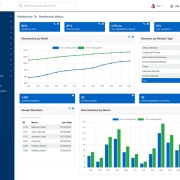
 

Member Tracking System: Features, Benefits & Future Trends

Member Tracking System: Features, Benefits & Future Trends

Member Tracking System: Features, Benefits & Future Trends

Member Tracking System

📊 Member Tracking System: The Complete Guide for Modern Organizations

Introduction

In today’s fast‑paced digital world, organizations thrive when they can efficiently manage their members. Whether you run a gym, nonprofit, school, SACCO, or corporate association, keeping track of members is critical for growth and sustainability. A member tracking system is the solution: it centralizes data, automates processes, and enhances engagement.

This blog explores what a member tracking system is, why it matters, its features, industry applications, SEO strategies, and future trends.

🔑 What is a Member Tracking System?

A member tracking system is software designed to:

  • Store and manage member information.
  • Track attendance and participation.
  • Automate renewals and billing.
  • Provide analytics and reporting.
  • Enhance communication through email, SMS, or app notifications.

It’s essentially the backbone of modern membership management, ensuring that no member is overlooked and every interaction is recorded.

⚙️ Core Features of a Member Tracking System

Feature Why It Matters Example Use Case
Member Database Centralized storage of all member details. A gym keeps track of personal info, subscription dates, and fitness goals.
Attendance Tracking Helps monitor participation and engagement. Schools track student club meetings.
Payment Integration Automates billing and renewals. SACCOs manage monthly contributions.
Communication Tools Keeps members informed and engaged. Nonprofits send newsletters and event invites.
Analytics Dashboard Provides insights into retention and growth. Corporates measure employee program participation.

🌍 Why Organizations Need a Member Tracking System

1. Efficiency

Manual record‑keeping is time‑consuming and error‑prone. A member tracking system automates tasks, saving staff hours each week.

2. Transparency

Members appreciate clear records of payments, contributions, and participation. Transparency builds trust.

3. Retention

By identifying inactive members, organizations can re‑engage them with targeted communication.

4. Scalability

As membership grows, systems scale seamlessly without overwhelming staff.

🏋️ Industry Applications

Gyms & Fitness Centers

  • Track attendance trends.
  • Send automated renewal reminders.
  • Offer loyalty rewards based on participation.

Nonprofits & SACCOs

  • Manage donations and member contributions.
  • Provide transparent financial reports.
  • Strengthen trust through accurate records.

Schools & Universities

  • Maintain updated contact lists.
  • Track event participation.
  • Engage alumni with newsletters.

Corporate Organizations

  • Monitor employee engagement programs.
  • Track participation in training sessions.
  • Provide analytics for HR decision‑making.

📈 SEO Benefits of Optimizing for “Member Tracking System

To rank highly for this keyword, your blog should:

  • Use long‑tail keywords like best member tracking system for gyms or affordable member tracking system for nonprofits.
  • Add FAQs that answer common queries.
  • Include case studies and industry examples.
  • Optimize meta descriptions with the keyword.
  • Write content depth with guides, comparisons, and future trends.

🔍 Choosing the Right Member Tracking System

When selecting a system, consider:

  • Ease of Use – Simple interfaces encourage adoption.
  • Scalability – Can it grow with your membership?
  • Integration – Payment gateways, CRMs, and email tools.
  • Security – Encryption and compliance with privacy laws.
  • Support & Training – Reliable customer service and onboarding.

👉 Example: A fitness center in Nairobi might prioritize mobile check‑in features, while a SACCO in Kiambu could focus on contribution tracking.

📊 Case Studies

Case Study 1: Gym in Nairobi

A mid‑sized gym implemented a member tracking system and saw:

  • 30% increase in renewals due to automated reminders.
  • Improved attendance monitoring.
  • Enhanced customer satisfaction with loyalty rewards.

Case Study 2: SACCO in Kiambu

A SACCO adopted a cloud‑based system to:

  • Track contributions in real time.
  • Provide transparent financial reports.
  • Reduce administrative workload by 40%.

Case Study 3: University Alumni Network

By using a member tracking system, the alumni office:

  • Maintained updated contact lists.
  • Increased event participation by 25%.
  • Improved fundraising campaigns.

🚀 Future Trends in Member Tracking Systems

  • AI‑powered insights to predict member churn.
  • Mobile‑first design for accessibility.
  • Cloud solutions for real‑time updates.
  • Gamification features to boost engagement.
  • Integration with CRMs for holistic management.

❓ Frequently Asked Questions

Q1: What is a member tracking system? A software solution that manages member data, attendance, payments, and communication.

Q2: Who needs a member tracking system? Gyms, nonprofits, schools, corporates, and any group managing memberships.

Q3: Is a member tracking system expensive? Costs vary—cloud‑based options are often affordable and scalable.

Q4: Can it integrate with other tools? Yes, most modern systems integrate with CRMs, payment gateways, and email platforms.

Q5: How does it improve retention? By identifying inactive members and sending targeted re‑engagement campaigns.

✅ Conclusion

A member tracking system is more than just software—it’s a growth engine for organizations. By adopting one, you gain efficiency, transparency, and stronger member relationships. Whether you’re a gym in Nairobi, a SACCO in Kiambu, or a global nonprofit, the right system can transform your operations.

Church Software for Small Churches | Affordable & Easy Solutions

Church Software for Small Churches | Affordable & Easy Solutions

Church Software for Small Churches | Affordable & Easy Solutions

Church Software for Small Churches

Church Software for Small Churches: A Complete Guide

Introduction

Running a small church often means balancing limited resources with big responsibilities. From managing membership records to tracking donations and organizing events, administrative tasks can quickly overwhelm pastors and volunteers. That’s where church software for small churches comes in. Affordable, easy‑to‑use digital tools can streamline operations, improve communication, and free up time for ministry.

This guide explores the benefits, features, and best options available, helping small congregations embrace technology without breaking the budget.

Why Small Churches Need Software

Even with fewer members, small churches face challenges similar to larger congregations:

  • Membership management: Keeping accurate records of members, visitors, and volunteers.
  • Financial transparency: Tracking tithes, offerings, and expenses.
  • Event coordination: Scheduling services, Bible studies, and community outreach.
  • Communication: Staying connected with members through email, SMS, or apps.

Without software, these tasks often rely on spreadsheets or paper records, which can lead to errors and inefficiency. Church software for small churches provides a centralized, secure solution.

Key Features to Look For

When choosing software, small churches should prioritize simplicity and affordability. Essential features include:

  • Member database: Easy input and search functions.
  • Donation tracking: Integration with online giving platforms.
  • Mobile access: Cloud‑based systems accessible via smartphones.
  • Event scheduling: Calendars, reminders, and volunteer coordination.
  • Reporting tools: Financial summaries and attendance reports.

Benefits of Church Software for Small Churches

1. Saves Time

Automating repetitive tasks reduces administrative workload, allowing pastors to focus on ministry.

2. Improves Accuracy

Digital records minimize errors compared to manual spreadsheets.

3. Enhances Communication

Built‑in messaging tools keep members informed about events and updates.

4. Encourages Giving

Online donation options make it easier for members to contribute, even remotely.

5. Builds Transparency

Clear financial reports foster trust within the congregation.

Affordable Options for Small Churches

1. ChurchTrac

  • Designed for small to mid‑sized churches.
  • Offers membership, giving, and accounting features.
  • Affordable monthly plans.

2. Breeze Church Management

  • Simple interface ideal for small congregations.
  • Includes event scheduling and online giving.
  • Cloud‑based with mobile access.

3. PowerChurch Online

  • Strong financial management tools.
  • Suitable for churches needing detailed accounting.

4. Local Solutions

In regions like Africa or Asia, local developers often provide tailored, budget‑friendly software that integrates with mobile money systems.

How to Choose the Right Software

  1. Assess your needs: List the top three challenges your church faces.
  2. Set a budget: Small churches should aim for affordable monthly subscriptions.
  3. Test usability: Choose software that volunteers can learn quickly.
  4. Check support: Reliable customer service is essential.
  5. Ensure scalability: Pick a system that grows with your congregation.

Implementation Tips

  • Start small: Begin with core features like membership and giving.
  • Train volunteers: Offer short workshops to build confidence.
  • Promote adoption: Encourage members to use online giving and communication tools.
  • Review regularly: Adjust settings and features as the church grows.

Common Mistakes to Avoid

  • Overcomplicating: Choosing software with too many unnecessary features.
  • Ignoring training: Assuming volunteers will figure it out without guidance.
  • Skipping backups: Failing to secure data properly.
  • Neglecting updates: Not keeping the system current.

Future of Church Software for Small Churches

Technology is evolving rapidly. Trends include:

  • Mobile‑first design: More members access church tools via smartphones.
  • Integration with social media: Seamless event promotion and communication.
  • AI‑powered insights: Predicting attendance trends and donation patterns.
  • Global accessibility: Cloud systems that work across regions.

Conclusion

For small congregations, adopting church software for small churches is no longer optional—it’s a necessity. Affordable, user‑friendly tools empower pastors and volunteers to manage administration efficiently, foster transparency, and strengthen community engagement. By choosing the right solution, even the smallest church can harness technology to grow and thrive.

Affordable Church Accounting Software in Kenya

Affordable Church Software in Kenya: Best Options for 2026

Affordable Church Accounting Software in Kenya

Affordable Church Software

Affordable Church Software in Kenya: The 2026 Guide for Growing Ministries

Introduction

Managing a church in Kenya today means balancing spiritual leadership with administrative efficiency. From tracking members and donations to organizing events and communicating with congregants, the right tools can make all the difference. That’s where affordable church software in Kenya comes in — digital solutions designed to help churches streamline operations without breaking the budget.

In this guide, we’ll explore the best low-cost church management systems available in Kenya, what features to look for, and how to choose the right platform for your ministry.

Why Kenyan Churches Need Church Management Software

Churches across Kenya face unique challenges:

  • Growing congregations with limited administrative staff
  • Reliance on mobile payments like M-Pesa
  • Need for SMS communication in areas with limited internet
  • Desire for transparency in financial reporting

Affordable church software helps solve these problems by offering tools for:

  • Member tracking
  • Attendance monitoring
  • Online giving
  • Volunteer scheduling
  • Event planning
  • Communication via SMS and email

Key Features to Look For

When evaluating church software in Kenya, prioritize these features:

1. M-Pesa Integration

Mobile money is essential. Choose software that allows members to give via M-Pesa and automatically records donations.

2. SMS Communication

Not all members use email. SMS alerts for events, reminders, and updates are crucial.

3. Member Database

Track personal details, family connections, spiritual milestones, and ministry involvement.

4. Financial Reporting

Generate giving statements, track pledges, and produce reports for transparency.

5. Mobile Access

Ensure leaders can access the system via smartphones or tablets.

6. Local Support

Choose platforms with Kenyan customer service or community support.

Top Affordable Church Software in Kenya (2026)

Here are the most popular and budget-friendly options:

🟢 eKanisa

Overview: Built specifically for Kenyan churches, eKanisa offers a full suite of tools including M-Pesa integration, SMS alerts, and mobile access.

Key Features:

  • Member management
  • Attendance tracking
  • M-Pesa giving
  • Financial reports
  • SMS communication

Pricing: Free trial available; plans start from KES 1,500/month Best For: Small to mid-sized churches looking for local integration

🟠 MyChurch ChMS

Overview: A cloud-based system with a clean interface and strong feature set.

Key Features:

  • Member profiles
  • Service planning
  • Volunteer scheduling
  • Giving management
  • Mobile app

Pricing: Starts from KES 1,800/month Best For: Churches wanting a modern, user-friendly experience

🔵 Churches Admin

Overview: Tailored for Kenyan ministries, this platform offers customizable tools for pastors and admins.

Key Features:

  • Member tracking
  • Event planning
  • Communication tools
  • Financial management

Pricing: Contact for quote; often negotiable for small churches Best For: Churches needing flexibility and local customization

Comparing the Options

Feature eKanisa MyChurch ChMS Churches Admin
M-Pesa Integration ✅ Yes ✅ Yes ✅ Yes
SMS Alerts ✅ Yes ✅ Yes ✅ Yes
Mobile App ✅ Yes ✅ Yes ❌ Limited
Free Trial ✅ Yes ✅ Yes ❌ Not listed
Local Support ✅ Strong ✅ Moderate ✅ Strong
Starting Price KES 1,500/month KES 1,800/month Varies

How to Choose the Right Software

Step 1: Define Your Needs

Are you focused on member engagement, financial tracking, or communication? Prioritize features that match your ministry goals.

Step 2: Consider Your Budget

Most affordable church software in Kenya costs between KES 1,500–2,500/month. Look for free trials and discounts for small churches.

Step 3: Test the Interface

Choose software that’s easy to use for both tech-savvy and non-technical staff.

Step 4: Ask About Support

Local customer service can make onboarding and troubleshooting much easier.

Benefits of Church Software for Kenyan Ministries

  • Save time on admin tasks
  • Improve communication with members
  • Track giving and generate reports
  • Strengthen relationships through personalized outreach
  • Grow your ministry with data-driven insights

Real-Life Example: A Church in Nairobi

Pastor James leads a growing church in Nairobi with over 300 members. Before using church software, his team relied on spreadsheets and manual records. After switching to eKanisa, they now:

  • Send SMS reminders for Sunday services
  • Track attendance for small groups
  • Receive M-Pesa donations directly into the system
  • Generate monthly financial reports in minutes

The result? More time for ministry, less time on admin.

Future Trends in Church Software in Kenya

  • AI-powered insights: Predict attendance trends and giving patterns
  • WhatsApp integration: Communicate with members via popular messaging apps
  • Voice-based access: Use voice commands to retrieve member data
  • Offline functionality: Access key features without internet

Conclusion

Affordable church software in Kenya is no longer a luxury — it’s a necessity. Whether you’re a small rural church or a large urban ministry, tools like eKanisa, MyChurch ChMS, and Churches Admin

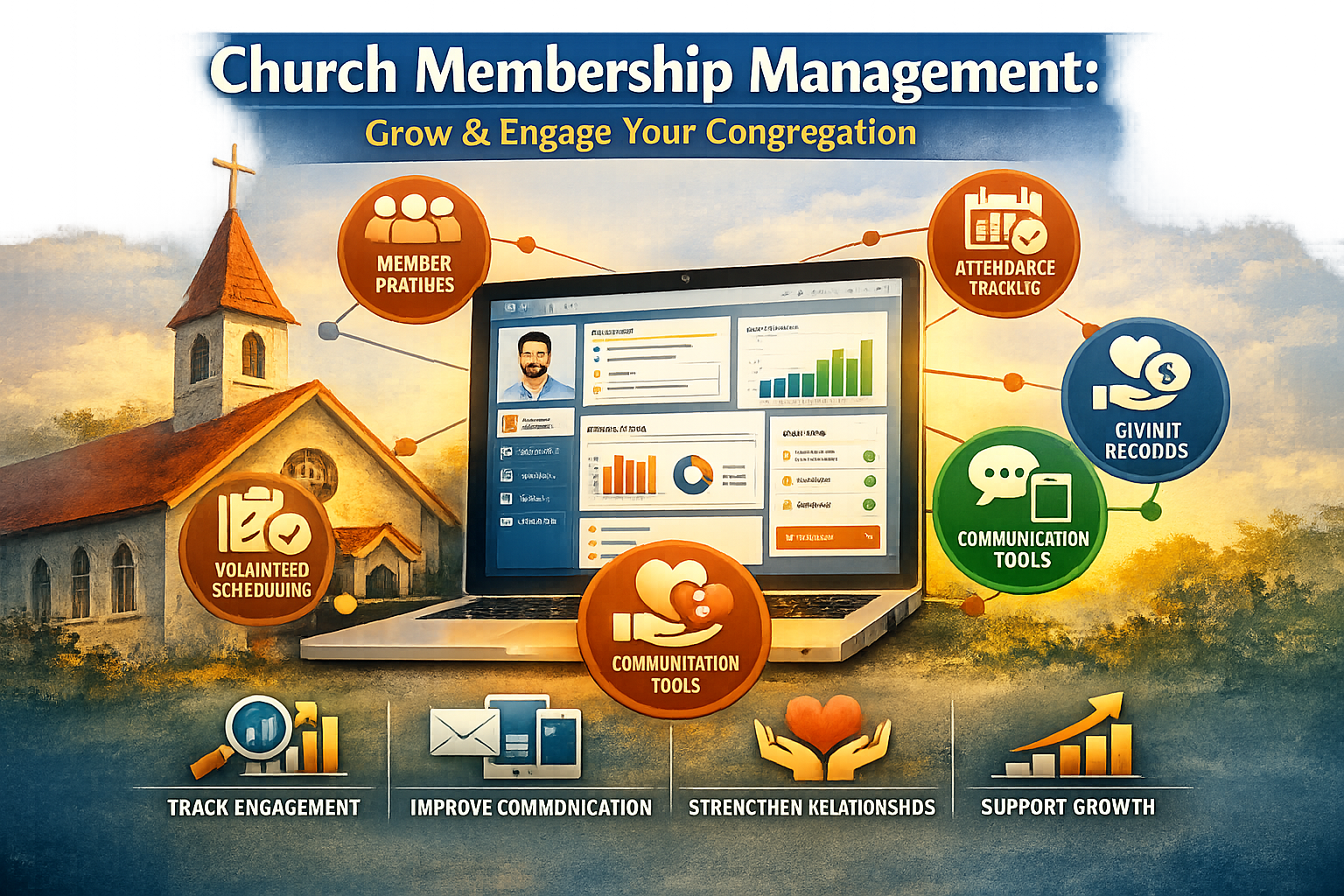
Church Membership Management: How to Grow and Engage Your Congregation

Church Membership Management: How to Grow and Engage Your Congregation

Church Membership Management: How to Grow and Engage Your Congregation

Church Membership Management

Church Membership Management: A Complete Guide for Growing Ministries

Introduction

Managing church membership is more than keeping names on a list — it’s about nurturing relationships, tracking spiritual growth, and empowering ministry leaders. In today’s digital age, church membership management systems offer powerful tools to help churches stay organized, communicate effectively, and grow their congregations. This guide explores what church membership management is, why it matters, and how to implement it successfully.

What Is Church Membership Management?

Church membership management refers to the process of organizing, tracking, and engaging members within a church community. This includes storing personal details, monitoring attendance, managing involvement in ministries, and facilitating communication.

Key Components

  • Member profiles: Names, contact info, family relationships, spiritual milestones.
  • Attendance tracking: Worship services, small groups, events.
  • Ministry involvement: Volunteer roles, group participation.
  • Communication tools: Email, SMS, app notifications.
  • Reporting and analytics: Trends in engagement, giving, and growth.

Why Church Membership Management Matters

1. Strengthens Relationships

Knowing your members helps pastors and leaders provide personalized care. A good system allows you to track birthdays, anniversaries, prayer requests, and pastoral visits.

2. Improves Communication

Segmented lists let you send targeted messages — reminders for youth group, updates for volunteers, or devotionals for new members.

3. Enhances Engagement

Tracking attendance and ministry involvement helps identify disengaged members early, allowing for timely outreach.

4. Supports Growth

Data-driven insights help churches understand what’s working and where to improve — from sermon series to outreach events.

Common Challenges Without a System

  • Lost or outdated records
  • Difficulty tracking attendance trends
  • Limited visibility into member engagement
  • Manual errors in communication and reporting

Features to Look for in a Church Membership Management System

Feature Description
Member Database Centralized profiles with customizable fields
Attendance Tracking Automated check-ins, reports, and alerts
Group Management Organize members into ministries, small groups
Communication Tools Email, SMS, push notifications
Volunteer Scheduling Assign roles, manage availability
Online Giving Integration Track donations, pledges, and receipts
Reporting & Analytics Visual dashboards and exportable reports
Mobile Access Apps for leaders and members on the go

Top Church Membership Management Platforms (2026)

  • Planning Center People: Free member management with powerful integrations.
  • Breeze Church Management: User-friendly, ideal for small to mid-sized churches.
  • Church Community Builder (Pushpay): Advanced features for large ministries.
  • Realm by ACS Technologies: Strong financial and communication tools.
  • Faith Teams: Affordable, cloud-based, built for simplicity.

Best Practices for Implementation

1. Clean Your Data

Before migrating, remove duplicates and outdated records. Standardize naming conventions and contact formats.

2. Train Your Team

Offer onboarding sessions for staff and volunteers. Create cheat sheets and video tutorials.

3. Set Clear Permissions

Not everyone needs access to all data. Assign roles based on responsibilities.

4. Encourage Member Updates

Allow members to update their own profiles via mobile or web portals.

5. Review Regularly

Schedule quarterly audits to ensure data accuracy and system usage.

SEO Tips for Church Membership Blogs

To attract readers and rank well on Google:

  • Use the keyword “church membership management” in the title, intro, and headings.
  • Include semantic variations like “church member tracking,” “ministry database,” and “congregation management.”
  • Add internal links to related content (e.g., church database systems, online giving tools).
  • Use original images and infographics to improve engagement.
  • Optimize for local SEO by mentioning your church’s location and community.
  • Encourage comments and shares to boost visibility.

Conclusion

Effective church membership management is essential for building strong relationships, improving communication, and supporting ministry growth. Whether you’re a small congregation or a multi-campus church, investing in the right tools and practices will help you care for your members and fulfill your mission more effectively.

Church Database System: Complete Guide to Streamlined Ministry Management

Church Database System: Complete Guide to Streamlined Ministry Management

Church Database System: Complete Guide to Streamlined Ministry Management

Church Database System

Church Database System: The Ultimate Guide for Modern Ministries

Introduction

Managing a growing congregation is both a blessing and a challenge. As churches expand, keeping track of members, donations, events, and volunteers becomes increasingly complex. This is where a church database system comes in — a powerful tool designed to simplify administration, strengthen communication, and support ministry growth. In this guide, we’ll explore what a church database system is, why it matters, and how to choose the right one for your church.

What Is a Church Database System?

A church database system is specialized software that helps ministries organize and manage essential information. Think of it as the digital heartbeat of your church, storing everything from member profiles to financial records. Unlike spreadsheets or paper files, a database system centralizes data, making it accessible, secure, and easy to update.

Core Functions

  • Membership management: Track personal details, family connections, and spiritual milestones.
  • Attendance tracking: Monitor worship services, small groups, and events.
  • Financial records: Manage donations, pledges, and accounting reports.
  • Volunteer coordination: Schedule, assign, and communicate with ministry teams.
  • Communication tools: Send emails, SMS, or app notifications directly from the system.

Why Churches Need a Database System

Churches often rely on manual methods — spreadsheets, notebooks, or even memory — to manage operations. While this may work for small congregations, it quickly becomes unsustainable as the church grows.

Challenges of Manual Record‑Keeping

  • Data duplication and errors.
  • Difficulty accessing information quickly.
  • Limited ability to analyze trends.
  • Security risks with sensitive member and financial data.

Benefits of a Church Database System

  • Efficiency: Automates repetitive tasks.
  • Accuracy: Reduces human error.
  • Accessibility: Cloud‑based systems allow staff to log in from anywhere.
  • Growth support: Provides insights into attendance, giving, and engagement.

Key Features of a Church Database System

1. Membership Management

A robust system allows churches to maintain detailed member profiles, including contact information, family relationships, baptism dates, and ministry involvement. This helps pastors and leaders stay connected with their congregation.

2. Attendance Tracking

Tracking attendance isn’t just about numbers — it’s about pastoral care. A database system can highlight trends, such as declining participation, enabling leaders to reach out proactively.

3. Online Giving and Financial Reporting

Modern church database systems integrate with online giving platforms, making it easy to track donations, generate tax receipts, and produce financial reports for transparency.

4. Communication Tools

Effective communication is vital. Built‑in email and SMS features allow churches to send announcements, reminders, and personalized messages directly from the system.

5. Volunteer Scheduling

Managing volunteers can be complex. A database system simplifies scheduling, ensures coverage for events, and reduces miscommunication.

6. Event Management

From Sunday services to community outreach, events are central to church life. Database systems streamline registration, attendance, and follow‑up.

7. Security and Privacy

Churches handle sensitive data. A reliable system ensures compliance with privacy laws and protects member information through encryption and access controls.

Choosing the Right Church Database System

Cloud vs. On‑Premise

  • Cloud‑based systems: Accessible anywhere, automatic updates, lower upfront costs.
  • On‑premise systems: Greater control, but require IT support and infrastructure.

Scalability

Small churches may need basic features, while larger congregations require advanced tools. Choose a system that grows with your ministry.

Integration

Look for systems that integrate with accounting software, websites, and mobile apps. Seamless integration reduces duplication and improves efficiency.

Cost Considerations

Pricing models vary — some charge per user, others per member. Consider both upfront and ongoing costs, balancing features with budget.

Best Practices for Implementing a Church Database System

Data Migration

Moving from spreadsheets or old systems requires careful planning. Clean up duplicate records and ensure accuracy before importing data.

Training Staff and Volunteers

A system is only effective if people know how to use it. Provide training sessions and create user guides.

Maintaining Data Accuracy

Encourage staff to update records regularly. Set policies for data entry to ensure consistency.

User Permissions

Not everyone needs access to all data. Assign roles and permissions to protect sensitive information.

Top Church Database Systems in 2026

While there are many options, here are some of the most popular systems churches rely on today:

  • Planning Center: Known for flexibility and ease of use.
  • Church Community Builder (CCB): Strong in communication and volunteer management.
  • Breeze: Affordable and user‑friendly for small to mid‑sized churches.
  • Realm by ACS Technologies: Comprehensive features with strong financial tools.
  • Faith Teams: Cloud‑based, designed for simplicity and affordability.

Each system offers unique strengths, so the best choice depends on your church’s size, budget, and priorities.

Future Trends in Church Database Systems

AI‑Powered Insights

Artificial intelligence is beginning to play a role in ministry. Future systems may predict attendance trends, suggest engagement strategies, or identify at‑risk members.

Mobile‑First Solutions

With smartphones everywhere, mobile apps are becoming essential. Leaders and members can access information, register for events, and give donations directly from their phones.

Integration with Digital Ministry Tools

As churches embrace livestreaming and online communities, database systems will integrate more deeply with digital platforms, ensuring seamless ministry both online and offline.

Conclusion

A church database system is more than just software — it’s a ministry tool that empowers leaders, strengthens relationships, and supports growth. By centralizing data, improving communication, and providing actionable insights, these systems help churches focus on what truly matters: serving God and their communities. Whether you’re a small congregation or a large ministry, investing in the right church database system can transform the way you operate and engage with your members.

Church Member Management System Kenya | Best Church Software Guide 2026

Church Member Management System Kenya | Best Church Software Guide 2026

Church Member Management System Kenya | Best Church Software Guide 2026

Church Member Management System

Church Member Management System Kenya: Complete Guide for Churches in 2026

Introduction

Churches in Kenya are rapidly embracing digital transformation to improve administration, communication, and member engagement. A church member management system Kenya is no longer a luxury—it is a necessity for modern ministries seeking efficiency, growth, and better pastoral care.

Whether you run a small local church or a large multi-branch ministry, a church management system (ChMS) helps you organize member data, track attendance, manage finances, and enhance communication.

In this comprehensive SEO-optimized guide, we explore everything you need to know about choosing and using the best church member management system in Kenya.


What is a Church Member Management System?

A church member management system is a digital platform designed to help churches manage their members, activities, and operations efficiently. It replaces manual record-keeping systems such as notebooks and spreadsheets with a centralized, secure database.

Key Functions:

  • Member registration and database management

  • Attendance tracking

  • Communication (SMS, email, notifications)

  • Financial management (tithes, offerings, donations)

  • Event and service planning

  • Reporting and analytics


Why Churches in Kenya Need a Member Management System

1. Growing Church Membership

Many churches in Kenya are experiencing rapid growth. Managing hundreds or thousands of members manually becomes difficult and error-prone.

2. Improved Communication

With mobile penetration high in Kenya, systems that integrate SMS and WhatsApp help churches communicate instantly with members.

3. Accountability and Transparency

Digital systems provide accurate financial tracking, helping churches maintain trust and transparency.

4. Efficient Record Keeping

A centralized database ensures all member information is secure, organized, and easily accessible.

5. Better Pastoral Care

Track member needs, follow-ups, and spiritual growth more effectively.


Key Features of a Church Member Management System in Kenya

1. Member Database Management

Store detailed member profiles including:

  • Name, contacts, and address

  • Family relationships

  • Ministry involvement

  • Spiritual milestones (baptism, confirmation)

2. Attendance Tracking

Track attendance for:

  • Sunday services

  • Midweek services

  • Small groups and fellowships

This helps identify active and inactive members.

3. SMS and Email Integration

Bulk messaging features allow churches to:

  • Send announcements

  • Share devotionals

  • Remind members about events

4. Financial Management

Track:

  • Tithes

  • Offerings

  • Donations

  • Pledges

Generate financial reports for accountability.

5. Event Management

Plan and manage:

  • Crusades

  • Conferences

  • Youth events

  • Church meetings

6. Reporting and Analytics

Generate insights such as:

  • Membership growth

  • Attendance trends

  • Giving patterns


Benefits of Using a Church Member Management System in Kenya

Increased Efficiency

Automating administrative tasks saves time and reduces workload for church staff.

Better Decision Making

Data-driven insights help church leaders make informed decisions.

Enhanced Member Engagement

Personalized communication improves member participation and retention.

Data Security

Cloud-based systems ensure member data is safe and backed up.

Scalability

As your church grows, the system grows with you.


How to Choose the Best Church Member Management System in Kenya

1. Ease of Use

Choose a system that is simple and user-friendly, even for non-technical staff.

2. Mobile Compatibility

Ensure the system works well on smartphones since many users rely on mobile devices.

3. Local Payment Integration

Look for support for:

  • M-Pesa

  • Airtel Money

  • Bank payments

4. Customization

Your church has unique needs—choose a system that can be tailored.

5. Customer Support

Reliable local support is essential for troubleshooting and training.

6. Affordability

Select a system that fits your church budget without compromising quality.


Popular Use Cases in Kenya

Small Churches

  • Basic member registration

  • Attendance tracking

  • SMS communication

Medium Churches

  • Financial tracking

  • Event management

  • Ministry coordination

Large Churches

  • Multi-branch management

  • Advanced reporting

  • Integration with other systems


Challenges Without a Church Management System

Churches that rely on manual systems often face:

  • Lost or incomplete member records

  • Poor communication with members

  • Financial mismanagement

  • Difficulty tracking attendance

  • Inefficient administration


Future of Church Member Management Systems in Kenya

Technology continues to evolve, and church systems are becoming more advanced. Future trends include:

1. Mobile Apps

Dedicated apps for members to:

  • Check announcements

  • Give offerings

  • Register for events

2. Cloud-Based Solutions

Access your system from anywhere at any time.

3. AI and Automation

Smart systems that:

  • Predict attendance trends

  • Automate communication

  • Provide insights

4. Integration with Social Media

Seamless connection with platforms like Facebook and WhatsApp.


Tips for Successful Implementation

  1. Train your staff and volunteers

  2. Start with essential features

  3. Keep data updated regularly

  4. Encourage members to engage with the system

  5. Monitor performance and improve


Conclusion

A church member management system Kenya is a powerful tool that helps churches grow, stay organized, and serve their members better. From managing member data to improving communication and ensuring financial transparency, the benefits are undeniable.

As churches in Kenya continue to grow and adapt to digital transformation, investing in a reliable church management system will position your ministry for long-term success.

Church Management Software Kenya | Best ChMS Solutions for Churches

Best Church Management System Kenya | Affordable Church Software Solutions

Best Church Management System Kenya | Affordable Church Software Solutions

Church Management System

Church Management System Kenya: The Complete Guide for Modern Churches

Introduction

In today’s digital era, churches across Kenya are embracing technology to streamline operations, improve communication, and enhance member engagement. A Church Management System in Kenya is no longer a luxury—it is a necessity for churches seeking efficiency, growth, and transparency.

Whether you are managing a small ministry or a large congregation, adopting a church management system (ChMS) can transform how your church operates. From member records to financial tracking and event coordination, these systems simplify administrative tasks and allow church leaders to focus on ministry.


What is a Church Management System?

A Church Management System (ChMS) is software designed to help churches manage their daily operations effectively. It centralizes information, automates repetitive tasks, and provides tools for communication and reporting.

Key Functions:

  • Membership management

  • Financial tracking and reporting

  • Event scheduling

  • Communication tools (SMS, email)

  • Attendance tracking

  • Volunteer coordination


Why Churches in Kenya Need a Management System

1. Growing Congregations

Many churches in Kenya are experiencing rapid growth. Managing member data manually becomes overwhelming and prone to errors.

2. Financial Transparency

Churches handle offerings, tithes, and donations. A ChMS ensures accurate records and builds trust among members.

3. Efficient Communication

With tools like bulk SMS and email notifications, churches can easily communicate announcements and updates.

4. Data Security

Digital systems provide secure storage compared to physical records, reducing the risk of loss or damage.

5. Better Decision Making

Reports and analytics help church leaders make informed decisions.


Features of a Church Management System in Kenya

1. Membership Management

Keep detailed records of church members, including:

  • Names and contacts

  • Family information

  • Baptism status

  • Ministry involvement

2. Financial Management

Track:

  • Tithes and offerings

  • Donations

  • Expenses

  • Budget reports

3. Attendance Tracking

Monitor attendance for:

  • Sunday services

  • Bible studies

  • Special events

4. Communication Tools

Send:

  • SMS notifications

  • Email newsletters

  • Event reminders

5. Event Management

Plan and manage:

  • Church services

  • Conferences

  • Outreach programs

6. Volunteer Management

Assign roles and track participation in ministries.


Benefits of Using a Church Management System

Improved Efficiency

Automation reduces manual work and saves time.

Enhanced Member Engagement

Personalized communication keeps members connected.

Accurate Record Keeping

Digital systems eliminate errors associated with manual entries.

Financial Accountability

Transparent reporting builds trust within the congregation.

Scalability

Systems grow with your church, accommodating increasing members and activities.


Popular Church Management Systems in Kenya

Several platforms are available for churches in Kenya. When choosing one, consider your church’s size, needs, and budget.

Examples:

  • Cloud-based church software

  • Locally developed Kenyan church systems

  • International ChMS platforms adapted for Kenyan churches


How to Choose the Best Church Management System in Kenya

1. Ease of Use

Choose a system that is user-friendly and easy to learn.

2. Cost

Consider affordability, especially for small churches.

3. Cloud vs On-Premise

Cloud-based systems allow access from anywhere, which is ideal for modern churches.

4. Customization

Ensure the system can be tailored to your church’s needs.

5. Customer Support

Reliable support is crucial for troubleshooting and training.


Challenges Churches Face Without a Management System

  • Loss of member data

  • Poor communication

  • Financial mismanagement

  • Inefficient operations

  • Limited growth tracking


Church Management System for Small Churches in Kenya

Small churches can benefit significantly from affordable and simple systems.

Key Features to Look For:

  • Basic member database

  • Simple financial tracking

  • SMS communication

  • Easy reporting tools


Church Management System for Large Churches

Large churches require advanced features such as:

  • Multi-branch management

  • Advanced analytics

  • Integration with payment systems

  • Role-based access control


Integration with Mobile Money in Kenya

One of the most important features for Kenyan churches is integration with mobile money platforms like M-Pesa.

Benefits:

  • Easy donation tracking

  • Automated receipts

  • Real-time financial updates


Role of Technology in Church Growth

Technology enables churches to:

  • Reach more people online

  • Streamline operations

  • Improve member engagement

  • Enhance transparency

A Church Management System plays a central role in this transformation.


Steps to Implement a Church Management System

Step 1: Assess Your Needs

Identify what your church requires.

Step 2: Choose the Right System

Compare features, pricing, and reviews.

Step 3: Train Your Team

Ensure staff and volunteers understand how to use the system.

Step 4: Migrate Data

Transfer existing records into the system.

Step 5: Monitor and Improve

Continuously evaluate performance and optimize usage.


Future of Church Management Systems in Kenya

The future is promising, with advancements such as:

  • Mobile-first platforms

  • AI-powered analytics

  • Online giving platforms

  • Integration with social media

Churches that adopt technology early will have a competitive advantage.


Conclusion

A Church Management System in Kenya is an essential tool for modern churches aiming to improve efficiency, transparency, and growth. By automating administrative tasks and enhancing communication, churches can focus more on their mission and less on paperwork.

Whether you are a small ministry or a large organization, investing in the right system can transform your church operations and help you serve your congregation better.

Church Accounting Software | Simplify Donations & Fund Management

Church Accounting Software | Simplify Donations & Fund Management

Church Accounting Software | Simplify Donations & Fund Management

Church Accounting Software

Church Accounting Software: The Complete Guide for Your Ministry

In today’s digital age, managing a church’s finances can be overwhelming. From budgeting to reporting and compliance, church leaders need tools that simplify financial tasks so they can focus on ministry. That’s where church accounting software becomes essential.

This guide explores what church accounting software is, why it’s important, key features to look for, top solutions, implementation tips, and answers to commonly asked questions.


What Is Church Accounting Software?

Church accounting software is a specialized financial management system designed to meet the unique needs of religious organizations. Unlike generic accounting platforms, church accounting solutions are tailored to handle:

  • Fund accounting (tracking restricted and unrestricted funds)

  • Donation and pledge management

  • Tithes and offerings

  • Budgeting and forecasting

  • Reporting for boards and auditors

  • Compliance with nonprofit accounting standards

Because churches often receive contributions with specific designations (e.g., missions, building fund), they require software that accurately tracks and reports fund allocation. This makes church accounting software a cornerstone of responsible stewardship.


Why Your Church Needs Accounting Software

Churches operate like nonprofits, with distinct financial challenges. Manual spreadsheets or generic accounting packages often fall short. Here’s why investing in church accounting software is important:

1. Accurate Fund Tracking

Churches handle multiple funds simultaneously. A specialized system ensures contributions are recorded in the right category. This helps with budgeting and transparency.

2. Simplified Donation Recording

With integrated donation management, your team can easily record tithes, offerings, and pledges. Automated receipts also enhance donor relations.

3. Compliance and Reporting

Churches must comply with nonprofit financial standards. Church accounting software enables detailed reports for boards, auditors, and regulatory compliance.

4. Time Savings

Automated processes reduce manual data entry and human error. This frees up staff and volunteers to focus on ministry tasks, not paperwork.

5. Secure Financial Data

Modern accounting systems secure financial data with encryption, role‑based access, and regular backups. This protects your church from loss and unauthorized access.


Top Features to Look for in Church Accounting Software

Choosing the right software depends on your church’s needs, size, and budget. Below are the key features any good church accounting solution should offer:

1. Fund Accounting

Churches must track funds separately (e.g., general fund, missions, building). Fund accounting lets you monitor each category individually.

2. Donation and Contribution Tracking

An integrated donation module that records tithes, offerings, and recurring gifts is essential. It should also support donor statements and acknowledgements.

3. Budgeting Tools

Software with forecasting and budget planning tools helps your church manage expenses effectively.

4. Financial Reporting

Customizable reports for cash flow, balance sheets, and fund statements improve transparency and decision‑making.

5. Multi‑User Access

Role‑based permissions allow different staff or volunteers to access only what they need.

6. Integration with Other Church Systems

Integration with your church management system (ChMS) ensures seamless data flow between attendance, membership, and giving.

7. Security and Backup

Church financial data is sensitive. Look for software with strong security protocols and regular backups.

8. Cloud Access

Cloud‑based solutions allow access from anywhere, making remote bookkeeping easier.


How Church Accounting Software Works

Church accounting software automates financial tasks while maintaining compliance with nonprofit standards. Here’s a typical workflow:

  1. Setup Chart of Accounts
    Define fund accounts such as general, missions, benevolence, and building.

  2. Record Donations and Contributions
    Enter contributions manually or sync with online giving platforms.

  3. Monitor Funds and Budget
    Review fund balances and track expenses against budgets.

  4. Generate Reports
    Produce financial statements for leadership and auditors.

  5. Export Data for Tax and Audit
    Easily export reports to share with tax preparers or auditors.


Comparing the Best Church Accounting Software Options

Here are some popular church accounting tools (note: these are examples; features and pricing should be researched before choosing):

Software Best For Key Strengths
ChurchTrac Small to Mid‑Size Churches User‑friendly, affordable, donation tracking
Aplos Growing Churches & Nonprofits Fund accounting, dashboards, donor management
QuickBooks (Nonprofit Version) Churches with Finance Staff Powerful reporting, reputable brand
PowerChurch Plus Mid‑Size Churches Built‑in ChMS integration, strong fund tracking
Breeze Small Churches Easy to use, cloud‑based, donor statements

Choosing the best solution depends on your church’s size, technical skill level, and budget. Always evaluate free trials and user support when making a decision.


Step‑by‑Step Guide to Implementing Church Accounting Software

Implementing new software can feel overwhelming. Here’s a smooth roadmap:

Step 1: Define Your Needs

Consider:

  • Number of users

  • Funds and programs you manage

  • Reporting requirements

  • Integration with giving platforms

Step 2: Budget and Select Software

Balance cost with features. Avoid overspending on tools you won’t use.

Step 3: Migrate Your Data

Import historical giving and expense data. Test accuracy before going live.

Step 4: Train Your Team

Ensure volunteers and staff understand how to use the software correctly.

Step 5: Establish Best Practices

Set processes for data entry, approvals, and regular reporting.

Step 6: Back Up Regularly

Even with cloud solutions, maintain backups for extra peace of mind.


Common Challenges Churches Face with Accounting—and How Software Helps

Church accounting has unique hurdles. Here’s how software solves them:

Challenge: Fund Misallocation

Solution: Fund accounting modules prevent mixing restricted and unrestricted funds.

Challenge: Manual Donation Tracking

Solution: Automated contribution tracking reduces errors and saves time.

Challenge: Complex Reporting

Solution: Pre‑built financial statements make transparency easier.

Challenge: Limited Financial Expertise

Solution: Intuitive dashboards and support resources help even volunteers manage finances confidently.


Church Accounting Best Practices

To get the most value from your accounting software, follow these best practices:

1. Keep Your Chart of Accounts Simple

Avoid overly complex structures. Use clear fund names that everyone understands.

2. Reconcile Bank Accounts Regularly

Monthly reconciliations catch errors early.

3. Use Recurring Donations

Encourage recurring giving to stabilize cash flow and automate records.

4. Review Reports with Leadership

Monthly financial reports ensure accountability and informed decision‑making.

5. Secure Financial Access

Grant permissions carefully and rotate passwords for security.


Frequently Asked Questions (FAQs)

What is the difference between church accounting software and regular accounting software?

Church accounting tools are built for fund accounting, donation tracking, and nonprofit reporting—features not always found in generic software.

Can small churches benefit from church accounting software?

Yes. Even smaller churches gain transparency, time savings, and accurate fund tracking with affordable systems.

Is cloud‑based software better than desktop software?

Cloud‑based solutions offer remote access, automatic updates, and simpler backups, making them ideal for most churches.

How much does church accounting software cost?

Prices vary widely, from free or low‑cost plans for small churches to higher subscription fees for larger organizations with advanced needs. Always compare features.

Do these solutions integrate with online giving platforms?

Many church accounting systems integrate with popular giving tools, making donation reconciliation faster and more accurate.


Conclusion: Invest in Smart Financial Management for Your Church

Managing a church’s finances doesn’t have to be stressful. Church accounting software empowers your organization with accurate fund tracking, simplified reporting, and secure financial management—all while saving time and reducing errors.

Church Membership Management – Streamline Your Church Operations

Church Membership Management – Streamline Your Church Operations

Church Membership Management – Streamline Your Church Operations

Church Membership Management

Church Membership Management: Simplifying Church Administration

Managing church members can be challenging, especially for growing congregations. Church membership management solutions help streamline operations, maintain accurate records, and enhance member engagement. From small churches to large ministries, implementing an effective membership system can transform the way a church operates.

What is Church Membership Management?

Church membership management refers to the systematic process of tracking, organizing, and maintaining church members’ information. This includes personal details, attendance records, donation history, ministry involvement, and communication preferences. Proper management ensures that church leaders can connect with members effectively, plan events efficiently, and make informed decisions.

Key Features of Church Membership Management Systems

Modern church management software offers a wide range of features that simplify administrative tasks. Some essential features include:

  1. Member Database Management
    Easily store and organize member profiles with contact information, family details, and spiritual journey milestones.

  2. Attendance Tracking
    Track weekly service attendance, event participation, and ministry involvement. Automated reports help identify trends in engagement.

  3. Contribution & Donation Management
    Record tithes, offerings, and special donations. Generate donation reports for transparency and financial planning.

  4. Communication Tools
    Send emails, SMS alerts, or push notifications to keep members informed about events, prayer requests, and updates.

  5. Event & Program Management
    Plan and organize church events, registration, volunteer assignments, and follow-up activities seamlessly.

  6. Reporting & Analytics
    Generate detailed reports on attendance, donations, volunteer participation, and member demographics.

Benefits of Church Membership Management

Implementing an efficient church membership management system offers numerous advantages:

  • Improved Organization: All member information is centralized, making it easier to access and manage.

  • Enhanced Engagement: Personalized communication increases member participation in church activities.

  • Time Savings: Automating administrative tasks reduces manual work for staff and volunteers.

  • Accurate Records: Maintain up-to-date, reliable data for strategic planning and decision-making.

  • Financial Transparency: Detailed donation records improve accountability and trust.

Why Every Church Needs a Membership Management System

Churches often face challenges like manual record-keeping, inconsistent member tracking, and ineffective communication. A church membership management system solves these problems by providing a digital, centralized platform. Whether your church is small or large, this system ensures you can focus on ministry instead of paperwork.

How to Choose the Best Church Membership Management Software

Selecting the right software is crucial. Consider the following when choosing a solution:

  1. Ease of Use
    A user-friendly interface ensures staff and volunteers can navigate the system without extensive training.

  2. Scalability
    Your church management system should grow with your congregation.

  3. Security & Privacy
    Protect member data with encryption and secure access controls.

  4. Integration Capabilities
    Choose software that integrates with accounting systems, email marketing tools, and event platforms.

  5. Support & Training
    Reliable customer support and training resources are vital for smooth implementation.

Best Practices for Effective Church Membership Management

  1. Keep Member Data Updated
    Regularly update contact information, family relationships, and participation history to ensure accurate records.

  2. Segment Members for Targeted Communication
    Group members by ministry, age, or activity to send relevant messages.

  3. Automate Routine Tasks
    Automate attendance tracking, donation receipts, and event reminders to save time.

  4. Encourage Self-Service Portals
    Allow members to update their information, register for events, and track contributions online.

  5. Analyze Data for Growth Opportunities
    Use analytics to understand trends in member engagement and identify areas for improvement.

Case Study: Transforming Church Administration

Consider a mid-sized church struggling with manual record-keeping. Attendance was inconsistent, donation tracking was prone to errors, and communication was fragmented. By implementing a church membership management system, the church experienced:

  • 50% reduction in administrative workload

  • 40% increase in member engagement

  • Accurate and transparent financial reporting

  • Streamlined event planning and volunteer coordination

Integrating Church Membership Management with Digital Tools

A modern approach to church administration involves integration with other digital tools:

  • Email Marketing: Use member data to send newsletters and event updates.

  • Online Giving Platforms: Sync donations directly to member profiles.

  • Mobile Apps: Allow members to check schedules, register for events, and update personal information on-the-go.

Challenges in Church Membership Management

Despite the benefits, churches may face challenges such as:

  • Resistance to Technology: Some members may be hesitant to adopt digital systems.

  • Data Migration: Transferring old records to a new system can be time-consuming.

  • Cost Concerns: Some software solutions may be expensive for smaller congregations.

These challenges can be mitigated with proper training, phased implementation, and choosing a software solution that fits the church’s budget and size.

Future Trends in Church Membership Management

The future of church membership management includes:

  • AI-Powered Insights: Predict member engagement trends and suggest targeted actions.

  • Cloud-Based Systems: Access member data anytime, anywhere, from multiple devices.

  • Enhanced Mobile Experiences: Members interact with church services and resources directly from their smartphones.

  • Automated Outreach: AI-driven communication ensures members stay informed and engaged.

Conclusion

Investing in church membership management is no longer optional—it is essential for modern churches striving to grow and engage their members effectively. By choosing the right system, following best practices, and embracing technology, churches can streamline operations, enhance member experience, and focus more on their mission.