ChurchesAdmin Online Church Software | Streamline Church Management

ChurchesAdmin Online Church Software | Streamline Church Management
ChurchesAdmin Online Church Software | Streamline Church Management

ChurchesAdmin Online Church Software

ChurchesAdmin Online Church Software: Transforming Church Management

Managing a church efficiently requires more than devotion—it demands organization, clear communication, and seamless administration. ChurchesAdmin online church software is designed to streamline church operations, giving leaders more time to focus on ministry and community engagement.


What is ChurchesAdmin Online Church Software?

ChurchesAdmin online church software is a cloud-based platform that enables churches to manage memberships, donations, events, and communications in one centralized system. Unlike traditional manual record-keeping, this software ensures data accuracy, real-time updates, and secure access from anywhere.

Key features include:

  • Membership Management – Track members, families, and attendance effortlessly.

  • Contribution Tracking – Manage tithes, offerings, and pledges with automated reporting.

  • Event Scheduling – Plan services, meetings, and community events with reminders.

  • Communication Tools – Send announcements, newsletters, and alerts directly to members.


Benefits of Using ChurchesAdmin Online Church Software

Implementing ChurchesAdmin online church software brings multiple advantages for church leaders and staff:

  1. Efficiency and Time-Saving – Automate administrative tasks, reducing paperwork.

  2. Enhanced Member Engagement – Access member information and communicate effectively.

  3. Financial Transparency – Generate detailed reports on donations, pledges, and expenses.

  4. Cloud Accessibility – Access church data securely from any device, anytime.

  5. Scalable Solution – Suitable for churches of all sizes, from small congregations to large ministries.


How ChurchesAdmin Simplifies Church Operations

Church operations involve many moving parts, from attendance tracking to donation management. ChurchesAdmin online church software simplifies these processes with an intuitive dashboard that provides real-time insights into church activities.

Example Use Case: A pastor can view weekly attendance, send personalized messages to members, and track all donations in one place without the need for multiple spreadsheets or software tools.


Why Choose ChurchesAdmin Online Church Software

  • User-Friendly Interface: Easy for both tech-savvy and non-technical staff.

  • Secure Cloud Storage: Protects sensitive member and financial information.

  • Customizable Reports: Tailor reports for finance, attendance, and membership.

  • 24/7 Support: Access help whenever needed for smooth church operations.

Church leaders looking for a modern, reliable, and efficient way to manage their congregation will find ChurchesAdmin online church software indispensable.


Conclusion

For churches seeking to modernize their administration, improve communication, and enhance member engagement, ChurchesAdmin online church software is the ultimate solution. Streamline your church management, empower your ministry, and focus on what truly matters—building your community and spreading your message.

ChurchesAdmin Online Church Software: The Ultimate Solution for Modern Church Management

In today’s fast-paced digital world, churches face the challenge of managing growing congregations, tracking donations, and keeping members engaged—all while staying true to their mission. ChurchesAdmin online church software offers a comprehensive solution, helping church leaders streamline administration, boost member engagement, and maintain transparency in operations.


Why Churches Need Online Church Software

Churches today are more than just places of worship—they are vibrant communities with complex administrative needs. Traditional manual record-keeping methods are time-consuming, prone to errors, and limit effective communication with members.

ChurchesAdmin online church software eliminates these challenges by providing a centralized platform for all church management activities. From tracking member attendance to managing finances, this software empowers church leaders to focus on ministry rather than paperwork.


Key Features of ChurchesAdmin Online Church Software

  1. Membership Management
    Managing a growing congregation can be overwhelming. With ChurchesAdmin online church software, you can:

    • Maintain detailed member profiles

    • Track attendance for services and events

    • Manage family connections and member groups

    • Quickly retrieve contact information

  2. Donation and Financial Management
    Transparency and accountability are essential in church finances. ChurchesAdmin simplifies financial management by:

    • Tracking tithes, offerings, and pledges

    • Generating automatic financial reports

    • Managing recurring donations

    • Integrating with payment gateways for online giving

  3. Event Scheduling and Management
    Organizing church events can be complex. ChurchesAdmin allows you to:

    • Schedule events and meetings with ease

    • Send reminders to members and staff

    • Monitor RSVPs and participation rates

    • Link events to specific member groups or ministries

  4. Communication Tools
    Clear communication is critical for member engagement. ChurchesAdmin helps churches:

    • Send newsletters, announcements, and alerts

    • Communicate with specific groups or the entire congregation

    • Integrate SMS and email notifications

    • Maintain logs of past communications

  5. Reports and Analytics
    Data-driven insights help churches make informed decisions. With ChurchesAdmin, you can:

    • Track growth in membership

    • Analyze donation trends

    • Measure event participation

    • Export reports for board meetings and audits


Benefits of Using ChurchesAdmin Online Church Software

ChurchesAdmin online church software offers a range of benefits that directly impact the efficiency and effectiveness of church operations:

  • Improved Efficiency: Automate administrative tasks and reduce paperwork.

  • Enhanced Member Engagement: Personalize communication and track participation.

  • Financial Transparency: Ensure accurate donation tracking and reporting.

  • Remote Access: Secure cloud-based access from any device, anywhere.

  • Scalability: Suitable for churches of any size, from small ministries to large congregations.


How ChurchesAdmin Simplifies Daily Church Operations

ChurchesAdmin online church software provides an intuitive dashboard that allows church leaders to manage multiple tasks simultaneously. For example:

  • A pastor can quickly view weekly attendance trends and send follow-up messages to members who missed service.

  • Finance officers can generate donation reports with a few clicks, reducing manual calculations and errors.

  • Event coordinators can schedule youth programs, bible studies, and outreach initiatives with automated reminders.

This level of automation not only saves time but also ensures that every member feels connected and informed.


Security and Data Protection

Data security is a top priority for any cloud-based platform. ChurchesAdmin online church software uses advanced encryption and secure cloud storage to protect sensitive member and financial information. Churches can rest assured that:

  • Member records are safe from unauthorized access

  • Financial data is encrypted and backed up regularly

  • Compliance with data protection regulations is maintained


Why ChurchesAdmin Stands Out

Choosing the right church management software is crucial. ChurchesAdmin stands out because:

  • User-Friendly Interface: Easy to navigate for staff with varying tech skills.

  • Customizable Reports: Tailor financial, attendance, and membership reports to specific needs.

  • 24/7 Customer Support: Get help anytime for smooth operations.

  • Mobile-Friendly: Access and manage church activities on smartphones or tablets.


Case Study: A Church Transformation with ChurchesAdmin

Consider a medium-sized church with over 500 members. Before adopting ChurchesAdmin online church software, the administration relied on spreadsheets, manual attendance logs, and cash donation records. Challenges included:

  • Lost donation records

  • Missed event follow-ups

  • Delayed communication with members

After implementing ChurchesAdmin:

  • Attendance tracking became automated

  • Online donations simplified financial management

  • Communication tools increased member engagement

  • Administrative tasks were reduced by 50%

This case illustrates how ChurchesAdmin online church software can revolutionize church operations.


Frequently Asked Questions (FAQs)

Q1: Is ChurchesAdmin suitable for small churches?
Yes. ChurchesAdmin is scalable and can be customized to fit the needs of small, medium, or large congregations.

Q2: Can members give donations online?
Absolutely. ChurchesAdmin integrates with secure payment gateways to allow online tithes, offerings, and pledges.

Q3: Is training required to use the software?
The software is user-friendly, but ChurchesAdmin provides tutorials and 24/7 support to ensure smooth adoption.

Q4: Can I access ChurchesAdmin on mobile devices?
Yes, ChurchesAdmin is mobile-friendly and can be accessed on smartphones and tablets.


Conclusion

For modern churches seeking to enhance organization, streamline administration, and strengthen member engagement, ChurchesAdmin online church software is the ultimate tool. From membership management to financial tracking, event scheduling, and communication, this all-in-one solution allows church leaders to focus on their mission while technology handles the rest.
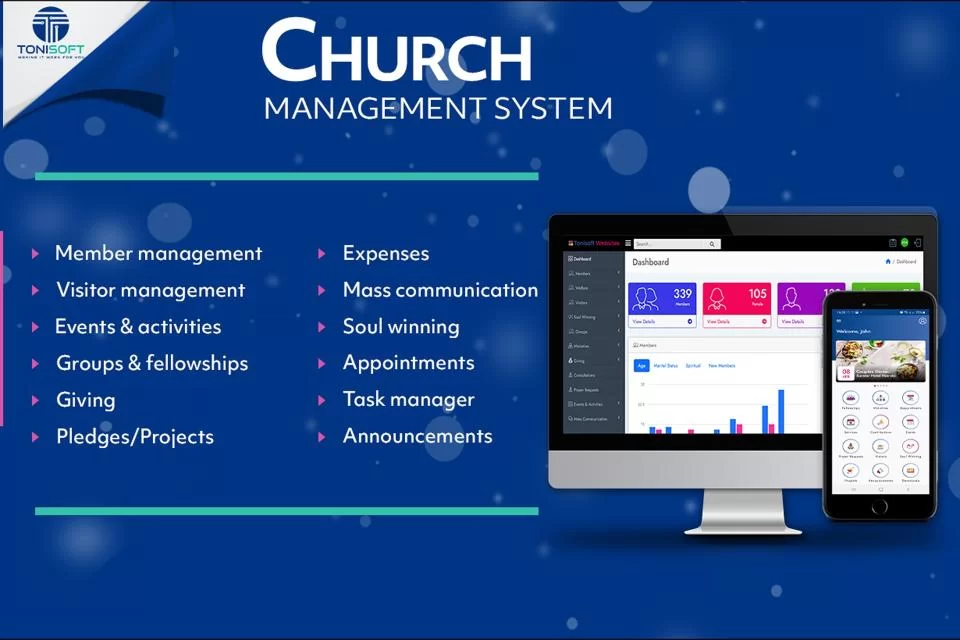
Church Management System – Efficient Church Administration & Membership Tracking

Church Management System – Efficient Church Administration & Membership Tracking

Church Management System – Efficient Church Administration & Membership Tracking

Church management system

Church Management System: Streamline Your Church Operations Efficiently

In today’s digital age, managing a church manually can be time-consuming and prone to errors. A Church management system (CMS) provides an integrated platform to handle membership records, donations, events, communication, and more—all from a single, easy-to-use interface. Whether your church is small or has thousands of members, implementing a robust CMS can transform how your organization operates.

What is a Church Management System?

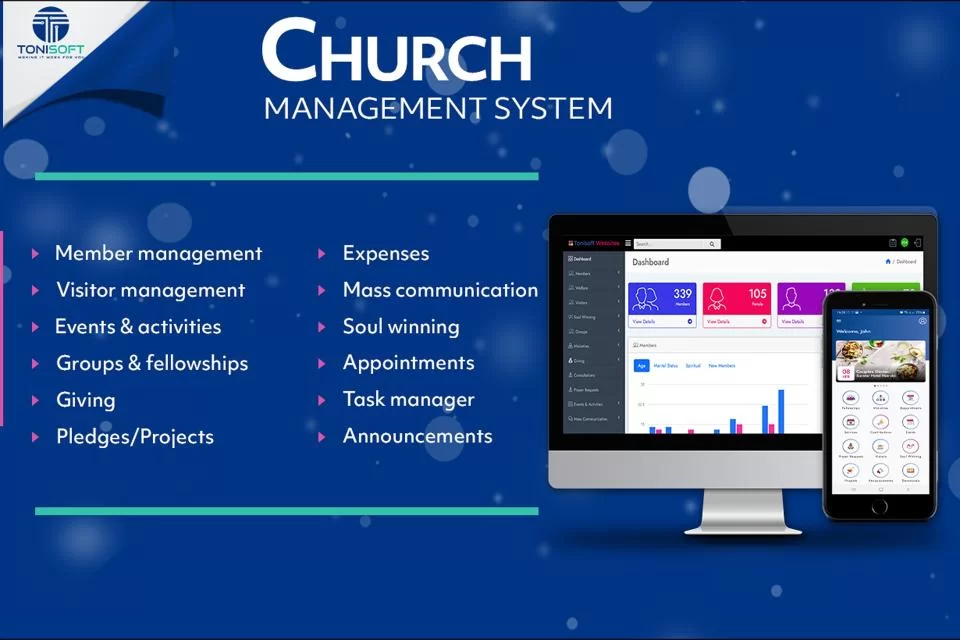
A Church management system is software designed specifically for churches to automate administrative tasks. From tracking attendance to managing finances, a CMS reduces paperwork and frees up your team to focus on ministry work. Modern CMS platforms often include features like:

  • Membership management – Maintain detailed records of members, families, and groups.

  • Donation tracking – Securely process tithes, offerings, and pledges.

  • Event management – Plan and manage events, services, and community outreach programs.

  • Communication tools – Send newsletters, reminders, and announcements via email or SMS.

  • Reporting and analytics – Generate financial, attendance, and engagement reports effortlessly.

Benefits of Using a Church Management System

Implementing a Church management system offers numerous advantages:

  1. Efficiency – Automate repetitive tasks and reduce administrative workload.

  2. Improved Communication – Keep members informed and engaged through seamless messaging.

  3. Accurate Records – Maintain up-to-date membership, donation, and event data.

  4. Enhanced Security – Protect sensitive member information with secure cloud storage.

  5. Data-Driven Decisions – Use analytics to plan events, outreach programs, and financial strategies effectively.

Choosing the Right Church Management System

Not all CMS platforms are created equal. When selecting a Church management system, consider the following:

  • Ease of Use: The system should be intuitive for staff and volunteers.

  • Customization: Look for software that adapts to your church’s size and structure.

  • Integration: Ability to connect with accounting software, email platforms, and payment gateways.

  • Support: Reliable customer service and training resources.

  • Mobile Access: Cloud-based systems allow access from anywhere, even on smartphones and tablets.

Top Features to Look for in a Church Management System

A high-quality Church management system should include:

  • Membership database and family tracking

  • Online giving and financial reporting

  • Attendance and check-in systems

  • Event registration and volunteer management

  • Communication tools (email, SMS, push notifications)

  • Mobile app for members and staff

  • Custom reporting and analytics dashboards

How a Church Management System Enhances Ministry

A CMS doesn’t just streamline administration—it strengthens your ministry. By freeing staff from repetitive tasks, a Church management system allows pastors and volunteers to focus on community engagement, spiritual growth, and outreach programs. Members benefit too, enjoying smoother communication, easy donations, and more organized events.

Conclusion

A Church management system is no longer a luxury—it’s a necessity for modern churches seeking to improve efficiency, enhance engagement, and strengthen community impact. Investing in the right CMS empowers your church to focus on what matters most: nurturing faith and building relationships.


Church Management System: The Ultimate Guide to Streamlining Church Operations

Managing a church comes with unique challenges—from tracking memberships and donations to organizing events and ensuring smooth communication. A Church management system (CMS) is designed to simplify all these processes, empowering church leaders to focus more on ministry and community outreach rather than administrative tasks.

In this comprehensive guide, we explore everything you need to know about CMS software, including features, benefits, selection tips, and how it can transform your church operations.


What is a Church Management System?

A Church management system is specialized software that helps churches automate and organize their administrative and operational tasks. Unlike generic management tools, a CMS is built specifically for the unique needs of religious organizations, combining membership tracking, donation management, event planning, and communication into a single platform.

By centralizing all church data, a CMS allows pastors, volunteers, and administrative staff to work more efficiently, reduce errors, and create a better experience for members.


Key Features of a Church Management System

Modern Church management systems come packed with a variety of features designed to cover every aspect of church administration:

1. Membership Management

A robust CMS maintains detailed records of members, families, and groups. Features include:

  • Member profiles with personal information

  • Family grouping and relational tracking

  • Attendance monitoring for services, small groups, and events

2. Donation and Financial Tracking

Handling church finances can be complex. A CMS makes it easy to:

  • Track tithes, offerings, and pledges

  • Process online and mobile donations securely

  • Generate financial reports for transparency and planning

3. Event Planning and Volunteer Management

Organizing church events requires coordination. With a CMS, you can:

  • Schedule events and assign volunteers

  • Track RSVPs and attendance

  • Automate reminders and notifications

4. Communication Tools

Effective communication is vital for engagement. Features include:

  • Email newsletters and SMS alerts

  • Push notifications for members through mobile apps

  • Segmented communication based on groups or ministries

5. Reporting and Analytics

A CMS provides actionable insights to help church leaders make informed decisions:

  • Attendance and engagement reports

  • Donation trends and financial analysis

  • Volunteer participation metrics


Benefits of Implementing a Church Management System

Investing in a Church management system delivers tangible benefits for both staff and members:

Streamlined Administration

Automate repetitive tasks like data entry, donation tracking, and attendance logging, freeing up staff to focus on ministry.

Enhanced Member Engagement

Keep members connected with timely communication, easy event registration, and mobile access to church resources.

Improved Financial Management

Track giving accurately and transparently, with automatic reporting for budgeting and planning.

Data Security and Compliance

Modern CMS platforms provide secure storage of sensitive information, helping your church comply with privacy regulations.

Informed Decision Making

Analytics and reports provide insights that allow church leaders to plan growth strategies, improve outreach, and optimize resources.


How to Choose the Right Church Management System

Choosing the right CMS requires careful consideration of your church’s unique needs:

  1. Ease of Use: The software should be intuitive for staff and volunteers, requiring minimal training.

  2. Customization: Look for a CMS that can adapt to your church size, structure, and ministries.

  3. Integration: Ensure compatibility with accounting software, email platforms, and online payment gateways.

  4. Mobile Access: Cloud-based systems with mobile apps allow staff and members to access information anywhere.

  5. Support and Training: Reliable customer support and training resources are essential for smooth adoption.


Common Types of Church Management Systems

Churches can choose from different types of CMS solutions depending on their needs:

  • Cloud-Based CMS: Accessible from anywhere, ideal for multi-location churches.

  • On-Premise CMS: Installed locally on church servers; offers more control over data.

  • Mobile-First CMS: Designed primarily for mobile devices, improving member engagement and on-the-go management.


Best Practices for Using a Church Management System

To maximize the benefits of your CMS:

  • Keep member data up-to-date and accurate

  • Encourage online giving and digital engagement

  • Train staff and volunteers regularly

  • Regularly review reports and analytics to improve operations

  • Integrate the CMS with your website, social media, and communication channels


Real-World Impact of a Church Management System

Many churches have reported remarkable improvements after implementing a CMS:

  • Reduced administrative workload by up to 60%

  • Increased online donations and tithes by 40%

  • Improved volunteer participation through automated scheduling and reminders

  • Enhanced member satisfaction and engagement through personalized communication

A CMS not only simplifies church operations but also strengthens your ministry’s ability to serve the community effectively.


Frequently Asked Questions (FAQs)

Q1: Can a small church benefit from a Church management system?
Absolutely! CMS platforms are scalable and can serve both small congregations and large multi-campus churches. Even small churches benefit from streamlined administration and improved communication.

Q2: Is a Church management system secure?
Yes. Reputable CMS providers use encryption, secure cloud storage, and compliance measures to protect sensitive member data.

Q3: Can donations be processed online?
Most modern CMS platforms support online giving, recurring donations, and integration with payment gateways for convenience and transparency.

Q4: How long does it take to implement a CMS?
Implementation varies depending on the size of the church and complexity of features, but many churches can go live within a few weeks with proper training.

Q5: Can volunteers manage events using a CMS?
Yes. CMS platforms allow volunteers to schedule, register, and manage events with minimal administrative support, improving engagement and efficiency.


Conclusion

A Church management system is a vital tool for modern churches looking to improve efficiency, communication, and community engagement. By automating administrative tasks, tracking membership, managing finances, and facilitating events, a CMS allows church leaders to focus on what matters most: nurturing faith and building meaningful relationships.

Investing in the right Church management system ensures your church operates smoothly, engages members effectively, and grows sustainably in today’s digital world.

Church Management System – Efficient Church Administration & Membership Tracking

ChurchesAdmin Membership Management | Streamline Church Administration

ChurchesAdmin Membership Management – The Smart Way to Manage Your Church Community

https://cdn.dribbble.com/userupload/42584082/file/original-a0f9eda414db2ae918dfba05b70c2ebc.png?resize=1600x1200
https://cdn.prod.website-files.com/63e2e08df72ab98959f09628/64aedd4f561f432dcf2edc0b_attachments.webp
https://www.tonisoft.co.ke/uploads/img/pages/church-management-software.webp
4

In today’s fast-growing church environments, keeping track of members, attendance, contributions, and communication can be overwhelming. That’s where ChurchesAdmin membership management comes in. Designed specifically for churches and faith-based organizations, ChurchesAdmin simplifies administrative work while helping leaders focus on ministry and spiritual growth.

If you are searching for a reliable, scalable, and easy-to-use church membership management system, ChurchesAdmin offers powerful tools to streamline operations and improve member engagement.


What Is ChurchesAdmin Membership Management?

ChurchesAdmin membership management is a comprehensive church administration solution that helps churches manage:

  • Member registration and profiles

  • Attendance tracking

  • Tithes and offerings records

  • Communication (SMS & email)

  • Small groups and ministry departments

  • Reports and analytics

It centralizes all church data into one secure, accessible platform—eliminating spreadsheets, paperwork, and manual errors.


Why Churches Need an Efficient Membership Management System

Church growth brings administrative challenges. Without proper systems, churches often struggle with:

  • Lost or outdated member records

  • Inaccurate contribution tracking

  • Poor communication with members

  • Difficulty managing multiple ministries

  • Limited reporting for decision-making

With ChurchesAdmin membership management, everything is organized, automated, and easily accessible.


Key Features of ChurchesAdmin Membership Management

1. Member Registration & Profile Management

ChurchesAdmin allows churches to:

  • Register new members digitally

  • Store personal details securely

  • Track family relationships

  • Upload member photos

  • Assign membership status

Having a centralized member database ensures leaders always have accurate information at their fingertips.


2. Attendance Tracking Made Simple

Track attendance for:

  • Sunday services

  • Midweek services

  • Prayer meetings

  • Youth gatherings

  • Small group meetings

ChurchesAdmin membership management provides real-time attendance data and historical trends, helping church leaders understand growth patterns and engagement levels.


3. Tithes & Offerings Management

Financial transparency is essential in church management. ChurchesAdmin enables:

  • Recording of tithes and offerings

  • Tracking member giving history

  • Generating contribution statements

  • Creating financial reports

This improves accountability and simplifies financial reporting for church leadership.


4. Group & Ministry Management

Manage different church departments such as:

  • Youth ministry

  • Women’s fellowship

  • Men’s fellowship

  • Choir and worship team

  • Outreach teams

ChurchesAdmin membership management helps assign members to groups and track participation efficiently.


5. Communication Tools

Effective communication keeps members engaged. ChurchesAdmin supports:

  • Bulk SMS notifications

  • Email communication

  • Event reminders

  • Meeting announcements

This ensures members stay informed about upcoming services, programs, and events.


6. Reporting & Analytics

Church leaders need insights to make strategic decisions. With ChurchesAdmin, you can generate:

  • Membership growth reports

  • Attendance reports

  • Financial summaries

  • Group participation reports

These insights help churches plan better and grow sustainably.


Benefits of Using ChurchesAdmin Membership Management

✔ Improved Organization

Centralized data eliminates confusion and duplication.

✔ Increased Member Engagement

Automated communication keeps members connected.

✔ Better Financial Accountability

Accurate contribution tracking enhances transparency.

✔ Time-Saving Automation

Reduces paperwork and manual record-keeping.

✔ Scalable for Growing Churches

Whether you’re a small church or a large ministry, ChurchesAdmin adapts to your needs.


Who Can Use ChurchesAdmin?

ChurchesAdmin membership management is ideal for:

  • Small and medium-sized churches

  • Mega churches

  • Church networks and denominations

  • Faith-based organizations

  • Church planting ministries

It supports both single-branch and multi-branch church structures.


How ChurchesAdmin Enhances Church Growth

Church growth is not just about numbers—it’s about relationships and engagement. By organizing member data and improving communication, ChurchesAdmin helps churches:

  • Follow up with new visitors

  • Track inactive members

  • Strengthen pastoral care

  • Improve volunteer coordination

  • Plan events more effectively

With accurate data, leaders can focus on ministry rather than administrative burdens.


Why Choose ChurchesAdmin Membership Management?

There are many church management tools available, but ChurchesAdmin stands out because:

  • It is built specifically for churches

  • It is user-friendly and easy to implement

  • It offers comprehensive membership tools

  • It supports financial tracking

  • It improves communication

  • It provides reliable reporting

ChurchesAdmin membership management gives churches the digital infrastructure they need to thrive in today’s fast-paced environment.


Final Thoughts

Managing a growing church requires more than passion—it requires organization, structure, and technology. ChurchesAdmin membership management provides a complete solution for churches seeking efficiency, accountability, and better member engagement.

By adopting ChurchesAdmin, churches can:

  • Simplify administration

  • Improve communication

  • Track growth effectively

  • Strengthen community relationships

  • Focus more on spiritual leadership

Church Office Management | Complete Guide to Efficient Church Administration

Church Office Management: The Ultimate Guide to Efficient Church Administration

https://cdn.autonomous.ai/static/upload/images/common/upload/20220516/Best-Church-Office-Design-Ideas-to-Arrange-Layouts_6de89b18f71.webp
https://www.ziprecruiter.com/svc/fotomat/public-ziprecruiter/cms/1059662522WorkFromHomeAnsweringServiceOperator.jpg%3Dws720x480
https://cdn.dribbble.com/userupload/42584082/file/original-a0f9eda414db2ae918dfba05b70c2ebc.png?resize=1600x1200
4

Introduction to Church Office Management

Church office management plays a vital role in ensuring that churches operate smoothly, efficiently, and professionally. Whether managing a small local congregation or a large ministry organization, effective church office management helps streamline communication, organize records, coordinate events, and maintain financial transparency.

In today’s digital age, churches must embrace structured administrative systems to stay organized, improve member engagement, and support ministry growth. From managing donations to scheduling services, church office management ensures that everything behind the scenes functions seamlessly.


What is Church Office Management?

Church office management refers to the administrative processes, tools, and strategies used to run a church’s daily operations. This includes:

  • Member record management

  • Financial administration and accounting

  • Event and service scheduling

  • Communication and correspondence

  • Volunteer coordination

  • Document and file organization

  • Donation tracking and reporting

An organized church office ensures pastors and ministry leaders can focus on spiritual leadership while administrative systems support operational excellence.


Why Church Office Management is Important

1. Improved Organization

A structured office system reduces confusion and prevents misplaced records. Digital databases allow quick access to member information, attendance records, and donation history.

2. Enhanced Communication

Effective church office management enables timely communication through email newsletters, SMS alerts, and event reminders.

3. Financial Accountability

Churches handle tithes, offerings, and donations. Proper accounting systems ensure transparency, compliance, and accurate reporting.

4. Better Member Engagement

When member data is well managed, churches can personalize communication, follow up with visitors, and strengthen relationships.

5. Time Efficiency

Automation reduces manual paperwork, allowing staff to focus on ministry impact rather than administrative overload.


Key Components of Church Office Management

1. Membership Database Management

Maintaining an updated database of church members is essential. This includes:

  • Contact details

  • Family information

  • Attendance history

  • Baptism and membership status

  • Volunteer involvement

Digital church management software simplifies tracking and updating records.

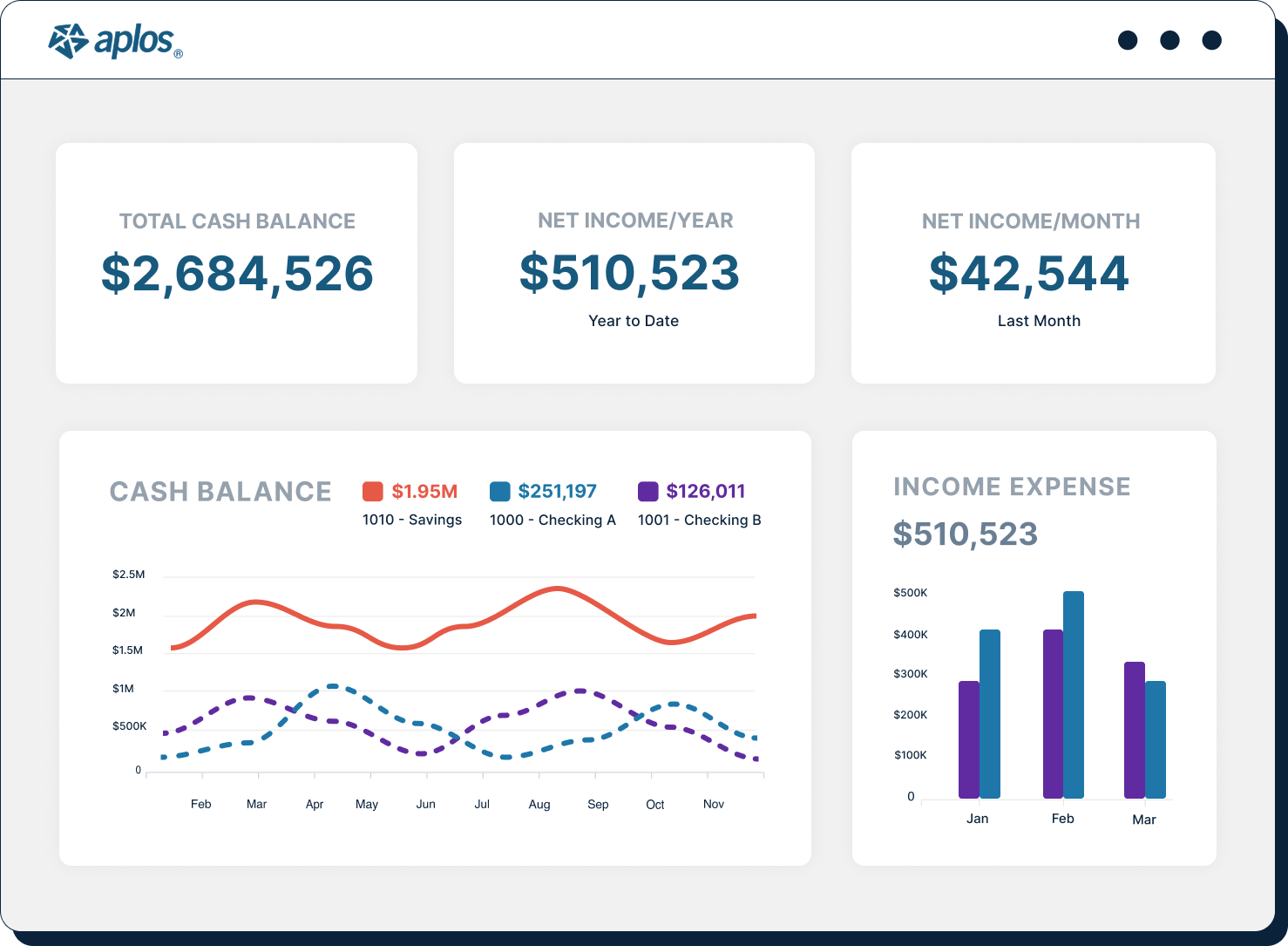
2. Financial Management and Reporting

Church office management must include:

  • Donation tracking

  • Tithe management

  • Budget planning

  • Expense tracking

  • Financial statements

Modern accounting tools ensure accurate reporting and compliance with regulatory standards.

3. Event and Service Scheduling

Church offices coordinate:

  • Sunday services

  • Midweek gatherings

  • Weddings and funerals

  • Conferences and retreats

  • Community outreach events

Calendar management systems prevent double bookings and scheduling conflicts.

4. Volunteer Coordination

Churches depend heavily on volunteers. Efficient office management ensures:

  • Volunteer registration

  • Role assignment

  • Schedule coordination

  • Communication and reminders

5. Communication Systems

Communication is the backbone of any ministry. Church office management includes:

  • Email newsletters

  • SMS notifications

  • Social media updates

  • Website announcements

A centralized communication system keeps members informed and engaged.


Digital Transformation in Church Office Management

https://cdn.prod.website-files.com/63e2e08df72ab98959f09628/64aedd4f561f432dcf2edc0b_attachments.webp
https://cdn.prod.website-files.com/644691be9cfddf7b3e816e96/67a5467a6772936eddda9ff3_fe8b7fdc6f3455d82455a33675648073_Aplos%20Dashboard%20V3%20%281%29.png
https://churchcrm.io/images/screen-finance.png
4

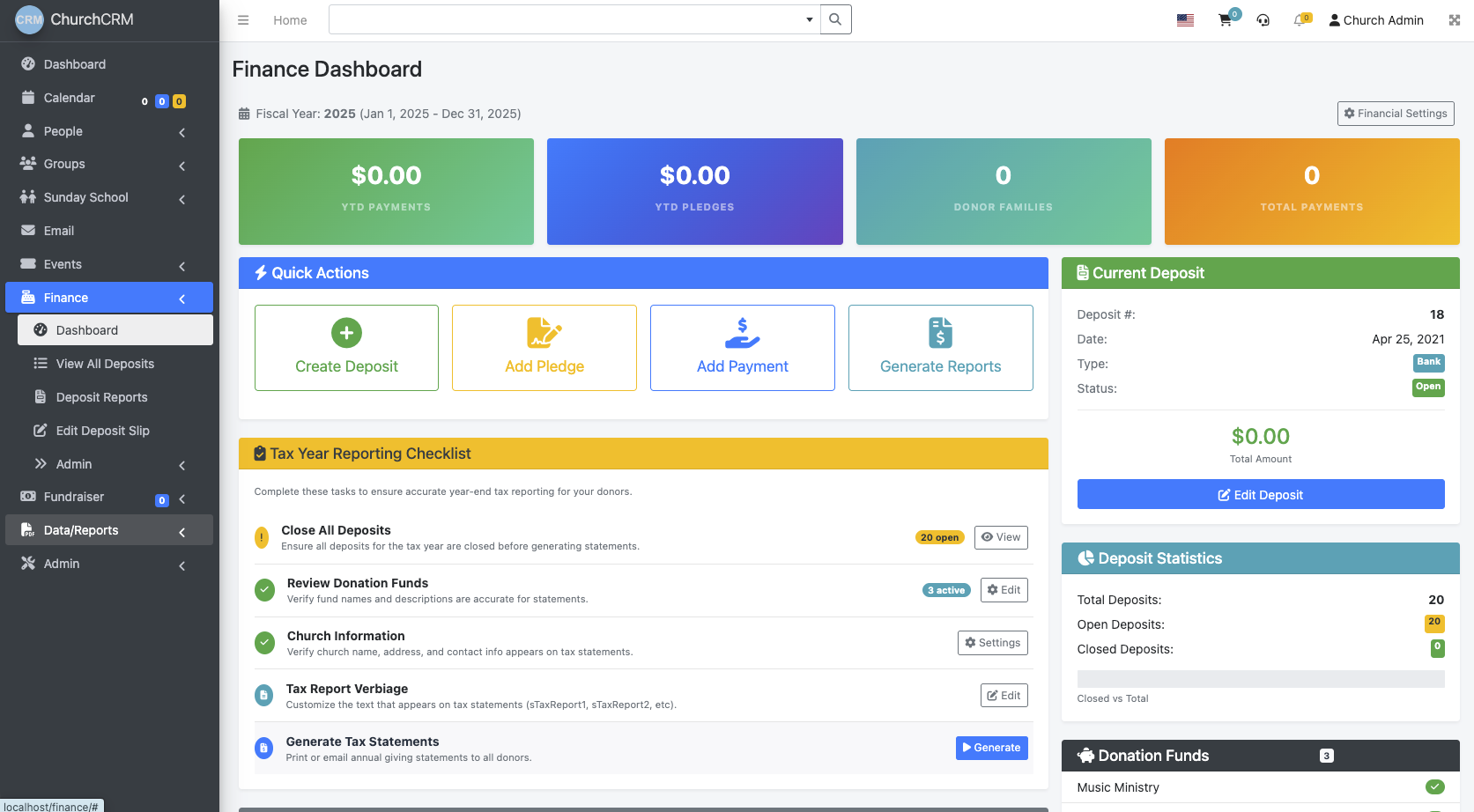
Modern churches are shifting from manual systems to digital platforms. Church management software (ChMS) helps automate:

  • Membership tracking

  • Contribution management

  • Event registration

  • Attendance monitoring

  • Reporting and analytics

Cloud-based systems allow secure access from anywhere, making remote administration easier.


Best Practices for Effective Church Office Management

1. Implement a Centralized Management System

Use a comprehensive church management system to consolidate all administrative functions.

2. Maintain Data Accuracy

Regularly update member records and financial data to prevent inconsistencies.

3. Establish Clear Administrative Policies

Create documented procedures for:

  • Handling donations

  • Approving expenses

  • Managing records

  • Scheduling events

4. Train Church Staff and Volunteers

Provide training on software tools and office procedures to ensure efficiency.

5. Prioritize Data Security

Protect sensitive member and financial data with secure systems, encrypted backups, and access controls.


Challenges in Church Office Management

Despite its importance, church office management faces several challenges:

  • Limited budgets

  • Volunteer turnover

  • Resistance to technology

  • Data migration issues

  • Compliance requirements

Addressing these challenges requires strategic planning, leadership support, and adoption of scalable systems.


Church Office Management for Small Churches

Small churches often operate with minimal staff. Effective strategies include:

  • Using affordable cloud-based software

  • Automating donation receipts

  • Simplifying communication channels

  • Delegating administrative roles to trusted volunteers

Even small congregations benefit significantly from structured administrative systems.


Church Office Management and Financial Transparency

Financial accountability builds trust among members. Key practices include:

  • Regular financial reporting

  • Independent audits

  • Clear donation categorization

  • Budget transparency

Transparency strengthens credibility and encourages continued giving.


Future Trends in Church Office Management

The future of church office management includes:

  • AI-driven member engagement

  • Mobile church apps

  • Online giving integration

  • Data analytics for ministry growth

  • Automated workflow systems

Churches that embrace technology position themselves for sustainable growth.


How to Choose the Right Church Office Management Software

When selecting a solution, consider:

  • Ease of use

  • Scalability

  • Integration capabilities

  • Security features

  • Customer support

  • Cost-effectiveness

Request demos and involve staff in decision-making before implementation.


Conclusion

Effective church office management is essential for operational excellence, financial accountability, and member engagement. By implementing structured administrative processes and leveraging digital tools, churches can improve efficiency and focus on their core mission.

Whether you lead a small congregation or a large ministry, investing in proper church office management systems will streamline operations, enhance communication, and support long-term growth.

Church Accounting Software | Simplify Donations & Fund Management

Church Management System | Best Church Management Software Solution

Church Management System: The Complete Guide for Modern Churches

https://cdn.dribbble.com/userupload/42584082/file/original-a0f9eda414db2ae918dfba05b70c2ebc.png?resize=1600x1200
https://www.tonisoft.co.ke/uploads/img/pages/church-management-software.webp
https://cdn.prod.website-files.com/5f6b9a421d5a61e1d0cd9e3d/68922a4acc5908532aa1a28a_portrait-african-american-nun-and-priest-in-office-2025-05-15-10-10-39-utc.jpg
4

A church management system is an essential digital solution designed to help churches organize, automate, and streamline administrative tasks. From membership tracking and event management to donation processing and communication tools, a modern church management system empowers ministries to focus more on spiritual growth and less on paperwork.

As churches grow in size and complexity, managing data manually becomes inefficient and error-prone. That’s where a powerful church management system steps in — offering centralized control, improved communication, and secure data management.


What Is a Church Management System?

A church management system (ChMS) is software designed specifically for churches to manage members, finances, events, volunteer coordination, and communication. It acts as a digital hub for church administration.

Instead of using spreadsheets, paper files, and disconnected apps, churches can manage everything from one centralized platform.


Key Features of a Church Management System

1. Membership Management

A church management system allows administrators to:

  • Store member profiles

  • Track attendance

  • Manage small groups

  • Monitor baptism and membership status

  • Record pastoral care notes

This ensures accurate records and stronger engagement with members.

2. Church Attendance Tracking

Tracking attendance helps leadership:

  • Monitor church growth

  • Identify inactive members

  • Improve follow-up strategies

  • Analyze trends over time

Digital attendance tracking eliminates manual registers and reduces errors.

3. Church Donation Management

A good church management system includes:

  • Online giving integration

  • Tithe and offering tracking

  • Financial reporting

  • Automated receipts

  • Secure payment processing

This increases transparency and simplifies accounting.

4. Event and Volunteer Management

Church events require coordination. A ChMS can:

  • Schedule services and programs

  • Manage volunteer rosters

  • Send reminders

  • Track registrations

  • Handle event check-ins

Everything becomes organized and accessible in one place.

5. Communication Tools

Modern church management software includes:

  • Bulk SMS

  • Email newsletters

  • Push notifications

  • Group messaging

This strengthens communication between church leadership and members.


Benefits of Using a Church Management System

✅ Improved Organization

All church data is stored in one secure platform.

✅ Increased Efficiency

Automation reduces administrative workload.

✅ Better Member Engagement

Personalized communication improves member retention.

✅ Accurate Reporting

Generate financial and attendance reports instantly.

✅ Data Security

Cloud-based systems offer backups and secure storage.


Why Churches Need a Church Management System Today

In today’s digital era, churches face growing administrative demands. Whether it’s managing online donations, organizing hybrid services, or communicating across multiple platforms, a church management system ensures everything runs smoothly.

Small churches benefit from simplified record-keeping, while large churches require advanced features like multi-campus management and analytics dashboards.


Types of Church Management Systems

Cloud-Based Church Management System

  • Accessible from anywhere

  • Automatic updates

  • Lower upfront costs

  • Ideal for modern ministries

On-Premise Church Management Software

  • Installed on local computers

  • Greater internal control

  • Higher maintenance requirements

Most churches today prefer cloud-based church management systems due to flexibility and scalability.


How to Choose the Best Church Management System

When selecting a church management system, consider:

  1. Ease of Use – Is the interface simple for staff and volunteers?

  2. Customization – Can it adapt to your church structure?

  3. Integration – Does it connect with accounting software or live streaming tools?

  4. Security – Is member data encrypted and protected?

  5. Customer Support – Is technical support available when needed?


Church Management System for Small Churches

Small ministries need affordable and simple solutions. Look for:

  • Basic membership tracking

  • Online giving tools

  • Attendance management

  • Email and SMS communication

These core features provide maximum value without overwhelming complexity.


Church Management System for Large Churches

Large churches often require:

  • Multi-branch management

  • Advanced financial reporting

  • Volunteer coordination modules

  • Event ticketing systems

  • Analytics dashboards

Scalable church management software ensures smooth growth.

Future of Church Management Systems

Technology continues to transform ministry operations. Emerging trends include:

  • Mobile church management apps

  • AI-powered member insights

  • Automated follow-up workflows

  • Integrated live streaming

  • Digital discipleship tools

A modern church management system is not just an administrative tool — it is a strategic solution that enhances ministry impact.


Conclusion

A church management system is no longer optional for growing ministries. It simplifies operations, improves communication, enhances financial accountability, and strengthens member relationships.

Whether you lead a small local church or a multi-campus ministry, investing in the right church management system will position your church for sustainable growth and effective administration.