Church Program Templates: 3 Free Layouts You Can Copy
Church program templates save time when they tell the right person the right thing. A visitor needs to know what comes next. A sound technician needs to know when to open a microphone. Give both people the same densely annotated document and the visitor sees backstage instructions while the technician hunts for a cue buried in the welcome message.
These three free church program templates are text layouts you can copy into your church’s usual document editor. They are samples, not prescribed orders of worship. Replace the bracketed fields, remove unused sections and follow the arrangements approved by your church. A good template should spare the coordinator repeated formatting while leaving the leader free to plan the actual service.
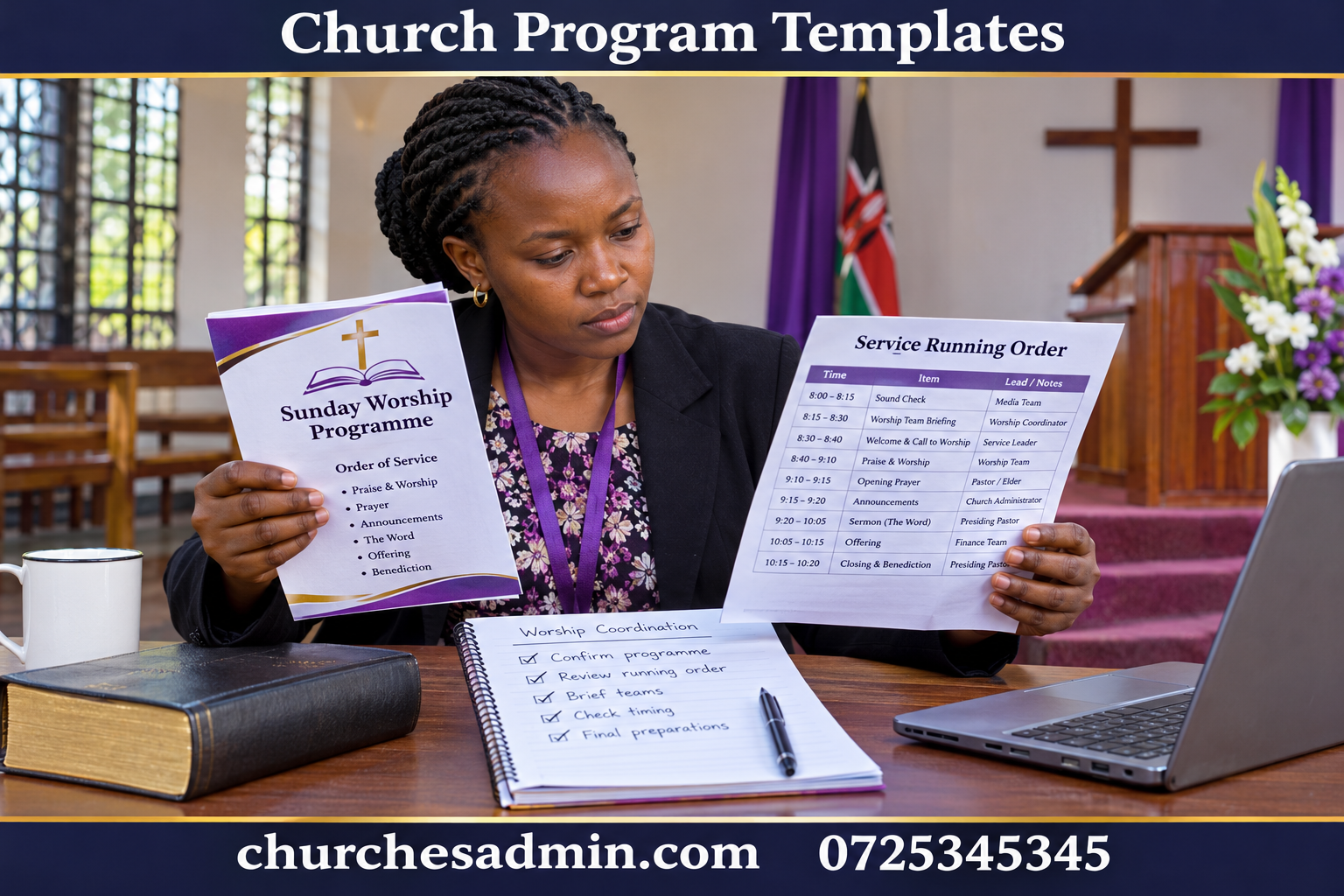
Template 1: A one-page programme for the congregation
Copy this opening block: “[Church name and branch] | [service or occasion] | [day, full date and start time] | [venue]. Welcome: [one sentence explaining the occasion].” Use a date that remains clear if someone receives a forwarded copy later. Include the branch even if the usual members know where the service takes place.
Copy the sequence: “Welcome and opening prayer — [leader]. Congregational worship — [item or reference]. Reading — [passage]. Message — [title and speaker]. Response — [instruction approved for the service]. Closing — [item]. After the service — [location and contact for the next activity].” Replace this sample order with your own; delete an item rather than leaving an empty heading on the printed page.
Finish with a visitor note: “If you would like directions to [location] or need a copy in another available format, please ask [welcome role].” Include only services the team has prepared to offer. Avoid printing a volunteer’s personal contact details when an office contact or an identifiable role will do. If the programme is also shared publicly, check it as a public document rather than assuming it remains within the building.
One way to test public-facing church program templates is to show the page to a person who does not attend regularly. Can they tell which item they are expected to participate in and where the service ends? If not, add a small instruction beside the relevant item. Resist the temptation to explain the entire service in a long introductory paragraph that the visitor has to remember throughout worship.
Template 2: A running order for the working team
Copy this header: “Working copy | [service date and venue] | version [number] issued [day and time] | coordinator [role] | change authority [role].” The distinction between coordinator and change authority matters. The person preparing the file may not be the person who decides whether to shorten an item or change the sequence during the service.
Create one row per element with these fields: “Start | minutes | element | person leading | cue to begin | material needed | what follows.” Example: “10:12 | 4 min | reading | assigned reader | service leader introduces reading | lectern microphone and confirmed passage | reader returns to seat while leader introduces message.” Use your own timing and equipment. The example is there to show how the fields work together.
Try writing a row for an unfamiliar guest contribution. Name who introduces the guest, where the guest waits beforehand, who brings the microphone and what cue tells the technical team to display a photograph. If the answer to several fields is “someone will do it,” the problem is not the template. A real person or role needs to accept the task.
Check the running order against the church service planning guide. A useful running order shows transitions as well as visible elements. It does not need to list confidential pastoral information or every conversation from the planning meeting. Volunteers should be able to find their next cue while paying attention to the service.
Template 3: A workshop programme with a learning outcome
Copy this header: “[Workshop name] | [date, times, room] | for [participants] | by the end, participants should be able to [observable task]. Bring [materials]. Questions before arrival: [contact].” An outcome such as “prepare a usable volunteer handover” helps the facilitator choose an exercise. “Have a successful training” does not tell participants what they will practise.
Use this sequence as a starting point: “Welcome and purpose; demonstration; guided practice; short break; paired exercise; questions; agreed next action.” Give each part a duration and a facilitator. Include a room-change instruction if the group works in smaller rooms. State whether participants should bring a printed handout or whether one will be supplied.
For a fictional ninety-minute workshop, allocate ten minutes for welcome, fifteen for a demonstration, twenty for guided practice, ten for a break, twenty for paired exercises, ten for questions and five to record next actions. The total is ninety minutes. If registration and refreshments happen before the workshop, list them separately so that a ninety-minute session does not silently become a two-hour commitment.
Use the church room booking guide to confirm the setup and clear-up periods. A facilitator who arrives at the public start time cannot also arrange tables before participants enter. The public programme can say when the doors open; the team running order should say who has access earlier and who releases the room afterwards.
How to keep the three church program templates connected
For all three church program templates, use one approved source for the date, venue, public start and main sequence. Give the public copy fewer fields, not different facts. The workshop facilitator may need a detailed exercise instruction, while the participants need a plain description of what they will do. Both versions should show the same starting time and identify the same room.
Decide which information is fixed across services and which must be supplied afresh. A template can retain the heading “Reading,” but should not retain last week’s passage as though it were current. Make uncertain fields conspicuous during preparation and remove every bracketed placeholder before release. A search for an opening bracket is a useful last check; it will not catch all stale facts, so also read the dates and names.
Store blank church program templates separately from completed programmes. If the most convenient starting file is a previous service, clear names, dates, references, guests and attachment names before drafting. A clean master costs a little time once and prevents a string of weekly errors. The church office handover guide helps a second coordinator find the right master when the usual editor is away.
Timing test: follow the clock across a transition
Suppose a service starts at ten and the opening segment is scheduled for twelve minutes. The speaker expects to finish at 10:12 and the next reader expects to start at 10:12. Who walks to the lectern, changes the slide and introduces the reading? Either those actions occur inside the twelve minutes or they need their own allowance. Decide which rather than counting the same minute twice.
Practise the transition with the real arrangement and adjust the working order. Do not publish precise minute-by-minute promises to the congregation unless those times genuinely help them participate. A brief sequence usually serves visitors better than a timetable that appears to guarantee the length of every prayer or reflection.
For workshops, distinguish teaching time from participant time. An exercise that takes the facilitator three minutes to demonstrate may take a new participant ten minutes to complete. Trial it with somebody unfamiliar with the task. Use what you learn to adjust the duration or reduce the number of exercises. The programme should support learning rather than force people to abandon a useful exercise halfway through.
Make church program templates readable in print and on phones
Print the programme at its intended size and check the longest name and item title. A line break should not hide the relationship between a person and their contribution. Keep contrast strong in ordinary black-and-white printing and use clear headings. When a larger-print copy is needed, allow more pages rather than merely enlarging a small image that becomes fuzzy.
Prepare a single-column text version for phones. Avoid sending only a photograph of a two-page spread. A reader should be able to scroll straight down, find the service sequence and see the next action. If the phone version links to a handout, test the link with an account that does not already have editing access. An organiser’s successful test may conceal a permission problem for guests.
Keep the programme distinct from the weekly church newsletter. A programme answers what happens here and what comes next. A newsletter can cover last month’s work, tell a longer story or introduce a ministry. Moving that content to the right publication can improve readability more than changing a typeface or adding another panel.
What to do when the plan changes after printing
First establish who approved the change and whether it affects the congregation, the working team or both. A different technician may require only an internal handover. A venue change affects every attendee and needs public communication. Mark the revised team copy clearly and identify what changed near the top. Reissuing an entire file without an explanation invites people to overlook the important correction.
For a printed public programme, brief the welcome and service teams on the exact wording they should provide. If the change affects a later workshop, correct the digital version and notify the participants through the agreed route. Do not leave two undated files with the same title in circulation and expect volunteers to remember which file arrived last.
Keep a short correction note with the issued programme. At the next review, ask whether the cause was a late decision, a missed update or a template that carried forward old information. Those causes need different responses. A better naming convention will not fix a missing approval; a shorter deadline will not fix a public copy that was never updated from the final source.
A practical handover for the next coordinator
Prepare three files: the blank master, the approved programme and a note of changes worth carrying forward. In the note, identify which fields caused confusion and which transitions took longer than planned. Keep private working details out of any version that will be shared with guests. An archive is useful only when the next person can tell which file was actually issued.
If your team works with ChurchesAdmin, show the next coordinator where to find the confirmed activity details before opening the template. Software and a well-designed document do different jobs: one holds the current arrangements, the other presents the right subset to a reader. By keeping those jobs distinct, you can reuse church program templates without repeating last week’s mistakes.
## A change note for church program templates
Use this short form whenever a revised working copy is released: “Service or workshop: [name and date]. Replaces: [previous version]. Changed item: [specific row or heading]. New arrangement: [what will happen]. Affected roles: [roles]. Public notice needed: [yes or no, and route]. Approved by: [authorised role]. Issued by: [coordinator].” Keep it alongside the revised plan rather than circulating the note without the file people need to use.
For example, changing a workshop from the side hall to the main hall affects participants, ushers, setup and the person opening the building. Changing the microphone assigned to a reader generally affects fewer people. In both cases the coordinator should ask whether an older printed programme creates a conflicting instruction. If so, decide how the difference will be explained at the door.
After a few uses, remove fields that nobody can connect to a decision and add fields only when an actual omission caused confusion. A template succeeds when a new volunteer can use it with an ordinary briefing. If every row requires a separate explanation from the person who designed it, simplify the language and test the revised master with a colleague before the next service.
When comparing church program templates, ask a second volunteer to prepare a sample week without assistance. Watch which fields they leave blank and which old details they carry forward. Clarify those fields in the master rather than adding a long instruction manual. A well-labelled template transfers knowledge even when the usual coordinator is unavailable, and it gives the reviewer a short list of facts to confirm before publication.
Other websites to explore
Additional websites: prim.co.ke, zama.co.ke, vega.co.ke, awasa.co.ke, saseni.com, jaat.co.ke, tas.co.ke, dereva.co.ke, zes.co.ke.