
Community mobilization software in Kenya is useful for organizations that need to coordinate people, events, reports, and follow-up.
Modern political teams need structured records for supporters, volunteers, field teams, events, issues, communication, tasks, and reports. Without a system, campaign managers depend on scattered spreadsheets, WhatsApp groups, notebooks, and calls that are difficult to audit or summarize.
What campaign teams should manage
Volunteer and staff assignments
Field reports and activity updates
Supporter and constituent records
Events, meetings, and mobilization plans
Issue reports and follow-up status
Communication logs and team accountability
Dashboards for campaign managers
Vota community and campaign management software explains how Vota can help Kenyan campaign teams organize field operations, volunteer coordination, supporter records, and reporting in one practical management system.
Final thought
A campaign management system should improve organization and accountability. The right software helps teams know what has been assigned, what has been reported, what needs follow-up, and what managers should review before making decisions.
https://churchesadmin.com/blog/wp-content/uploads/2026/07/community-mobilization-software-kenya-churchesadmin-featured.png6301200developerhttps://churchesadmin.com/blog/wp-content/uploads/2024/12/New-Project.svgdeveloper2026-07-21 22:22:472026-07-21 22:22:47Community Mobilization Software in Kenya: Teams, Events, Communication, and Reports
Church management software development in Kenya helps ministries organize members, giving, groups, events, communication, and reports.
Kenyan organizations often start with spreadsheets, WhatsApp messages, manual approvals, and disconnected payment records. That can work for a small team, but it becomes expensive when the business needs reports, staff accountability, M-Pesa reconciliation, customer workflows, stock records, mobile apps, dashboards, and integrations.
Why custom software matters
A good software partner should understand the workflow before writing code. The goal is not only to build screens. The goal is to reduce manual work, protect data, connect payments, improve reporting, and give managers a system that matches how the business operates.
custom software development in Kenya explains how ZamaCore approaches custom software development for Kenyan businesses, including discovery, system design, M-Pesa integrations, dashboards, web apps, mobile apps, automation, and long-term support.
What teams should look for
Clear discovery before development starts
Experience with Kenyan business workflows
M-Pesa, SMS, WhatsApp, and API integration capability
Secure admin dashboards and user roles
Reports that owners and managers can use
Launch support, training, and ongoing maintenance
Final thought
The best software development company is not only the one that writes code. It is the team that can understand a business problem, design the right workflow, build the system, launch it safely, and keep improving it after users start depending on it.
https://churchesadmin.com/blog/wp-content/uploads/2026/07/church-management-software-development-kenya-churchesadmin-featured.png6301200developerhttps://churchesadmin.com/blog/wp-content/uploads/2024/12/New-Project.svgdeveloper2026-07-21 21:54:182026-07-21 21:54:18Church Management Software Development in Kenya: Members, Giving, Events, and Reports
Managing a growing church comes with many responsibilities. From keeping accurate member records to tracking tithes and offerings, organizing church events, sending announcements, and preparing financial reports, church administration can quickly become overwhelming when handled manually. This is where understanding the benefits of church management system becomes essential for churches of all sizes.
Whether you lead a small local congregation or a large ministry with thousands of members, investing in a reliable church management system can transform how your church operates. It helps reduce paperwork, improves communication, enhances accountability, and gives church leaders more time to focus on ministry rather than administrative tasks.
At ChurchesAdmin.co.ke, we provide a comprehensive church management solution designed specifically for churches in Kenya and beyond. Our platform simplifies church operations while improving transparency, efficiency, and member engagement.
Need assistance choosing the right church management system?
Call us today: +254 725 345 345
What is a Church Management System?
A church management system is specialized software designed to help churches manage their daily administrative operations digitally. Instead of relying on notebooks, Excel spreadsheets, or scattered paper files, the software stores everything securely in one centralized platform.
A complete church management system typically includes:
Member management
Church directory
Attendance tracking
Tithes and offerings management
Financial reporting
Event management
Ministry management
SMS and email communication
Visitor follow-up
Asset management
User permissions
Dashboard analytics
Understanding the benefits of church management system starts with recognizing how much time and effort it saves while improving operational efficiency.
Why Churches Are Moving Away from Manual Record Keeping
Many churches still depend on paper registers and handwritten records. While this may work for a small congregation, it becomes increasingly difficult as membership grows.
Manual systems often result in:
Lost member information
Duplicate records
Missing financial records
Difficult report generation
Slow communication
Human errors
Security risks
Poor accountability
A modern church cannot afford these challenges. One of the greatest benefits of church management system is replacing manual processes with automated workflows.
1. Better Member Management
The first and perhaps most important among the many benefits of church management system is effective member management.
ChurchesAdmin allows churches to maintain detailed profiles for every member, including:
Full names
Phone numbers
Email addresses
Family relationships
Ministries
Baptism status
Membership dates
Occupation
Emergency contacts
Profile photos
Instead of searching through files or books, administrators can locate member information instantly.
As your church grows, member records remain organized and easily accessible.
2. Improved Church Communication
Communication keeps every ministry active and connected.
One major benefit of church management system is the ability to communicate with members quickly.
Church leaders can send:
SMS announcements
Prayer requests
Event reminders
Sunday service notifications
Youth meeting reminders
Women’s fellowship updates
Men’s ministry invitations
Leadership meeting alerts
Emergency announcements
Instead of calling members individually, one message reaches everyone within seconds.
This improves engagement while saving significant time.
3. Accurate Attendance Tracking
Attendance statistics help churches understand growth patterns.
With ChurchesAdmin, attendance can be recorded digitally for:
Sunday services
Bible studies
Youth meetings
Choir practice
Leadership meetings
Women’s fellowship
Men’s fellowship
Prayer meetings
Children’s ministry
One important benefit of church management system is generating attendance reports automatically.
Church leaders can quickly identify:
Active members
Irregular attendees
New visitors
Growing ministries
Declining attendance trends
This information supports better pastoral care.
4. Better Financial Accountability
Church finances require complete transparency.
One of the greatest benefits of church management system is improving accountability for every contribution received.
The system records:
Tithes
Offerings
Building fund
Thanksgiving donations
Missions support
Special contributions
Project donations
Welfare contributions
Each transaction is securely stored.
Church treasurers can generate:
Daily reports
Weekly reports
Monthly reports
Annual reports
Donor summaries
Income analysis
Accurate financial records increase trust among church members.
5. Simplified Tithes and Offerings Management
Recording church giving manually often creates errors.
A church management system automates the entire process.
Benefits include:
Fast recording
Member contribution history
Receipt generation
Donation tracking
Automated reports
Secure storage
Reduced human error
This is another excellent example of the many benefits of church management system.
6. Faster Report Generation
Church leaders regularly prepare reports for:
Church board meetings
Annual General Meetings
Ministry reviews
Financial presentations
Membership updates
Without software, these reports may take hours or even days.
One outstanding benefit of church management system is generating reports within seconds.
Available reports include:
Membership reports
Attendance reports
Giving reports
Visitor reports
Ministry reports
Financial statements
Growth statistics
Quick reporting improves decision-making.
7. Better Visitor Follow-Up
Every visitor matters.
ChurchesAdmin helps churches keep visitor information organized.
Managing each ministry manually becomes difficult.
ChurchesAdmin enables ministry leaders to:
Track members
Record attendance
Communicate with teams
Schedule meetings
Generate ministry reports
This improves coordination across the entire church.
10. Easy Event Management
Churches organize numerous events every year.
Examples include:
Conferences
Crusades
Seminars
Weddings
Baptisms
Leadership retreats
Youth camps
Prayer meetings
One valuable benefits of church management system is organizing all events in one centralized platform.
Church leaders can manage:
Event schedules
Registrations
Attendance
Notifications
Planning committees
This significantly reduces administrative workload.
11. Better Pastoral Care
Pastors cannot effectively care for members if information is scattered.
A church management system provides quick access to:
Family information
Birthdays
Anniversaries
Prayer requests
Hospital visits
Counseling history
Membership status
This enables pastors to provide more personalized ministry.
One of the overlooked benefits of church management system is strengthening relationships between church leadership and members.
12. Reduced Administrative Work
Church administrators often spend countless hours handling repetitive tasks.
Automation helps eliminate:
Manual calculations
Duplicate entries
Paper filing
Searching through files
Rewriting reports
Instead, staff can focus on ministry, discipleship, outreach, and community impact.
Reducing administrative burden is one of the strongest benefits of church management system for growing congregations.
Why Choose ChurchesAdmin?
ChurchesAdmin is designed specifically to meet the administrative needs of churches across Kenya and beyond. Whether your congregation has 50 members or several thousand, our platform helps simplify daily operations, improve financial accountability, strengthen communication, and support sustainable church growth.
Our solution is suitable for:
Small churches
Medium-sized churches
Large churches
Multi-campus ministries
Church networks
Christian organizations
If you’re looking for a reliable way to streamline church administration, ChurchesAdmin provides the tools you need in one secure and easy-to-use system.
Benefits of Church Management System: Transforming Church Administration for Sustainable Growth
A church that embraces technology is better positioned to serve its congregation efficiently. While ministry remains centered on people, effective administration is what enables leaders to dedicate more time to discipleship, evangelism, worship, and community outreach. This is why understanding the benefits of church management system is essential for churches that want to grow while maintaining excellent organization.
Whether your church has 100 members or 10,000 members, the benefits of church management system continue to increase as your ministry expands. ChurchesAdmin provides a modern, secure, and user-friendly solution that simplifies church administration while improving accountability, communication, and financial management.
For demonstrations or inquiries, call or WhatsApp: +254 725 345 345
13. Access Church Information Anytime, Anywhere
One of the greatest benefits of church management system is cloud accessibility.
Unlike paper files that remain locked inside the church office, a cloud-based church management system allows authorized users to access information securely from virtually anywhere with an internet connection.
Church leaders can:
Review financial reports
Check attendance records
View member profiles
Approve ministry activities
Monitor church growth
Access donation records
Prepare reports before meetings
This flexibility allows church leadership to remain productive even while traveling for ministry.
14. Better Volunteer Management
Churches rely heavily on volunteers.
Managing volunteers manually often creates confusion during church services and events.
A church management system simplifies volunteer management by organizing:
Ushers
Choir members
Worship teams
Children’s ministry teachers
Media teams
Security personnel
Hospitality teams
Prayer teams
Evangelism groups
Among the major benefits of church management system is assigning volunteers according to departments while keeping attendance and service history organized.
Volunteer scheduling becomes easier, reducing conflicts and improving ministry coordination.
15. User Roles and Permission Control
Every church staff member should only access information relevant to their responsibilities.
ChurchesAdmin allows administrators to create different user roles such as:
Every financial transaction is recorded, making audits and accountability much easier.
18. Simplified Church Growth Monitoring
Healthy churches monitor their growth.
One of the biggest benefits of church management system is the ability to measure church performance using real-time data.
Leaders can monitor:
Membership growth
Attendance trends
Visitor conversions
Baptisms
Ministry participation
Financial growth
Volunteer engagement
These reports enable leaders to identify strengths and areas requiring improvement.
19. Improved Decision Making
Successful ministry requires accurate information.
Instead of relying on assumptions, a church management system provides reliable statistics that support leadership decisions.
Examples include:
Which ministry is growing fastest?
Which departments require more support?
Which age groups are increasing?
How much did giving increase this year?
Which church events attracted the highest attendance?
These insights demonstrate another important aspect of the benefits of church management system.
20. Better Event Planning
Churches conduct numerous activities every month.
Managing registrations manually often becomes stressful.
ChurchesAdmin allows leaders to organize:
Conferences
Youth camps
Marriage seminars
Leadership retreats
Prayer conferences
Evangelism missions
Community outreach programs
Fundraising events
Another significant benefit of church management system is simplifying event planning while keeping participant records organized.
21. Faster Member Search
Imagine trying to locate a member’s phone number from hundreds of paper files.
With a church management system, searching takes only seconds.
Administrators can search using:
Name
Membership number
Phone number
Ministry
Gender
Family
Email address
Fast searching is one of the practical benefits of church management system that saves valuable administrative time.
22. Improved Record Accuracy
Human error is common when maintaining manual registers.
A church management system minimizes:
Duplicate entries
Missing records
Incorrect calculations
Lost documents
Wrong attendance statistics
Accurate records help church leaders make informed ministry decisions.
This is another major benefit of church management system.
23. Secure Data Backup
Data loss can be devastating.
Church records represent years of ministry.
Among the strongest benefits of church management system is secure digital backup.
Even if:
Computers fail
Hard drives crash
Offices experience disasters
Documents are misplaced
Your church information remains safely protected.
24. Better Communication with Church Members
ChurchesAdmin allows churches to maintain continuous communication through:
SMS
Email
Group announcements
Meeting reminders
Event invitations
Prayer requests
One of the most practical benefits of church management system is ensuring members never miss important church updates.
Good communication strengthens church unity.
25. Saves Time and Reduces Costs
Manual administration consumes:
Paper
Printer ink
Storage cabinets
Filing materials
Staff hours
A church management system reduces operational costs significantly.
Staff members spend less time performing repetitive administrative work and more time serving members.
Saving both time and money remains one of the leading benefits of church management system.
Why ChurchesAdmin is the Right Choice
ChurchesAdmin has been designed specifically for churches that need a complete digital administration platform.
Our solution includes:
Member management
Church directory
Visitor management
Attendance tracking
Tithes management
Offering management
Donation tracking
Financial reports
Expense management
Event management
Ministry management
User permissions
Dashboard analytics
SMS communication
Secure cloud storage
Whether your church is small, medium, or large, ChurchesAdmin grows with your ministry.
Frequently Asked Questions
Is a church management system suitable for small churches?
Absolutely. One of the greatest benefits of church management system is that it helps even small churches establish organized administrative processes from the beginning, making future growth much easier to manage.
Can the system manage church finances?
Yes.
ChurchesAdmin records:
Tithes
Offerings
Donations
Projects
Expenses
Income
Financial reports
Financial transparency is among the biggest benefits of church management system.
Is member information secure?
Yes.
ChurchesAdmin uses secure user authentication, role-based permissions, and reliable database management to protect sensitive church information.
Data protection remains one of the essential benefits of church management system.
Can multiple church leaders use the system?
Yes.
Different users can log in according to their assigned roles and permissions.
This allows pastors, administrators, accountants, and ministry leaders to work together efficiently.
Can the software grow with our church?
Definitely.
Whether your church has 50 members or 20,000 members, ChurchesAdmin scales with your ministry.
This long-term scalability is another important benefit of church management system.
Why Every Church Should Invest in a Church Management System
Modern churches are expected to operate with excellence, transparency, and efficiency. As congregations grow, manual processes become increasingly difficult to manage. Investing in a digital solution is no longer a luxury—it is a strategic decision that strengthens administration and supports ministry.
The benefits of church management system extend far beyond record keeping. They include improved member engagement, accurate financial management, streamlined communication, enhanced accountability, better reporting, organized ministry coordination, secure data storage, and informed decision-making. Churches that adopt a church management system are better equipped to serve their members while preparing for sustainable future growth.
By reducing administrative burdens, pastors and ministry leaders can dedicate more time to preaching, discipleship, counseling, outreach, and spiritual development. This is one of the most meaningful benefits of church management system, as it enables leadership to focus on the church’s mission rather than paperwork.
Whether your congregation is just beginning its digital transformation or looking to replace outdated systems, ChurchesAdmin offers a comprehensive platform tailored to the unique needs of churches.
Conclusion
The benefits of church management system are evident in every aspect of church administration. From organizing member records and managing attendance to tracking tithes, generating financial reports, coordinating ministries, and improving communication, a modern church management system provides the tools needed for effective and accountable leadership.
As churches continue to grow, the need for efficient digital administration becomes even more important. Investing in a reliable church management solution today positions your ministry for long-term success, improved transparency, and stronger member engagement.
If you are looking for a trusted platform that combines ease of use, powerful features, and dependable support, ChurchesAdmin is your ideal partner.
Get Started Today
Transform the way your church manages its administration with ChurchesAdmin.
Let ChurchesAdmin help your ministry experience the full benefits of church management system through smarter administration, better financial accountability, improved communication, and sustainable church growth.
https://churchesadmin.com/blog/wp-content/uploads/2024/12/New-Project.svg00Jeffhttps://churchesadmin.com/blog/wp-content/uploads/2024/12/New-Project.svgJeff2026-07-21 09:44:412026-07-21 09:44:41Benefits of Church Management System: Why Every Modern Church Needs One
Managing church finances is one of the most sensitive and important responsibilities in any ministry. Whether you lead a small local congregation, a growing urban church, or a large denomination with multiple branches, you need a reliable Church financial software solution that ensures accountability, transparency, accuracy, and compliance.
In Kenya, many churches still rely on notebooks, Excel spreadsheets, manual receipt books, and disconnected accounting systems. While these methods may work for a short time, they often create challenges such as lost records, delayed financial reports, reconciliation errors, audit difficulties, and mistrust among members.
This is why Church financial software has become an essential tool for modern churches. A well-designed Church financial software platform helps churches manage tithes, offerings, donations, expenses, budgets, payroll, bank reconciliation, financial reporting, and audit trails from one secure system.
AtChurchesAdmin, we provide a powerful Church financial software solution specifically designed for Kenyan churches. Our system combines church administration, member management, and financial management into one easy-to-use platform.
What Is Church Financial Software?
Church financial software is a specialized accounting and financial management system created for churches, ministries, and faith-based organizations. Unlike generic accounting software, Church financial software understands the unique financial structure of churches.
A church receives funds from multiple sources, including:
Tithes
Offerings
Thanksgiving donations
Building fund contributions
Mission support
Harambees
Fundraising events
Special offerings
Online donations
Sacrificial giving campaigns
A good Church financial software system tracks all these income streams separately and generates accurate reports for church leaders, finance committees, auditors, and members.
Why Churches in Kenya Need Church Financial Software
Many Kenyan churches experience rapid growth in membership and giving. As attendance increases, financial transactions also increase. Manual systems become difficult to manage.
Common Challenges Without Church Financial Software
Missing receipt records
Duplicate entries
Cash handling errors
Delayed monthly reports
Difficulty tracking departmental budgets
Incomplete donor records
Poor audit preparation
Lack of financial transparency
Difficulty monitoring branch finances
Limited accountability among finance teams
A reliable Church financial software platform eliminates these problems by automating financial processes and maintaining a secure digital audit trail.
Key Features of a Modern Church Financial Software
When evaluating Church financial software, churches should look for features that support both daily operations and long-term financial accountability.
1. Tithes and Offerings Management
This is the core function of any Church financial software. The system should allow finance teams to:
Record tithes by member
Capture Sunday offerings
Track special offerings
Print or send digital receipts
Monitor giving trends
Generate contribution statements
With Church financial software, every offering can be recorded immediately, reducing the risk of errors or missing transactions.
2. Donation Tracking
Churches receive donations for different purposes. A good Church financial software system tracks donations by fund.
Examples include:
Building fund
Youth ministry
Missions
Media ministry
Welfare support
Education sponsorship
Pastoral support
This ensures restricted funds are used for their intended purpose.
3. Expense Management
Church financial software helps churches control spending by recording:
Utility bills
Rent
Salaries
Ministry expenses
Event costs
Maintenance expenses
Fuel and transport
Equipment purchases
Outreach expenses
Every expense is categorized, making financial reporting accurate and consistent.
4. Budget Management
A strong Church financial software solution allows churches to create annual budgets and compare actual spending against budgeted amounts.
Finance committees can quickly identify:
Departments overspending
Departments underspending
Budget variances
Cash flow risks
Funding gaps
This supports better stewardship of church resources.
The Importance of Financial Transparency in Churches
Financial transparency is not just an administrative requirement; it is a ministry responsibility. Members give sacrificially because they trust church leadership to manage resources wisely.
Using Church financial software demonstrates a commitment to accountability.
Benefits of Transparent Financial Management
Builds member confidence
Encourages consistent giving
Reduces conflicts
Simplifies audits
Strengthens leadership credibility
Improves donor relationships
Supports sustainable ministry growth
When members know that a professional Church financial software system is managing church finances, confidence in the ministry increases.
Church Financial Software for Small Churches
Some pastors believe Church financial software is only for large churches. This is not true.
Small Churches Need Church Financial Software Too
Even a church with 30 to 100 members handles important financial transactions every week. Manual records can easily become disorganized.
A small church benefits from Church financial software by:
Recording every offering
Printing receipts
Tracking expenses
Preparing monthly reports
Monitoring cash balances
Keeping donor histories
Simplifying year-end reporting
Because ChurchesAdmin is cloud-based, small churches do not need expensive servers or IT infrastructure.
Church Financial Software for Large Churches and Denominations
Large churches have more complex financial structures. They may have:
Multiple services
Several bank accounts
Many departments
Branch churches
Schools or colleges
Media ministries
Mission centers
Staff payroll
Large construction projects
Advanced Church financial software provides centralized control while allowing branch-level operations.
Multi-Branch Financial Management
A denomination can use Church financial software to:
Monitor branch income
Compare branch performance
Consolidate financial statements
Track remittances
Standardize accounting procedures
Enforce financial controls across all branches
This is especially important for churches with campuses across Nairobi, Kiambu, Nakuru, Kisumu, Mombasa, Eldoret, and other regions of Kenya.
How Church Financial Software Improves Accountability
Accountability is one of the biggest reasons churches adopt Church financial software.
User Roles and Permissions
The system can assign different access levels:
Role
Access
Finance Clerk
Record collections
Accountant
Manage accounts and reports
Treasurer
Approve transactions
Pastor
View financial summaries
Auditor
Review historical records
Administrator
Full system control
This separation of duties reduces the risk of fraud and unauthorized changes.
Audit Trail
Every action in Church financial software is logged:
Who entered the transaction
Date and time
Amount
Account affected
Any edits made
Approval history
This creates a complete audit trail for internal and external audits.
Integration with Church Member Management
One of the biggest advantages of ChurchesAdmin is that our Church financial software integrates with church member records.
Connected Giving History
When a member gives:
The donation is recorded
The member profile is updated
Giving history is stored
Contribution statements can be generated
Trends can be analyzed
This integration eliminates duplicate data entry and provides a complete picture of member engagement.
Mobile and Online Giving Support
Modern churches increasingly receive donations through:
M-Pesa
Bank transfers
Online payment gateways
Mobile apps
QR code payments
A modern Church financial software platform should support digital giving channels.
Benefits of Digital Giving Integration
Faster recording of donations
Reduced cash handling
Automatic reconciliation
Real-time financial updates
Convenience for members
Better donor tracking
For Kenyan churches, M-Pesa integration is particularly important because it is the most widely used payment method.
Real-Time Financial Reporting
Church leaders need timely information to make decisions. Waiting weeks for reports can delay ministry activities.
Reports Generated by Church Financial Software
A professional Church financial software system can generate:
Daily collection reports
Weekly offering summaries
Monthly income statements
Expense reports
Budget variance reports
Cash flow statements
Departmental reports
Donor contribution reports
Audit reports
Annual financial statements
These reports can be exported to PDF or Excel for presentation to church boards and annual general meetings.
Church financial software
Security Features Every Church Should Demand
Church financial data is sensitive. A quality Church financial software solution must prioritize security.
Essential Security Features
Secure login authentication
Encrypted data transmission
Regular cloud backups
Role-based access control
Password protection
Activity monitoring
Automatic logout for inactive sessions
Disaster recovery capability
At ChurchesAdmin, we understand that churches need enterprise-level security without enterprise-level complexity.
Cloud-Based Church Financial Software vs Desktop Software
Desktop Software
Advantages
Works without internet
Familiar for some users
Disadvantages
Limited access
Risk of data loss
Difficult collaboration
Manual backups
Restricted to one computer
Cloud-Based Church Financial Software
Advantages
Access from anywhere
Automatic backups
Multi-user collaboration
Real-time updates
Better security
Easier maintenance
Scalable as the church grows
For most churches in Kenya, cloud-based Church financial software offers greater flexibility and long-term value.
Budgeting for Church Growth
Financial planning is essential for ministry expansion. Church financial software helps churches move from reactive spending to strategic budgeting.
Ministry Areas That Benefit from Budget Tracking
Evangelism
Youth ministry
Children ministry
Worship ministry
Media ministry
Missions
Welfare programs
Construction projects
Staff development
Community outreach
By tracking budgets within Church financial software, church leaders can allocate resources according to ministry priorities.
Construction and Building Fund Management
Many churches in Kenya are involved in land acquisition and construction projects. These projects require strict financial tracking.
Church Financial Software for Building Projects
The system can:
Track pledges
Record building contributions
Monitor contractor payments
Compare project budget vs actual
Generate donor reports
Track outstanding pledges
This is particularly useful during fundraising campaigns where transparency is critical.
Payroll and Staff Management
Churches with employees need accurate payroll processing. Church financial software can support:
Salary processing
Allowance management
PAYE calculations
NSSF contributions
NHIF deductions
Payroll reports
Payment schedules
Integrating payroll with Church financial software ensures that staff expenses are reflected accurately in financial statements.
Why ChurchesAdmin Is the Right Church Financial Software for Kenyan Churches
ChurchesAdmin was built with the realities of Kenyan churches in mind. We understand local giving patterns, M-Pesa usage, branch church structures, and the need for affordable technology.
What Makes Our Church Financial Software Different?
Designed specifically for churches
Easy for non-accountants to use
Cloud-based access from anywhere
Integrated member management
Secure financial records
Multi-branch capability
Comprehensive reporting
Affordable for small and large churches
Local support in Kenya
Whether your church is starting with basic offering tracking or needs a complete financial management ecosystem, ChurchesAdmin provides a scalable Church financial software solution.
Signs Your Church Needs Church Financial Software Immediately
You should adopt Church financial software if your church experiences any of these situations:
Offering records are kept in notebooks.
Monthly reports take more than a few days to prepare.
Different departments keep separate spreadsheets.
Auditors struggle to verify transactions.
Members request contribution statements that are difficult to produce.
Branch finances are not centralized.
Cash reconciliation is inconsistent.
Financial records are stored on one person’s computer.
Leadership lacks real-time visibility into church finances.
If several of these apply to your ministry, implementing Church financial software should become a priority.
Get Started with ChurchesAdmin Today
Your church deserves a professional financial management system that promotes stewardship, transparency, and ministry growth. ChurchesAdmin offers a complete Church financial software solution for churches across Kenya.
Website:churchesadmin.co.ke Call or WhatsApp:+254 725345345
In Part 2, we will cover implementation steps, migration from manual records, M-Pesa integration, audit preparation, donor management, advanced reporting, compliance considerations, common mistakes to avoid, and a detailed FAQ about Church financial software for Kenyan churches.
Church Financial Software: Best Practices, Implementation Guide, and Frequently Asked Questions
Transitioning from manual bookkeeping to a modern financial management system is one of the best investments a church can make. While the technology itself is important, successful implementation depends on planning, leadership support, staff training, and consistent financial procedures. When these elements work together, churches experience improved accountability, better reporting, and greater confidence among members and ministry partners.
At ChurchesAdmin, we help churches of all sizes modernize their financial operations with an easy-to-use platform designed specifically for ministry needs.
How to Successfully Implement a Church Financial Management System
Introducing a new system should not feel overwhelming. A structured approach helps the finance team and church leadership adapt quickly while minimizing disruptions.
1. Review Your Current Financial Process
Before moving to a digital platform, document how finances are currently handled.
Identify:
How offerings are counted
Who receives and verifies donations
How receipts are issued
How expenses are approved
How monthly reports are prepared
Where financial records are stored
This assessment makes it easier to migrate existing information into the new system.
2. Organize Financial Records
A successful transition begins with clean and organized records.
Prepare:
Bank statements
Previous financial reports
Budget documents
Expense records
Donation registers
Asset lists
Payroll records
Outstanding commitments
Well-organized historical data allows future reports to remain accurate and consistent.
3. Define User Responsibilities
Not everyone should have the same access to financial information.
For example:
Finance clerks record collections.
Treasurers approve expenditures.
Accountants prepare reports.
Pastors review summaries.
Auditors access historical records without editing permissions.
Clearly assigning responsibilities improves accountability and strengthens internal controls.
Staff Training Matters
Even the best software cannot replace proper training.
Every finance team should understand:
Recording income correctly
Entering expenses accurately
Generating reports
Correcting mistakes
Reconciling accounts
Maintaining confidentiality
Fortunately, most users become comfortable after only a short period of practical use.
Migrating Existing Financial Data
Many churches worry about losing years of financial records.
Migration usually includes:
Member contribution history
Department budgets
Previous balances
Existing bank accounts
Vendor information
Asset registers
Historical expenses
Once imported, leaders can continue working without starting from scratch.
Managing Multiple Church Funds
Most churches operate several independent funds.
Examples include:
General ministry fund
Building project fund
Missions fund
Youth ministry
Children’s ministry
Welfare fund
Education sponsorship
Media ministry
Music department
Keeping each fund separate makes reporting much clearer and prevents accidental misuse of designated contributions.
Improving Cash Handling Procedures
Good financial management starts before money reaches the accounting office.
Many churches now follow a structured counting process.
Recommended practices include:
At least two people count collections together.
Cash is verified immediately after services.
Collection sheets are signed.
Receipts are issued where necessary.
Deposits are made promptly.
Bank deposit slips are filed.
Records are entered the same day.
These procedures reduce errors while strengthening trust.
Bank Reconciliation
Reconciling bank accounts ensures internal records match actual bank balances.
Regular reconciliation helps identify:
Missing deposits
Duplicate entries
Bank charges
Outstanding cheques
Incorrect postings
Unauthorized transactions
Performing reconciliation every month makes year-end reporting significantly easier.
Budget Monitoring Throughout the Year
Budgets should not remain untouched until the annual meeting.
Leadership should review financial performance regularly.
Questions worth asking include:
Are departments operating within budget?
Which ministries require additional funding?
Have giving patterns changed?
Are construction projects progressing as planned?
Is operating income covering regular expenses?
Monthly reviews help leaders make informed decisions before small issues become major financial challenges.
Asset Management
Church assets represent years of faithful giving and should be properly documented.
Examples include:
Church buildings
Land
Vehicles
Musical instruments
Office furniture
Computers
Projectors
Cameras
Sound equipment
Generators
Keeping an updated asset register simplifies insurance, maintenance planning, and audits.
Reliable financial information allows church leaders to plan confidently.
Instead of estimating available resources, leadership can make informed decisions regarding:
New outreach programs
Church planting
Mission trips
Building expansion
Community projects
Youth conferences
Staff recruitment
Equipment purchases
Better planning ultimately supports more effective ministry.
Financial Reports That Leadership Should Review Regularly
Routine reports keep everyone informed and accountable.
Important reports include:
Weekly Reports
Service collections
Department income
Cash received
Banking status
Monthly Reports
Income summary
Expense summary
Cash flow
Budget comparison
Department performance
Quarterly Reports
Ministry spending trends
Asset purchases
Fund balances
Project updates
Annual Reports
Financial statements
Audit reports
Budget performance
Donor summaries
Ministry expenditure analysis
Presenting these reports clearly builds confidence among church members and stakeholders.
Preparing for External Audits
Annual audits become much easier when financial records are organized throughout the year.
Good preparation includes:
Complete supporting documents
Accurate transaction records
Bank reconciliations
Receipt books
Payment vouchers
Approval documentation
Asset registers
Auditors spend less time searching for missing information, reducing stress for the finance team.
Disaster Recovery and Data Protection
Unexpected events can affect paper records.
Examples include:
Fire
Floods
Theft
Computer failure
Hard disk corruption
Accidental deletion
Cloud-based storage with automated backups significantly reduces these risks and ensures important financial information remains accessible when needed.
Supporting Church Growth
As churches expand, administrative demands also increase.
A centralized system makes growth easier by supporting:
Additional branches
More ministry departments
Increased membership
Higher giving volumes
Larger payrolls
More volunteers
Expanded reporting requirements
Instead of replacing systems every few years, churches can continue using the same platform as they grow.
Common Mistakes Churches Should Avoid
Many financial challenges arise from simple administrative mistakes.
Avoid:
Delaying transaction entry
Sharing user passwords
Using personal bank accounts for ministry funds
Keeping incomplete receipts
Ignoring reconciliations
Failing to review reports
Operating without annual budgets
Storing records on one computer only
Allowing one individual to control every financial process
Establishing clear policies greatly reduces these risks.
Choosing the Right Financial Solution
Before selecting a system, church leaders should evaluate several important factors.
Consider:
Ease of use
Security
Reporting capabilities
Member integration
Scalability
Local support
Data backup
Multi-user access
Cloud accessibility
Affordable pricing
A solution designed specifically for churches often provides a better experience than adapting software intended for commercial businesses.
Frequently Asked Questions
Can a small church benefit from digital financial management?
Absolutely. Even congregations with fewer than fifty members benefit from organized records, accurate reporting, and improved accountability.
Is the system suitable for multiple branches?
Yes. Branches can operate independently while headquarters receives consolidated reports.
Can contribution statements be generated?
Yes. Historical giving records can be organized and presented whenever members require them.
Is data secure?
Modern cloud platforms use secure authentication, encrypted connections, user permissions, and automated backups to protect sensitive information.
Can the finance committee access reports?
Yes. Permissions can be configured so committee members view reports without changing financial records.
Is technical knowledge required?
No. Most finance volunteers and administrators learn the system quickly through practical training.
Why ChurchesAdmin Is Trusted by Churches Across Kenya
ChurchesAdmin understands the operational realities of churches in Kenya. Rather than offering generic accounting software, the platform is designed around how churches receive donations, manage ministries, prepare reports, and support leadership decision-making.
Benefits include:
Easy implementation
Secure cloud access
Comprehensive financial reporting
Member management integration
Multi-branch support
Budget management
Donation tracking
Expense monitoring
Asset management
Local customer support
Whether your congregation is just beginning its digital transformation or replacing an outdated manual process, ChurchesAdmin provides a reliable solution that grows alongside your ministry.
Final Thoughts
Strong financial stewardship is an important part of effective ministry. Organized records, transparent reporting, and sound financial controls help build confidence among members, simplify audits, and support wise decision-making.
Investing in a dedicated financial management platform enables church leaders to spend less time managing paperwork and more time focusing on ministry, discipleship, outreach, and serving their communities.
If your church is ready to modernize its financial operations, improve accountability, and simplify reporting, ChurchesAdmin is ready to help.
Contact ChurchesAdmin Today
Website:churchesadmin.co.ke
Phone / WhatsApp:+254 725345345
Request a demonstration today and discover how ChurchesAdmin can simplify financial management while supporting the continued growth of your church.
https://churchesadmin.com/blog/wp-content/uploads/2024/12/New-Project.svg00Jeffhttps://churchesadmin.com/blog/wp-content/uploads/2024/12/New-Project.svgJeff2026-07-21 09:33:402026-07-21 09:33:40Church Financial Software in Kenya: The Complete Guide for Churches That Want Transparency, Accountability, and Growth
Church Communication Platform for Member Engagement is one of the fresh buyer-focused topics ChurchesAdmin should publish around today because it matches what serious buyers are searching before they request a demo, quote, rollout plan, or implementation support.
For church leaders, administrators, treasurers, and branch coordinators, the real problem is missed member follow-up, incomplete giving records, volunteer clashes, branch-reporting delays, and fragmented communication. A useful article should answer the questions that serious buyers ask before they contact a provider or request a quotation.
Church Communication Platform for Member Engagement
Church Communication Platform for Member Engagement service
Church Communication Platform for Member Engagement provider
Church Communication Platform for Member Engagement company
best Church Communication Platform for Member Engagement
Why Church Communication Platform for Member Engagement Matters
This search usually comes from a person who already feels the pain. They may be losing enquiries, wasting time with manual work, struggling with deadlines, missing records, or comparing suppliers before paying.
The right content should make the decision easier. It should explain the problem clearly, show the features that matter, reduce fear, and give the visitor a simple next step.
ChurchesAdmin can use this topic to attract qualified visitors who are closer to buying because they are searching around a real need.
Important Features Buyers Should Expect
clear onboarding – helps buyers get a clearer, faster, and more reliable outcome.
secure records – helps buyers get a clearer, faster, and more reliable outcome.
fast communication – helps buyers get a clearer, faster, and more reliable outcome.
mobile access – helps buyers get a clearer, faster, and more reliable outcome.
reports and updates – helps buyers get a clearer, faster, and more reliable outcome.
support after delivery – helps buyers get a clearer, faster, and more reliable outcome.
clear process – buyers should understand what happens before, during, and after delivery.
mobile friendly experience – users should be able to access the service or platform comfortably on phones.
useful reports or updates – clients should see progress, records, or results without repeated follow-up.
reliable support – the provider should support improvements after launch or delivery.
How to Compare Providers
Start with workflow fit. The provider should understand the exact users, tasks, deadlines, records, communication channels, payments, and reports involved.
Next, compare trust. Look for clear service pages, examples, practical explanations, realistic promises, visible contacts, and content that answers real questions.
Then compare long-term value. The best option is not always the lowest quote. The right provider should save time, reduce confusion, improve experience, and make future growth easier.
Mistakes to Avoid
Choosing Only by Price
Cheap work can become expensive if it creates weak design, unclear communication, poor support, missing features, or repeated revisions.
Ignoring the Real User
A solution must work for the people who use it daily. If users find it confusing, the project loses value quickly.
Publishing Thin Content
SEO pages should not only repeat keywords. They should answer buyer questions and explain the next step clearly.
How to Get Started
Write down the exact result you want. Include the users, current problem, documents, deadlines, records, payments, reports, and the main action you want visitors or customers to take.
Then contact a provider with a clear request. Share the pain points and ask for a practical plan, timeline, and support process.
Why Choose ChurchesAdmin?
ChurchesAdmin helps churches manage members, giving, attendance, events, groups, communication, and reports with less manual work.
Who needs Church Communication Platform for Member Engagement?
Church Communication Platform for Member Engagement is useful for church leaders, administrators, treasurers, and branch coordinators, especially when the current process is manual, unclear, slow, or hard to scale.
What should buyers compare first?
Compare workflow fit, support, examples, communication, features, timelines, and whether the provider understands the real problem.
Can the solution be customized?
Yes. A serious provider should shape the solution around users, records, reports, content, communication, and growth plans.
Conclusion
Church Communication Platform for Member Engagement is worth targeting because it connects to real buying intent. The best content should educate the visitor, build confidence, and make the next enquiry easy.
Deep Buyer Guide for Church Communication Platform for Member Engagement
Before making a decision, buyers should separate must-have requirements from nice-to-have extras. The must-have items are the features that protect revenue, save time, improve communication, or prevent operational confusion. A buyer searching for Church Communication Platform for Member Engagement is rarely looking for a vague overview. They normally want a practical answer that helps them choose a provider, compare options, understand implementation, and avoid a poor purchase.
The first useful step is to define the current workflow. Write down who starts the request, who approves it, where records are stored, how payments or submissions are confirmed, and which reports management needs at the end of the week or month. This exercise exposes gaps quickly. If the current process depends on scattered spreadsheets, WhatsApp screenshots, email attachments, or one person who remembers everything, the buyer should prioritize a solution that brings those records into one controlled workflow.
The second step is to compare accountability. Good providers explain how the work will be planned, who owns each stage, what information is needed before kickoff, and how progress will be reviewed. Weak providers often jump straight to price without clarifying the operating problem. For ChurchesAdmin, the strongest content should help the reader think like a serious buyer: define the result, protect the user experience, check the support model, and make sure the final solution can keep improving after launch.
The third step is to check reporting and visibility. Many organizations do not only need a service; they need evidence that the service is working. Reports, dashboards, status updates, audit trails, and clear records reduce conflict because teams can see what happened, when it happened, and what still needs attention. This is especially important when the topic affects money, customers, students, members, tenants, voters, staff, stock, or compliance.
Future growth also matters. A good solution should allow more users, more records, more requests, more services, and better reports without forcing the organization to start again from zero. Buyers should ask whether the solution can handle new branches, new counties, new departments, new roles, new payment methods, or new reporting needs. The cheapest first option can become expensive if it blocks growth six months later.
Strong SEO content supports both trust and rankings. A long article should not fill space with repeated claims. It should answer real questions, explain trade-offs, use the focus keyword naturally, link to useful pages, and give the reader a clear next step. When visitors feel that the article understands their problem, they are more likely to enquire, request a quote, book a demo, or compare the provider seriously.
Implementation Checklist
Problem definition: describe the current bottleneck and the measurable result the buyer wants.
User roles: list administrators, managers, customers, students, members, tenants, staff, or external users who will interact with the process.
Data records: define the records, documents, payments, messages, reports, and approvals that must be captured.
Security: decide who can view, edit, approve, export, or delete sensitive records.
Support: confirm how training, bug fixes, updates, and improvements will be handled after launch.
These details make the buying conversation more productive. Instead of asking only for a general quote, the buyer can explain the workflow and ask for a practical rollout plan. That gives the provider enough context to recommend a sensible scope, timeline, and support path. It also helps the buyer avoid vague proposals that look cheap but leave critical work undefined.
Questions Buyers Should Ask
Buyers should ask how long implementation will take, what content or data must be prepared, how user training will work, and what happens after publishing or launch. They should also ask for examples of similar work, a clear contact path, and an explanation of what is included in the first delivery versus future improvements. These questions protect both sides because they make expectations clear before money changes hands.
Another useful question is how success will be measured. For some buyers, success means more enquiries. For others, it means faster reconciliation, fewer missing records, lower admin workload, better tenant communication, smoother elections, stronger academic support workflows, better farm records, more reliable connectivity, or clearer executive reporting. The right metric depends on the business problem, so the article should connect the keyword to outcomes that matter.
Finally, buyers should check whether the provider understands the local context. In Kenya and surrounding markets, details like M-Pesa, county operations, mobile-first users, WhatsApp communication, school and SACCO structures, landlord workflows, rural connectivity, and small-team administration can shape the success of a project. A generic solution may look good but fail in daily use if it ignores these realities.
Deep Buyer Guide for Church Communication Platform for Member Engagement
Before making a decision, buyers should separate must-have requirements from nice-to-have extras. The must-have items are the features that protect revenue, save time, improve communication, or prevent operational confusion. A buyer searching for Church Communication Platform for Member Engagement is rarely looking for a vague overview. They normally want a practical answer that helps them choose a provider, compare options, understand implementation, and avoid a poor purchase.
The first useful step is to define the current workflow. Write down who starts the request, who approves it, where records are stored, how payments or submissions are confirmed, and which reports management needs at the end of the week or month. This exercise exposes gaps quickly. If the current process depends on scattered spreadsheets, WhatsApp screenshots, email attachments, or one person who remembers everything, the buyer should prioritize a solution that brings those records into one controlled workflow.
The second step is to compare accountability. Good providers explain how the work will be planned, who owns each stage, what information is needed before kickoff, and how progress will be reviewed. Weak providers often jump straight to price without clarifying the operating problem. For ChurchesAdmin, the strongest content should help the reader think like a serious buyer: define the result, protect the user experience, check the support model, and make sure the final solution can keep improving after launch.
The third step is to check reporting and visibility. Many organizations do not only need a service; they need evidence that the service is working. Reports, dashboards, status updates, audit trails, and clear records reduce conflict because teams can see what happened, when it happened, and what still needs attention. This is especially important when the topic affects money, customers, students, members, tenants, voters, staff, stock, or compliance.
Future growth also matters. A good solution should allow more users, more records, more requests, more services, and better reports without forcing the organization to start again from zero. Buyers should ask whether the solution can handle new branches, new counties, new departments, new roles, new payment methods, or new reporting needs. The cheapest first option can become expensive if it blocks growth six months later.
Strong SEO content supports both trust and rankings. A long article should not fill space with repeated claims. It should answer real questions, explain trade-offs, use the focus keyword naturally, link to useful pages, and give the reader a clear next step. When visitors feel that the article understands their problem, they are more likely to enquire, request a quote, book a demo, or compare the provider seriously.
Implementation Checklist
Problem definition: describe the current bottleneck and the measurable result the buyer wants.
User roles: list administrators, managers, customers, students, members, tenants, staff, or external users who will interact with the process.
Data records: define the records, documents, payments, messages, reports, and approvals that must be captured.
Security: decide who can view, edit, approve, export, or delete sensitive records.
Support: confirm how training, bug fixes, updates, and improvements will be handled after launch.
These details make the buying conversation more productive. Instead of asking only for a general quote, the buyer can explain the workflow and ask for a practical rollout plan. That gives the provider enough context to recommend a sensible scope, timeline, and support path. It also helps the buyer avoid vague proposals that look cheap but leave critical work undefined.
Questions Buyers Should Ask
Buyers should ask how long implementation will take, what content or data must be prepared, how user training will work, and what happens after publishing or launch. They should also ask for examples of similar work, a clear contact path, and an explanation of what is included in the first delivery versus future improvements. These questions protect both sides because they make expectations clear before money changes hands.
Another useful question is how success will be measured. For some buyers, success means more enquiries. For others, it means faster reconciliation, fewer missing records, lower admin workload, better tenant communication, smoother elections, stronger academic support workflows, better farm records, more reliable connectivity, or clearer executive reporting. The right metric depends on the business problem, so the article should connect the keyword to outcomes that matter.
Finally, buyers should check whether the provider understands the local context. In Kenya and surrounding markets, details like M-Pesa, county operations, mobile-first users, WhatsApp communication, school and SACCO structures, landlord workflows, rural connectivity, and small-team administration can shape the success of a project. A generic solution may look good but fail in daily use if it ignores these realities.
Deep Buyer Guide for Church Communication Platform for Member Engagement
Before making a decision, buyers should separate must-have requirements from nice-to-have extras. The must-have items are the features that protect revenue, save time, improve communication, or prevent operational confusion. A buyer searching for Church Communication Platform for Member Engagement is rarely looking for a vague overview. They normally want a practical answer that helps them choose a provider, compare options, understand implementation, and avoid a poor purchase.
The first useful step is to define the current workflow. Write down who starts the request, who approves it, where records are stored, how payments or submissions are confirmed, and which reports management needs at the end of the week or month. This exercise exposes gaps quickly. If the current process depends on scattered spreadsheets, WhatsApp screenshots, email attachments, or one person who remembers everything, the buyer should prioritize a solution that brings those records into one controlled workflow.
The second step is to compare accountability. Good providers explain how the work will be planned, who owns each stage, what information is needed before kickoff, and how progress will be reviewed. Weak providers often jump straight to price without clarifying the operating problem. For ChurchesAdmin, the strongest content should help the reader think like a serious buyer: define the result, protect the user experience, check the support model, and make sure the final solution can keep improving after launch.
The third step is to check reporting and visibility. Many organizations do not only need a service; they need evidence that the service is working. Reports, dashboards, status updates, audit trails, and clear records reduce conflict because teams can see what happened, when it happened, and what still needs attention. This is especially important when the topic affects money, customers, students, members, tenants, voters, staff, stock, or compliance.
Future growth also matters. A good solution should allow more users, more records, more requests, more services, and better reports without forcing the organization to start again from zero. Buyers should ask whether the solution can handle new branches, new counties, new departments, new roles, new payment methods, or new reporting needs. The cheapest first option can become expensive if it blocks growth six months later.
Strong SEO content supports both trust and rankings. A long article should not fill space with repeated claims. It should answer real questions, explain trade-offs, use the focus keyword naturally, link to useful pages, and give the reader a clear next step. When visitors feel that the article understands their problem, they are more likely to enquire, request a quote, book a demo, or compare the provider seriously.
Implementation Checklist
Problem definition: describe the current bottleneck and the measurable result the buyer wants.
User roles: list administrators, managers, customers, students, members, tenants, staff, or external users who will interact with the process.
Data records: define the records, documents, payments, messages, reports, and approvals that must be captured.
Security: decide who can view, edit, approve, export, or delete sensitive records.
Support: confirm how training, bug fixes, updates, and improvements will be handled after launch.
These details make the buying conversation more productive. Instead of asking only for a general quote, the buyer can explain the workflow and ask for a practical rollout plan. That gives the provider enough context to recommend a sensible scope, timeline, and support path. It also helps the buyer avoid vague proposals that look cheap but leave critical work undefined.
Questions Buyers Should Ask
Buyers should ask how long implementation will take, what content or data must be prepared, how user training will work, and what happens after publishing or launch. They should also ask for examples of similar work, a clear contact path, and an explanation of what is included in the first delivery versus future improvements. These questions protect both sides because they make expectations clear before money changes hands.
Another useful question is how success will be measured. For some buyers, success means more enquiries. For others, it means faster reconciliation, fewer missing records, lower admin workload, better tenant communication, smoother elections, stronger academic support workflows, better farm records, more reliable connectivity, or clearer executive reporting. The right metric depends on the business problem, so the article should connect the keyword to outcomes that matter.
Finally, buyers should check whether the provider understands the local context. In Kenya and surrounding markets, details like M-Pesa, county operations, mobile-first users, WhatsApp communication, school and SACCO structures, landlord workflows, rural connectivity, and small-team administration can shape the success of a project. A generic solution may look good but fail in daily use if it ignores these realities.
Deep Buyer Guide for Church Communication Platform for Member Engagement
Before making a decision, buyers should separate must-have requirements from nice-to-have extras. The must-have items are the features that protect revenue, save time, improve communication, or prevent operational confusion. A buyer searching for Church Communication Platform for Member Engagement is rarely looking for a vague overview. They normally want a practical answer that helps them choose a provider, compare options, understand implementation, and avoid a poor purchase.
The first useful step is to define the current workflow. Write down who starts the request, who approves it, where records are stored, how payments or submissions are confirmed, and which reports management needs at the end of the week or month. This exercise exposes gaps quickly. If the current process depends on scattered spreadsheets, WhatsApp screenshots, email attachments, or one person who remembers everything, the buyer should prioritize a solution that brings those records into one controlled workflow.
The second step is to compare accountability. Good providers explain how the work will be planned, who owns each stage, what information is needed before kickoff, and how progress will be reviewed. Weak providers often jump straight to price without clarifying the operating problem. For ChurchesAdmin, the strongest content should help the reader think like a serious buyer: define the result, protect the user experience, check the support model, and make sure the final solution can keep improving after launch.
The third step is to check reporting and visibility. Many organizations do not only need a service; they need evidence that the service is working. Reports, dashboards, status updates, audit trails, and clear records reduce conflict because teams can see what happened, when it happened, and what still needs attention. This is especially important when the topic affects money, customers, students, members, tenants, voters, staff, stock, or compliance.
Future growth also matters. A good solution should allow more users, more records, more requests, more services, and better reports without forcing the organization to start again from zero. Buyers should ask whether the solution can handle new branches, new counties, new departments, new roles, new payment methods, or new reporting needs. The cheapest first option can become expensive if it blocks growth six months later.
Strong SEO content supports both trust and rankings. A long article should not fill space with repeated claims. It should answer real questions, explain trade-offs, use the focus keyword naturally, link to useful pages, and give the reader a clear next step. When visitors feel that the article understands their problem, they are more likely to enquire, request a quote, book a demo, or compare the provider seriously.
Implementation Checklist
Problem definition: describe the current bottleneck and the measurable result the buyer wants.
User roles: list administrators, managers, customers, students, members, tenants, staff, or external users who will interact with the process.
Data records: define the records, documents, payments, messages, reports, and approvals that must be captured.
Security: decide who can view, edit, approve, export, or delete sensitive records.
Support: confirm how training, bug fixes, updates, and improvements will be handled after launch.
These details make the buying conversation more productive. Instead of asking only for a general quote, the buyer can explain the workflow and ask for a practical rollout plan. That gives the provider enough context to recommend a sensible scope, timeline, and support path. It also helps the buyer avoid vague proposals that look cheap but leave critical work undefined.
Questions Buyers Should Ask
Buyers should ask how long implementation will take, what content or data must be prepared, how user training will work, and what happens after publishing or launch. They should also ask for examples of similar work, a clear contact path, and an explanation of what is included in the first delivery versus future improvements. These questions protect both sides because they make expectations clear before money changes hands.
Another useful question is how success will be measured. For some buyers, success means more enquiries. For others, it means faster reconciliation, fewer missing records, lower admin workload, better tenant communication, smoother elections, stronger academic support workflows, better farm records, more reliable connectivity, or clearer executive reporting. The right metric depends on the business problem, so the article should connect the keyword to outcomes that matter.
Finally, buyers should check whether the provider understands the local context. In Kenya and surrounding markets, details like M-Pesa, county operations, mobile-first users, WhatsApp communication, school and SACCO structures, landlord workflows, rural connectivity, and small-team administration can shape the success of a project. A generic solution may look good but fail in daily use if it ignores these realities.
Deep Buyer Guide for Church Communication Platform for Member Engagement
Before making a decision, buyers should separate must-have requirements from nice-to-have extras. The must-have items are the features that protect revenue, save time, improve communication, or prevent operational confusion. A buyer searching for Church Communication Platform for Member Engagement is rarely looking for a vague overview. They normally want a practical answer that helps them choose a provider, compare options, understand implementation, and avoid a poor purchase.
The first useful step is to define the current workflow. Write down who starts the request, who approves it, where records are stored, how payments or submissions are confirmed, and which reports management needs at the end of the week or month. This exercise exposes gaps quickly. If the current process depends on scattered spreadsheets, WhatsApp screenshots, email attachments, or one person who remembers everything, the buyer should prioritize a solution that brings those records into one controlled workflow.
The second step is to compare accountability. Good providers explain how the work will be planned, who owns each stage, what information is needed before kickoff, and how progress will be reviewed. Weak providers often jump straight to price without clarifying the operating problem. For ChurchesAdmin, the strongest content should help the reader think like a serious buyer: define the result, protect the user experience, check the support model, and make sure the final solution can keep improving after launch.
The third step is to check reporting and visibility. Many organizations do not only need a service; they need evidence that the service is working. Reports, dashboards, status updates, audit trails, and clear records reduce conflict because teams can see what happened, when it happened, and what still needs attention. This is especially important when the topic affects money, customers, students, members, tenants, voters, staff, stock, or compliance.
Future growth also matters. A good solution should allow more users, more records, more requests, more services, and better reports without forcing the organization to start again from zero. Buyers should ask whether the solution can handle new branches, new counties, new departments, new roles, new payment methods, or new reporting needs. The cheapest first option can become expensive if it blocks growth six months later.
Strong SEO content supports both trust and rankings. A long article should not fill space with repeated claims. It should answer real questions, explain trade-offs, use the focus keyword naturally, link to useful pages, and give the reader a clear next step. When visitors feel that the article understands their problem, they are more likely to enquire, request a quote, book a demo, or compare the provider seriously.
Implementation Checklist
Problem definition: describe the current bottleneck and the measurable result the buyer wants.
User roles: list administrators, managers, customers, students, members, tenants, staff, or external users who will interact with the process.
Data records: define the records, documents, payments, messages, reports, and approvals that must be captured.
Security: decide who can view, edit, approve, export, or delete sensitive records.
Support: confirm how training, bug fixes, updates, and improvements will be handled after launch.
These details make the buying conversation more productive. Instead of asking only for a general quote, the buyer can explain the workflow and ask for a practical rollout plan. That gives the provider enough context to recommend a sensible scope, timeline, and support path. It also helps the buyer avoid vague proposals that look cheap but leave critical work undefined.
Questions Buyers Should Ask
Buyers should ask how long implementation will take, what content or data must be prepared, how user training will work, and what happens after publishing or launch. They should also ask for examples of similar work, a clear contact path, and an explanation of what is included in the first delivery versus future improvements. These questions protect both sides because they make expectations clear before money changes hands.
Another useful question is how success will be measured. For some buyers, success means more enquiries. For others, it means faster reconciliation, fewer missing records, lower admin workload, better tenant communication, smoother elections, stronger academic support workflows, better farm records, more reliable connectivity, or clearer executive reporting. The right metric depends on the business problem, so the article should connect the keyword to outcomes that matter.
Finally, buyers should check whether the provider understands the local context. In Kenya and surrounding markets, details like M-Pesa, county operations, mobile-first users, WhatsApp communication, school and SACCO structures, landlord workflows, rural connectivity, and small-team administration can shape the success of a project. A generic solution may look good but fail in daily use if it ignores these realities.
https://churchesadmin.com/blog/wp-content/uploads/2026/07/premium-churchesadmin-church-communication-platform-for-member-engagement-july-21-audience.png9001600developerhttps://churchesadmin.com/blog/wp-content/uploads/2024/12/New-Project.svgdeveloper2026-07-21 08:58:262026-07-21 10:12:45Church Communication Platform for Member Engagement: 10 Smart Things Buyers Should Compare in 2026

Multi Branch Church Reporting System Kenya: 10 Smart Things Buyers Should Compare in 2026
Multi Branch Church Reporting System Kenya is a strong buyer-intent keyword because the visitor is usually comparing providers, prices, features, timelines, and proof before making a decision.
Multi Branch Church Reporting System Kenya is one of the fresh buyer-focused topics ChurchesAdmin should publish around today because it matches what serious buyers are searching before they request a demo, quote, rollout plan, or implementation support.
For church leaders, administrators, treasurers, and branch coordinators, the real problem is missed member follow-up, incomplete giving records, volunteer clashes, branch-reporting delays, and fragmented communication. A useful article should answer the questions that serious buyers ask before they contact a provider or request a quotation.
Multi Branch Church Reporting System Kenya service
Multi Branch Church Reporting System Kenya provider
Multi Branch Church Reporting System Kenya company
best Multi Branch Church Reporting System Kenya
Why Multi Branch Church Reporting System Kenya Matters
This search usually comes from a person who already feels the pain. They may be losing enquiries, wasting time with manual work, struggling with deadlines, missing records, or comparing suppliers before paying.
The right content should make the decision easier. It should explain the problem clearly, show the features that matter, reduce fear, and give the visitor a simple next step.
ChurchesAdmin can use this topic to attract qualified visitors who are closer to buying because they are searching around a real need.
Important Features Buyers Should Expect
clear onboarding – helps buyers get a clearer, faster, and more reliable outcome.
secure records – helps buyers get a clearer, faster, and more reliable outcome.
fast communication – helps buyers get a clearer, faster, and more reliable outcome.
mobile access – helps buyers get a clearer, faster, and more reliable outcome.
reports and updates – helps buyers get a clearer, faster, and more reliable outcome.
support after delivery – helps buyers get a clearer, faster, and more reliable outcome.
clear process – buyers should understand what happens before, during, and after delivery.
mobile friendly experience – users should be able to access the service or platform comfortably on phones.
useful reports or updates – clients should see progress, records, or results without repeated follow-up.
reliable support – the provider should support improvements after launch or delivery.
How to Compare Providers
Start with workflow fit. The provider should understand the exact users, tasks, deadlines, records, communication channels, payments, and reports involved.
Next, compare trust. Look for clear service pages, examples, practical explanations, realistic promises, visible contacts, and content that answers real questions.
Then compare long-term value. The best option is not always the lowest quote. The right provider should save time, reduce confusion, improve experience, and make future growth easier.
Mistakes to Avoid
Choosing Only by Price
Cheap work can become expensive if it creates weak design, unclear communication, poor support, missing features, or repeated revisions.
Ignoring the Real User
A solution must work for the people who use it daily. If users find it confusing, the project loses value quickly.
Publishing Thin Content
SEO pages should not only repeat keywords. They should answer buyer questions and explain the next step clearly.
How to Get Started
Write down the exact result you want. Include the users, current problem, documents, deadlines, records, payments, reports, and the main action you want visitors or customers to take.
Then contact a provider with a clear request. Share the pain points and ask for a practical plan, timeline, and support process.
Why Choose ChurchesAdmin?
ChurchesAdmin helps churches manage members, giving, attendance, events, groups, communication, and reports with less manual work.
Who needs Multi Branch Church Reporting System Kenya?
Multi Branch Church Reporting System Kenya is useful for church leaders, administrators, treasurers, and branch coordinators, especially when the current process is manual, unclear, slow, or hard to scale.
What should buyers compare first?
Compare workflow fit, support, examples, communication, features, timelines, and whether the provider understands the real problem.
Can the solution be customized?
Yes. A serious provider should shape the solution around users, records, reports, content, communication, and growth plans.
Conclusion
Multi Branch Church Reporting System Kenya is worth targeting because it connects to real buying intent. The best content should educate the visitor, build confidence, and make the next enquiry easy.
Deep Buyer Guide for Multi Branch Church Reporting System Kenya
Before making a decision, buyers should separate must-have requirements from nice-to-have extras. The must-have items are the features that protect revenue, save time, improve communication, or prevent operational confusion. A buyer searching for Multi Branch Church Reporting System Kenya is rarely looking for a vague overview. They normally want a practical answer that helps them choose a provider, compare options, understand implementation, and avoid a poor purchase.
The first useful step is to define the current workflow. Write down who starts the request, who approves it, where records are stored, how payments or submissions are confirmed, and which reports management needs at the end of the week or month. This exercise exposes gaps quickly. If the current process depends on scattered spreadsheets, WhatsApp screenshots, email attachments, or one person who remembers everything, the buyer should prioritize a solution that brings those records into one controlled workflow.
The second step is to compare accountability. Good providers explain how the work will be planned, who owns each stage, what information is needed before kickoff, and how progress will be reviewed. Weak providers often jump straight to price without clarifying the operating problem. For ChurchesAdmin, the strongest content should help the reader think like a serious buyer: define the result, protect the user experience, check the support model, and make sure the final solution can keep improving after launch.
The third step is to check reporting and visibility. Many organizations do not only need a service; they need evidence that the service is working. Reports, dashboards, status updates, audit trails, and clear records reduce conflict because teams can see what happened, when it happened, and what still needs attention. This is especially important when the topic affects money, customers, students, members, tenants, voters, staff, stock, or compliance.
Future growth also matters. A good solution should allow more users, more records, more requests, more services, and better reports without forcing the organization to start again from zero. Buyers should ask whether the solution can handle new branches, new counties, new departments, new roles, new payment methods, or new reporting needs. The cheapest first option can become expensive if it blocks growth six months later.
Strong SEO content supports both trust and rankings. A long article should not fill space with repeated claims. It should answer real questions, explain trade-offs, use the focus keyword naturally, link to useful pages, and give the reader a clear next step. When visitors feel that the article understands their problem, they are more likely to enquire, request a quote, book a demo, or compare the provider seriously.
Implementation Checklist
Problem definition: describe the current bottleneck and the measurable result the buyer wants.
User roles: list administrators, managers, customers, students, members, tenants, staff, or external users who will interact with the process.
Data records: define the records, documents, payments, messages, reports, and approvals that must be captured.
Security: decide who can view, edit, approve, export, or delete sensitive records.
Support: confirm how training, bug fixes, updates, and improvements will be handled after launch.
These details make the buying conversation more productive. Instead of asking only for a general quote, the buyer can explain the workflow and ask for a practical rollout plan. That gives the provider enough context to recommend a sensible scope, timeline, and support path. It also helps the buyer avoid vague proposals that look cheap but leave critical work undefined.
Questions Buyers Should Ask
Buyers should ask how long implementation will take, what content or data must be prepared, how user training will work, and what happens after publishing or launch. They should also ask for examples of similar work, a clear contact path, and an explanation of what is included in the first delivery versus future improvements. These questions protect both sides because they make expectations clear before money changes hands.
Another useful question is how success will be measured. For some buyers, success means more enquiries. For others, it means faster reconciliation, fewer missing records, lower admin workload, better tenant communication, smoother elections, stronger academic support workflows, better farm records, more reliable connectivity, or clearer executive reporting. The right metric depends on the business problem, so the article should connect the keyword to outcomes that matter.
Finally, buyers should check whether the provider understands the local context. In Kenya and surrounding markets, details like M-Pesa, county operations, mobile-first users, WhatsApp communication, school and SACCO structures, landlord workflows, rural connectivity, and small-team administration can shape the success of a project. A generic solution may look good but fail in daily use if it ignores these realities.

Deep Buyer Guide for Multi Branch Church Reporting System Kenya
Before making a decision, buyers should separate must-have requirements from nice-to-have extras. The must-have items are the features that protect revenue, save time, improve communication, or prevent operational confusion. A buyer searching for Multi Branch Church Reporting System Kenya is rarely looking for a vague overview. They normally want a practical answer that helps them choose a provider, compare options, understand implementation, and avoid a poor purchase.
The first useful step is to define the current workflow. Write down who starts the request, who approves it, where records are stored, how payments or submissions are confirmed, and which reports management needs at the end of the week or month. This exercise exposes gaps quickly. If the current process depends on scattered spreadsheets, WhatsApp screenshots, email attachments, or one person who remembers everything, the buyer should prioritize a solution that brings those records into one controlled workflow.
The second step is to compare accountability. Good providers explain how the work will be planned, who owns each stage, what information is needed before kickoff, and how progress will be reviewed. Weak providers often jump straight to price without clarifying the operating problem. For ChurchesAdmin, the strongest content should help the reader think like a serious buyer: define the result, protect the user experience, check the support model, and make sure the final solution can keep improving after launch.
The third step is to check reporting and visibility. Many organizations do not only need a service; they need evidence that the service is working. Reports, dashboards, status updates, audit trails, and clear records reduce conflict because teams can see what happened, when it happened, and what still needs attention. This is especially important when the topic affects money, customers, students, members, tenants, voters, staff, stock, or compliance.
Future growth also matters. A good solution should allow more users, more records, more requests, more services, and better reports without forcing the organization to start again from zero. Buyers should ask whether the solution can handle new branches, new counties, new departments, new roles, new payment methods, or new reporting needs. The cheapest first option can become expensive if it blocks growth six months later.
Strong SEO content supports both trust and rankings. A long article should not fill space with repeated claims. It should answer real questions, explain trade-offs, use the focus keyword naturally, link to useful pages, and give the reader a clear next step. When visitors feel that the article understands their problem, they are more likely to enquire, request a quote, book a demo, or compare the provider seriously.
Implementation Checklist
Problem definition: describe the current bottleneck and the measurable result the buyer wants.
User roles: list administrators, managers, customers, students, members, tenants, staff, or external users who will interact with the process.
Data records: define the records, documents, payments, messages, reports, and approvals that must be captured.
Security: decide who can view, edit, approve, export, or delete sensitive records.
Support: confirm how training, bug fixes, updates, and improvements will be handled after launch.
These details make the buying conversation more productive. Instead of asking only for a general quote, the buyer can explain the workflow and ask for a practical rollout plan. That gives the provider enough context to recommend a sensible scope, timeline, and support path. It also helps the buyer avoid vague proposals that look cheap but leave critical work undefined.
Questions Buyers Should Ask
Buyers should ask how long implementation will take, what content or data must be prepared, how user training will work, and what happens after publishing or launch. They should also ask for examples of similar work, a clear contact path, and an explanation of what is included in the first delivery versus future improvements. These questions protect both sides because they make expectations clear before money changes hands.
Another useful question is how success will be measured. For some buyers, success means more enquiries. For others, it means faster reconciliation, fewer missing records, lower admin workload, better tenant communication, smoother elections, stronger academic support workflows, better farm records, more reliable connectivity, or clearer executive reporting. The right metric depends on the business problem, so the article should connect the keyword to outcomes that matter.
Finally, buyers should check whether the provider understands the local context. In Kenya and surrounding markets, details like M-Pesa, county operations, mobile-first users, WhatsApp communication, school and SACCO structures, landlord workflows, rural connectivity, and small-team administration can shape the success of a project. A generic solution may look good but fail in daily use if it ignores these realities.

Deep Buyer Guide for Multi Branch Church Reporting System Kenya
Before making a decision, buyers should separate must-have requirements from nice-to-have extras. The must-have items are the features that protect revenue, save time, improve communication, or prevent operational confusion. A buyer searching for Multi Branch Church Reporting System Kenya is rarely looking for a vague overview. They normally want a practical answer that helps them choose a provider, compare options, understand implementation, and avoid a poor purchase.
The first useful step is to define the current workflow. Write down who starts the request, who approves it, where records are stored, how payments or submissions are confirmed, and which reports management needs at the end of the week or month. This exercise exposes gaps quickly. If the current process depends on scattered spreadsheets, WhatsApp screenshots, email attachments, or one person who remembers everything, the buyer should prioritize a solution that brings those records into one controlled workflow.
The second step is to compare accountability. Good providers explain how the work will be planned, who owns each stage, what information is needed before kickoff, and how progress will be reviewed. Weak providers often jump straight to price without clarifying the operating problem. For ChurchesAdmin, the strongest content should help the reader think like a serious buyer: define the result, protect the user experience, check the support model, and make sure the final solution can keep improving after launch.
The third step is to check reporting and visibility. Many organizations do not only need a service; they need evidence that the service is working. Reports, dashboards, status updates, audit trails, and clear records reduce conflict because teams can see what happened, when it happened, and what still needs attention. This is especially important when the topic affects money, customers, students, members, tenants, voters, staff, stock, or compliance.
Future growth also matters. A good solution should allow more users, more records, more requests, more services, and better reports without forcing the organization to start again from zero. Buyers should ask whether the solution can handle new branches, new counties, new departments, new roles, new payment methods, or new reporting needs. The cheapest first option can become expensive if it blocks growth six months later.
Strong SEO content supports both trust and rankings. A long article should not fill space with repeated claims. It should answer real questions, explain trade-offs, use the focus keyword naturally, link to useful pages, and give the reader a clear next step. When visitors feel that the article understands their problem, they are more likely to enquire, request a quote, book a demo, or compare the provider seriously.
Implementation Checklist
Problem definition: describe the current bottleneck and the measurable result the buyer wants.
User roles: list administrators, managers, customers, students, members, tenants, staff, or external users who will interact with the process.
Data records: define the records, documents, payments, messages, reports, and approvals that must be captured.
Security: decide who can view, edit, approve, export, or delete sensitive records.
Support: confirm how training, bug fixes, updates, and improvements will be handled after launch.
These details make the buying conversation more productive. Instead of asking only for a general quote, the buyer can explain the workflow and ask for a practical rollout plan. That gives the provider enough context to recommend a sensible scope, timeline, and support path. It also helps the buyer avoid vague proposals that look cheap but leave critical work undefined.
Questions Buyers Should Ask
Buyers should ask how long implementation will take, what content or data must be prepared, how user training will work, and what happens after publishing or launch. They should also ask for examples of similar work, a clear contact path, and an explanation of what is included in the first delivery versus future improvements. These questions protect both sides because they make expectations clear before money changes hands.
Another useful question is how success will be measured. For some buyers, success means more enquiries. For others, it means faster reconciliation, fewer missing records, lower admin workload, better tenant communication, smoother elections, stronger academic support workflows, better farm records, more reliable connectivity, or clearer executive reporting. The right metric depends on the business problem, so the article should connect the keyword to outcomes that matter.
Finally, buyers should check whether the provider understands the local context. In Kenya and surrounding markets, details like M-Pesa, county operations, mobile-first users, WhatsApp communication, school and SACCO structures, landlord workflows, rural connectivity, and small-team administration can shape the success of a project. A generic solution may look good but fail in daily use if it ignores these realities.
Deep Buyer Guide for Multi Branch Church Reporting System Kenya
Before making a decision, buyers should separate must-have requirements from nice-to-have extras. The must-have items are the features that protect revenue, save time, improve communication, or prevent operational confusion. A buyer searching for Multi Branch Church Reporting System Kenya is rarely looking for a vague overview. They normally want a practical answer that helps them choose a provider, compare options, understand implementation, and avoid a poor purchase.
The first useful step is to define the current workflow. Write down who starts the request, who approves it, where records are stored, how payments or submissions are confirmed, and which reports management needs at the end of the week or month. This exercise exposes gaps quickly. If the current process depends on scattered spreadsheets, WhatsApp screenshots, email attachments, or one person who remembers everything, the buyer should prioritize a solution that brings those records into one controlled workflow.
The second step is to compare accountability. Good providers explain how the work will be planned, who owns each stage, what information is needed before kickoff, and how progress will be reviewed. Weak providers often jump straight to price without clarifying the operating problem. For ChurchesAdmin, the strongest content should help the reader think like a serious buyer: define the result, protect the user experience, check the support model, and make sure the final solution can keep improving after launch.
The third step is to check reporting and visibility. Many organizations do not only need a service; they need evidence that the service is working. Reports, dashboards, status updates, audit trails, and clear records reduce conflict because teams can see what happened, when it happened, and what still needs attention. This is especially important when the topic affects money, customers, students, members, tenants, voters, staff, stock, or compliance.
Future growth also matters. A good solution should allow more users, more records, more requests, more services, and better reports without forcing the organization to start again from zero. Buyers should ask whether the solution can handle new branches, new counties, new departments, new roles, new payment methods, or new reporting needs. The cheapest first option can become expensive if it blocks growth six months later.
Strong SEO content supports both trust and rankings. A long article should not fill space with repeated claims. It should answer real questions, explain trade-offs, use the focus keyword naturally, link to useful pages, and give the reader a clear next step. When visitors feel that the article understands their problem, they are more likely to enquire, request a quote, book a demo, or compare the provider seriously.
Implementation Checklist
Problem definition: describe the current bottleneck and the measurable result the buyer wants.
User roles: list administrators, managers, customers, students, members, tenants, staff, or external users who will interact with the process.
Data records: define the records, documents, payments, messages, reports, and approvals that must be captured.
Security: decide who can view, edit, approve, export, or delete sensitive records.
Support: confirm how training, bug fixes, updates, and improvements will be handled after launch.
These details make the buying conversation more productive. Instead of asking only for a general quote, the buyer can explain the workflow and ask for a practical rollout plan. That gives the provider enough context to recommend a sensible scope, timeline, and support path. It also helps the buyer avoid vague proposals that look cheap but leave critical work undefined.
Questions Buyers Should Ask
Buyers should ask how long implementation will take, what content or data must be prepared, how user training will work, and what happens after publishing or launch. They should also ask for examples of similar work, a clear contact path, and an explanation of what is included in the first delivery versus future improvements. These questions protect both sides because they make expectations clear before money changes hands.
Another useful question is how success will be measured. For some buyers, success means more enquiries. For others, it means faster reconciliation, fewer missing records, lower admin workload, better tenant communication, smoother elections, stronger academic support workflows, better farm records, more reliable connectivity, or clearer executive reporting. The right metric depends on the business problem, so the article should connect the keyword to outcomes that matter.
Finally, buyers should check whether the provider understands the local context. In Kenya and surrounding markets, details like M-Pesa, county operations, mobile-first users, WhatsApp communication, school and SACCO structures, landlord workflows, rural connectivity, and small-team administration can shape the success of a project. A generic solution may look good but fail in daily use if it ignores these realities.
Deep Buyer Guide for Multi Branch Church Reporting System Kenya
Before making a decision, buyers should separate must-have requirements from nice-to-have extras. The must-have items are the features that protect revenue, save time, improve communication, or prevent operational confusion. A buyer searching for Multi Branch Church Reporting System Kenya is rarely looking for a vague overview. They normally want a practical answer that helps them choose a provider, compare options, understand implementation, and avoid a poor purchase.
The first useful step is to define the current workflow. Write down who starts the request, who approves it, where records are stored, how payments or submissions are confirmed, and which reports management needs at the end of the week or month. This exercise exposes gaps quickly. If the current process depends on scattered spreadsheets, WhatsApp screenshots, email attachments, or one person who remembers everything, the buyer should prioritize a solution that brings those records into one controlled workflow.
The second step is to compare accountability. Good providers explain how the work will be planned, who owns each stage, what information is needed before kickoff, and how progress will be reviewed. Weak providers often jump straight to price without clarifying the operating problem. For ChurchesAdmin, the strongest content should help the reader think like a serious buyer: define the result, protect the user experience, check the support model, and make sure the final solution can keep improving after launch.
The third step is to check reporting and visibility. Many organizations do not only need a service; they need evidence that the service is working. Reports, dashboards, status updates, audit trails, and clear records reduce conflict because teams can see what happened, when it happened, and what still needs attention. This is especially important when the topic affects money, customers, students, members, tenants, voters, staff, stock, or compliance.
Future growth also matters. A good solution should allow more users, more records, more requests, more services, and better reports without forcing the organization to start again from zero. Buyers should ask whether the solution can handle new branches, new counties, new departments, new roles, new payment methods, or new reporting needs. The cheapest first option can become expensive if it blocks growth six months later.
Strong SEO content supports both trust and rankings. A long article should not fill space with repeated claims. It should answer real questions, explain trade-offs, use the focus keyword naturally, link to useful pages, and give the reader a clear next step. When visitors feel that the article understands their problem, they are more likely to enquire, request a quote, book a demo, or compare the provider seriously.
Implementation Checklist
Problem definition: describe the current bottleneck and the measurable result the buyer wants.
User roles: list administrators, managers, customers, students, members, tenants, staff, or external users who will interact with the process.
Data records: define the records, documents, payments, messages, reports, and approvals that must be captured.
Security: decide who can view, edit, approve, export, or delete sensitive records.
Support: confirm how training, bug fixes, updates, and improvements will be handled after launch.
These details make the buying conversation more productive. Instead of asking only for a general quote, the buyer can explain the workflow and ask for a practical rollout plan. That gives the provider enough context to recommend a sensible scope, timeline, and support path. It also helps the buyer avoid vague proposals that look cheap but leave critical work undefined.
Questions Buyers Should Ask
Buyers should ask how long implementation will take, what content or data must be prepared, how user training will work, and what happens after publishing or launch. They should also ask for examples of similar work, a clear contact path, and an explanation of what is included in the first delivery versus future improvements. These questions protect both sides because they make expectations clear before money changes hands.
Another useful question is how success will be measured. For some buyers, success means more enquiries. For others, it means faster reconciliation, fewer missing records, lower admin workload, better tenant communication, smoother elections, stronger academic support workflows, better farm records, more reliable connectivity, or clearer executive reporting. The right metric depends on the business problem, so the article should connect the keyword to outcomes that matter.
Finally, buyers should check whether the provider understands the local context. In Kenya and surrounding markets, details like M-Pesa, county operations, mobile-first users, WhatsApp communication, school and SACCO structures, landlord workflows, rural connectivity, and small-team administration can shape the success of a project. A generic solution may look good but fail in daily use if it ignores these realities.
https://churchesadmin.com/blog/wp-content/uploads/2026/07/premium-churchesadmin-multi-branch-church-reporting-system-kenya-july-21-audience.png9001600developerhttps://churchesadmin.com/blog/wp-content/uploads/2024/12/New-Project.svgdeveloper2026-07-21 08:57:482026-07-21 10:11:49Multi Branch Church Reporting System Kenya: 10 Smart Things Buyers Should Compare in 2026
Church Volunteer Scheduling Software: 10 Smart Things Buyers Should Compare in 2026
Church Volunteer Scheduling Software is a strong buyer-intent keyword because the visitor is usually comparing providers, prices, features, timelines, and proof before making a decision.
Church Volunteer Scheduling Software is one of the fresh buyer-focused topics ChurchesAdmin should publish around today because it matches what serious buyers are searching before they request a demo, quote, rollout plan, or implementation support.
For church leaders, administrators, treasurers, and branch coordinators, the real problem is missed member follow-up, incomplete giving records, volunteer clashes, branch-reporting delays, and fragmented communication. A useful article should answer the questions that serious buyers ask before they contact a provider or request a quotation.
This search usually comes from a person who already feels the pain. They may be losing enquiries, wasting time with manual work, struggling with deadlines, missing records, or comparing suppliers before paying.
The right content should make the decision easier. It should explain the problem clearly, show the features that matter, reduce fear, and give the visitor a simple next step.
ChurchesAdmin can use this topic to attract qualified visitors who are closer to buying because they are searching around a real need.
Important Features Buyers Should Expect
clear onboarding – helps buyers get a clearer, faster, and more reliable outcome.
secure records – helps buyers get a clearer, faster, and more reliable outcome.
fast communication – helps buyers get a clearer, faster, and more reliable outcome.
mobile access – helps buyers get a clearer, faster, and more reliable outcome.
reports and updates – helps buyers get a clearer, faster, and more reliable outcome.
support after delivery – helps buyers get a clearer, faster, and more reliable outcome.
clear process – buyers should understand what happens before, during, and after delivery.
mobile friendly experience – users should be able to access the service or platform comfortably on phones.
useful reports or updates – clients should see progress, records, or results without repeated follow-up.
reliable support – the provider should support improvements after launch or delivery.
How to Compare Providers
Start with workflow fit. The provider should understand the exact users, tasks, deadlines, records, communication channels, payments, and reports involved.
Next, compare trust. Look for clear service pages, examples, practical explanations, realistic promises, visible contacts, and content that answers real questions.
Then compare long-term value. The best option is not always the lowest quote. The right provider should save time, reduce confusion, improve experience, and make future growth easier.
Mistakes to Avoid
Choosing Only by Price
Cheap work can become expensive if it creates weak design, unclear communication, poor support, missing features, or repeated revisions.
Ignoring the Real User
A solution must work for the people who use it daily. If users find it confusing, the project loses value quickly.
Publishing Thin Content
SEO pages should not only repeat keywords. They should answer buyer questions and explain the next step clearly.
How to Get Started
Write down the exact result you want. Include the users, current problem, documents, deadlines, records, payments, reports, and the main action you want visitors or customers to take.
Then contact a provider with a clear request. Share the pain points and ask for a practical plan, timeline, and support process.
Why Choose ChurchesAdmin?
ChurchesAdmin helps churches manage members, giving, attendance, events, groups, communication, and reports with less manual work.
Church Volunteer Scheduling Software is useful for church leaders, administrators, treasurers, and branch coordinators, especially when the current process is manual, unclear, slow, or hard to scale.
What should buyers compare first?
Compare workflow fit, support, examples, communication, features, timelines, and whether the provider understands the real problem.
Can the solution be customized?
Yes. A serious provider should shape the solution around users, records, reports, content, communication, and growth plans.
Conclusion
Church Volunteer Scheduling Software is worth targeting because it connects to real buying intent. The best content should educate the visitor, build confidence, and make the next enquiry easy.
Deep Buyer Guide for Church Volunteer Scheduling Software
Before making a decision, buyers should separate must-have requirements from nice-to-have extras. The must-have items are the features that protect revenue, save time, improve communication, or prevent operational confusion. A buyer searching for Church Volunteer Scheduling Software is rarely looking for a vague overview. They normally want a practical answer that helps them choose a provider, compare options, understand implementation, and avoid a poor purchase.
The first useful step is to define the current workflow. Write down who starts the request, who approves it, where records are stored, how payments or submissions are confirmed, and which reports management needs at the end of the week or month. This exercise exposes gaps quickly. If the current process depends on scattered spreadsheets, WhatsApp screenshots, email attachments, or one person who remembers everything, the buyer should prioritize a solution that brings those records into one controlled workflow.
The second step is to compare accountability. Good providers explain how the work will be planned, who owns each stage, what information is needed before kickoff, and how progress will be reviewed. Weak providers often jump straight to price without clarifying the operating problem. For ChurchesAdmin, the strongest content should help the reader think like a serious buyer: define the result, protect the user experience, check the support model, and make sure the final solution can keep improving after launch.
The third step is to check reporting and visibility. Many organizations do not only need a service; they need evidence that the service is working. Reports, dashboards, status updates, audit trails, and clear records reduce conflict because teams can see what happened, when it happened, and what still needs attention. This is especially important when the topic affects money, customers, students, members, tenants, voters, staff, stock, or compliance.
Future growth also matters. A good solution should allow more users, more records, more requests, more services, and better reports without forcing the organization to start again from zero. Buyers should ask whether the solution can handle new branches, new counties, new departments, new roles, new payment methods, or new reporting needs. The cheapest first option can become expensive if it blocks growth six months later.
Strong SEO content supports both trust and rankings. A long article should not fill space with repeated claims. It should answer real questions, explain trade-offs, use the focus keyword naturally, link to useful pages, and give the reader a clear next step. When visitors feel that the article understands their problem, they are more likely to enquire, request a quote, book a demo, or compare the provider seriously.
Implementation Checklist
Problem definition: describe the current bottleneck and the measurable result the buyer wants.
User roles: list administrators, managers, customers, students, members, tenants, staff, or external users who will interact with the process.
Data records: define the records, documents, payments, messages, reports, and approvals that must be captured.
Security: decide who can view, edit, approve, export, or delete sensitive records.
Support: confirm how training, bug fixes, updates, and improvements will be handled after launch.
These details make the buying conversation more productive. Instead of asking only for a general quote, the buyer can explain the workflow and ask for a practical rollout plan. That gives the provider enough context to recommend a sensible scope, timeline, and support path. It also helps the buyer avoid vague proposals that look cheap but leave critical work undefined.
Questions Buyers Should Ask
Buyers should ask how long implementation will take, what content or data must be prepared, how user training will work, and what happens after publishing or launch. They should also ask for examples of similar work, a clear contact path, and an explanation of what is included in the first delivery versus future improvements. These questions protect both sides because they make expectations clear before money changes hands.
Another useful question is how success will be measured. For some buyers, success means more enquiries. For others, it means faster reconciliation, fewer missing records, lower admin workload, better tenant communication, smoother elections, stronger academic support workflows, better farm records, more reliable connectivity, or clearer executive reporting. The right metric depends on the business problem, so the article should connect the keyword to outcomes that matter.
Finally, buyers should check whether the provider understands the local context. In Kenya and surrounding markets, details like M-Pesa, county operations, mobile-first users, WhatsApp communication, school and SACCO structures, landlord workflows, rural connectivity, and small-team administration can shape the success of a project. A generic solution may look good but fail in daily use if it ignores these realities.
Deep Buyer Guide for Church Volunteer Scheduling Software
Before making a decision, buyers should separate must-have requirements from nice-to-have extras. The must-have items are the features that protect revenue, save time, improve communication, or prevent operational confusion. A buyer searching for Church Volunteer Scheduling Software is rarely looking for a vague overview. They normally want a practical answer that helps them choose a provider, compare options, understand implementation, and avoid a poor purchase.
The first useful step is to define the current workflow. Write down who starts the request, who approves it, where records are stored, how payments or submissions are confirmed, and which reports management needs at the end of the week or month. This exercise exposes gaps quickly. If the current process depends on scattered spreadsheets, WhatsApp screenshots, email attachments, or one person who remembers everything, the buyer should prioritize a solution that brings those records into one controlled workflow.
The second step is to compare accountability. Good providers explain how the work will be planned, who owns each stage, what information is needed before kickoff, and how progress will be reviewed. Weak providers often jump straight to price without clarifying the operating problem. For ChurchesAdmin, the strongest content should help the reader think like a serious buyer: define the result, protect the user experience, check the support model, and make sure the final solution can keep improving after launch.
The third step is to check reporting and visibility. Many organizations do not only need a service; they need evidence that the service is working. Reports, dashboards, status updates, audit trails, and clear records reduce conflict because teams can see what happened, when it happened, and what still needs attention. This is especially important when the topic affects money, customers, students, members, tenants, voters, staff, stock, or compliance.
Future growth also matters. A good solution should allow more users, more records, more requests, more services, and better reports without forcing the organization to start again from zero. Buyers should ask whether the solution can handle new branches, new counties, new departments, new roles, new payment methods, or new reporting needs. The cheapest first option can become expensive if it blocks growth six months later.
Strong SEO content supports both trust and rankings. A long article should not fill space with repeated claims. It should answer real questions, explain trade-offs, use the focus keyword naturally, link to useful pages, and give the reader a clear next step. When visitors feel that the article understands their problem, they are more likely to enquire, request a quote, book a demo, or compare the provider seriously.
Implementation Checklist
Problem definition: describe the current bottleneck and the measurable result the buyer wants.
User roles: list administrators, managers, customers, students, members, tenants, staff, or external users who will interact with the process.
Data records: define the records, documents, payments, messages, reports, and approvals that must be captured.
Security: decide who can view, edit, approve, export, or delete sensitive records.
Support: confirm how training, bug fixes, updates, and improvements will be handled after launch.
These details make the buying conversation more productive. Instead of asking only for a general quote, the buyer can explain the workflow and ask for a practical rollout plan. That gives the provider enough context to recommend a sensible scope, timeline, and support path. It also helps the buyer avoid vague proposals that look cheap but leave critical work undefined.
Questions Buyers Should Ask
Buyers should ask how long implementation will take, what content or data must be prepared, how user training will work, and what happens after publishing or launch. They should also ask for examples of similar work, a clear contact path, and an explanation of what is included in the first delivery versus future improvements. These questions protect both sides because they make expectations clear before money changes hands.
Another useful question is how success will be measured. For some buyers, success means more enquiries. For others, it means faster reconciliation, fewer missing records, lower admin workload, better tenant communication, smoother elections, stronger academic support workflows, better farm records, more reliable connectivity, or clearer executive reporting. The right metric depends on the business problem, so the article should connect the keyword to outcomes that matter.
Finally, buyers should check whether the provider understands the local context. In Kenya and surrounding markets, details like M-Pesa, county operations, mobile-first users, WhatsApp communication, school and SACCO structures, landlord workflows, rural connectivity, and small-team administration can shape the success of a project. A generic solution may look good but fail in daily use if it ignores these realities.
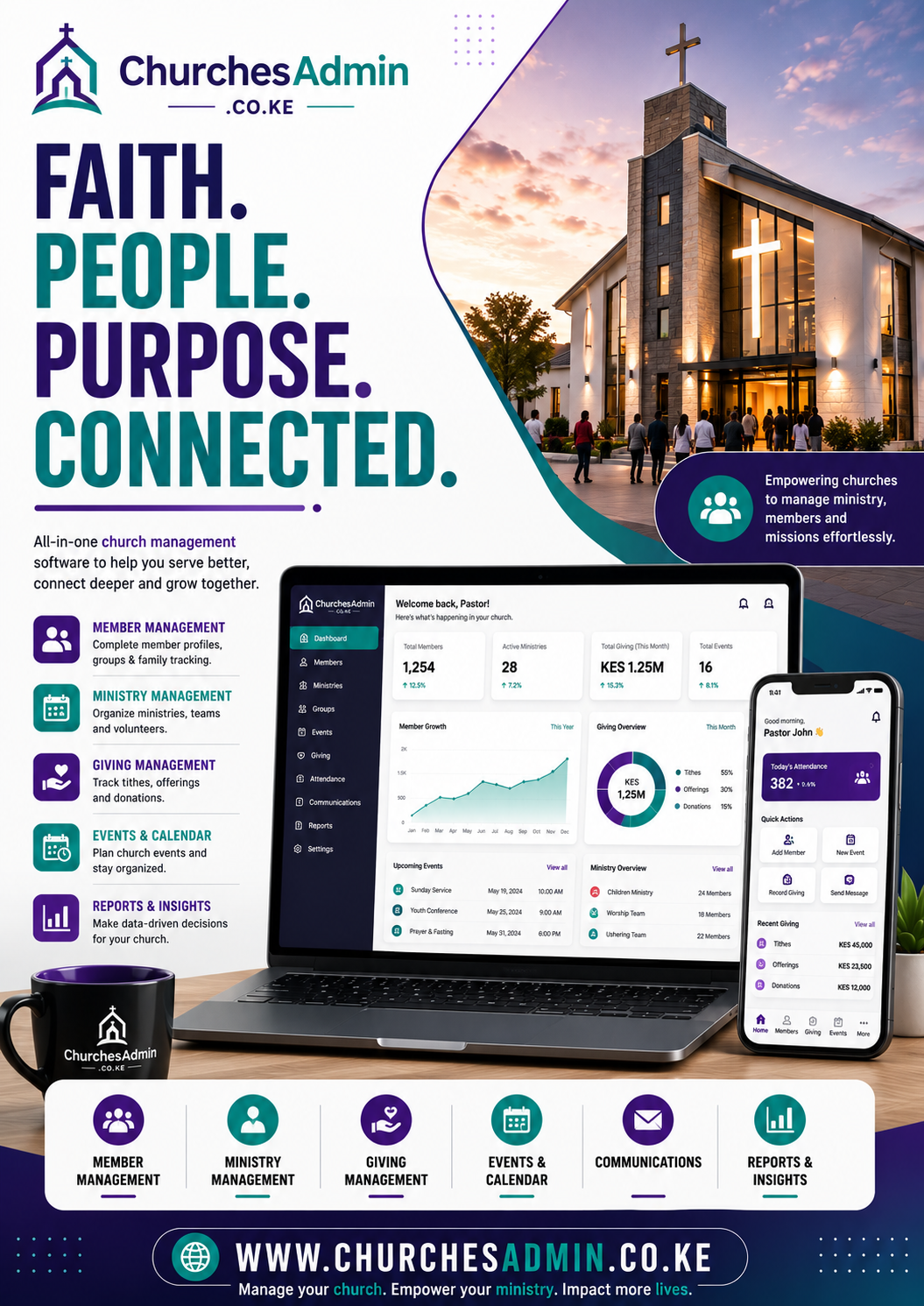
Deep Buyer Guide for Church Volunteer Scheduling Software
Before making a decision, buyers should separate must-have requirements from nice-to-have extras. The must-have items are the features that protect revenue, save time, improve communication, or prevent operational confusion. A buyer searching for Church Volunteer Scheduling Software is rarely looking for a vague overview. They normally want a practical answer that helps them choose a provider, compare options, understand implementation, and avoid a poor purchase.
The first useful step is to define the current workflow. Write down who starts the request, who approves it, where records are stored, how payments or submissions are confirmed, and which reports management needs at the end of the week or month. This exercise exposes gaps quickly. If the current process depends on scattered spreadsheets, WhatsApp screenshots, email attachments, or one person who remembers everything, the buyer should prioritize a solution that brings those records into one controlled workflow.
The second step is to compare accountability. Good providers explain how the work will be planned, who owns each stage, what information is needed before kickoff, and how progress will be reviewed. Weak providers often jump straight to price without clarifying the operating problem. For ChurchesAdmin, the strongest content should help the reader think like a serious buyer: define the result, protect the user experience, check the support model, and make sure the final solution can keep improving after launch.
The third step is to check reporting and visibility. Many organizations do not only need a service; they need evidence that the service is working. Reports, dashboards, status updates, audit trails, and clear records reduce conflict because teams can see what happened, when it happened, and what still needs attention. This is especially important when the topic affects money, customers, students, members, tenants, voters, staff, stock, or compliance.
Future growth also matters. A good solution should allow more users, more records, more requests, more services, and better reports without forcing the organization to start again from zero. Buyers should ask whether the solution can handle new branches, new counties, new departments, new roles, new payment methods, or new reporting needs. The cheapest first option can become expensive if it blocks growth six months later.
Strong SEO content supports both trust and rankings. A long article should not fill space with repeated claims. It should answer real questions, explain trade-offs, use the focus keyword naturally, link to useful pages, and give the reader a clear next step. When visitors feel that the article understands their problem, they are more likely to enquire, request a quote, book a demo, or compare the provider seriously.
Implementation Checklist
Problem definition: describe the current bottleneck and the measurable result the buyer wants.
User roles: list administrators, managers, customers, students, members, tenants, staff, or external users who will interact with the process.
Data records: define the records, documents, payments, messages, reports, and approvals that must be captured.
Security: decide who can view, edit, approve, export, or delete sensitive records.
Support: confirm how training, bug fixes, updates, and improvements will be handled after launch.
These details make the buying conversation more productive. Instead of asking only for a general quote, the buyer can explain the workflow and ask for a practical rollout plan. That gives the provider enough context to recommend a sensible scope, timeline, and support path. It also helps the buyer avoid vague proposals that look cheap but leave critical work undefined.
Questions Buyers Should Ask
Buyers should ask how long implementation will take, what content or data must be prepared, how user training will work, and what happens after publishing or launch. They should also ask for examples of similar work, a clear contact path, and an explanation of what is included in the first delivery versus future improvements. These questions protect both sides because they make expectations clear before money changes hands.
Another useful question is how success will be measured. For some buyers, success means more enquiries. For others, it means faster reconciliation, fewer missing records, lower admin workload, better tenant communication, smoother elections, stronger academic support workflows, better farm records, more reliable connectivity, or clearer executive reporting. The right metric depends on the business problem, so the article should connect the keyword to outcomes that matter.
Finally, buyers should check whether the provider understands the local context. In Kenya and surrounding markets, details like M-Pesa, county operations, mobile-first users, WhatsApp communication, school and SACCO structures, landlord workflows, rural connectivity, and small-team administration can shape the success of a project. A generic solution may look good but fail in daily use if it ignores these realities.
Deep Buyer Guide for Church Volunteer Scheduling Software
Before making a decision, buyers should separate must-have requirements from nice-to-have extras. The must-have items are the features that protect revenue, save time, improve communication, or prevent operational confusion. A buyer searching for Church Volunteer Scheduling Software is rarely looking for a vague overview. They normally want a practical answer that helps them choose a provider, compare options, understand implementation, and avoid a poor purchase.
The first useful step is to define the current workflow. Write down who starts the request, who approves it, where records are stored, how payments or submissions are confirmed, and which reports management needs at the end of the week or month. This exercise exposes gaps quickly. If the current process depends on scattered spreadsheets, WhatsApp screenshots, email attachments, or one person who remembers everything, the buyer should prioritize a solution that brings those records into one controlled workflow.
The second step is to compare accountability. Good providers explain how the work will be planned, who owns each stage, what information is needed before kickoff, and how progress will be reviewed. Weak providers often jump straight to price without clarifying the operating problem. For ChurchesAdmin, the strongest content should help the reader think like a serious buyer: define the result, protect the user experience, check the support model, and make sure the final solution can keep improving after launch.
The third step is to check reporting and visibility. Many organizations do not only need a service; they need evidence that the service is working. Reports, dashboards, status updates, audit trails, and clear records reduce conflict because teams can see what happened, when it happened, and what still needs attention. This is especially important when the topic affects money, customers, students, members, tenants, voters, staff, stock, or compliance.
Future growth also matters. A good solution should allow more users, more records, more requests, more services, and better reports without forcing the organization to start again from zero. Buyers should ask whether the solution can handle new branches, new counties, new departments, new roles, new payment methods, or new reporting needs. The cheapest first option can become expensive if it blocks growth six months later.
Strong SEO content supports both trust and rankings. A long article should not fill space with repeated claims. It should answer real questions, explain trade-offs, use the focus keyword naturally, link to useful pages, and give the reader a clear next step. When visitors feel that the article understands their problem, they are more likely to enquire, request a quote, book a demo, or compare the provider seriously.
Implementation Checklist
Problem definition: describe the current bottleneck and the measurable result the buyer wants.
User roles: list administrators, managers, customers, students, members, tenants, staff, or external users who will interact with the process.
Data records: define the records, documents, payments, messages, reports, and approvals that must be captured.
Security: decide who can view, edit, approve, export, or delete sensitive records.
Support: confirm how training, bug fixes, updates, and improvements will be handled after launch.
These details make the buying conversation more productive. Instead of asking only for a general quote, the buyer can explain the workflow and ask for a practical rollout plan. That gives the provider enough context to recommend a sensible scope, timeline, and support path. It also helps the buyer avoid vague proposals that look cheap but leave critical work undefined.
Questions Buyers Should Ask
Buyers should ask how long implementation will take, what content or data must be prepared, how user training will work, and what happens after publishing or launch. They should also ask for examples of similar work, a clear contact path, and an explanation of what is included in the first delivery versus future improvements. These questions protect both sides because they make expectations clear before money changes hands.
Another useful question is how success will be measured. For some buyers, success means more enquiries. For others, it means faster reconciliation, fewer missing records, lower admin workload, better tenant communication, smoother elections, stronger academic support workflows, better farm records, more reliable connectivity, or clearer executive reporting. The right metric depends on the business problem, so the article should connect the keyword to outcomes that matter.
Finally, buyers should check whether the provider understands the local context. In Kenya and surrounding markets, details like M-Pesa, county operations, mobile-first users, WhatsApp communication, school and SACCO structures, landlord workflows, rural connectivity, and small-team administration can shape the success of a project. A generic solution may look good but fail in daily use if it ignores these realities.
Deep Buyer Guide for Church Volunteer Scheduling Software
Before making a decision, buyers should separate must-have requirements from nice-to-have extras. The must-have items are the features that protect revenue, save time, improve communication, or prevent operational confusion. A buyer searching for Church Volunteer Scheduling Software is rarely looking for a vague overview. They normally want a practical answer that helps them choose a provider, compare options, understand implementation, and avoid a poor purchase.
The first useful step is to define the current workflow. Write down who starts the request, who approves it, where records are stored, how payments or submissions are confirmed, and which reports management needs at the end of the week or month. This exercise exposes gaps quickly. If the current process depends on scattered spreadsheets, WhatsApp screenshots, email attachments, or one person who remembers everything, the buyer should prioritize a solution that brings those records into one controlled workflow.
The second step is to compare accountability. Good providers explain how the work will be planned, who owns each stage, what information is needed before kickoff, and how progress will be reviewed. Weak providers often jump straight to price without clarifying the operating problem. For ChurchesAdmin, the strongest content should help the reader think like a serious buyer: define the result, protect the user experience, check the support model, and make sure the final solution can keep improving after launch.
The third step is to check reporting and visibility. Many organizations do not only need a service; they need evidence that the service is working. Reports, dashboards, status updates, audit trails, and clear records reduce conflict because teams can see what happened, when it happened, and what still needs attention. This is especially important when the topic affects money, customers, students, members, tenants, voters, staff, stock, or compliance.
Future growth also matters. A good solution should allow more users, more records, more requests, more services, and better reports without forcing the organization to start again from zero. Buyers should ask whether the solution can handle new branches, new counties, new departments, new roles, new payment methods, or new reporting needs. The cheapest first option can become expensive if it blocks growth six months later.
Strong SEO content supports both trust and rankings. A long article should not fill space with repeated claims. It should answer real questions, explain trade-offs, use the focus keyword naturally, link to useful pages, and give the reader a clear next step. When visitors feel that the article understands their problem, they are more likely to enquire, request a quote, book a demo, or compare the provider seriously.
Implementation Checklist
Problem definition: describe the current bottleneck and the measurable result the buyer wants.
User roles: list administrators, managers, customers, students, members, tenants, staff, or external users who will interact with the process.
Data records: define the records, documents, payments, messages, reports, and approvals that must be captured.
Security: decide who can view, edit, approve, export, or delete sensitive records.
Support: confirm how training, bug fixes, updates, and improvements will be handled after launch.
These details make the buying conversation more productive. Instead of asking only for a general quote, the buyer can explain the workflow and ask for a practical rollout plan. That gives the provider enough context to recommend a sensible scope, timeline, and support path. It also helps the buyer avoid vague proposals that look cheap but leave critical work undefined.
Questions Buyers Should Ask
Buyers should ask how long implementation will take, what content or data must be prepared, how user training will work, and what happens after publishing or launch. They should also ask for examples of similar work, a clear contact path, and an explanation of what is included in the first delivery versus future improvements. These questions protect both sides because they make expectations clear before money changes hands.
Another useful question is how success will be measured. For some buyers, success means more enquiries. For others, it means faster reconciliation, fewer missing records, lower admin workload, better tenant communication, smoother elections, stronger academic support workflows, better farm records, more reliable connectivity, or clearer executive reporting. The right metric depends on the business problem, so the article should connect the keyword to outcomes that matter.
Finally, buyers should check whether the provider understands the local context. In Kenya and surrounding markets, details like M-Pesa, county operations, mobile-first users, WhatsApp communication, school and SACCO structures, landlord workflows, rural connectivity, and small-team administration can shape the success of a project. A generic solution may look good but fail in daily use if it ignores these realities.
https://churchesadmin.com/blog/wp-content/uploads/2026/07/premium-churchesadmin-church-volunteer-scheduling-software-july-21-audience.png9001600developerhttps://churchesadmin.com/blog/wp-content/uploads/2024/12/New-Project.svgdeveloper2026-07-21 08:57:082026-07-21 10:11:22Church Volunteer Scheduling Software: 10 Smart Things Buyers Should Compare in 2026
Digital Giving Records for Churches Kenya: 10 Smart Things Buyers Should Compare in 2026
Digital Giving Records for Churches Kenya is a strong buyer-intent keyword because the visitor is usually comparing providers, prices, features, timelines, and proof before making a decision.
Digital Giving Records for Churches Kenya is one of the fresh buyer-focused topics ChurchesAdmin should publish around today because it matches what serious buyers are searching before they request a demo, quote, rollout plan, or implementation support.
For church leaders, administrators, treasurers, and branch coordinators, the real problem is missed member follow-up, incomplete giving records, volunteer clashes, branch-reporting delays, and fragmented communication. A useful article should answer the questions that serious buyers ask before they contact a provider or request a quotation.
Digital Giving Records for Churches Kenya provider
Digital Giving Records for Churches Kenya company
best Digital Giving Records for Churches Kenya
Why Digital Giving Records for Churches Kenya Matters
This search usually comes from a person who already feels the pain. They may be losing enquiries, wasting time with manual work, struggling with deadlines, missing records, or comparing suppliers before paying.
The right content should make the decision easier. It should explain the problem clearly, show the features that matter, reduce fear, and give the visitor a simple next step.
ChurchesAdmin can use this topic to attract qualified visitors who are closer to buying because they are searching around a real need.
Important Features Buyers Should Expect
clear onboarding – helps buyers get a clearer, faster, and more reliable outcome.
secure records – helps buyers get a clearer, faster, and more reliable outcome.
fast communication – helps buyers get a clearer, faster, and more reliable outcome.
mobile access – helps buyers get a clearer, faster, and more reliable outcome.
reports and updates – helps buyers get a clearer, faster, and more reliable outcome.
support after delivery – helps buyers get a clearer, faster, and more reliable outcome.
clear process – buyers should understand what happens before, during, and after delivery.
mobile friendly experience – users should be able to access the service or platform comfortably on phones.
useful reports or updates – clients should see progress, records, or results without repeated follow-up.
reliable support – the provider should support improvements after launch or delivery.
How to Compare Providers
Start with workflow fit. The provider should understand the exact users, tasks, deadlines, records, communication channels, payments, and reports involved.
Next, compare trust. Look for clear service pages, examples, practical explanations, realistic promises, visible contacts, and content that answers real questions.
Then compare long-term value. The best option is not always the lowest quote. The right provider should save time, reduce confusion, improve experience, and make future growth easier.
Mistakes to Avoid
Choosing Only by Price
Cheap work can become expensive if it creates weak design, unclear communication, poor support, missing features, or repeated revisions.
Ignoring the Real User
A solution must work for the people who use it daily. If users find it confusing, the project loses value quickly.
Publishing Thin Content
SEO pages should not only repeat keywords. They should answer buyer questions and explain the next step clearly.
How to Get Started
Write down the exact result you want. Include the users, current problem, documents, deadlines, records, payments, reports, and the main action you want visitors or customers to take.
Then contact a provider with a clear request. Share the pain points and ask for a practical plan, timeline, and support process.
Why Choose ChurchesAdmin?
ChurchesAdmin helps churches manage members, giving, attendance, events, groups, communication, and reports with less manual work.
Who needs Digital Giving Records for Churches Kenya?
Digital Giving Records for Churches Kenya is useful for church leaders, administrators, treasurers, and branch coordinators, especially when the current process is manual, unclear, slow, or hard to scale.
What should buyers compare first?
Compare workflow fit, support, examples, communication, features, timelines, and whether the provider understands the real problem.
Can the solution be customized?
Yes. A serious provider should shape the solution around users, records, reports, content, communication, and growth plans.
Conclusion
Digital Giving Records for Churches Kenya is worth targeting because it connects to real buying intent. The best content should educate the visitor, build confidence, and make the next enquiry easy.
Deep Buyer Guide for Digital Giving Records for Churches Kenya
Before making a decision, buyers should separate must-have requirements from nice-to-have extras. The must-have items are the features that protect revenue, save time, improve communication, or prevent operational confusion. A buyer searching for Digital Giving Records for Churches Kenya is rarely looking for a vague overview. They normally want a practical answer that helps them choose a provider, compare options, understand implementation, and avoid a poor purchase.
The first useful step is to define the current workflow. Write down who starts the request, who approves it, where records are stored, how payments or submissions are confirmed, and which reports management needs at the end of the week or month. This exercise exposes gaps quickly. If the current process depends on scattered spreadsheets, WhatsApp screenshots, email attachments, or one person who remembers everything, the buyer should prioritize a solution that brings those records into one controlled workflow.
The second step is to compare accountability. Good providers explain how the work will be planned, who owns each stage, what information is needed before kickoff, and how progress will be reviewed. Weak providers often jump straight to price without clarifying the operating problem. For ChurchesAdmin, the strongest content should help the reader think like a serious buyer: define the result, protect the user experience, check the support model, and make sure the final solution can keep improving after launch.
The third step is to check reporting and visibility. Many organizations do not only need a service; they need evidence that the service is working. Reports, dashboards, status updates, audit trails, and clear records reduce conflict because teams can see what happened, when it happened, and what still needs attention. This is especially important when the topic affects money, customers, students, members, tenants, voters, staff, stock, or compliance.
Future growth also matters. A good solution should allow more users, more records, more requests, more services, and better reports without forcing the organization to start again from zero. Buyers should ask whether the solution can handle new branches, new counties, new departments, new roles, new payment methods, or new reporting needs. The cheapest first option can become expensive if it blocks growth six months later.
Strong SEO content supports both trust and rankings. A long article should not fill space with repeated claims. It should answer real questions, explain trade-offs, use the focus keyword naturally, link to useful pages, and give the reader a clear next step. When visitors feel that the article understands their problem, they are more likely to enquire, request a quote, book a demo, or compare the provider seriously.
Implementation Checklist
Problem definition: describe the current bottleneck and the measurable result the buyer wants.
User roles: list administrators, managers, customers, students, members, tenants, staff, or external users who will interact with the process.
Data records: define the records, documents, payments, messages, reports, and approvals that must be captured.
Security: decide who can view, edit, approve, export, or delete sensitive records.
Support: confirm how training, bug fixes, updates, and improvements will be handled after launch.
These details make the buying conversation more productive. Instead of asking only for a general quote, the buyer can explain the workflow and ask for a practical rollout plan. That gives the provider enough context to recommend a sensible scope, timeline, and support path. It also helps the buyer avoid vague proposals that look cheap but leave critical work undefined.
Questions Buyers Should Ask
Buyers should ask how long implementation will take, what content or data must be prepared, how user training will work, and what happens after publishing or launch. They should also ask for examples of similar work, a clear contact path, and an explanation of what is included in the first delivery versus future improvements. These questions protect both sides because they make expectations clear before money changes hands.
Another useful question is how success will be measured. For some buyers, success means more enquiries. For others, it means faster reconciliation, fewer missing records, lower admin workload, better tenant communication, smoother elections, stronger academic support workflows, better farm records, more reliable connectivity, or clearer executive reporting. The right metric depends on the business problem, so the article should connect the keyword to outcomes that matter.
Finally, buyers should check whether the provider understands the local context. In Kenya and surrounding markets, details like M-Pesa, county operations, mobile-first users, WhatsApp communication, school and SACCO structures, landlord workflows, rural connectivity, and small-team administration can shape the success of a project. A generic solution may look good but fail in daily use if it ignores these realities.
Deep Buyer Guide for Digital Giving Records for Churches Kenya
Before making a decision, buyers should separate must-have requirements from nice-to-have extras. The must-have items are the features that protect revenue, save time, improve communication, or prevent operational confusion. A buyer searching for Digital Giving Records for Churches Kenya is rarely looking for a vague overview. They normally want a practical answer that helps them choose a provider, compare options, understand implementation, and avoid a poor purchase.
The first useful step is to define the current workflow. Write down who starts the request, who approves it, where records are stored, how payments or submissions are confirmed, and which reports management needs at the end of the week or month. This exercise exposes gaps quickly. If the current process depends on scattered spreadsheets, WhatsApp screenshots, email attachments, or one person who remembers everything, the buyer should prioritize a solution that brings those records into one controlled workflow.
The second step is to compare accountability. Good providers explain how the work will be planned, who owns each stage, what information is needed before kickoff, and how progress will be reviewed. Weak providers often jump straight to price without clarifying the operating problem. For ChurchesAdmin, the strongest content should help the reader think like a serious buyer: define the result, protect the user experience, check the support model, and make sure the final solution can keep improving after launch.
The third step is to check reporting and visibility. Many organizations do not only need a service; they need evidence that the service is working. Reports, dashboards, status updates, audit trails, and clear records reduce conflict because teams can see what happened, when it happened, and what still needs attention. This is especially important when the topic affects money, customers, students, members, tenants, voters, staff, stock, or compliance.
Future growth also matters. A good solution should allow more users, more records, more requests, more services, and better reports without forcing the organization to start again from zero. Buyers should ask whether the solution can handle new branches, new counties, new departments, new roles, new payment methods, or new reporting needs. The cheapest first option can become expensive if it blocks growth six months later.
Strong SEO content supports both trust and rankings. A long article should not fill space with repeated claims. It should answer real questions, explain trade-offs, use the focus keyword naturally, link to useful pages, and give the reader a clear next step. When visitors feel that the article understands their problem, they are more likely to enquire, request a quote, book a demo, or compare the provider seriously.
Implementation Checklist
Problem definition: describe the current bottleneck and the measurable result the buyer wants.
User roles: list administrators, managers, customers, students, members, tenants, staff, or external users who will interact with the process.
Data records: define the records, documents, payments, messages, reports, and approvals that must be captured.
Security: decide who can view, edit, approve, export, or delete sensitive records.
Support: confirm how training, bug fixes, updates, and improvements will be handled after launch.
These details make the buying conversation more productive. Instead of asking only for a general quote, the buyer can explain the workflow and ask for a practical rollout plan. That gives the provider enough context to recommend a sensible scope, timeline, and support path. It also helps the buyer avoid vague proposals that look cheap but leave critical work undefined.
Questions Buyers Should Ask
Buyers should ask how long implementation will take, what content or data must be prepared, how user training will work, and what happens after publishing or launch. They should also ask for examples of similar work, a clear contact path, and an explanation of what is included in the first delivery versus future improvements. These questions protect both sides because they make expectations clear before money changes hands.
Another useful question is how success will be measured. For some buyers, success means more enquiries. For others, it means faster reconciliation, fewer missing records, lower admin workload, better tenant communication, smoother elections, stronger academic support workflows, better farm records, more reliable connectivity, or clearer executive reporting. The right metric depends on the business problem, so the article should connect the keyword to outcomes that matter.
Finally, buyers should check whether the provider understands the local context. In Kenya and surrounding markets, details like M-Pesa, county operations, mobile-first users, WhatsApp communication, school and SACCO structures, landlord workflows, rural connectivity, and small-team administration can shape the success of a project. A generic solution may look good but fail in daily use if it ignores these realities.
Deep Buyer Guide for Digital Giving Records for Churches Kenya
Before making a decision, buyers should separate must-have requirements from nice-to-have extras. The must-have items are the features that protect revenue, save time, improve communication, or prevent operational confusion. A buyer searching for Digital Giving Records for Churches Kenya is rarely looking for a vague overview. They normally want a practical answer that helps them choose a provider, compare options, understand implementation, and avoid a poor purchase.
The first useful step is to define the current workflow. Write down who starts the request, who approves it, where records are stored, how payments or submissions are confirmed, and which reports management needs at the end of the week or month. This exercise exposes gaps quickly. If the current process depends on scattered spreadsheets, WhatsApp screenshots, email attachments, or one person who remembers everything, the buyer should prioritize a solution that brings those records into one controlled workflow.
The second step is to compare accountability. Good providers explain how the work will be planned, who owns each stage, what information is needed before kickoff, and how progress will be reviewed. Weak providers often jump straight to price without clarifying the operating problem. For ChurchesAdmin, the strongest content should help the reader think like a serious buyer: define the result, protect the user experience, check the support model, and make sure the final solution can keep improving after launch.
The third step is to check reporting and visibility. Many organizations do not only need a service; they need evidence that the service is working. Reports, dashboards, status updates, audit trails, and clear records reduce conflict because teams can see what happened, when it happened, and what still needs attention. This is especially important when the topic affects money, customers, students, members, tenants, voters, staff, stock, or compliance.
Future growth also matters. A good solution should allow more users, more records, more requests, more services, and better reports without forcing the organization to start again from zero. Buyers should ask whether the solution can handle new branches, new counties, new departments, new roles, new payment methods, or new reporting needs. The cheapest first option can become expensive if it blocks growth six months later.
Strong SEO content supports both trust and rankings. A long article should not fill space with repeated claims. It should answer real questions, explain trade-offs, use the focus keyword naturally, link to useful pages, and give the reader a clear next step. When visitors feel that the article understands their problem, they are more likely to enquire, request a quote, book a demo, or compare the provider seriously.
Implementation Checklist
Problem definition: describe the current bottleneck and the measurable result the buyer wants.
User roles: list administrators, managers, customers, students, members, tenants, staff, or external users who will interact with the process.
Data records: define the records, documents, payments, messages, reports, and approvals that must be captured.
Security: decide who can view, edit, approve, export, or delete sensitive records.
Support: confirm how training, bug fixes, updates, and improvements will be handled after launch.
These details make the buying conversation more productive. Instead of asking only for a general quote, the buyer can explain the workflow and ask for a practical rollout plan. That gives the provider enough context to recommend a sensible scope, timeline, and support path. It also helps the buyer avoid vague proposals that look cheap but leave critical work undefined.
Questions Buyers Should Ask
Buyers should ask how long implementation will take, what content or data must be prepared, how user training will work, and what happens after publishing or launch. They should also ask for examples of similar work, a clear contact path, and an explanation of what is included in the first delivery versus future improvements. These questions protect both sides because they make expectations clear before money changes hands.
Another useful question is how success will be measured. For some buyers, success means more enquiries. For others, it means faster reconciliation, fewer missing records, lower admin workload, better tenant communication, smoother elections, stronger academic support workflows, better farm records, more reliable connectivity, or clearer executive reporting. The right metric depends on the business problem, so the article should connect the keyword to outcomes that matter.
Finally, buyers should check whether the provider understands the local context. In Kenya and surrounding markets, details like M-Pesa, county operations, mobile-first users, WhatsApp communication, school and SACCO structures, landlord workflows, rural connectivity, and small-team administration can shape the success of a project. A generic solution may look good but fail in daily use if it ignores these realities.
Deep Buyer Guide for Digital Giving Records for Churches Kenya
Before making a decision, buyers should separate must-have requirements from nice-to-have extras. The must-have items are the features that protect revenue, save time, improve communication, or prevent operational confusion. A buyer searching for Digital Giving Records for Churches Kenya is rarely looking for a vague overview. They normally want a practical answer that helps them choose a provider, compare options, understand implementation, and avoid a poor purchase.
The first useful step is to define the current workflow. Write down who starts the request, who approves it, where records are stored, how payments or submissions are confirmed, and which reports management needs at the end of the week or month. This exercise exposes gaps quickly. If the current process depends on scattered spreadsheets, WhatsApp screenshots, email attachments, or one person who remembers everything, the buyer should prioritize a solution that brings those records into one controlled workflow.
The second step is to compare accountability. Good providers explain how the work will be planned, who owns each stage, what information is needed before kickoff, and how progress will be reviewed. Weak providers often jump straight to price without clarifying the operating problem. For ChurchesAdmin, the strongest content should help the reader think like a serious buyer: define the result, protect the user experience, check the support model, and make sure the final solution can keep improving after launch.
The third step is to check reporting and visibility. Many organizations do not only need a service; they need evidence that the service is working. Reports, dashboards, status updates, audit trails, and clear records reduce conflict because teams can see what happened, when it happened, and what still needs attention. This is especially important when the topic affects money, customers, students, members, tenants, voters, staff, stock, or compliance.
Future growth also matters. A good solution should allow more users, more records, more requests, more services, and better reports without forcing the organization to start again from zero. Buyers should ask whether the solution can handle new branches, new counties, new departments, new roles, new payment methods, or new reporting needs. The cheapest first option can become expensive if it blocks growth six months later.
Strong SEO content supports both trust and rankings. A long article should not fill space with repeated claims. It should answer real questions, explain trade-offs, use the focus keyword naturally, link to useful pages, and give the reader a clear next step. When visitors feel that the article understands their problem, they are more likely to enquire, request a quote, book a demo, or compare the provider seriously.
Implementation Checklist
Problem definition: describe the current bottleneck and the measurable result the buyer wants.
User roles: list administrators, managers, customers, students, members, tenants, staff, or external users who will interact with the process.
Data records: define the records, documents, payments, messages, reports, and approvals that must be captured.
Security: decide who can view, edit, approve, export, or delete sensitive records.
Support: confirm how training, bug fixes, updates, and improvements will be handled after launch.
These details make the buying conversation more productive. Instead of asking only for a general quote, the buyer can explain the workflow and ask for a practical rollout plan. That gives the provider enough context to recommend a sensible scope, timeline, and support path. It also helps the buyer avoid vague proposals that look cheap but leave critical work undefined.
Questions Buyers Should Ask
Buyers should ask how long implementation will take, what content or data must be prepared, how user training will work, and what happens after publishing or launch. They should also ask for examples of similar work, a clear contact path, and an explanation of what is included in the first delivery versus future improvements. These questions protect both sides because they make expectations clear before money changes hands.
Another useful question is how success will be measured. For some buyers, success means more enquiries. For others, it means faster reconciliation, fewer missing records, lower admin workload, better tenant communication, smoother elections, stronger academic support workflows, better farm records, more reliable connectivity, or clearer executive reporting. The right metric depends on the business problem, so the article should connect the keyword to outcomes that matter.
Finally, buyers should check whether the provider understands the local context. In Kenya and surrounding markets, details like M-Pesa, county operations, mobile-first users, WhatsApp communication, school and SACCO structures, landlord workflows, rural connectivity, and small-team administration can shape the success of a project. A generic solution may look good but fail in daily use if it ignores these realities.
Deep Buyer Guide for Digital Giving Records for Churches Kenya
Before making a decision, buyers should separate must-have requirements from nice-to-have extras. The must-have items are the features that protect revenue, save time, improve communication, or prevent operational confusion. A buyer searching for Digital Giving Records for Churches Kenya is rarely looking for a vague overview. They normally want a practical answer that helps them choose a provider, compare options, understand implementation, and avoid a poor purchase.
The first useful step is to define the current workflow. Write down who starts the request, who approves it, where records are stored, how payments or submissions are confirmed, and which reports management needs at the end of the week or month. This exercise exposes gaps quickly. If the current process depends on scattered spreadsheets, WhatsApp screenshots, email attachments, or one person who remembers everything, the buyer should prioritize a solution that brings those records into one controlled workflow.
The second step is to compare accountability. Good providers explain how the work will be planned, who owns each stage, what information is needed before kickoff, and how progress will be reviewed. Weak providers often jump straight to price without clarifying the operating problem. For ChurchesAdmin, the strongest content should help the reader think like a serious buyer: define the result, protect the user experience, check the support model, and make sure the final solution can keep improving after launch.
The third step is to check reporting and visibility. Many organizations do not only need a service; they need evidence that the service is working. Reports, dashboards, status updates, audit trails, and clear records reduce conflict because teams can see what happened, when it happened, and what still needs attention. This is especially important when the topic affects money, customers, students, members, tenants, voters, staff, stock, or compliance.
Future growth also matters. A good solution should allow more users, more records, more requests, more services, and better reports without forcing the organization to start again from zero. Buyers should ask whether the solution can handle new branches, new counties, new departments, new roles, new payment methods, or new reporting needs. The cheapest first option can become expensive if it blocks growth six months later.
Strong SEO content supports both trust and rankings. A long article should not fill space with repeated claims. It should answer real questions, explain trade-offs, use the focus keyword naturally, link to useful pages, and give the reader a clear next step. When visitors feel that the article understands their problem, they are more likely to enquire, request a quote, book a demo, or compare the provider seriously.
Implementation Checklist
Problem definition: describe the current bottleneck and the measurable result the buyer wants.
User roles: list administrators, managers, customers, students, members, tenants, staff, or external users who will interact with the process.
Data records: define the records, documents, payments, messages, reports, and approvals that must be captured.
Security: decide who can view, edit, approve, export, or delete sensitive records.
Support: confirm how training, bug fixes, updates, and improvements will be handled after launch.
These details make the buying conversation more productive. Instead of asking only for a general quote, the buyer can explain the workflow and ask for a practical rollout plan. That gives the provider enough context to recommend a sensible scope, timeline, and support path. It also helps the buyer avoid vague proposals that look cheap but leave critical work undefined.
Questions Buyers Should Ask
Buyers should ask how long implementation will take, what content or data must be prepared, how user training will work, and what happens after publishing or launch. They should also ask for examples of similar work, a clear contact path, and an explanation of what is included in the first delivery versus future improvements. These questions protect both sides because they make expectations clear before money changes hands.
Another useful question is how success will be measured. For some buyers, success means more enquiries. For others, it means faster reconciliation, fewer missing records, lower admin workload, better tenant communication, smoother elections, stronger academic support workflows, better farm records, more reliable connectivity, or clearer executive reporting. The right metric depends on the business problem, so the article should connect the keyword to outcomes that matter.
Finally, buyers should check whether the provider understands the local context. In Kenya and surrounding markets, details like M-Pesa, county operations, mobile-first users, WhatsApp communication, school and SACCO structures, landlord workflows, rural connectivity, and small-team administration can shape the success of a project. A generic solution may look good but fail in daily use if it ignores these realities.
https://churchesadmin.com/blog/wp-content/uploads/2026/07/premium-churchesadmin-digital-giving-records-for-churches-kenya-july-21-audience.png9001600developerhttps://churchesadmin.com/blog/wp-content/uploads/2024/12/New-Project.svgdeveloper2026-07-21 08:56:322026-07-21 10:11:02Digital Giving Records for Churches Kenya: 10 Smart Things Buyers Should Compare in 2026
Church Member Follow Up Software: 10 Smart Things Buyers Should Compare in 2026
Church Member Follow Up Software is a strong buyer-intent keyword because the visitor is usually comparing providers, prices, features, timelines, and proof before making a decision.
Church Member Follow Up Software is one of the fresh buyer-focused topics ChurchesAdmin should publish around today because it matches what serious buyers are searching before they request a demo, quote, rollout plan, or implementation support.
For church leaders, administrators, treasurers, and branch coordinators, the real problem is missed member follow-up, incomplete giving records, volunteer clashes, branch-reporting delays, and fragmented communication. A useful article should answer the questions that serious buyers ask before they contact a provider or request a quotation.
This search usually comes from a person who already feels the pain. They may be losing enquiries, wasting time with manual work, struggling with deadlines, missing records, or comparing suppliers before paying.
The right content should make the decision easier. It should explain the problem clearly, show the features that matter, reduce fear, and give the visitor a simple next step.
ChurchesAdmin can use this topic to attract qualified visitors who are closer to buying because they are searching around a real need.
Important Features Buyers Should Expect
clear onboarding – helps buyers get a clearer, faster, and more reliable outcome.
secure records – helps buyers get a clearer, faster, and more reliable outcome.
fast communication – helps buyers get a clearer, faster, and more reliable outcome.
mobile access – helps buyers get a clearer, faster, and more reliable outcome.
reports and updates – helps buyers get a clearer, faster, and more reliable outcome.
support after delivery – helps buyers get a clearer, faster, and more reliable outcome.
clear process – buyers should understand what happens before, during, and after delivery.
mobile friendly experience – users should be able to access the service or platform comfortably on phones.
useful reports or updates – clients should see progress, records, or results without repeated follow-up.
reliable support – the provider should support improvements after launch or delivery.
How to Compare Providers
Start with workflow fit. The provider should understand the exact users, tasks, deadlines, records, communication channels, payments, and reports involved.
Next, compare trust. Look for clear service pages, examples, practical explanations, realistic promises, visible contacts, and content that answers real questions.
Then compare long-term value. The best option is not always the lowest quote. The right provider should save time, reduce confusion, improve experience, and make future growth easier.
Mistakes to Avoid
Choosing Only by Price
Cheap work can become expensive if it creates weak design, unclear communication, poor support, missing features, or repeated revisions.
Ignoring the Real User
A solution must work for the people who use it daily. If users find it confusing, the project loses value quickly.
Publishing Thin Content
SEO pages should not only repeat keywords. They should answer buyer questions and explain the next step clearly.
How to Get Started
Write down the exact result you want. Include the users, current problem, documents, deadlines, records, payments, reports, and the main action you want visitors or customers to take.
Then contact a provider with a clear request. Share the pain points and ask for a practical plan, timeline, and support process.
Why Choose ChurchesAdmin?
ChurchesAdmin helps churches manage members, giving, attendance, events, groups, communication, and reports with less manual work.
Church Member Follow Up Software is useful for church leaders, administrators, treasurers, and branch coordinators, especially when the current process is manual, unclear, slow, or hard to scale.
What should buyers compare first?
Compare workflow fit, support, examples, communication, features, timelines, and whether the provider understands the real problem.
Can the solution be customized?
Yes. A serious provider should shape the solution around users, records, reports, content, communication, and growth plans.
Conclusion
Church Member Follow Up Software is worth targeting because it connects to real buying intent. The best content should educate the visitor, build confidence, and make the next enquiry easy.
Deep Buyer Guide for Church Member Follow Up Software
Before making a decision, buyers should separate must-have requirements from nice-to-have extras. The must-have items are the features that protect revenue, save time, improve communication, or prevent operational confusion. A buyer searching for Church Member Follow Up Software is rarely looking for a vague overview. They normally want a practical answer that helps them choose a provider, compare options, understand implementation, and avoid a poor purchase.
The first useful step is to define the current workflow. Write down who starts the request, who approves it, where records are stored, how payments or submissions are confirmed, and which reports management needs at the end of the week or month. This exercise exposes gaps quickly. If the current process depends on scattered spreadsheets, WhatsApp screenshots, email attachments, or one person who remembers everything, the buyer should prioritize a solution that brings those records into one controlled workflow.
The second step is to compare accountability. Good providers explain how the work will be planned, who owns each stage, what information is needed before kickoff, and how progress will be reviewed. Weak providers often jump straight to price without clarifying the operating problem. For ChurchesAdmin, the strongest content should help the reader think like a serious buyer: define the result, protect the user experience, check the support model, and make sure the final solution can keep improving after launch.
The third step is to check reporting and visibility. Many organizations do not only need a service; they need evidence that the service is working. Reports, dashboards, status updates, audit trails, and clear records reduce conflict because teams can see what happened, when it happened, and what still needs attention. This is especially important when the topic affects money, customers, students, members, tenants, voters, staff, stock, or compliance.
Future growth also matters. A good solution should allow more users, more records, more requests, more services, and better reports without forcing the organization to start again from zero. Buyers should ask whether the solution can handle new branches, new counties, new departments, new roles, new payment methods, or new reporting needs. The cheapest first option can become expensive if it blocks growth six months later.
Strong SEO content supports both trust and rankings. A long article should not fill space with repeated claims. It should answer real questions, explain trade-offs, use the focus keyword naturally, link to useful pages, and give the reader a clear next step. When visitors feel that the article understands their problem, they are more likely to enquire, request a quote, book a demo, or compare the provider seriously.
Implementation Checklist
Problem definition: describe the current bottleneck and the measurable result the buyer wants.
User roles: list administrators, managers, customers, students, members, tenants, staff, or external users who will interact with the process.
Data records: define the records, documents, payments, messages, reports, and approvals that must be captured.
Security: decide who can view, edit, approve, export, or delete sensitive records.
Support: confirm how training, bug fixes, updates, and improvements will be handled after launch.
These details make the buying conversation more productive. Instead of asking only for a general quote, the buyer can explain the workflow and ask for a practical rollout plan. That gives the provider enough context to recommend a sensible scope, timeline, and support path. It also helps the buyer avoid vague proposals that look cheap but leave critical work undefined.
Questions Buyers Should Ask
Buyers should ask how long implementation will take, what content or data must be prepared, how user training will work, and what happens after publishing or launch. They should also ask for examples of similar work, a clear contact path, and an explanation of what is included in the first delivery versus future improvements. These questions protect both sides because they make expectations clear before money changes hands.
Another useful question is how success will be measured. For some buyers, success means more enquiries. For others, it means faster reconciliation, fewer missing records, lower admin workload, better tenant communication, smoother elections, stronger academic support workflows, better farm records, more reliable connectivity, or clearer executive reporting. The right metric depends on the business problem, so the article should connect the keyword to outcomes that matter.
Finally, buyers should check whether the provider understands the local context. In Kenya and surrounding markets, details like M-Pesa, county operations, mobile-first users, WhatsApp communication, school and SACCO structures, landlord workflows, rural connectivity, and small-team administration can shape the success of a project. A generic solution may look good but fail in daily use if it ignores these realities.
Deep Buyer Guide for Church Member Follow Up Software
Before making a decision, buyers should separate must-have requirements from nice-to-have extras. The must-have items are the features that protect revenue, save time, improve communication, or prevent operational confusion. A buyer searching for Church Member Follow Up Software is rarely looking for a vague overview. They normally want a practical answer that helps them choose a provider, compare options, understand implementation, and avoid a poor purchase.
The first useful step is to define the current workflow. Write down who starts the request, who approves it, where records are stored, how payments or submissions are confirmed, and which reports management needs at the end of the week or month. This exercise exposes gaps quickly. If the current process depends on scattered spreadsheets, WhatsApp screenshots, email attachments, or one person who remembers everything, the buyer should prioritize a solution that brings those records into one controlled workflow.
The second step is to compare accountability. Good providers explain how the work will be planned, who owns each stage, what information is needed before kickoff, and how progress will be reviewed. Weak providers often jump straight to price without clarifying the operating problem. For ChurchesAdmin, the strongest content should help the reader think like a serious buyer: define the result, protect the user experience, check the support model, and make sure the final solution can keep improving after launch.
The third step is to check reporting and visibility. Many organizations do not only need a service; they need evidence that the service is working. Reports, dashboards, status updates, audit trails, and clear records reduce conflict because teams can see what happened, when it happened, and what still needs attention. This is especially important when the topic affects money, customers, students, members, tenants, voters, staff, stock, or compliance.
Future growth also matters. A good solution should allow more users, more records, more requests, more services, and better reports without forcing the organization to start again from zero. Buyers should ask whether the solution can handle new branches, new counties, new departments, new roles, new payment methods, or new reporting needs. The cheapest first option can become expensive if it blocks growth six months later.
Strong SEO content supports both trust and rankings. A long article should not fill space with repeated claims. It should answer real questions, explain trade-offs, use the focus keyword naturally, link to useful pages, and give the reader a clear next step. When visitors feel that the article understands their problem, they are more likely to enquire, request a quote, book a demo, or compare the provider seriously.
Implementation Checklist
Problem definition: describe the current bottleneck and the measurable result the buyer wants.
User roles: list administrators, managers, customers, students, members, tenants, staff, or external users who will interact with the process.
Data records: define the records, documents, payments, messages, reports, and approvals that must be captured.
Security: decide who can view, edit, approve, export, or delete sensitive records.
Support: confirm how training, bug fixes, updates, and improvements will be handled after launch.
These details make the buying conversation more productive. Instead of asking only for a general quote, the buyer can explain the workflow and ask for a practical rollout plan. That gives the provider enough context to recommend a sensible scope, timeline, and support path. It also helps the buyer avoid vague proposals that look cheap but leave critical work undefined.
Questions Buyers Should Ask
Buyers should ask how long implementation will take, what content or data must be prepared, how user training will work, and what happens after publishing or launch. They should also ask for examples of similar work, a clear contact path, and an explanation of what is included in the first delivery versus future improvements. These questions protect both sides because they make expectations clear before money changes hands.
Another useful question is how success will be measured. For some buyers, success means more enquiries. For others, it means faster reconciliation, fewer missing records, lower admin workload, better tenant communication, smoother elections, stronger academic support workflows, better farm records, more reliable connectivity, or clearer executive reporting. The right metric depends on the business problem, so the article should connect the keyword to outcomes that matter.
Finally, buyers should check whether the provider understands the local context. In Kenya and surrounding markets, details like M-Pesa, county operations, mobile-first users, WhatsApp communication, school and SACCO structures, landlord workflows, rural connectivity, and small-team administration can shape the success of a project. A generic solution may look good but fail in daily use if it ignores these realities.
Deep Buyer Guide for Church Member Follow Up Software
Before making a decision, buyers should separate must-have requirements from nice-to-have extras. The must-have items are the features that protect revenue, save time, improve communication, or prevent operational confusion. A buyer searching for Church Member Follow Up Software is rarely looking for a vague overview. They normally want a practical answer that helps them choose a provider, compare options, understand implementation, and avoid a poor purchase.
The first useful step is to define the current workflow. Write down who starts the request, who approves it, where records are stored, how payments or submissions are confirmed, and which reports management needs at the end of the week or month. This exercise exposes gaps quickly. If the current process depends on scattered spreadsheets, WhatsApp screenshots, email attachments, or one person who remembers everything, the buyer should prioritize a solution that brings those records into one controlled workflow.
The second step is to compare accountability. Good providers explain how the work will be planned, who owns each stage, what information is needed before kickoff, and how progress will be reviewed. Weak providers often jump straight to price without clarifying the operating problem. For ChurchesAdmin, the strongest content should help the reader think like a serious buyer: define the result, protect the user experience, check the support model, and make sure the final solution can keep improving after launch.
The third step is to check reporting and visibility. Many organizations do not only need a service; they need evidence that the service is working. Reports, dashboards, status updates, audit trails, and clear records reduce conflict because teams can see what happened, when it happened, and what still needs attention. This is especially important when the topic affects money, customers, students, members, tenants, voters, staff, stock, or compliance.
Future growth also matters. A good solution should allow more users, more records, more requests, more services, and better reports without forcing the organization to start again from zero. Buyers should ask whether the solution can handle new branches, new counties, new departments, new roles, new payment methods, or new reporting needs. The cheapest first option can become expensive if it blocks growth six months later.
Strong SEO content supports both trust and rankings. A long article should not fill space with repeated claims. It should answer real questions, explain trade-offs, use the focus keyword naturally, link to useful pages, and give the reader a clear next step. When visitors feel that the article understands their problem, they are more likely to enquire, request a quote, book a demo, or compare the provider seriously.
Implementation Checklist
Problem definition: describe the current bottleneck and the measurable result the buyer wants.
User roles: list administrators, managers, customers, students, members, tenants, staff, or external users who will interact with the process.
Data records: define the records, documents, payments, messages, reports, and approvals that must be captured.
Security: decide who can view, edit, approve, export, or delete sensitive records.
Support: confirm how training, bug fixes, updates, and improvements will be handled after launch.
These details make the buying conversation more productive. Instead of asking only for a general quote, the buyer can explain the workflow and ask for a practical rollout plan. That gives the provider enough context to recommend a sensible scope, timeline, and support path. It also helps the buyer avoid vague proposals that look cheap but leave critical work undefined.
Questions Buyers Should Ask
Buyers should ask how long implementation will take, what content or data must be prepared, how user training will work, and what happens after publishing or launch. They should also ask for examples of similar work, a clear contact path, and an explanation of what is included in the first delivery versus future improvements. These questions protect both sides because they make expectations clear before money changes hands.
Another useful question is how success will be measured. For some buyers, success means more enquiries. For others, it means faster reconciliation, fewer missing records, lower admin workload, better tenant communication, smoother elections, stronger academic support workflows, better farm records, more reliable connectivity, or clearer executive reporting. The right metric depends on the business problem, so the article should connect the keyword to outcomes that matter.
Finally, buyers should check whether the provider understands the local context. In Kenya and surrounding markets, details like M-Pesa, county operations, mobile-first users, WhatsApp communication, school and SACCO structures, landlord workflows, rural connectivity, and small-team administration can shape the success of a project. A generic solution may look good but fail in daily use if it ignores these realities.
Deep Buyer Guide for Church Member Follow Up Software
Before making a decision, buyers should separate must-have requirements from nice-to-have extras. The must-have items are the features that protect revenue, save time, improve communication, or prevent operational confusion. A buyer searching for Church Member Follow Up Software is rarely looking for a vague overview. They normally want a practical answer that helps them choose a provider, compare options, understand implementation, and avoid a poor purchase.
The first useful step is to define the current workflow. Write down who starts the request, who approves it, where records are stored, how payments or submissions are confirmed, and which reports management needs at the end of the week or month. This exercise exposes gaps quickly. If the current process depends on scattered spreadsheets, WhatsApp screenshots, email attachments, or one person who remembers everything, the buyer should prioritize a solution that brings those records into one controlled workflow.
The second step is to compare accountability. Good providers explain how the work will be planned, who owns each stage, what information is needed before kickoff, and how progress will be reviewed. Weak providers often jump straight to price without clarifying the operating problem. For ChurchesAdmin, the strongest content should help the reader think like a serious buyer: define the result, protect the user experience, check the support model, and make sure the final solution can keep improving after launch.
The third step is to check reporting and visibility. Many organizations do not only need a service; they need evidence that the service is working. Reports, dashboards, status updates, audit trails, and clear records reduce conflict because teams can see what happened, when it happened, and what still needs attention. This is especially important when the topic affects money, customers, students, members, tenants, voters, staff, stock, or compliance.
Future growth also matters. A good solution should allow more users, more records, more requests, more services, and better reports without forcing the organization to start again from zero. Buyers should ask whether the solution can handle new branches, new counties, new departments, new roles, new payment methods, or new reporting needs. The cheapest first option can become expensive if it blocks growth six months later.
Strong SEO content supports both trust and rankings. A long article should not fill space with repeated claims. It should answer real questions, explain trade-offs, use the focus keyword naturally, link to useful pages, and give the reader a clear next step. When visitors feel that the article understands their problem, they are more likely to enquire, request a quote, book a demo, or compare the provider seriously.
Implementation Checklist
Problem definition: describe the current bottleneck and the measurable result the buyer wants.
User roles: list administrators, managers, customers, students, members, tenants, staff, or external users who will interact with the process.
Data records: define the records, documents, payments, messages, reports, and approvals that must be captured.
Security: decide who can view, edit, approve, export, or delete sensitive records.
Support: confirm how training, bug fixes, updates, and improvements will be handled after launch.
These details make the buying conversation more productive. Instead of asking only for a general quote, the buyer can explain the workflow and ask for a practical rollout plan. That gives the provider enough context to recommend a sensible scope, timeline, and support path. It also helps the buyer avoid vague proposals that look cheap but leave critical work undefined.
Questions Buyers Should Ask
Buyers should ask how long implementation will take, what content or data must be prepared, how user training will work, and what happens after publishing or launch. They should also ask for examples of similar work, a clear contact path, and an explanation of what is included in the first delivery versus future improvements. These questions protect both sides because they make expectations clear before money changes hands.
Another useful question is how success will be measured. For some buyers, success means more enquiries. For others, it means faster reconciliation, fewer missing records, lower admin workload, better tenant communication, smoother elections, stronger academic support workflows, better farm records, more reliable connectivity, or clearer executive reporting. The right metric depends on the business problem, so the article should connect the keyword to outcomes that matter.
Finally, buyers should check whether the provider understands the local context. In Kenya and surrounding markets, details like M-Pesa, county operations, mobile-first users, WhatsApp communication, school and SACCO structures, landlord workflows, rural connectivity, and small-team administration can shape the success of a project. A generic solution may look good but fail in daily use if it ignores these realities.
Deep Buyer Guide for Church Member Follow Up Software
Before making a decision, buyers should separate must-have requirements from nice-to-have extras. The must-have items are the features that protect revenue, save time, improve communication, or prevent operational confusion. A buyer searching for Church Member Follow Up Software is rarely looking for a vague overview. They normally want a practical answer that helps them choose a provider, compare options, understand implementation, and avoid a poor purchase.
The first useful step is to define the current workflow. Write down who starts the request, who approves it, where records are stored, how payments or submissions are confirmed, and which reports management needs at the end of the week or month. This exercise exposes gaps quickly. If the current process depends on scattered spreadsheets, WhatsApp screenshots, email attachments, or one person who remembers everything, the buyer should prioritize a solution that brings those records into one controlled workflow.
The second step is to compare accountability. Good providers explain how the work will be planned, who owns each stage, what information is needed before kickoff, and how progress will be reviewed. Weak providers often jump straight to price without clarifying the operating problem. For ChurchesAdmin, the strongest content should help the reader think like a serious buyer: define the result, protect the user experience, check the support model, and make sure the final solution can keep improving after launch.
The third step is to check reporting and visibility. Many organizations do not only need a service; they need evidence that the service is working. Reports, dashboards, status updates, audit trails, and clear records reduce conflict because teams can see what happened, when it happened, and what still needs attention. This is especially important when the topic affects money, customers, students, members, tenants, voters, staff, stock, or compliance.
Future growth also matters. A good solution should allow more users, more records, more requests, more services, and better reports without forcing the organization to start again from zero. Buyers should ask whether the solution can handle new branches, new counties, new departments, new roles, new payment methods, or new reporting needs. The cheapest first option can become expensive if it blocks growth six months later.
Strong SEO content supports both trust and rankings. A long article should not fill space with repeated claims. It should answer real questions, explain trade-offs, use the focus keyword naturally, link to useful pages, and give the reader a clear next step. When visitors feel that the article understands their problem, they are more likely to enquire, request a quote, book a demo, or compare the provider seriously.
Implementation Checklist
Problem definition: describe the current bottleneck and the measurable result the buyer wants.
User roles: list administrators, managers, customers, students, members, tenants, staff, or external users who will interact with the process.
Data records: define the records, documents, payments, messages, reports, and approvals that must be captured.
Security: decide who can view, edit, approve, export, or delete sensitive records.
Support: confirm how training, bug fixes, updates, and improvements will be handled after launch.
These details make the buying conversation more productive. Instead of asking only for a general quote, the buyer can explain the workflow and ask for a practical rollout plan. That gives the provider enough context to recommend a sensible scope, timeline, and support path. It also helps the buyer avoid vague proposals that look cheap but leave critical work undefined.
Questions Buyers Should Ask
Buyers should ask how long implementation will take, what content or data must be prepared, how user training will work, and what happens after publishing or launch. They should also ask for examples of similar work, a clear contact path, and an explanation of what is included in the first delivery versus future improvements. These questions protect both sides because they make expectations clear before money changes hands.
Another useful question is how success will be measured. For some buyers, success means more enquiries. For others, it means faster reconciliation, fewer missing records, lower admin workload, better tenant communication, smoother elections, stronger academic support workflows, better farm records, more reliable connectivity, or clearer executive reporting. The right metric depends on the business problem, so the article should connect the keyword to outcomes that matter.
Finally, buyers should check whether the provider understands the local context. In Kenya and surrounding markets, details like M-Pesa, county operations, mobile-first users, WhatsApp communication, school and SACCO structures, landlord workflows, rural connectivity, and small-team administration can shape the success of a project. A generic solution may look good but fail in daily use if it ignores these realities.
https://churchesadmin.com/blog/wp-content/uploads/2026/07/premium-churchesadmin-church-member-follow-up-software-july-21-audience.png9001600developerhttps://churchesadmin.com/blog/wp-content/uploads/2024/12/New-Project.svgdeveloper2026-07-21 08:55:482026-07-21 10:10:31Church Member Follow Up Software: 10 Smart Things Buyers Should Compare in 2026
Adventist Church Membership System is an essential solution for Seventh-day Adventist churches seeking to manage member records, strengthen communication, organize ministries, and improve church administration. An Adventist Church Membership System helps churches maintain accurate membership information, monitor attendance, coordinate ministries, manage church events, organize volunteers, track giving, and generate reports from one centralized platform. As Adventist churches continue to grow across Kenya and around the world, managing member information using paper records or spreadsheets becomes increasingly difficult. A modern digital system enables pastors, elders, church clerks, and administrators to serve members more effectively while reducing administrative work and improving data accuracy. Whether managing a local congregation, district, or conference church, implementing an efficient Adventist church membership system supports better ministry and long-term church growth.
Adventist Church Membership System has become an important tool for churches that want to improve member management while strengthening ministry administration. As congregations expand, maintaining accurate member records manually becomes increasingly challenging. Church clerks may spend many hours updating records, tracking attendance, preparing reports, and communicating with members.
A digital membership system simplifies these responsibilities by bringing all church information into one secure platform. Leaders can quickly access member profiles, organize ministries, monitor attendance, coordinate volunteers, manage church events, and generate reports that support informed leadership decisions. Churches across Kenya are increasingly adopting cloud-based church management software to improve administration while allowing pastors and ministry leaders to focus more on spiritual growth and community outreach.
What Is an Adventist Church Membership System?
An Adventist Church Membership System is church management software designed to help Seventh-day Adventist churches organize membership records and administrative activities.
The system typically includes tools for:
Member registration.
Family management.
Attendance tracking.
Ministry administration.
Sabbath School records.
Volunteer coordination.
Church event management.
Communication.
Giving management.
Reporting and analytics.
Instead of maintaining separate files and manual registers, church leaders can access all information from one centralized dashboard.
Why Adventist Churches Need a Digital Membership System
Managing a growing Adventist congregation requires accurate information and efficient administration.
An Adventist Church Membership System helps churches:
Maintain accurate member records.
Improve communication.
Track attendance.
Coordinate ministries.
Organize volunteers.
Monitor church growth.
Simplify reporting.
Strengthen pastoral care.
By automating administrative processes, church leaders can dedicate more time to ministry and discipleship.
Essential Features Every Church Membership System Should Include
Member Management
Member records are the foundation of every Adventist Church Membership System.
The software should enable administrators to:
Register new members.
Update personal information.
Record family relationships.
Monitor membership status.
Store photographs.
Maintain communication history.
Accurate records improve organization while supporting pastoral care.
Attendance Tracking
Attendance provides valuable information about member engagement.
The system should support:
Sabbath worship attendance.
Midweek prayer meeting attendance.
Sabbath School attendance.
Youth ministry attendance.
Pathfinder attendance.
Special program attendance.
Attendance reports help leaders identify members who may need encouragement or follow-up.
Ministry Management
Adventist churches often coordinate numerous ministries.
The Adventist Church Membership System should manage:
Sabbath School.
Personal Ministries.
Women’s Ministries.
Men’s Ministries.
Youth Ministries.
Children’s Ministries.
Music Ministry.
Community Services.
Centralized ministry management improves planning and accountability.
Volunteer Coordination
Volunteers are essential for church programs and outreach.
Churches regularly organize evangelistic meetings, camp meetings, seminars, retreats, youth conventions, and community outreach programs.
The system should support:
Event registration.
Attendance monitoring.
Volunteer assignment.
Communication.
Resource planning.
Event reporting.
Digital event management improves planning and participation.
Communication Tools
Strong communication strengthens church unity.
An Adventist Church Membership System should support:
SMS notifications.
Email communication.
Event reminders.
Prayer requests.
Ministry announcements.
Emergency communication.
These tools help keep members informed and engaged.
Giving Management
Church financial records require accuracy and transparency.
The system should track:
Tithes.
Offerings.
Mission giving.
Building fund contributions.
Special donations.
Church projects.
Accurate financial records simplify reporting and accountability.
Reporting and Analytics
Church leaders need reliable information to guide ministry decisions.
Useful reports include:
Membership growth.
Attendance trends.
Giving reports.
Ministry participation.
Volunteer activity.
Event performance.
These reports help church leadership evaluate ministry effectiveness and plan future programs.
Benefits of Digital Membership Management
Churches using an Adventist Church Membership System experience many operational improvements.
Benefits include:
Better member organization.
Faster communication.
Improved attendance tracking.
Simplified administration.
Better pastoral care.
Increased ministry coordination.
Secure record keeping.
Improved leadership decision-making.
Digital administration allows church leaders to spend more time serving members and less time handling paperwork.
How to Choose the Right Church Management Platform
Before selecting church software, leaders should evaluate:
Ease of use.
Available features.
Cloud accessibility.
Security.
Reporting capabilities.
Mobile compatibility.
Customer support.
Scalability.
User permissions.
Long-term development.
The right platform should continue supporting the church as it grows.
Cloud-Based Church Administration
Cloud technology offers many benefits for modern churches.
Cloud-based systems provide:
Remote access.
Automatic backups.
Secure updates.
Multi-user collaboration.
Lower infrastructure costs.
Improved data security.
Church leaders can securely access information from the church office, home, or while traveling.
Church Membership Systems for Kenya
Seventh-day Adventist churches across Kenya continue embracing digital administration.
Whether serving congregations in Nairobi, Mombasa, Kisumu, Nakuru, Eldoret, Thika, Meru, Nyeri, or other counties, an Adventist Church Membership System helps churches improve administration while strengthening ministry and member engagement.
From local churches to district-level organizations, digital church management supports efficient operations and sustainable growth.
Why ChurchesAdmin Is an Excellent Solution
For Adventist churches looking for a flexible Adventist Church Membership System, ChurchesAdmin provides comprehensive church management features suitable for many denominations, including churches that want to manage membership, ministries, attendance, communication, events, and reporting through one secure cloud-based platform.
ChurchesAdmin includes:
Member management.
Attendance tracking.
Ministry management.
Volunteer coordination.
Event management.
Giving records.
Communication tools.
Reporting dashboards.
Role-based user permissions.
Cloud accessibility.
Automated notifications.
Secure data management.
Designed for churches of all sizes, ChurchesAdmin helps simplify administration while allowing church leaders to focus on ministry and discipleship.
The Adventist Church Membership System continues evolving with advances in technology.
Emerging trends include:
Artificial intelligence.
Mobile church applications.
Online member portals.
Digital discipleship platforms.
Smart reporting.
Automated communication.
Cloud-native infrastructure.
Integrated online giving.
These innovations will continue helping churches strengthen engagement while improving ministry effectiveness.
Benefits of an Adventist Church Membership System for Different Stakeholders
An Adventist Church Membership System benefits every person involved in church leadership and administration. Pastors, elders, church clerks, treasurers, ministry leaders, volunteers, and members all rely on accurate information to ensure the church operates efficiently. A centralized digital platform makes it easier to organize records, communicate with members, coordinate ministries, and support the mission of the church.
Rather than using paper registers, notebooks, or disconnected spreadsheets, church leaders can access accurate information from one secure system. This improves collaboration, reduces errors, and allows leaders to dedicate more time to ministry and pastoral care.
Benefits for Pastors
Pastors require reliable information to provide spiritual leadership and pastoral care.
An Adventist Church Membership System helps pastors:
Monitor church growth.
View attendance trends.
Access member profiles.
Identify inactive members.
Review ministry participation.
Monitor church activities.
Generate leadership reports.
Make informed ministry decisions.
Real-time information helps pastors understand the needs of the congregation and plan effective ministry programs.
Benefits for Church Clerks
Church clerks are responsible for maintaining accurate membership records.
Using an Adventist Church Membership System, church clerks can:
Register new members.
Update membership information.
Manage family records.
Process transfers.
Maintain baptism records.
Record attendance.
Generate membership reports.
Organize church documentation.
Digital administration reduces paperwork while improving record accuracy.
Benefits for Elders and Ministry Leaders
Church elders and ministry leaders oversee various departments and ministries.
The Adventist Church Membership System enables them to:
Manage ministry members.
Track attendance.
Organize meetings.
Coordinate ministry events.
Monitor volunteer participation.
Communicate with members.
Generate ministry reports.
Plan outreach activities.
These tools strengthen ministry organization and improve member participation.
Benefits for Church Treasurers
Financial accountability is an important responsibility within every church.
An Adventist Church Membership System supports treasurers by helping them:
Record tithes.
Track offerings.
Monitor donations.
Generate financial reports.
Prepare giving summaries.
Improve accountability.
Reconcile financial records.
Support budgeting.
Accurate financial reporting strengthens transparency and responsible stewardship.
Benefits for Volunteers
Church volunteers play a vital role in worship services, outreach programs, and church events.
The Adventist Church Membership System allows volunteer coordinators to:
Register volunteers.
Assign ministry roles.
Schedule service teams.
Track participation.
Coordinate activities.
Monitor availability.
Improve communication.
Recognize volunteer contributions.
Organized volunteer management supports smooth church operations.
Benefits for Church Members
Church members benefit from better organization and stronger communication.
An Adventist Church Membership System provides members with:
Timely announcements.
Event reminders.
Ministry updates.
Prayer request support.
Accurate membership records.
Better pastoral follow-up.
Improved event registration.
Stronger church engagement.
Members stay informed and connected to church life through consistent communication.
Improving Ministry Through Automation
Automation allows churches to reduce administrative work while increasing ministry effectiveness.
An Adventist Church Membership System can automate:
Member registration.
Attendance recording.
SMS notifications.
Email communication.
Event reminders.
Volunteer scheduling.
Report generation.
Giving records.
Membership updates.
Follow-up activities.
By automating routine administrative tasks, church leaders can devote more attention to discipleship, evangelism, and pastoral ministry.
Across Kenya, many Adventist churches are adopting digital systems to improve efficiency while supporting growing congregations.
Compliance, Security and Data Protection
Churches maintain confidential personal and financial information that must be protected.
An Adventist Church Membership System should include enterprise-grade security features to safeguard member records while ensuring appropriate access.
Role-Based User Access
Different church leaders require different levels of access.
Typical user roles include:
Pastor.
Elder.
Church Clerk.
Treasurer.
Ministry Leader.
Departmental Leader.
System Administrator.
Role-based permissions improve accountability while protecting sensitive information.
Secure Member Records
The system should securely store:
Member profiles.
Family records.
Attendance history.
Baptism records.
Giving records.
Ministry participation.
Volunteer records.
Church documents.
Digital storage protects valuable church information while making it easy to retrieve when needed.
Audit Logs
Every important activity performed within the system should be recorded.
Administrators can review:
Member updates.
Attendance records.
Giving entries.
User activities.
Administrative changes.
Report generation.
Audit logs improve transparency and simplify internal reviews.
Cloud Backup and Disaster Recovery
Automatic cloud backups protect church information from:
Hardware failures.
Accidental deletion.
Software problems.
Unexpected disasters.
Reliable backups help ensure that important church records remain secure and recoverable.
Data Security
Modern church management platforms protect sensitive information using encrypted connections, secure authentication, role-based permissions, and regular software updates. These security measures help maintain member privacy and safeguard financial records.
Integrating an Adventist Church Membership System with Other Church Tools
Many churches rely on several digital platforms to support ministry.
An Adventist Church Membership System should integrate with:
Accounting software.
Online giving platforms.
SMS gateways.
Email communication tools.
Church websites.
Event registration systems.
Livestream platforms.
Mobile church applications.
Document management systems.
Reporting dashboards.
Integration reduces duplicate work while ensuring consistent information across different systems.
Why ChurchesAdmin Is an Excellent Solution
Churches looking for a flexible Adventist Church Membership System can benefit from ChurchesAdmin, a cloud-based church management platform designed to support churches across different denominations with comprehensive administration tools.
ChurchesAdmin offers:
Member management.
Attendance tracking.
Ministry administration.
Volunteer coordination.
Event management.
Giving management.
Communication tools.
Reporting dashboards.
Multi-user access.
Cloud accessibility.
Automated notifications.
Real-time analytics.
Its flexible design allows churches to organize operations more efficiently while enabling pastors and church leaders to focus on ministry and member care.
Adventist Church Membership System for Churches in Kenya
Kenya has a large and active Seventh-day Adventist community, making efficient church administration increasingly important.
Organizations that can benefit from an Adventist Church Membership System include:
Local Adventist churches.
Church districts.
Conferences.
Youth ministries.
Pathfinder clubs.
Adventurer clubs.
Campus ministries.
Community outreach ministries.
Evangelism teams.
Faith-based organizations.
Whether serving congregations in Nairobi, Mombasa, Kisumu, Nakuru, Eldoret, Thika, Meru, Nyeri, or other regions, digital church management software helps improve administration while supporting church growth and effective ministry.
Future Trends in Church Membership Management
Technology continues transforming church administration.
The Adventist Church Membership System is expected to include even more advanced capabilities in the future.
Artificial Intelligence
AI will assist churches by identifying member engagement trends, automating communication, recommending pastoral follow-up, and supporting ministry planning.
Mobile Church Management
Church leaders and members will increasingly use mobile applications to access announcements, attendance records, ministry schedules, event registrations, and member portals.
Advanced Analytics
Interactive dashboards will provide deeper insights into membership growth, attendance patterns, giving trends, volunteer participation, and ministry effectiveness.
Digital Discipleship
Future systems will include Bible study tracking, discipleship programs, mentoring tools, online learning resources, and spiritual growth monitoring.
Smart Event Management
Evangelistic campaigns, camp meetings, youth conventions, seminars, and outreach programs will become easier to organize through automated registration, attendance tracking, and communication tools.
Enhanced Cloud Collaboration
Cloud technology will continue improving collaboration by allowing pastors, church clerks, elders, and ministry leaders to securely access church information from anywhere while benefiting from automatic backups and continuous software updates.
Getting Started with an Adventist Church Membership System
An Adventist Church Membership System provides churches with the tools needed to manage membership records, coordinate ministries, monitor attendance, organize volunteers, improve communication, and strengthen pastoral care. By replacing manual processes with a centralized digital platform, churches can improve efficiency while allowing leaders to focus on worship, discipleship, evangelism, and community service.
For churches in Kenya seeking a flexible and comprehensive church management solution, ChurchesAdmin offers a cloud-based platform that supports member management, ministry administration, attendance tracking, giving records, reporting, and communication. It provides church leaders with the technology needed to serve growing congregations effectively while preparing for the future of digital ministry.
Benefits of an Adventist Church Membership System for Different Stakeholders
An Adventist Church Membership System benefits every person involved in church leadership and administration. Pastors, elders, church clerks, treasurers, ministry leaders, volunteers, and members all rely on accurate information to ensure the church operates efficiently. A centralized digital platform makes it easier to organize records, communicate with members, coordinate ministries, and support the mission of the church.
Rather than using paper registers, notebooks, or disconnected spreadsheets, church leaders can access accurate information from one secure system. This improves collaboration, reduces errors, and allows leaders to dedicate more time to ministry and pastoral care.
Benefits for Pastors
Pastors require reliable information to provide spiritual leadership and pastoral care.
An Adventist Church Membership System helps pastors:
Monitor church growth.
View attendance trends.
Access member profiles.
Identify inactive members.
Review ministry participation.
Monitor church activities.
Generate leadership reports.
Make informed ministry decisions.
Real-time information helps pastors understand the needs of the congregation and plan effective ministry programs.
Benefits for Church Clerks
Church clerks are responsible for maintaining accurate membership records.
Using an Adventist Church Membership System, church clerks can:
Register new members.
Update membership information.
Manage family records.
Process transfers.
Maintain baptism records.
Record attendance.
Generate membership reports.
Organize church documentation.
Digital administration reduces paperwork while improving record accuracy.
Benefits for Elders and Ministry Leaders
Church elders and ministry leaders oversee various departments and ministries.
The Adventist Church Membership System enables them to:
Manage ministry members.
Track attendance.
Organize meetings.
Coordinate ministry events.
Monitor volunteer participation.
Communicate with members.
Generate ministry reports.
Plan outreach activities.
These tools strengthen ministry organization and improve member participation.
Benefits for Church Treasurers
Financial accountability is an important responsibility within every church.
An Adventist Church Membership System supports treasurers by helping them:
Record tithes.
Track offerings.
Monitor donations.
Generate financial reports.
Prepare giving summaries.
Improve accountability.
Reconcile financial records.
Support budgeting.
Accurate financial reporting strengthens transparency and responsible stewardship.
Benefits for Volunteers
Church volunteers play a vital role in worship services, outreach programs, and church events.
The Adventist Church Membership System allows volunteer coordinators to:
Register volunteers.
Assign ministry roles.
Schedule service teams.
Track participation.
Coordinate activities.
Monitor availability.
Improve communication.
Recognize volunteer contributions.
Organized volunteer management supports smooth church operations.
Benefits for Church Members
Church members benefit from better organization and stronger communication.
An Adventist Church Membership System provides members with:
Timely announcements.
Event reminders.
Ministry updates.
Prayer request support.
Accurate membership records.
Better pastoral follow-up.
Improved event registration.
Stronger church engagement.
Members stay informed and connected to church life through consistent communication.
Improving Ministry Through Automation
Automation allows churches to reduce administrative work while increasing ministry effectiveness.
An Adventist Church Membership System can automate:
Member registration.
Attendance recording.
SMS notifications.
Email communication.
Event reminders.
Volunteer scheduling.
Report generation.
Giving records.
Membership updates.
Follow-up activities.
By automating routine administrative tasks, church leaders can devote more attention to discipleship, evangelism, and pastoral ministry.
Across Kenya, many Adventist churches are adopting digital systems to improve efficiency while supporting growing congregations.
Compliance, Security and Data Protection
Churches maintain confidential personal and financial information that must be protected.
An Adventist Church Membership System should include enterprise-grade security features to safeguard member records while ensuring appropriate access.
Role-Based User Access
Different church leaders require different levels of access.
Typical user roles include:
Pastor.
Elder.
Church Clerk.
Treasurer.
Ministry Leader.
Departmental Leader.
System Administrator.
Role-based permissions improve accountability while protecting sensitive information.
Secure Member Records
The system should securely store:
Member profiles.
Family records.
Attendance history.
Baptism records.
Giving records.
Ministry participation.
Volunteer records.
Church documents.
Digital storage protects valuable church information while making it easy to retrieve when needed.
Audit Logs
Every important activity performed within the system should be recorded.
Administrators can review:
Member updates.
Attendance records.
Giving entries.
User activities.
Administrative changes.
Report generation.
Audit logs improve transparency and simplify internal reviews.
Cloud Backup and Disaster Recovery
Automatic cloud backups protect church information from:
Hardware failures.
Accidental deletion.
Software problems.
Unexpected disasters.
Reliable backups help ensure that important church records remain secure and recoverable.
Data Security
Modern church management platforms protect sensitive information using encrypted connections, secure authentication, role-based permissions, and regular software updates. These security measures help maintain member privacy and safeguard financial records.
Integrating an Adventist Church Membership System with Other Church Tools
Many churches rely on several digital platforms to support ministry.
An Adventist Church Membership System should integrate with:
Accounting software.
Online giving platforms.
SMS gateways.
Email communication tools.
Church websites.
Event registration systems.
Livestream platforms.
Mobile church applications.
Document management systems.
Reporting dashboards.
Integration reduces duplicate work while ensuring consistent information across different systems.
Why ChurchesAdmin Is an Excellent Solution
Churches looking for a flexible Adventist Church Membership System can benefit from ChurchesAdmin, a cloud-based church management platform designed to support churches across different denominations with comprehensive administration tools.
ChurchesAdmin offers:
Member management.
Attendance tracking.
Ministry administration.
Volunteer coordination.
Event management.
Giving management.
Communication tools.
Reporting dashboards.
Multi-user access.
Cloud accessibility.
Automated notifications.
Real-time analytics.
Its flexible design allows churches to organize operations more efficiently while enabling pastors and church leaders to focus on ministry and member care.
Adventist Church Membership System for Churches in Kenya
Kenya has a large and active Seventh-day Adventist community, making efficient church administration increasingly important.
Organizations that can benefit from an Adventist Church Membership System include:
Local Adventist churches.
Church districts.
Conferences.
Youth ministries.
Pathfinder clubs.
Adventurer clubs.
Campus ministries.
Community outreach ministries.
Evangelism teams.
Faith-based organizations.
Whether serving congregations in Nairobi, Mombasa, Kisumu, Nakuru, Eldoret, Thika, Meru, Nyeri, or other regions, digital church management software helps improve administration while supporting church growth and effective ministry.
Future Trends in Church Membership Management
Technology continues transforming church administration.
The Adventist Church Membership System is expected to include even more advanced capabilities in the future.
Artificial Intelligence
AI will assist churches by identifying member engagement trends, automating communication, recommending pastoral follow-up, and supporting ministry planning.
Mobile Church Management
Church leaders and members will increasingly use mobile applications to access announcements, attendance records, ministry schedules, event registrations, and member portals.
Advanced Analytics
Interactive dashboards will provide deeper insights into membership growth, attendance patterns, giving trends, volunteer participation, and ministry effectiveness.
Digital Discipleship
Future systems will include Bible study tracking, discipleship programs, mentoring tools, online learning resources, and spiritual growth monitoring.
Smart Event Management
Evangelistic campaigns, camp meetings, youth conventions, seminars, and outreach programs will become easier to organize through automated registration, attendance tracking, and communication tools.
Enhanced Cloud Collaboration
Cloud technology will continue improving collaboration by allowing pastors, church clerks, elders, and ministry leaders to securely access church information from anywhere while benefiting from automatic backups and continuous software updates.
Getting Started with an Adventist Church Membership System
An Adventist Church Membership System provides churches with the tools needed to manage membership records, coordinate ministries, monitor attendance, organize volunteers, improve communication, and strengthen pastoral care. By replacing manual processes with a centralized digital platform, churches can improve efficiency while allowing leaders to focus on worship, discipleship, evangelism, and community service.
For churches in Kenya seeking a flexible and comprehensive church management solution, ChurchesAdmin offers a cloud-based platform that supports member management, ministry administration, attendance tracking, giving records, reporting, and communication. It provides church leaders with the technology needed to serve growing congregations effectively while preparing for the future of digital ministry.
https://churchesadmin.com/blog/wp-content/uploads/2024/12/New-Project.svg00Sam Zamahttps://churchesadmin.com/blog/wp-content/uploads/2024/12/New-Project.svgSam Zama2026-07-21 07:42:592026-07-21 07:42:59Adventist Church Membership System: A Complete Guide to Digital Membership Management for Seventh-day Adventist Churches and Growing Congregations